
Oilsky M303
Oilsky M303 Android 9.0 MP3 Player User Manual
Ụdị: M303
1. Okwu mmalite
The Oilsky M303 is a versatile digital audio and video player running on Android 9.0. It features a 4-inch full-touch screen, 8-core processor, 2GB RAM, 16GB internal storage (expandable with a 64GB microSD card included), Wi-Fi, and Bluetooth connectivity. This manual provides essential information for operating your device.
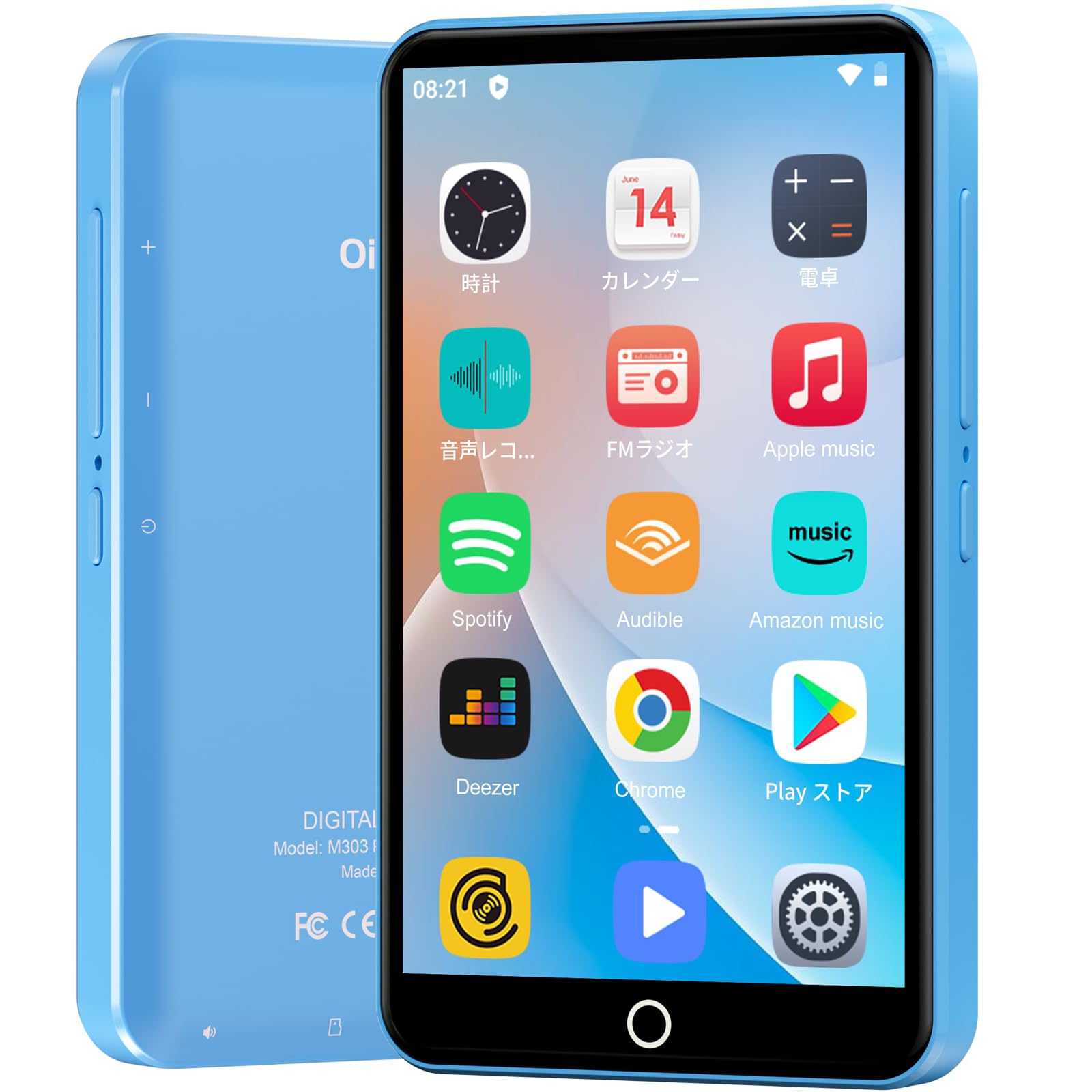
Foto: N'ihu view of the Oilsky M303 MP3 Player, showcasing its compact design and touchscreen interface.
2. Kedu ihe dị na Igbe ahụ
Biko lelee na etinyere ihe niile ndị a na ngwugwu gị:
- Oilsky M303 Main Unit
- Igwe ntị
- Ụdị-C Data USB
- Protective Film (one pre-installed, one spare)
- Multi-language User Manual (including Japanese)
- Silicone Nchedo Ikpe
- Kaadị ebe nchekwa 64GB

Image: All included accessories for the Oilsky M303 MP3 Player, neatly arranged.
3. Ngwaahịa gafereview
Familiarize yourself with the device's physical features and controls.
3.1. Nhazi ngwaọrụ

Foto: Akụkụ view of the Oilsky M303, highlighting the volume buttons, power button, and USB-C port.
- Bọtịnụ ike: Press and hold to power on/off or restart. Short press to turn the screen on/off.
- Bọtịnụ olu: Gbanwee olu ọdịyo.
- Ọdụ USB-C: Maka ịchaji na ịnyefe data.
- Jack ekweisi 3.5mm: Connect wired earphones.
- Oghere Kaadị MicroSD: Insert a microSD card for expanded storage.
- Ọkà okwu arụnyere n'ime ya: For audio playback without headphones.
4. Nhazi
4.1. Nchaji mbụ
Before first use, fully charge the device. Connect the provided Type-C data cable to the player and a USB power adapter (not included). A full charge takes approximately 3 hours. The device has a 2000mAh battery for extended use.
4.2. Gbanyụọ / gbanyụọ
- Iji gbanye: Pịa ma jide bọtịnụ ike ruo mgbe ihuenyo gbanye ọkụ.
- Iji gbanyụọ: Pịa ma jide bọtịnụ ike, wee họrọ "Ike gbanyụọ" site na nhọrọ.
- Gbanyụọ/ gbanyụọ ihuenyo: Short press the Power button to turn the screen on or off.
4.3. Ntọala Asụsụ
Upon first boot, you may need to set the language. Navigate to Settings > System > Languages & input > Languages to select your preferred language, such as English or Japanese.
4.4. Njikọ Wi-Fi
To access online features and download apps, connect to a Wi-Fi network:
- Gaa na Ntọala> Netwọk & ịntanetị> Wi-Fi.
- Gbanwee Wi-Fi On.
- Họrọ netwọk ịchọrọ site na ndepụta ahụ wee tinye paswọọdụ ma ọ bụrụ na ịchọrọ.
4.5. Google Play Store
The Oilsky M303 supports Google Play Store, allowing you to download various applications.
- Jide n'aka na ejikọrọ gị na Wi-Fi.
- Mepee Ụlọ ahịa Play ngwa site na ihuenyo mbụ.
- Jiri akaụntụ Google gị banye.
- Chọọ maka and install desired applications like YouTube, Spotify, or other streaming services.

Image: The Oilsky M303 screen showing the Google Play Store interface with various app icons.
5. Ntuziaka ọrụ
5.1. Nghaghachi egwu
The device supports various audio formats including MP3, WMA, WAV, FLAC, OGG, AAC, APE, and M4A.
- Transfer Music: Connect the player to your computer using the Type-C cable and transfer audio files to the device's internal storage or the microSD card.
- Kpọọ egwu: Open the Music app. You can browse by artist, album, song, or create custom playlists.
- Mmepụta: Adjust sound settings using the built-in equalizer for a personalized audio experience.
- Online Lyrics: The player supports displaying online lyrics for songs.

Image: The Oilsky M303 displaying its music playback interface, showing options for song classification, search, playlist creation, and equalizer settings.
5.2. Nghaghachi vidiyo
Enjoy videos on the 4-inch IPS full-touch screen with 480x800px resolution, supporting up to 1080P Full HD video playback. Supported formats include RM, AVI, RMVB, FLV, MP4, DAT, MKV, MPG, MOV, TS.
- Transfer Videos: Nyefee vidiyo files site na kọmputa gị gaa na ngwaọrụ.
- Kpọọ vidiyo: Open the Video app and select your desired video.
- Nhọrọ ọkpụkpọ: Features include loop or random playback, variable speed playback, sleep timer, and gesture controls for zoom.

Image: The Oilsky M303 displaying a video on its 4-inch screen, illustrating its video playback capabilities.
5.3. Njikọ Bluetooth
Connect your player to Bluetooth headphones, speakers, or car audio systems.
- Gaa na Ntọala > Ngwaọrụ ejikọrọ > Bluetooth.
- Gbanwee Bluetooth On.
- Make sure your Bluetooth accessory is in pairing mode.
- Họrọ ngwa mgbakwunye ahụ site na ndepụta ngwaọrụ dịnụ iji jikọọ.

Image: The Oilsky M303 demonstrating its Bluetooth connectivity with various audio devices like speakers and headphones.
5.4. Redio FM
The device includes an FM radio function. Connect wired earphones to act as an antenna for optimal reception.
5.5. Onye na-edekọ olu
Use the built-in voice recorder for capturing audio notes or lectures. Open the Ihe ndekọ ụda app to start recording.
5.6. File Nlekọta
The player comes with 16GB of internal storage and a 64GB microSD card, providing a total of 80GB usable storage. This can be expanded further up to 512GB using a larger microSD card. Use the File Manager app to organize your media and documents.
6. Nlekọta
- Nhicha: Jiri akwa dị nro dị nro hichaa ngwaọrụ ahụ. Zere ndị na-ehicha mmiri mmiri ma ọ bụ ihe abrasive.
- Nchekwa: Chekwaa ngwaọrụ ahụ n'ebe dị jụụ, kpọrọ nkụ na-adịghị na ìhè anyanwụ kpọmkwem na oke okpomọkụ.
- Nlekọta batrị: To prolong battery life, avoid fully discharging the battery frequently. Charge it regularly.
- Mmelite ngwanrọ: Check for system updates periodically in Ntọala > Sistemụ > Elu > Mmelite sistemụ iji hụ na arụmọrụ kacha mma na nchekwa.
7. Nchọpụta nsogbu
| Nsogbu | Ngwọta enwere ike |
|---|---|
| Ngwaọrụ anaghị agbanwu ọkụ. | Gbaa mbọ hụ na agbagoro batrị. Jikọọ na chaja opekata mpe nkeji iri na ise tupu ịnwa ịgbanwuo ọzọ. |
| Enweghị ike ijikọ na Wi-Fi. | Check if Wi-Fi is enabled in settings. Ensure the password is correct. Restart the device and your Wi-Fi router. |
| Bluetooth connection is unstable or disconnects. | Ensure the player and Bluetooth accessory are within close range. Avoid areas with strong electromagnetic interference. Try re-pairing the devices. |
| Apps are slow or unresponsive. | Close unnecessary background applications. Clear app cache (Settings > Apps & notifications > See all apps > [App Name] > Storage & cache > Clear cache). Restart the device. |
| Ngwaọrụ na-ekpo ọkụ mgbe ejiri ya. | It is normal for the device to warm up during intensive use (e.g., video playback, gaming). If it becomes excessively hot, close applications and let it cool down. |
| Cannot charge with USB-C PD charger. | The device may not support USB-C Power Delivery (PD) protocols. Use a standard USB-A to USB-C cable with a compatible USB-A power adapter (5V, up to 900mA). |
8. Nkọwapụta
| Ụdị | Oilsky |
| Nlereanya | M303 |
| Sistemụ nrụọrụ | Android 9.0 |
| Ihuenyo | 4-inch Full-touch IPS LCD (480x800px) |
| Nhazi | 8-core (MTK 8-Core) |
| RAM | 2GB |
| Nchekwa nke ime | 16GB |
| Nchekwa enwere ike ịgbasa | MicroSD card up to 512GB (64GB card included) |
| Batrị | 2000mAh |
| Njikọta | Wi-Fi, Bluetooth |
| Ụdị ọdịyo akwadoro | MP3, WMA, WAV, FLAC, OGG, AAC, APE, M4A |
| Ụdị vidiyo akwadoro | RM, AVI, RMVB, FLV, MP4, DAT, MKV, MPG, MOV, TS (up to 1080P) |
| Akụkụ (D x W x H) | 1 x 6.1 x 10.3 cm |
| Atụmatụ | Touchscreen, Voice Recorder, Built-in Speaker, Video Playback, FM Radio, Calculator, Calendar, Alarm |
| Mmalite | China |
9. Akwụkwọ ikike na nkwado
The Oilsky M303 MP3 Player comes with a 1-afọ akwụkwọ ikike site na ụbọchị ịzụrụ. Biko dowe ihe akaebe nke ịzụrụ ihe maka akwụkwọ ikike.
For technical support or warranty inquiries, please contact the retailer or manufacturer directly. Refer to the contact information provided in the packaging or on the official Oilsky websaịtị.
Ask a question about this manual
Ask about setup, troubleshooting, compatibility, parts, safety, or missing instructions. Manuals+ will review the question and use this page’s manual context to help answer it.