
Okwu mmalite
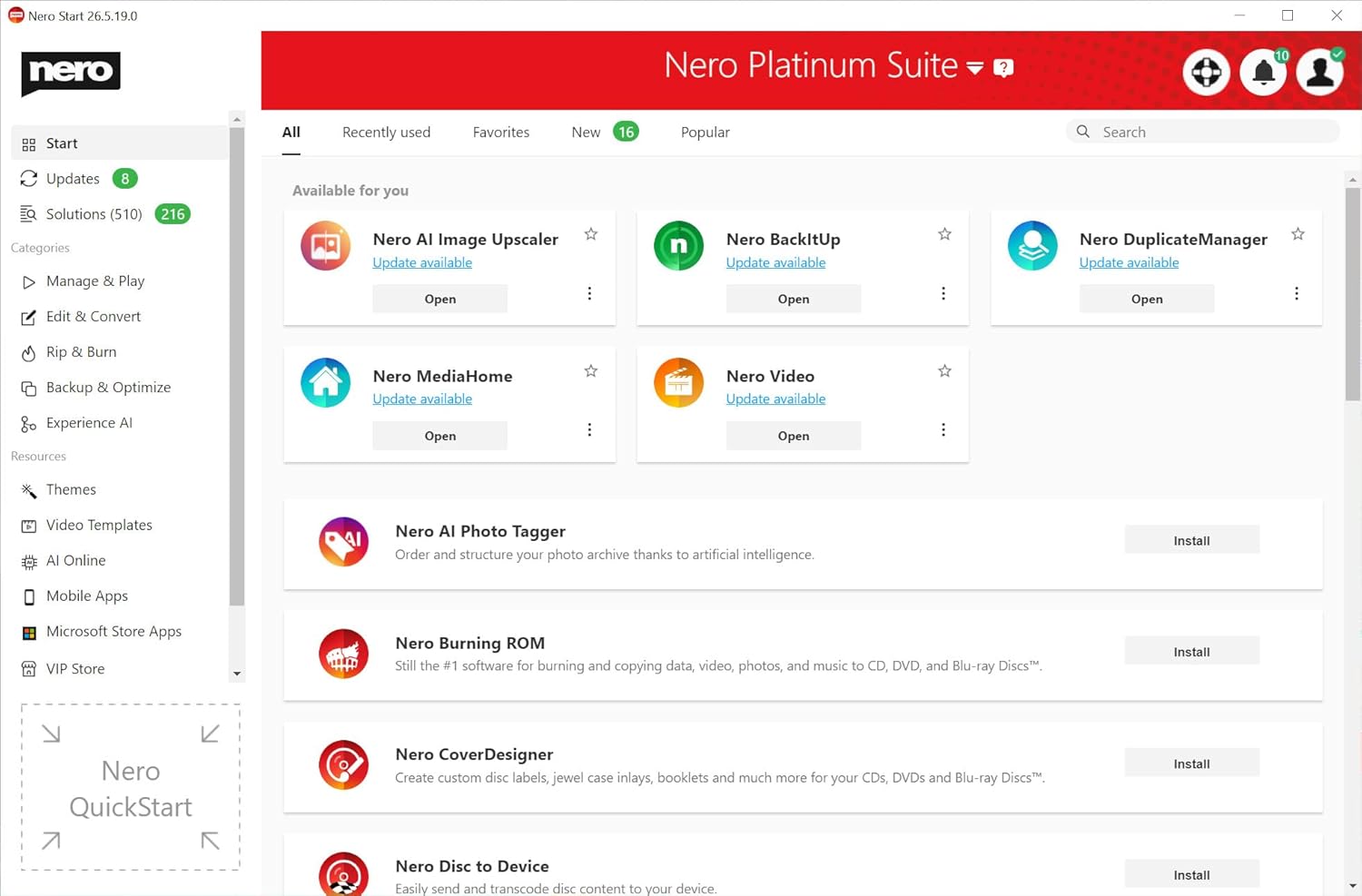
Nero Platinum Unlimited is a comprehensive software suite designed for backup, media management, photo organization, video editing, and PC optimization. This manual provides detailed instructions for installing and utilizing the various features of the software.
Ntọala & Nwụnye
To begin using Nero Platinum Unlimited, follow these steps for installation and initial setup:
- Receive Activation Card: You will receive an activation card containing the download link and your unique activation code.
- Budata ngwanrọ: Navigate to the provided download link and download the Nero Platinum Unlimited installation file.
- Gbaa installer: Execute the downloaded installer and follow the on-screen prompts.
- Enter Activation Code: During the installation process, you will be prompted to enter your activation code from the card.
- Ihe achọrọ sistemụ: Ensure your PC meets the minimum requirements for Windows 11, Windows 10, Windows 8, or Windows 7.

After successful installation, launch the Nero Start application to access the various tools within the suite.
Smart Backup & Restore
Nero Platinum Unlimited offers robust backup and restore functionalities to protect your valuable data.
- Ndabere akpaghị aka: Configure automatic backups for your photos, documents, videos, and music to various destinations such as local drives, USB devices, or cloud storage.
- Ngwakọta igwe ojii: Seamlessly back up and restore data from popular cloud services.


For a visual guide on backing up and restoring data, refer to the video below:
Vidiyo 1: Agafeeview of Nero Platinum 2019 features, including backup capabilities.
AI-Organized Media & Photo Management
Organize and manage your photo and video libraries efficiently with AI-powered tools.
- AI Photo Organization: Sort photos by faces, objects, and locations for easy retrieval.
- Duplicate Removal: Quickly identify and remove duplicate images to free up storage space.
- Image Upscaling: Enhance image quality and resolution using AI-powered upscaling.
- Face Beautifier: Apply enhancements to faces in your photos.



Video 2: Demonstrating photo editing and retouching capabilities.
Convert, Rip & Burn Media
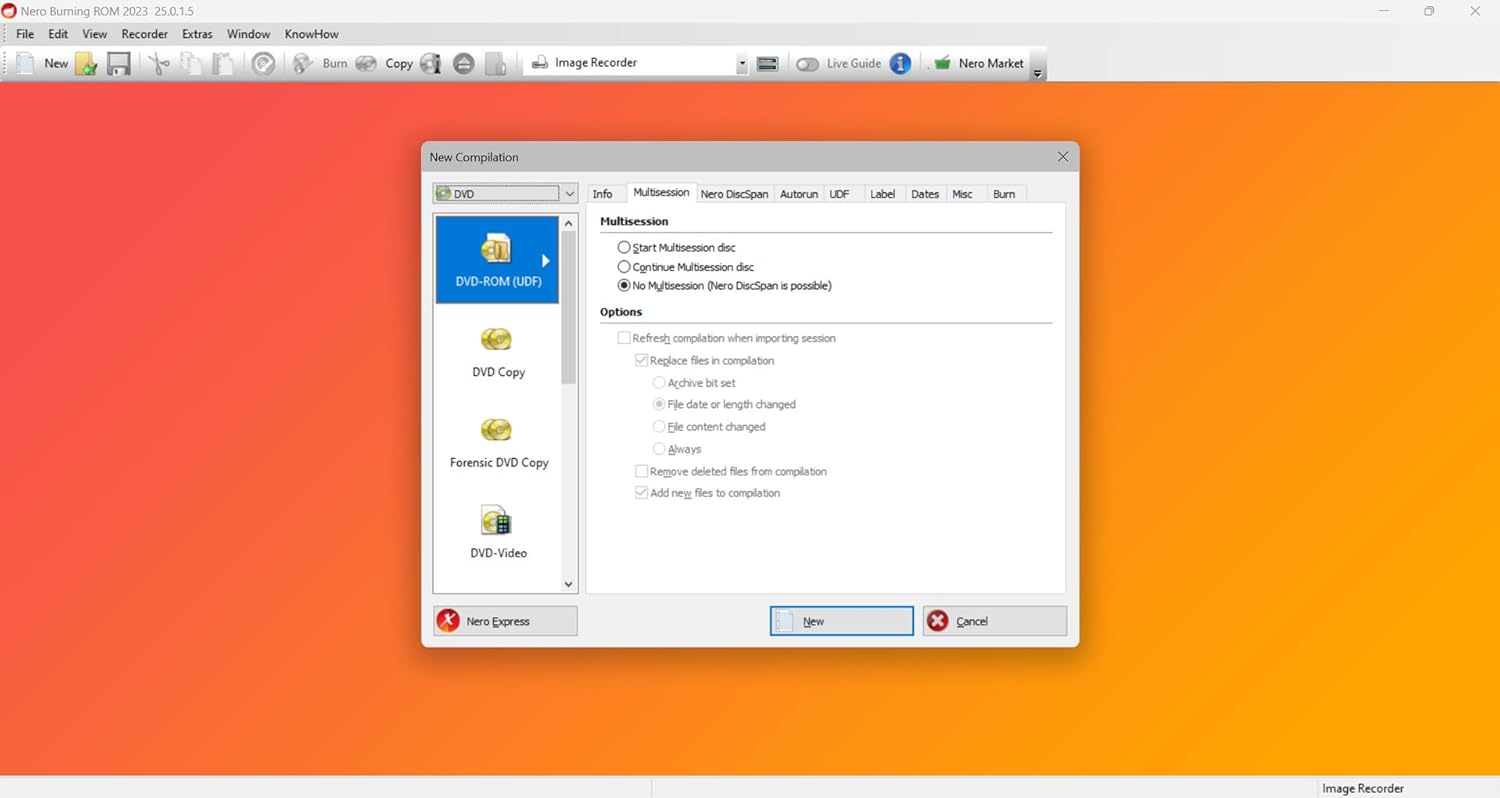
Nero Platinum Unlimited provides tools for converting media files, ripping audio CDs and DVDs, and burning data or media to discs.
- Ntụgharị mgbasa ozi: Convert video and audio files to various formats compatible with different devices.
- Disc Ripping: Rip audio CDs and DVDs to your hard drive.
- Disc Burning: Burn data, video, and audio to CDs, DVDs, and Blu-ray discs for storage or sharing.
Video & Music Tools
Edit and enhance your home videos and manage your music collection with dedicated tools.
- Ndezi vidiyo: Edit home videos, apply effects, and create professional-looking movies.
- Nchọgharị ngagharị: Utilize motion tracking for dynamic effects in your videos.
- Njikwa ọdịyo: Cut audio, record sound, and manage various music formats.



Video 3: Demonstrating AI-powered video editing features.
PC Cleaning & Speed Boost
Optimize your PC's performance with integrated cleaning and tuning tools.
- Njikwa Oghere Diski: Free up disk space by identifying and removing unnecessary files.
- Junk File Mwepụ: Clean junk files and temporary data to improve system efficiency.
- Startup Optimization: Enhance PC startup times by managing startup programs.

Nchọpụta nsogbu
If you encounter any issues while using Nero Platinum Unlimited, consider the following general troubleshooting steps:
- Lelee Sistemu chọrọ: Verify that your computer meets all the minimum system requirements for the software.
- Mmelite ngwanro: Ensure your Nero Platinum Unlimited suite is updated to the latest version. Updates often include bug fixes and performance improvements.
- Restart Application/PC: A simple restart of the application or your computer can resolve many temporary issues.
- Consult Online Resources: Visit the official Nero support website for FAQs, knowledge base articles, and community forums.
- Nkwado kọntaktị: If the issue persists, contact Nero customer support for further assistance.
Nkọwapụta
| Njirimara | Nkọwa |
|---|---|
| Akụkụ ngwaahịa | 4.88 x 3.5 x 0.08 inch; 0.63 ounce |
| Ụbọchị mbụ dị | Maachị 11, 2025 |
| Onye nrụpụta | Nero Inc. |
| ASIN | B0F13YNP32 |
| Ndakọrịta sistemụ arụmọrụ | Windows 11/10/8/7 |
| Ụdị ikike | Lifetime License (1 PC) |
Akwụkwọ ikike & Nkwado
Nero Platinum Unlimited comes with a standard warranty as per the manufacturer's terms. For detailed warranty information and technical support, please refer to the official Nero websaịtị ma ọ bụ akwụkwọ agụnyere na ịzụrụ gị.
- Nkwado gọọmentị: For the most up-to-date support resources, visit the Nero official websaịtị.
- Ndebanye aha Ngwaahịa: Register your product online to ensure access to all support services and updates.