
Okwu mmalite
This manual provides detailed instructions for the safe and efficient use of your boAt Airdopes Plus 311 True Wireless Stereo (TWS) Earbuds. Please read this guide thoroughly before using the product to ensure optimal performance and longevity. Keep this manual for future reference.

Image: boAt Airdopes Plus 311 TWS Earbuds in Midnight Blue, showcasing the earbuds and charging case.
Kedu ihe dị na Igbe ahụ
Upon unboxing your boAt Airdopes Plus 311, you should find the following items:
- boAt Airdopes Plus 311 Earbuds
- Akpa nchaji ikuku
- USB Type-C Nchaji USB
- Ngwunye ntị agbakwunyere ( nha S, M, L)
- Akwụkwọ ntuziaka onye ọrụ

Image: The boAt Airdopes Plus 311 earbuds nestled within their charging case.
Ngwaahịa gafereview
The boAt Airdopes Plus 311 features a minimalistic glass design and is equipped with 10mm dynamic drivers for boAt Signature Sound. Each earbud includes dual microphones with ENx Technology for clear voice calls.
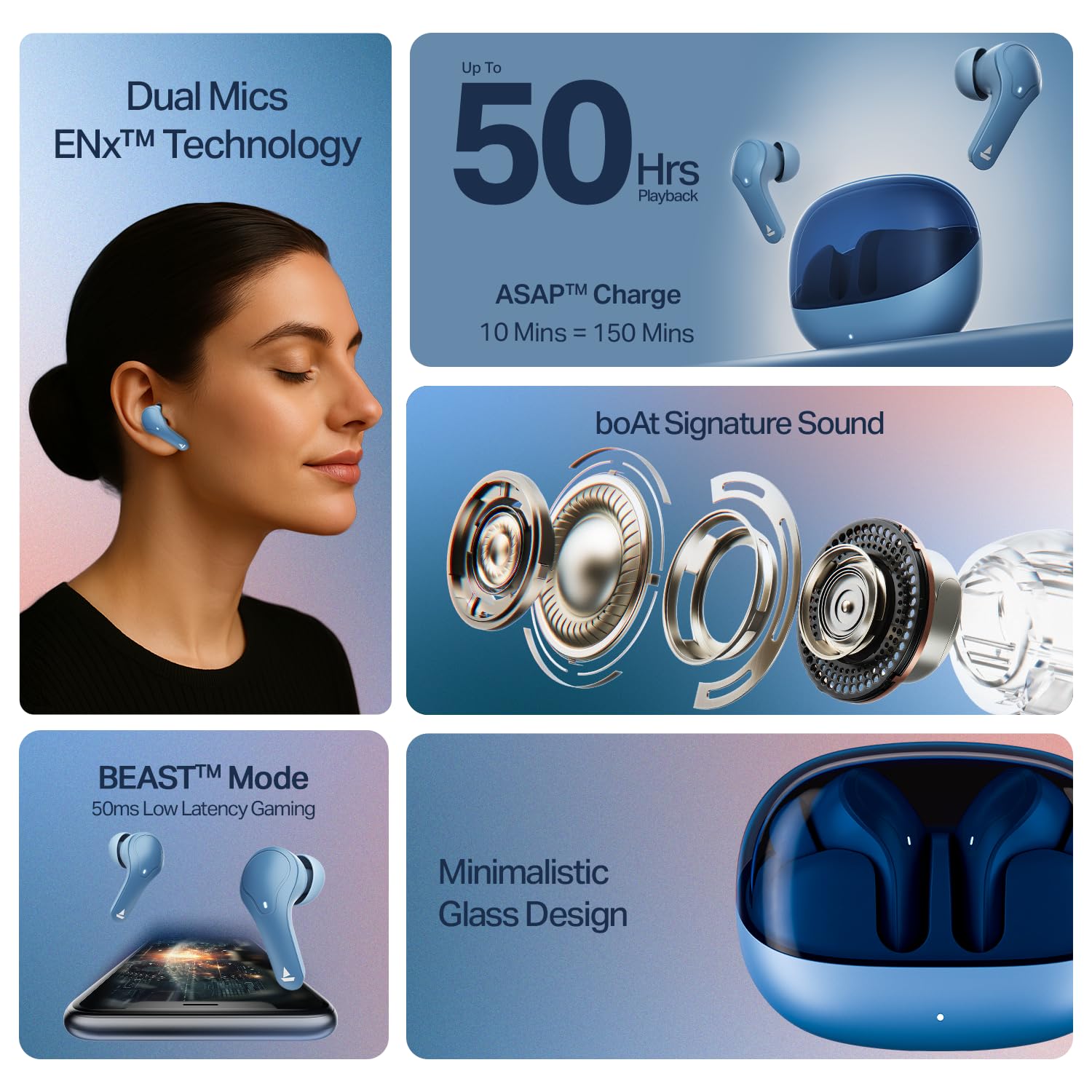
Foto: A nso nso view of the boAt Airdopes Plus 311 earbuds, highlighting their design and in-ear form factor.
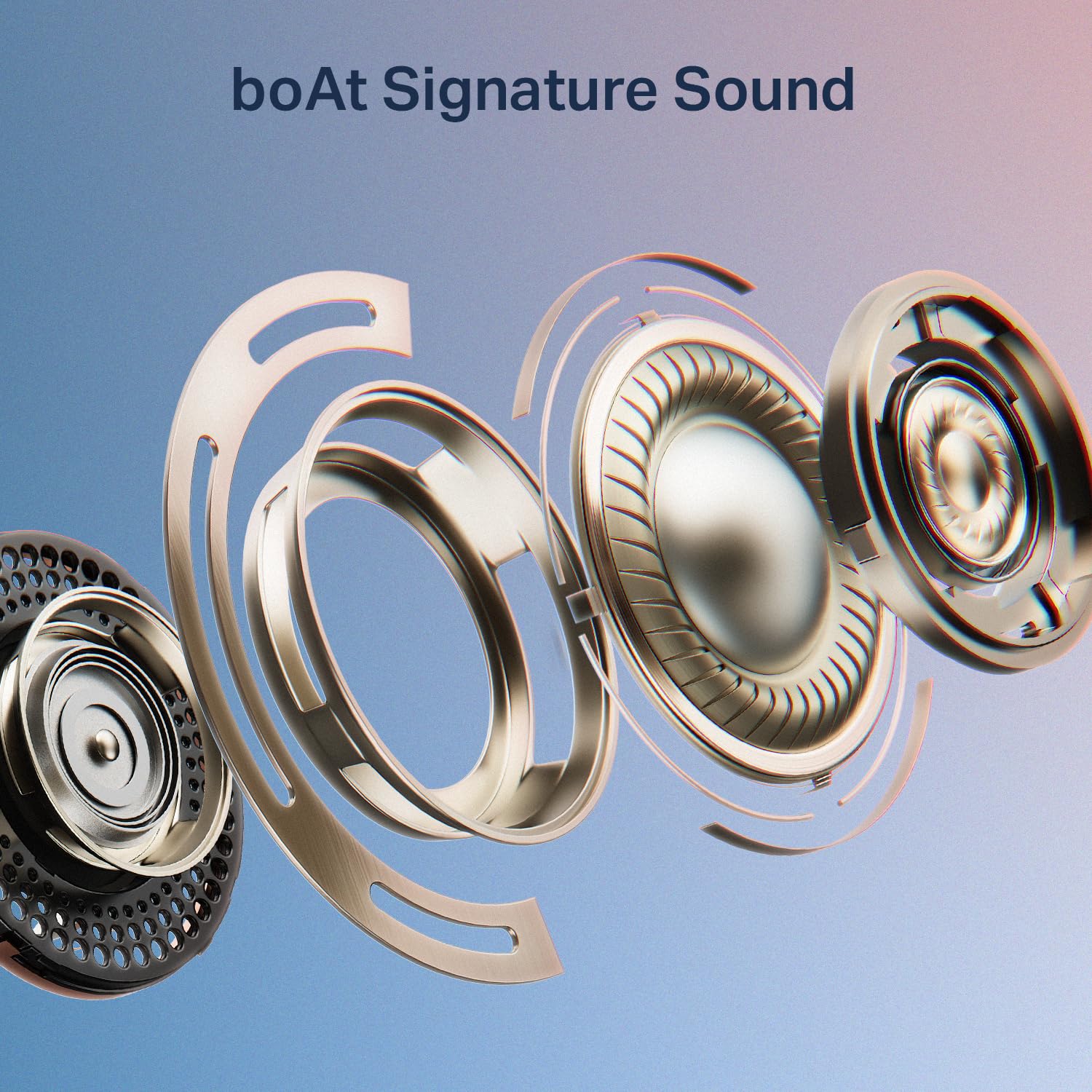
Image: An exploded diagram illustrating the internal components of a boAt Airdopes Plus 311 earbud, emphasizing the boAt Signature Sound driver.
Melite
1. Ịchaji ihe ntị na akpa
Before first use, fully charge the Airdopes Plus 311 earbuds and their charging case. The case provides additional charges for extended playtime.
- Connect the provided USB Type-C cable to the charging port on the case and a compatible USB power source.
- Ihe ngosi LED na ikpe ahụ ga-egosi ọkwa nchaji.
- Ụgwọ zuru ezu na-ewe ihe dịka awa 1.5.
- The ASAP Charge feature allows for 150 minutes of playback with just 10 minutes of charging.
- The earbuds offer up to 50 hours of total playback time with the charging case.
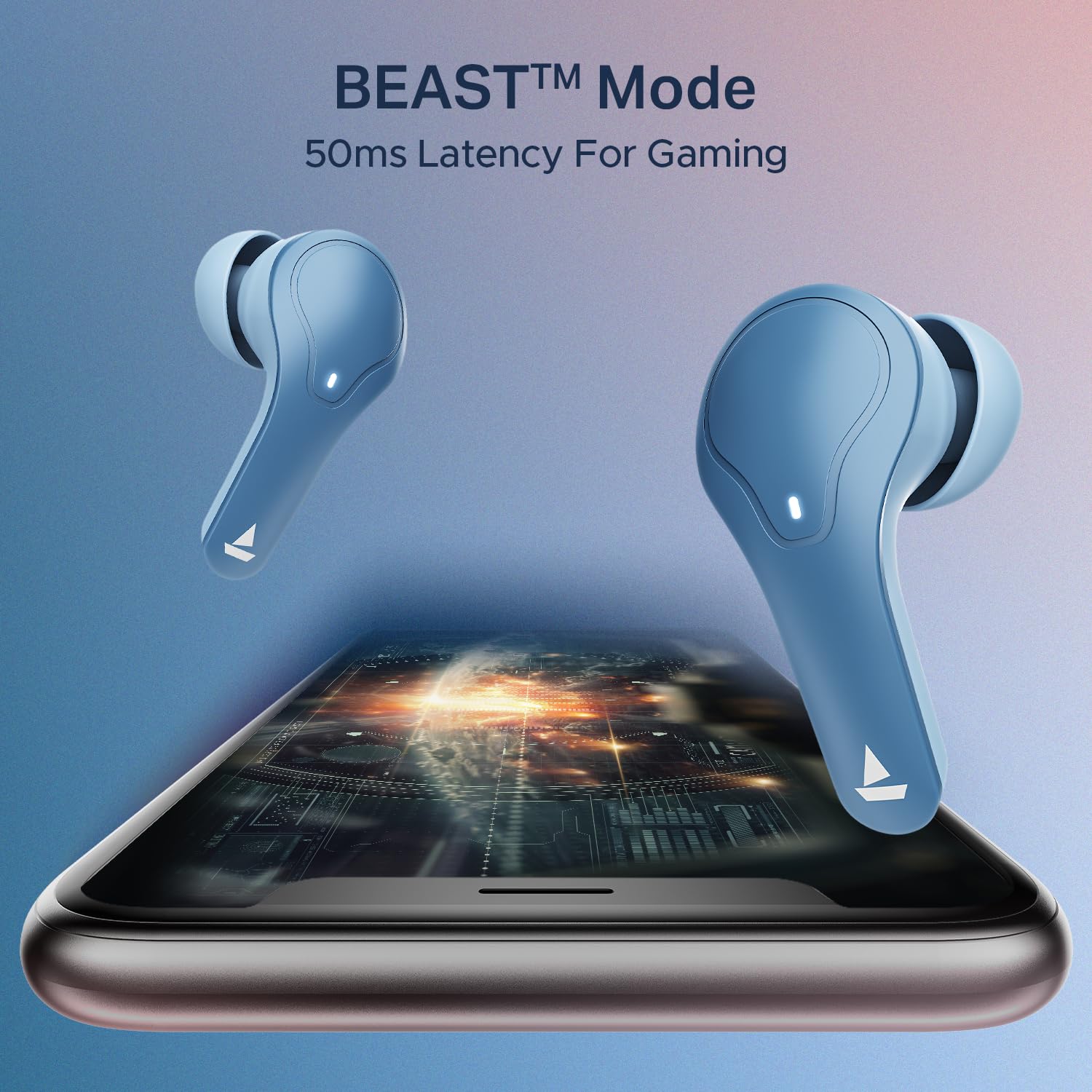
Image: The boAt Airdopes Plus 311 charging case, highlighting the Type-C charging port.

Image: Visual representation of the boAt Airdopes Plus 311's 50 hours of total playback and ASAP Charge capability (10 minutes charge for 150 minutes playback).
2. Ijikọ na ngwaọrụ gị
The Airdopes Plus 311 features Insta Wake N’ Pair (IWP) technology for seamless connectivity.
- Mmakọ izizi:
- Mepee mkpuchi nke ihe nchaji. Igwe ntị ga-agbanye na-akpaghị aka wee banye ọnọdụ njikọta.
- Na ngwaọrụ gị (smartphone, mbadamba, laptọọpụ), gbanye Bluetooth.
- Chọọ maka "Airdopes Plus 311" in the list of available Bluetooth devices and select it to connect.
- Ozugbo ejikọtara, ị ga-anụ ngwa ngwa ọdịyo, ihe ngosi LED na ntị ntị ga-agbanwe.
- Na-emezigharị:
- Once paired, the earbuds will automatically connect to the last paired device when you open the case lid (if Bluetooth is enabled on the device).
The earbuds utilize Bluetooth v5.3 for stable connectivity up to a range of 10 meters.

Image: A smartphone screen displaying the Bluetooth connection interface with the boAt Airdopes Plus 311 earbuds.
Ntuziaka ọrụ
The Airdopes Plus 311 earbuds feature intuitive touch controls for managing your audio and calls.
| Omume | Ọrụ |
|---|---|
| Otu mgbata (mbọchị ntị akaekpe/aka nri) | Kpọọ/Kwụsị Egwu, Zaa/Kwụsị Oku |
| Pịa ugboro abụọ (mbọchị ntị aka nri) | Track na-esote |
| Pịa ugboro abụọ (mkpọ ntị aka ekpe) | Egwu gara aga |
| Long Press (Left/Right Earbud, 2 seconds) | Mee ka onye enyemaka olu rụọ ọrụ |
| Long Press (Left/Right Earbud, 3 seconds during call) | Jụ oku |
| Kpatụ ugboro atọ (mkpu ntị aka ekpe/aka nri) | Toggle BEAST™ Mode (Low Latency Gaming) |
Enyemaka Olu: Activate your device's voice assistant (Google Assistant, Siri) with a long press on either earbud. This allows for hands-free control and information retrieval.
Ụdị BEAST™: For an enhanced gaming experience, triple tap either earbud to activate BEAST™ Mode, which provides 50ms low latency audio.

Onyonyo: Ihe ngosi collageasing key features of the boAt Airdopes Plus 311, including Dual Mics with ENx Technology, 50 hours playback, boAt Signature Sound, BEAST™ Mode for gaming, and Minimalistic Glass Design.
boAt Hearables App
Enhance your experience by downloading the boAt Hearables App. The app provides additional features and controls for your Airdopes Plus 311.

Image: A smartphone displaying the boAt Hearables App with a QR code for easy download. Scan the QR code to access the app.
Budata ngwa ebe a: boAt Hearables App
Nlekọta
Proper care ensures the longevity and optimal performance of your Airdopes Plus 311.
- Nhicha: Jiri akwa dị nro, kpọrọ nkụ na-adịghị na-ehicha ntị ntị na chaja mgbe niile. Zere iji kemịkalụ siri ike ma ọ bụ ihe na-emebi emebi.
- Nguzogide mmiri: The earbuds are IPX4 rated, meaning they are resistant to dust, sweat, and splashes. Do not submerge them in water or expose them to heavy rain. Ensure they are dry before placing them back in the charging case.
- Nchekwa: Mgbe ejighị ya, chekwaa earbuds n'ime akpa nchaji ha iji chebe ha ma debe ha ebubo. Chekwaa n'ebe dị jụụ, kpọrọ nkụ na-adịghị na ìhè anyanwụ kpọmkwem na oke okpomọkụ.
- Nlekọta batrị: To preserve battery life, avoid fully discharging the earbuds and case frequently. Charge them regularly, even if not in constant use.

Image: A collage highlighting features including IPX4 Dust, Sweat & Splash Resistant rating for the boAt Airdopes Plus 311.
Nchọpụta nsogbu
If you encounter any issues with your Airdopes Plus 311, refer to the following common solutions:
- Earbuds not turning on:
- Ensure the charging case and earbuds are fully charged.
- Place the earbuds back in the case, close the lid, and then open it again.
- Igwe ntị anaghị ejikọta:
- Gbaa mbọ hụ na agbanyere Bluetooth na ngwaọrụ gị.
- Ensure the earbuds are in pairing mode (LED indicator flashing).
- Forget "Airdopes Plus 311" from your device's Bluetooth list and try pairing again.
- Ensure the earbuds are within the 10-meter Bluetooth range.
- Naanị otu earbud na-arụ ọrụ:
- Place both earbuds back into the charging case, close the lid, wait a few seconds, and then open it again.
- Lelee ma ekwe ntị abụọ ahụ nwere chajị.
- Try resetting the earbuds (refer to the full product manual for specific reset instructions if needed).
- Olu dị ala ma ọ bụ ogo ụda adịghị mma:
- Gbanwee olu na ma ngwaọrụ gị yana ntị ntị.
- Ensure the ear tips are properly sealed in your ear canal. Try different sized ear cushions.
- Hichaa irighiri ihe ọ bụla sitere na igwe okwu ntị.
- Nsogbu ịchaji:
- Lelee eriri nchaji na nkwụnye maka mmebi.
- Gbaa mbọ hụ na ọdụ ụgbọ mmiri dị na akpa ahụ dị ọcha na enweghị irighiri ihe.
- Gbalịa eriri chaja dị iche ma ọ bụ isi iyi ike.
For further assistance, please contact boAt customer support.
Nkọwapụta
| Njirimara | Nkọwa |
|---|---|
| Aha Nlereanya | Airdopes Plus 311 |
| Nọmba nlereanya | 1000003677 |
| Ụdị | boAt |
| Ntinye ntị | Na Ntị |
| Ụdị Ihe | Na Ntị |
| Njikwa mkpọtụ | Active Noise Cancellation (Note: This specification refers to the general capability. The product features ENx Technology for clear call microphones, not active noise cancellation for listening.) |
| Usoro njikwa | Metụ aka |
| Nkezi Ndụ batrị | Awa 50 (ya na igbe nchaji) |
| Oge nchaji batrị | Awa 1.5 |
| Ụdị ọkwọ ụgbọ ala ọdịyo | Onye ọkwọ ụgbọ ala dị ike (10mm) |
| Oke ugboro ugboro | 20 Hz - 20 kHz |
| Ihe mkpuchi | Glass |
| Ngwa dakọtara | Cellphones, Laptops, Tablets |
| Ọkwa Nguzogide mmiri | IPX4 (mmiri na-eguzogide) |
| Njikọ netwọkụ | Bluetooth |
| Ụdị Bluetooth | 5.3 |
| Oke Bluetooth | 10 mita |
| Ibu Ibu | 45 grams |
Akwụkwọ ikike na nkwado
Your boAt Airdopes Plus 311 comes with a 1-afọ akwụkwọ ikike site na ụbọchị ịzụrụ.
For product-related queries, technical support, or warranty claims, please contact boAt customer service:
- Nkwado kọntaktị: +91 (022) 69181920
- Email: info@imaginemarketingindia.com
- Onye nrụpụta: Imagine Marketing Ltd.
- adreesị: Unit no. 204 & 205, 2nd floor, D-wing & E-wing, Corporate Avenue, Andheri Ghatkopar Link Road, Mumbai, Maharashtra-400093, India.
Please retain your purchase receipt as proof of purchase for warranty services.