
Okwu mmalite
The BORUIT EV10 is a versatile and compact Everyday Carry (EDC) flashlight designed for various outdoor and emergency situations. It features high lumens dual-beam lighting with adjustable spot and flood capabilities, multi-mode RGB side lights, and a rechargeable 1000mAh battery with USB-C charging. Constructed from durable aluminum alloy, it boasts an IP66 water and dust resistant rating, ensuring reliability in harsh conditions.
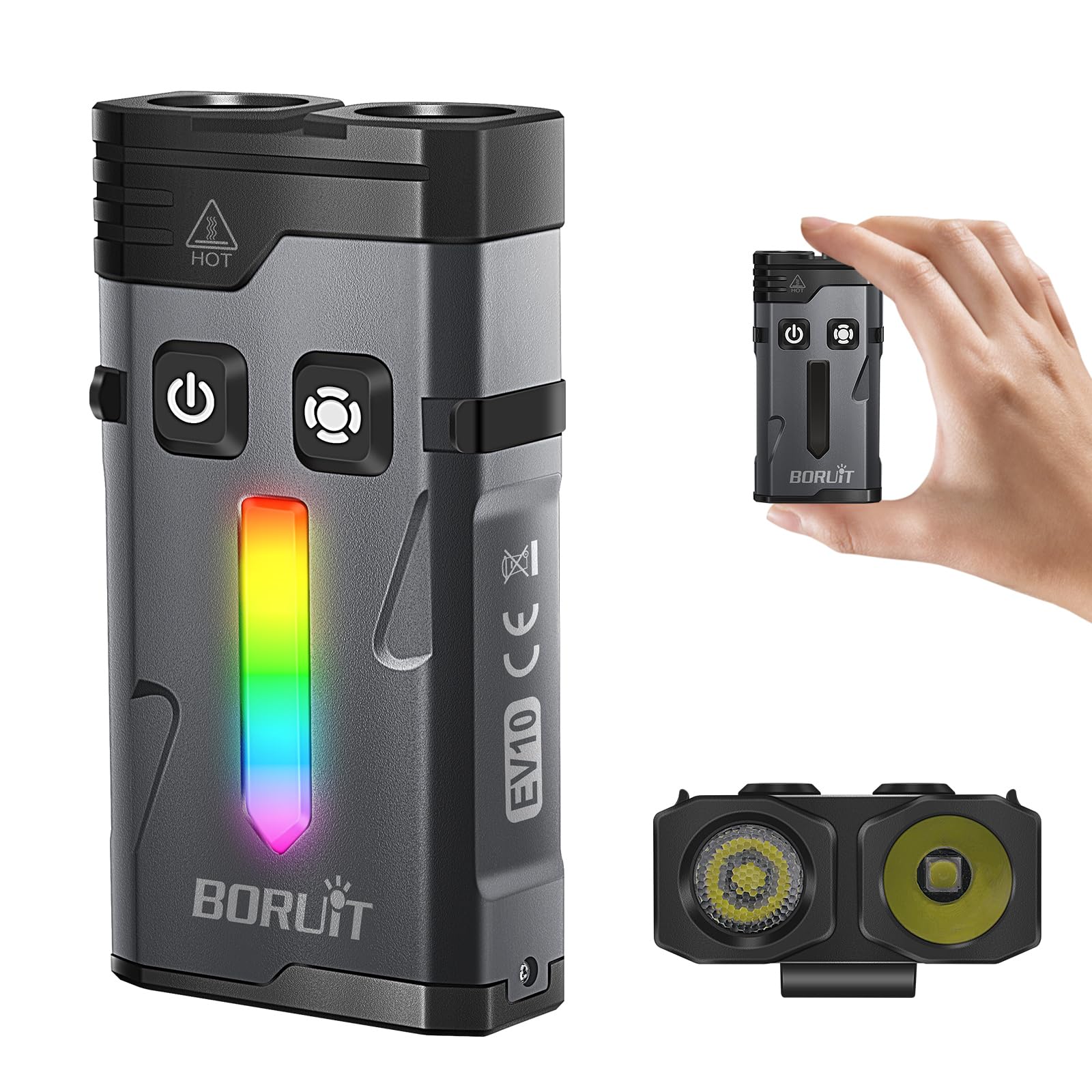
Image: The BORUIT EV10 Rechargeable EDC Flashlight, showcasing ya kọmpat imewe.
Kedu ihe dị na Igbe ahụ
- EV10-1 flat clip on flashlight
- USB-C eriri USB
- Clip
- Eriri ngakọ igodo
Melite
Ịchaji ọkụ ọkụ
The BORUIT EV10 features a built-in 1000mAh battery and a USB-C charging port. To charge the device:
- Locate the USB-C charging port on the flashlight.
- Connect the provided USB-C charging cable to the flashlight and a compatible USB power source (e.g., wall adapter, computer USB port).
- The charging indicator light will flash red during charging.
- Charging typically takes approximately two hours for a full charge.
- Ozugbo chajachara nke ọma, ọkụ egosi ga-atụgharị akwụkwọ ndụ akwụkwọ ndụ.
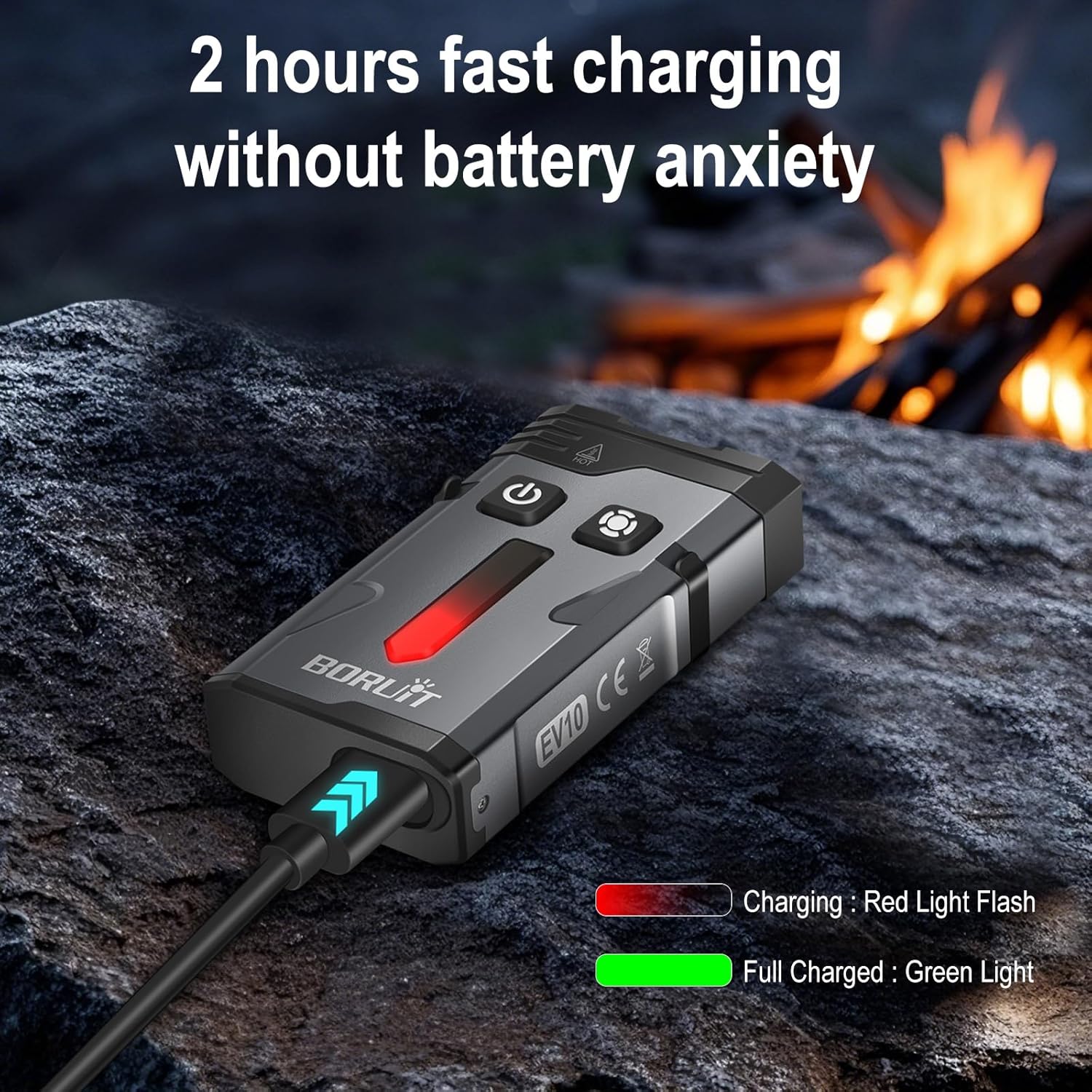
Image: The BORUIT EV10 connected to a USB-C cable, showing the charging indicator light.
Ntuziaka ọrụ
Isi ọrụ ọkụ
The main light features both spotlight and floodlight modes with multiple brightness levels, plus Turbo and Strobe functions.
- Gbanyụọ/ Gbanyụọ: Press and hold the main light button.
- Switch Brightness/Mode: Single-click the main light button to cycle through: Spotlight High → Spotlight Med → Spotlight Low → Floodlight High → Floodlight Med → Floodlight Low.
- Ụdị Turbo: Double-click the main light button to activate the highest combined output.
- Ụdị strok: Triple-click the main light button to activate the emergency strobe.

Image: Diagram illustrating the dual switch operations for main light and side light modes.
Side Light (RGB) Operation
The side light offers various static colors and dynamic modes, including a red and blue police flashing light.
- Gbanyụọ/ Gbanyụọ: Press and hold the side light button.
- White Constant Light: Double-click the side light button to activate White Constant Light. Single-click to cycle through High and Low brightness.
- Colored Constant Light: Double-click again to enter Colored Constant Light mode. Single-click to cycle through Red, Green, Blue, Orange, Yellow, Ice Blue, Pink.
- Colored Breathing Light: Double-click again to enter Colored Breathing Light mode. Single-click to cycle through Red, Green, Blue, Orange, Yellow, Ice Blue, Pink.
- Colored Streamline Light: Double-click again to enter Colored Streamline Light mode. Single-click to cycle through Red, Green, Blue, Orange, Yellow, Ice Blue, Pink.
- Colored Dropflow Light: Double-click again to enter Colored Dropflow Light mode. Single-click to cycle through Red, Green, Blue, Orange, Yellow, Ice Blue, Pink.
- Flowing Rainbow Light: Double-click again to enter Flowing Rainbow Light mode. Single-click to adjust speed (slow to fast).
- Red & Blue Flashing Warning Light: Triple-click the side light button to activate this mode.

Image: The BORUIT EV10 displaying its various Dazzle Color Side Light modes.
Video Demonstration: BORUIT EV10 EDC Flashlight
Video: A demonstration of the BORUIT EV10 EDC Flashlight, showcasing ya atụmatụ na ọrụ.
Atụmatụ
- High Lumens Dual Beam Lighting: Illuminates up to 100 meters with adjustable far/near beam technology, allowing easy switching between wide-area close-up lighting and focused long-distance illumination.
- Multi-Mode RGB Flashlight: Features 14 RGB LEDs with 7 static colors and 4 dynamic modes (breathing, flowing, cycling, alarm), plus red and blue police flashing lights for versatile ambient and emergency signaling.
- EDC Flashlight Rechargeable: Equipped with a built-in 1000mAh battery and USB-C port for quick charging (approx. 2 hours). Offers up to 54 hours of runtime in the lowest gear mode.
- Convenient Keychain Flashlight: Designed with a magnetic base, clip, keychain, and lanyard for stable, hands-free illumination in various situations, ideal for emergency repairs or daily use.
- Rugged & Waterproof Flashlight: Made from aluminum alloy, capable of withstanding a 3.3-foot drop. IP66 water and dust resistant rating ensures reliable performance in rain, snow, or dusty environments.

Image: The BORUIT EV10 demonstrating its multi-functional uses, including magnetic attachment, hat clip, and keychain carry.
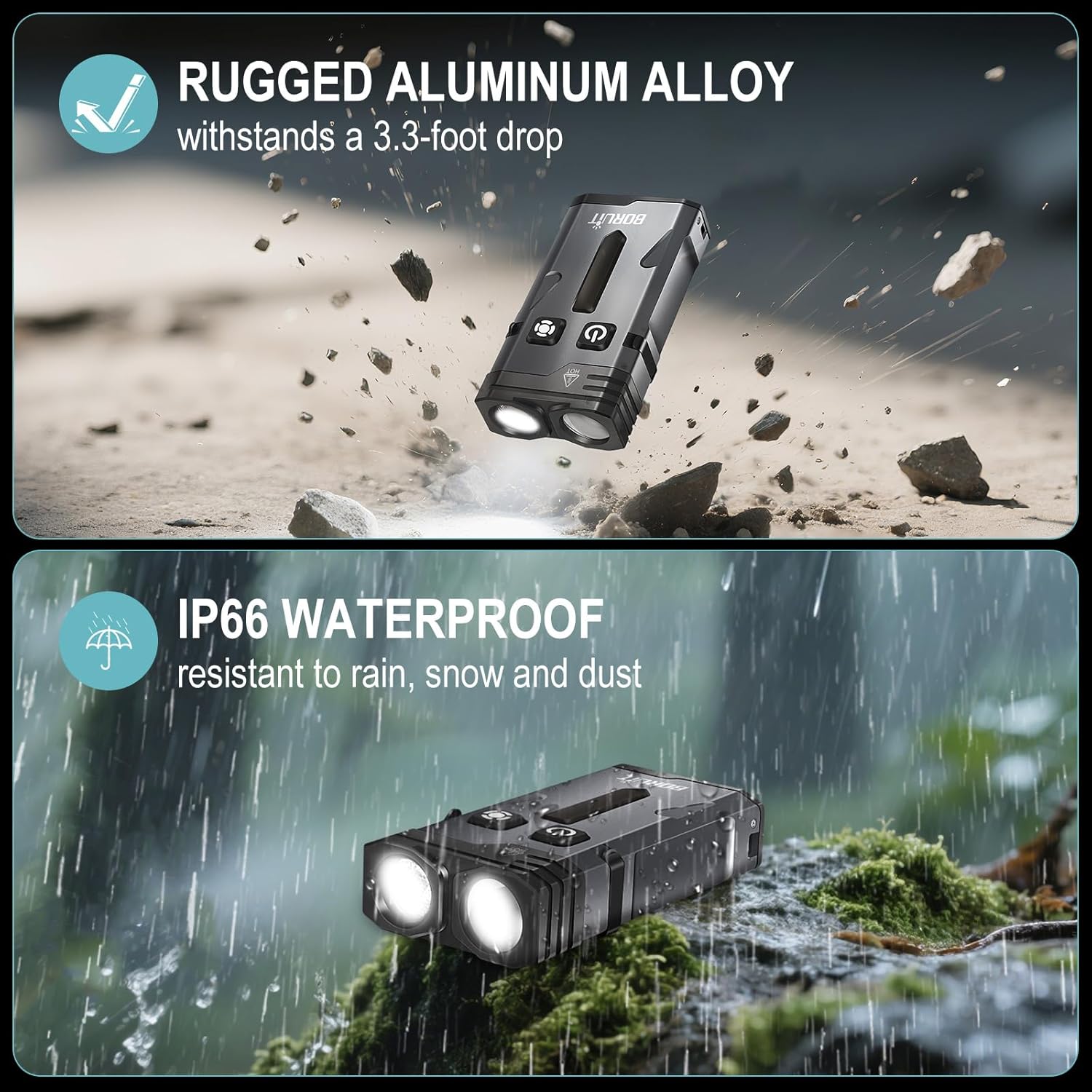
Image: Visual representation of the BORUIT EV10's rugged aluminum alloy construction and IP66 waterproof rating.
Nkọwapụta
| Njirimara | Nkọwa |
|---|---|
| Njirimara Pụrụ Iche | Magnetic Clip, Ambient Lighting, Adjustable Far/Near Beam, Emergency Strobe, and Versatile Design |
| Agba | Nwa |
| Isi Iyi Ike | Akwanyere batrị |
| Ụdị isi iyi ọkụ | Ikanam |
| Ihe onwunwe | Aluminom |
| Ọcha Ọcha | 1100 Lumen |
| Ngwa gụnyere | Clip, EV10-1 flat clip on flashlight, USB-C Charging Cable, key ring |
| Akụkụ ngwaahịa | 2.7"D x 1.4"W x 0.8"H |
| Ngwakọta cell batrị | Lithium ion |
| Ọnụọgụ nke batrị | Achọrọ batrị 1 batrị na-abụghị ọkọlọtọ. (gụnyere) |
| Ọkwa Nguzogide mmiri | Mmiri mmiri (IP66) |
| Oke Mbupụta Ìhè | 1100 Lumen |
| Nkọwa batrị | Lithium-ion |
| Ụdị | Keychain |
| Ụdị mmecha | Matte |
| Ụdị nkwụnye | Clip and Magnetic Mount |
| Ibu Ibu | 3.84 ounces |
| Nọmba ihe nlereanya | EV10-1 |
| Ọnụọgụ ọkụ | 14 (RGB LEDs) |
Nlekọta
To ensure the longevity and optimal performance of your BORUIT EV10 flashlight, please follow these maintenance guidelines:
- Nhicha: Jiri nwayọ hichaa ahụ ọkụ, damp akwa . Ejila kemịkalụ siri ike ma ọ bụ ihe abrasive.
- Ịchaji: Recharge the battery regularly, especially if the flashlight will not be used for an extended period, to maintain battery health.
- Nchekwa: Chekwaa ọkụ ọkụ ahụ n'ebe dị jụụ, kpọrọ nkụ na-adịghị na ìhè anyanwụ kpọmkwem na oke okpomọkụ.
- Nguzogide mmiri: While IP66 rated, avoid prolonged submersion in water. Ensure the USB-C port cover is securely closed to prevent water and dust ingress.
Nchọpụta nsogbu
If you encounter any issues with your BORUIT EV10 flashlight, please refer to the following common troubleshooting steps:
- Flashlight Not Turning On: Ensure the battery is charged. Connect the flashlight to a USB-C power source and check if the charging indicator activates.
- Modes Not Cycling Correctly: Tụtụ aka na
Akwụkwọ ndị emetụtara - EV10-1

Ntuziaka Onye Ọrụ Ọkụ Mkpọchi BORUIT V10
Akwụkwọ ntuziaka zuru oke maka ọkụ ọkụ BORUIT V10, na-akọwapụta atụmatụ ya, nkọwapụta ya, na ụdị ọrụ ya. Ọkụ ọkụ EDC a dị ike ma dị iche iche gụnyere ọkụ bụ isi, ọkụ UV 365nm, na ọkụ n'akụkụ nwere ọtụtụ nhọrọ agba na ọrụ dị ka buzzer na ọkụ ịdọ aka ná ntị na-egbukepụ egbukepụ. A na-agbanye ya site na USB-C ma nwee magnet ọdụ maka itinye ya ngwa ngwa.
BORUiT S4 LED Scuba Diving Flashlight User Manual
User manual for the BORUiT S4 LED Scuba Diving Flashlight, covering safety warnings, instructions for use, precautions, features, FAQs, and warranty information.
BORUiT LED Lamp User Manual (EBW2408)
User manual and safety instructions for the BORUiT LED Lamp. Includes setup, usage precautions, and warranty information.
BORUIT LED Lamp Akwụkwọ ntuziaka onye ọrụ
User manual and safety guide for the BORUIT LED Lamp, including operating instructions, maintenance tips, and warranty information.
BORUIT LED Lamp User Manual | EBW2172A Instructions
Comprehensive user manual for the BORUIT LED Lamp (Model EBW2172A). Includes safety warnings, operating instructions, maintenance precautions, and warranty information.
EV Series Vacuum Generator User Manual
User manual and installation guide for EV Series pneumatic vacuum generators. Covers specifications, features, and setup instructions for models EV10, EV15, EV20, and EV25.Ask a question about this manual
Ask about setup, troubleshooting, compatibility, parts, safety, or missing instructions. Manuals+ will review the question and use this page’s manual context to help answer it.