
Okwu mmalite
This manual provides essential information for the proper use and maintenance of your Maxcom MM835 4G VoLTE Flip Phone. Please read these instructions carefully before using your device to ensure optimal performance and longevity. This phone is designed for ease of use, featuring large displays and a simplified interface.
Ngwaahịa gafereview
The Maxcom MM835 is a 4G VoLTE flip phone designed for clear communication and user convenience. It features a dual-screen design, large backlit keys, and essential functions like an SOS button and HAC (Hearing Aid Compatibility).
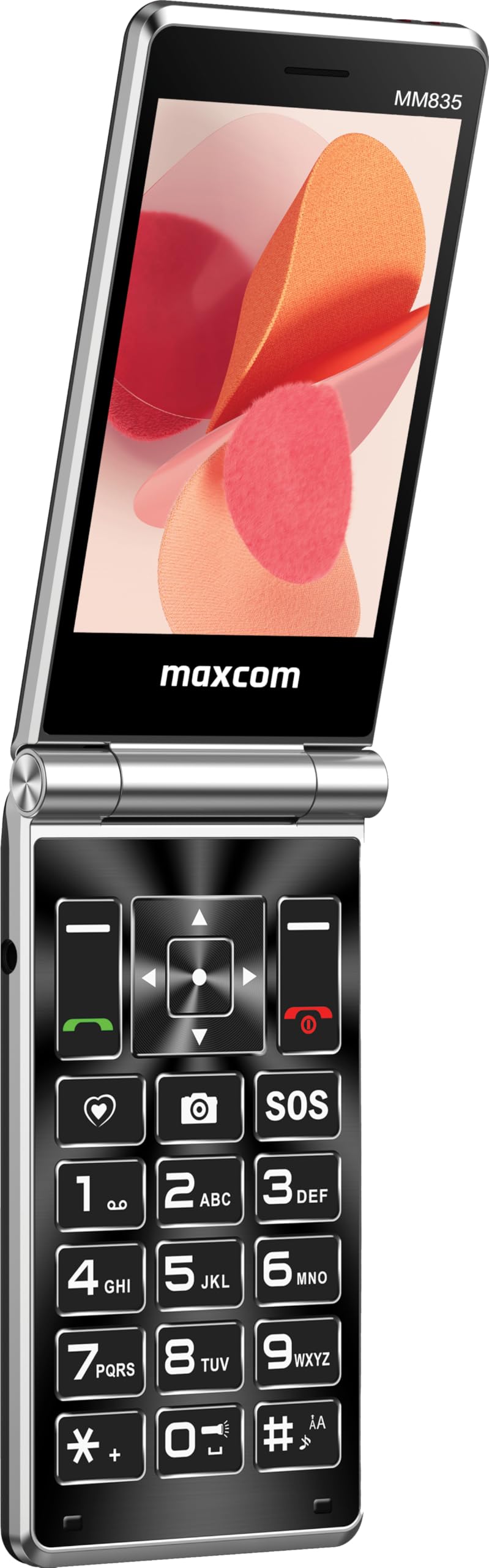
Foto 1: Maxcom MM835 Flip Phone (Closed View). The external 2.4-inch screen displays time, date, battery status, and missed calls without opening the phone.
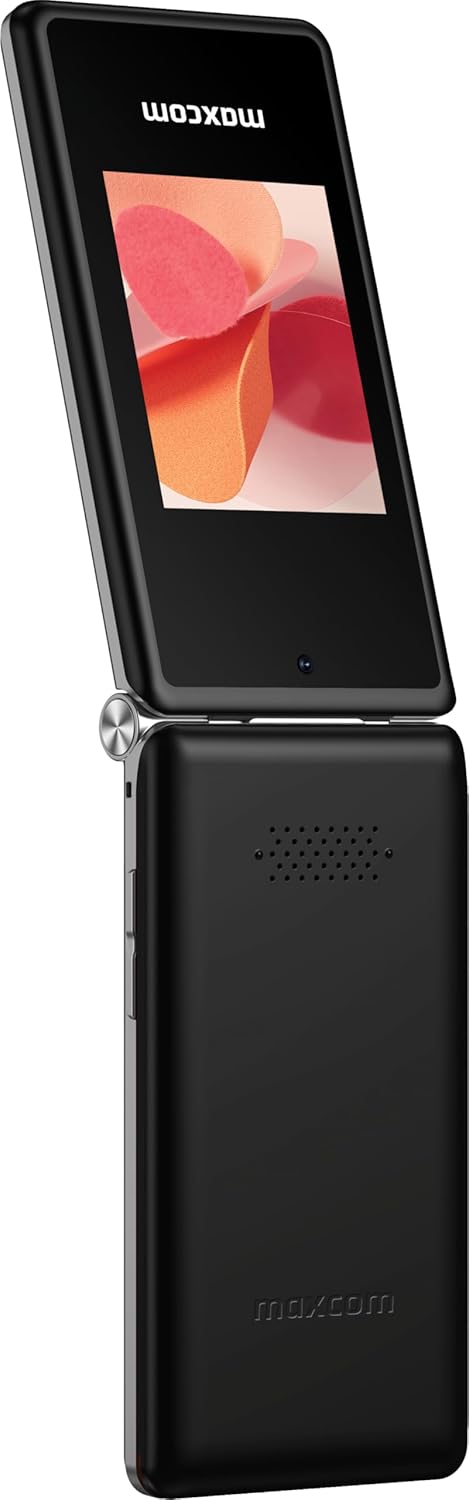
Foto 2: Maxcom MM835 Flip Phone (Open View). The internal 3.5-inch screen provides a clear interface for contacts and messages, complemented by large, comfortable keys.

Foto 3: Akụkụ view of the Maxcom MM835, illustrating the volume control buttons for easy audio adjustment.

Foto 4: N'okpuru view of the Maxcom MM835, highlighting the USB-C charging port for convenient power connection.

Foto 5: Detail of the Maxcom MM835 keyboard, featuring the prominent SOS button for emergency contacts.

Foto 6: The Maxcom MM835 is Hearing Aid Compatible (HAC), ensuring clear audio for users with hearing aids.
Melite
1. Ntinye batrị na Nchaji
- Open the back cover: Jiri nwayọ wepu mkpuchi azụ nke ekwentị.
- Fanye batrị: Place the included Lithium-ion battery into its compartment, ensuring the contacts align correctly.
- Dochie mkpuchi azụ: Tinye mkpuchi azụ na nzuzo.
- Chajịa ekwentị: Connect the provided USB-C cable to the phone's charging port (Figure 4) and to a compatible USB power adapter (not included). Allow the phone to charge fully before first use. The external screen will indicate charging status.
2. Ntinye kaadi SIM
The Maxcom MM835 supports dual SIM cards.
- Remove the back cover and battery: Follow the steps above to access the SIM card slots.
- Tinye kaadị SIM: Carefully slide your SIM card(s) into the designated slot(s). Ensure the gold contacts face downwards and the notched corner aligns with the slot.
- Reinstall battery and cover: Dochie batrị na mkpuchi azụ.
3. Ịgbanye / gbanyụọ
- Iji gbanye: Press and hold the Power/End Call button (red button) until the screen lights up.
- Iji gbanyụọ: Press and hold the Power/End Call button until the power-off options appear, then select "Power Off".
Ntuziaka ọrụ
1. Nsoro ụzọ
- Internal Display: The 3.5-inch internal screen is your primary interface for menus and content.
- Ngosipụta mpụga: The 2.4-inch external screen shows essential information like time, date, battery, and caller ID when the phone is closed.
- Igodo nsoroụzọ: Use the directional keys (up, down, left, right) and the central OK button to navigate through menus.
- Igodo dị nro: The keys directly below the screen perform functions indicated on the display (e.g., "Menu", "Back").
- Call Keys: The green button initiates calls, and the red button ends calls or powers the phone on/off.
2. Ịkpọ na ịnata oku
- Ka ịkpọ oku:
- Mepee ekwentị.
- Jiri ahụ igodo pịa nọmba.
- Press the green Call button to initiate the call.
- Iji zaa oku:
- When the phone rings, open the flip or press the green Call button.
- Iji kwụsị oku: Pịa bọtịnụ ngwụcha oku na-acha uhie uhie.
3. Izipu na ịnata ozi
- Navigate to the "Messages" menu.
- Select "New Message" to compose a text.
- Tinye nọmba onye nnata ma ọ bụ họrọ na kọntaktị.
- Jiri ahụ igodo pịnye ozi gị.
- Pịa "Zipu".
4. SOS Button Functionality
The SOS button (Figure 5) is located on the main keypad and is designed for emergency situations.
- Melite: Before use, configure emergency contacts in the phone's settings. Refer to the "SOS Settings" section in the phone's menu.
- Nkwalite: In an emergency, press and hold the SOS button. The phone will automatically send pre-defined notifications to your emergency contacts and may initiate calls to them.
5. Igwefoto
The phone includes a basic camera for capturing photos.
- Nweta igwefoto site na isi menu.
- Frame your shot using the internal display.
- Press the central OK button to take a picture.
6. Redio FM
Enjoy listening to FM radio stations on your device.
- Navigate to the "FM Radio" application in the menu.
- Connect headphones (not included) to act as an antenna for optimal reception.
- Use the navigation keys to scan for stations or tune manually.
Nlekọta
- Nhicha: Use a soft, dry cloth to clean the phone's exterior. Avoid liquid cleaners or abrasive materials.
- Nlekọta batrị: To prolong battery life, avoid extreme temperatures. Charge the phone regularly, but do not leave it fully discharged for extended periods.
- Nchekwa: Store the phone in a cool, dry place away from direct sunlight and moisture when not in use.
- Ngwa ngwa: While software updates are not explicitly guaranteed, ensure your phone's settings are optimized for performance.
Nchọpụta nsogbu
If you encounter issues with your Maxcom MM835, refer to the following common solutions:
| Nsogbu | Ngwọta enwere ike |
|---|---|
| Ekwentị anaghị agbanye | Ensure the battery is correctly installed and fully charged. Connect the charger and try again. |
| Enweghị ike ịkpọ ma ọ bụ nata oku | Check if the SIM card is properly inserted. Verify that you have network signal. Contact your service provider if the issue persists. |
| Ndụ batrị adịghị mma | Ensure the phone is fully charged. Reduce screen brightness or close unused applications. Battery performance can degrade over time. |
| "Emergency Call Only" message | This indicates a lack of network signal or an issue with your SIM card/service. Try moving to an area with better reception or reinserting your SIM card. |
| Igodo anaghị anabata ya | Restart the phone. If the issue continues, ensure no debris is obstructing the keys. |
Nkọwapụta
| Njirimara | Nkọwa |
|---|---|
| Ụdị | Maxcom |
| Aha Nlereanya | MM835 |
| Ụdị ngwaahịa | Tụgharịa ekwentị |
| Agba | Nwa |
| Sistemụ nrụọrụ | Maxcom OS |
| Internal Screen Size | 3.5 sentimita asatọ |
| External Screen Size | 2.4 sentimita asatọ |
| Njikọta | 4G, VoLTE |
| Atụmatụ pụrụ iche | Dual SIM, SOS Button, HAC (Hearing Aid Compatible), Large Keys |
| Ngwakọta batrị | Lithium-ion |
| Ike batrị | 1400 mAh |
| Nchaji ọdụ ụgbọ mmiri | USB Ụdị C |
| Ike Nchekwa ebe nchekwa | 32 GB |
| Ụdị CPU | ARMv7 |
| Mkpebi ihuenyo | 640 x360 |
| Onye na-ebu ikuku | Ndị na-ebuga ihe niile (Emegheela) |
Akwụkwọ ikike na nkwado
For warranty information and customer support, please refer to the documentation provided with your purchase or contact the seller directly. Maxcom strives to provide reliable products, and support is available for any manufacturing defects or operational queries.
- Onye nrụpụta: Maxcom
- Onye na-ere ahịa: You Get - Innovation & Technology
- Iwu nloghachi: Typically 30 days for refund/replacement (check with seller for specifics).