
1. Okwu mmalite
Daalụ maka ịzụrụasing the CROSSIO 23'' Outdoor Ceiling Fan with Lights. This manual provides essential information for the safe installation, operation, and maintenance of your new fan. Please read these instructions thoroughly before installation and retain them for future reference.
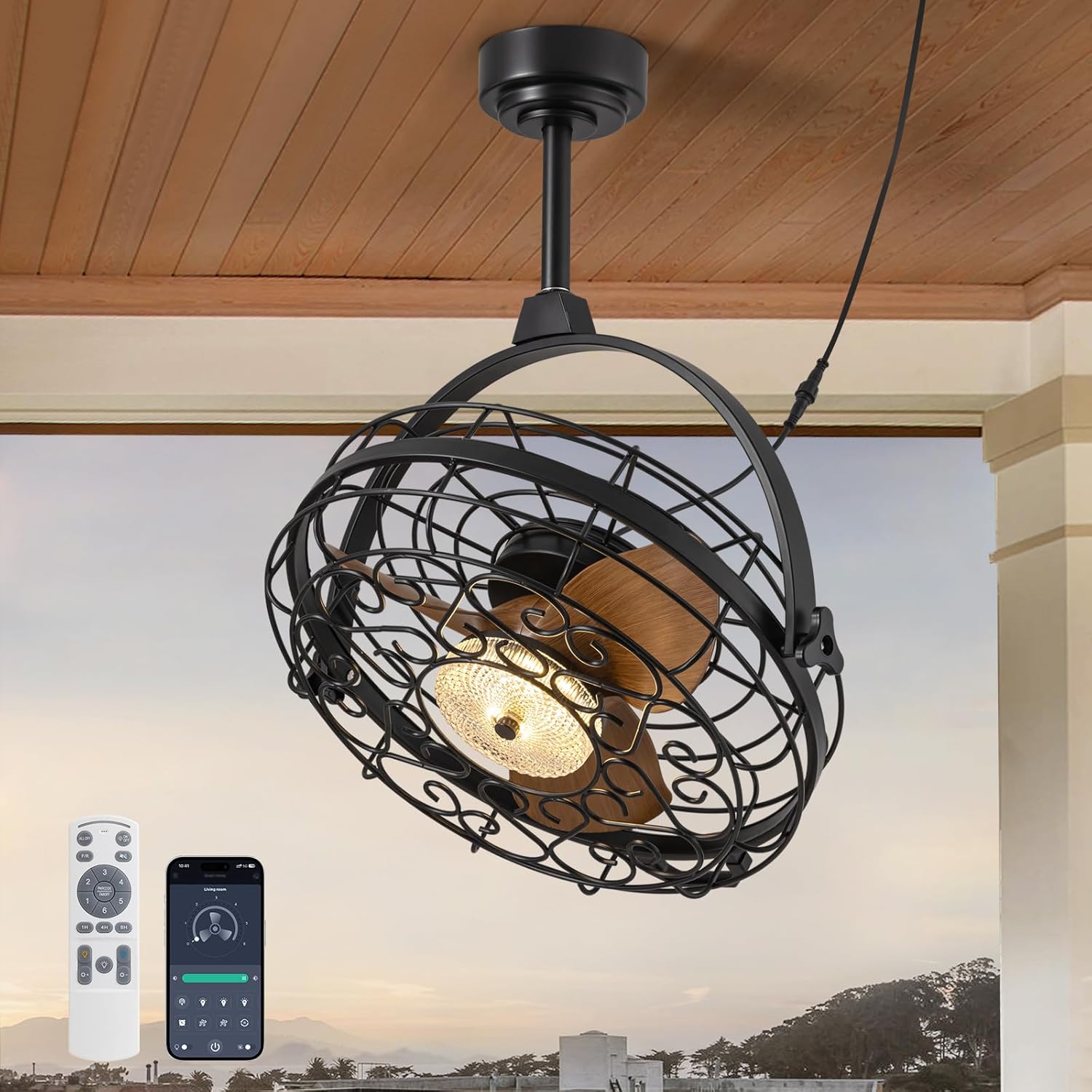
Image 1.1: The CROSSIO 23-inch outdoor ceiling fan, showcasing its design, remote control, and smartphone app interface.
Akụkụ ndị bụ isi:
- Outdoor & Indoor Ready: Wet-rated design suitable for patios, gazebos, covered porches, living rooms, and bedrooms. Features a sealed motor and rust-proof materials for safe operation in wet conditions.
- Dimmable Fan Light: Integrated LED light with three adjustable color temperatures (Warm 3000K, Natural 4500K, Cool 6000K) and seamless dimming from 10% to 100%.
- Multiple Ceiling Compatibility: Designed for various mounting options including hanging with hooks, fixing to solid wood ceilings, or mounting to an outlet box. Includes two down rod lengths for flexible installation heights.
- Dual 360° Rotation & Reversible Motor: Manual 360° vertical and horizontal adjustment to direct airflow. Reversible motor function provides downdraft cooling in summer and updraft warm air circulation in winter.
- 6-Speed & Timer Function: Six customizable fan speeds and a convenient timer function (1, 4, or 8 hours) for automatic shut-off.
- Ụzọ njikwa: Operable via included remote control and a dedicated smartphone application.
2. Ozi nchekwa
Please observe the following safety precautions to reduce the risk of fire, electric shock, or personal injury.
- Gụọ ntuziaka niile nke ọma tupu echichi na iji.
- Gbaa mbọ hụ na a kwụsịrị ọkọnọ ọkụ na sekit ahụ tupu echichi ma ọ bụ rụọ ọrụ.
- All electrical connections must be in accordance with local codes, ordinances, and the National Electric Code (NEC). If you are unfamiliar with electrical wiring, consult a qualified electrician.
- The fan must be mounted to a structure capable of supporting a minimum of 35 lbs (15.9 kg).
- Ejila eriri ma ọ bụ plọg mebiri emebi arụ ọrụ fan.
- Zere itinye mkpịsị aka ma ọ bụ ihe n'ime mma fan ahụ mgbe fan ahụ na-arụ ọrụ.
- This fan is wet-rated for outdoor use in covered areas. Do not expose to direct heavy rain or submerge in water.
- Ensure the fan is installed at a height where blades are at least 7 feet (2.13 meters) from the floor.
- Jiri naanị akụkụ nnọchi nke onye nrụpụta akọwapụtara.
3. Ihe ngwugwu
Nyochaa na akụrụngwa niile dị na emebighị ya tupu ịmalite nrụnye. Ọ bụrụ na akụkụ ọ bụla na-efu ma ọ bụ mebie, kpọtụrụ nkwado ndị ahịa.
- Ceiling Fan Unit (with integrated light)
- Njikwa anya
- Mounting Hardware Kit (screws, anchors, brackets)
- Down Rods (2 lengths)
- Akwụkwọ ntuziaka (akwụkwọ a)
4. Nkọwapụta
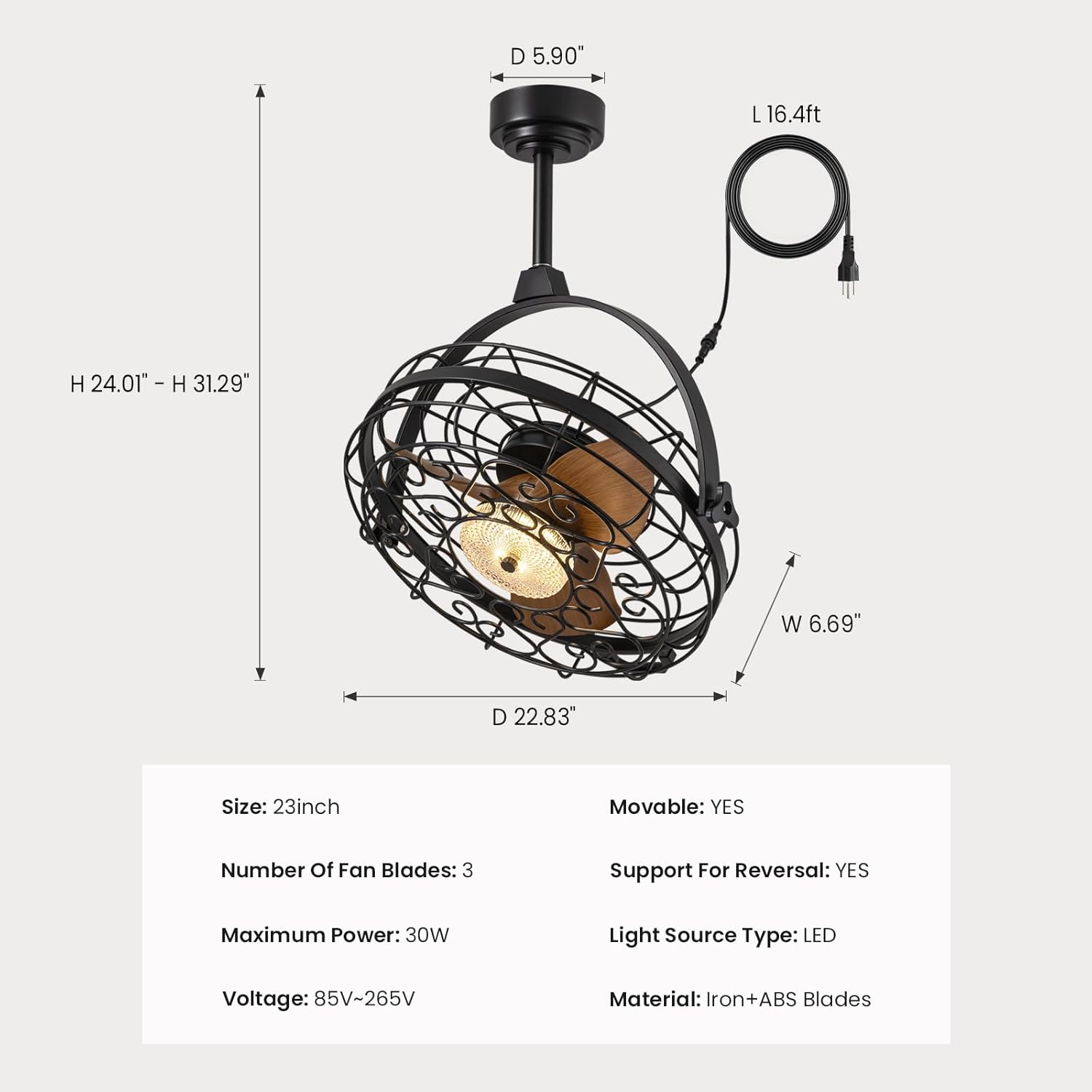
Image 4.1: Detailed dimensions of the fan unit, including height, width, and depth.
| Njirimara | Nkọwapụta |
|---|---|
| Aha Nlereanya | FS8912-01 |
| Ụdị | CROSSIO |
| Nha | 23 sentimita asatọ |
| Akụkụ ngwaahịa | 5"D x 20"W x 20"H |
| Ibu Ibu | 22.5 pound |
| Number of Fan Blades | 3 |
| Ike kacha | 30W |
| Voltage | 85V-265V |
| Isi Iyi Ike | AC |
| Ụdị isi iyi ọkụ | Ikanam |
| Ihe onwunwe | Iron + ABS Blades |
| Usoro njikwa | Ngwa, Remote |
| Ojiji ime ime/n'èzí | Indoor, Outdoor (Wet Rated) |
| Atụmatụ pụrụ iche | Adjustable Color Temperature, Dimmable, Timer, Waterproof, 360° Rotation, Reversible Motor |
| UPC | 733241251473 |
5. Ntuziaka nwụnye
Before installation, ensure the power is turned off at the circuit breaker. Follow these steps for your chosen mounting method.

Image 5.1: Three available installation options: mounting to an outlet box, fixing to solid wood, or hanging with a ceiling hook.
General Steps for All Installations:
- Kwadebe Ebe Nkwanye: Ensure the ceiling structure can support the fan's weight (minimum 35 lbs).
- Assemble Down Rod: Attach the desired length of down rod to the fan motor housing.
- Jikọọ eriri ọkụ: The fan comes with a 16ft flexible cord and a 3-prong plug. Ensure the power outlet is within reach and properly grounded.

Image 5.2: The 16ft flexible power cord with a 3-prong plug for easy connection.
Option 1: Outlet Box Mounting
- Secure the mounting bracket to a UL-listed outlet box (not included) that is rated for fan support.
- Attach the fan's down rod assembly to the mounting bracket.
- Make electrical connections (live, neutral, ground) from the fan to the outlet box wiring.
Option 2: Solid Wood Ceiling Mounting
- Drill pilot holes into the solid wood ceiling beam.
- Secure the mounting bracket directly to the wood using appropriate screws (provided in hardware kit).
- Attach the fan's down rod assembly to the mounting bracket.
Option 3: Ceiling Hook Hanging
- Install a sturdy ceiling hook (provided in hardware kit) into a secure ceiling joist or beam.
- Hang the fan unit from the ceiling hook using the integrated hanging mechanism.

Image 5.3: The fan is designed for easy hanging and removal, particularly with the ceiling hook option.
6. Ntuziaka ọrụ
The CROSSIO ceiling fan can be controlled using the included remote control or a smartphone application.

Image 6.1: The remote control and smartphone application provide comprehensive control over fan and light functions.
Ọrụ njikwa anya:
- Mgbanwe ọkụ: Na-agbanye ọkụ/gbanyụọ.
- Wind Speed Adjustment (1-6): Increases or decreases fan speed.
- Bọtịnụ ihe eji agụ oge (1H/4H/8H): Sets the fan to automatically turn off after 1, 4, or 8 hours.
- Ndozi okpomoku agba: Cycles through Warm (3000K), Natural (4500K), and Cool (6000K) light.
- Mgbanwe Ọcha (+/-): Dims or brightens the light from 10% to 100%.
- F/R (Forward/Reverse) Button: Changes the direction of fan blade rotation.
Njikwa ngwa Smartphone:
Download the CROSSIO app from your device's app store. Follow the in-app instructions to pair your fan. The app provides all the functions available on the remote control, plus additional smart features.
Ntọala ọsọ fan:
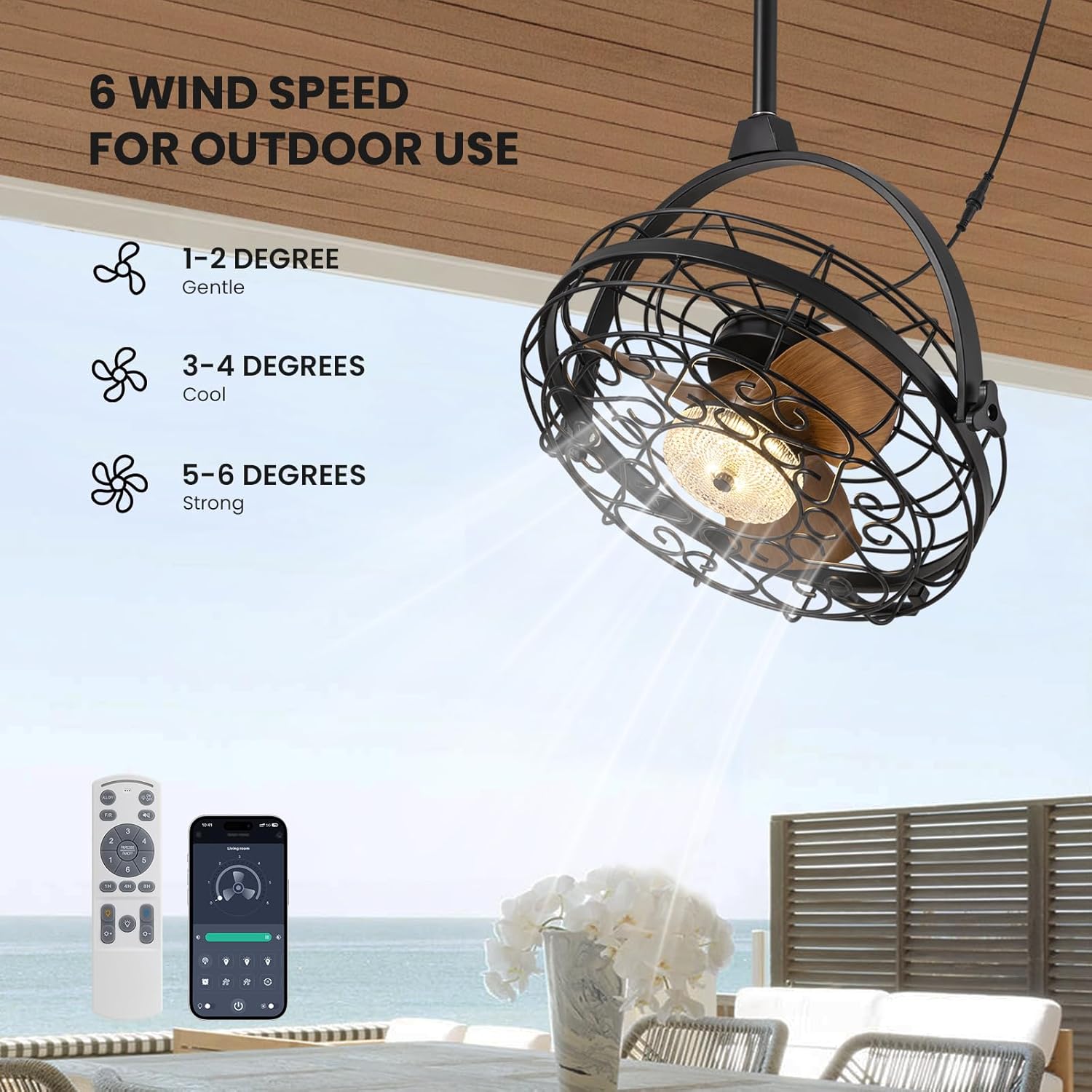
Image 6.2: The fan offers 6 distinct wind speed settings, from gentle to strong.
- Ọsọ 1-2: Gentle airflow, ideal for quiet environments or light breeze.
- Ọsọ 3-4: Cool airflow, suitable for moderate temperatures.
- Ọsọ 5-6: Strong airflow, effective for warmer conditions or larger areas.
Dimmable Light Operation:

Image 6.3: The integrated LED light can be adjusted to three color temperatures and dimmed from 10% to 100% brightness.
Use the color temperature button to cycle through 3000K (Warm), 4500K (Natural), and 6000K (Cool) settings. Use the brightness adjustment buttons to set the light intensity from 10% to 100%.
360° Rotation Feature:

Image 6.4: The fan head can be manually adjusted 360 degrees both horizontally and vertically to direct airflow precisely.
The fan head can be manually rotated 360 degrees horizontally and vertically. This allows you to direct the airflow to specific areas as needed, providing flexible cooling.
Ọrụ moto na-atụgharị:
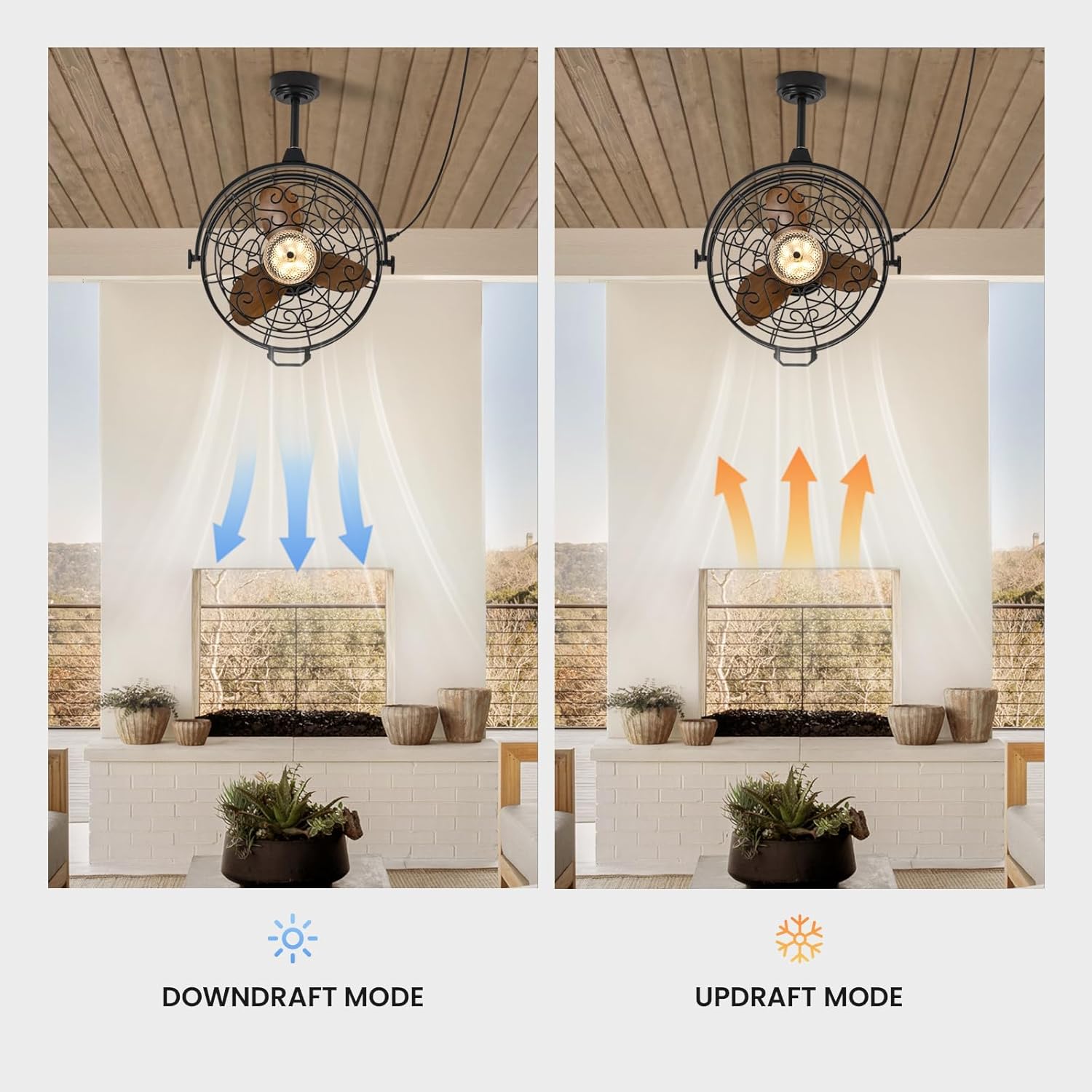
Image 6.5: The fan operates in downdraft mode for cooling in summer and updraft mode for circulating warm air in winter.
Use the F/R button on the remote or the corresponding setting in the app to switch the fan's rotation direction:
- Downdraft Mode (Summer): Blades rotate counter-clockwise, pushing air downwards to create a cooling effect.
- Updraft Mode (Winter): Ugbo na-atụgharị n'akụkụ elekere, na-adọta ikuku elu ka ọ na-ekesa ikuku na-ekpo ọkụ nke tọrọ n'akụkụ elu ụlọ.
7. Nlekọta
Nlekọta anya mgbe niile na-eme ka ọ dị mma ma na-agbatị ndụ onye ofufe gị.
- Nhicha: Jiri ihe dị nro hichaa ebe a na-edebe fan na agụba na ihe mkpuchi dị nro.amp cloth. Do not use abrasive cleaners or solvents. Ensure the fan is completely dry before operating.
- Nchara Periodically dust the fan blades and light fixture to prevent buildup that can affect performance and light output.
- Nyocha: Regularly check all connections and mounting hardware for tightness. Ensure the power cord is free from damage.
- Isi mmalite ọkụ: A na-ejikọta isi iyi ọkụ LED ahụ, ọ naghị abụkarị nke onye ọrụ ga-agbanwe. Ọ bụrụ na ọkụ ahụ ada, kpọtụrụ ndị ahịa.
Caution: Always disconnect power before cleaning or performing any maintenance.
8. Nchọpụta nsogbu
If you encounter issues with your fan, refer to the following common problems and solutions.
| Nsogbu | Ihe nwere ike ime | Ngwọta |
|---|---|---|
| Onye ofufe anaghị agbanwuo | Enweghị ọkụ Remote control battery low/dead Fan not properly plugged in | Lelee ihe mgbawa sekit na mgba ọkụ mgbidi Dochie batrị njikwa anya Gbaa mbọ hụ na etinyere plọg zuru oke n'ime oghere na-arụ ọrụ |
| Ìhè anaghị agbanwuo | Light switch off Ọdịda LED | Press the light switch button on the remote/app Kpọtụrụ nkwado ndị ahịa maka enyemaka |
| Fan na-eme oke mkpọtụ | skru na-agbago rụrụ arụ Ihe mgbochi na agụba fan | Ensure all mounting screws are tightened Check for any objects interfering with the blades (with power off) |
| Njikwa anya anaghị arụ ọrụ | Batteries low/dead Obstruction between remote and fan Fan not paired | Dochie batrị Gbaa mbọ hụ na ahịrị anya doro anya Refer to pairing instructions in the app or contact support |
| Ikuku ikuku adịghị ike | Ọsọ fan dị ala Incorrect fan direction (winter mode in summer) | Increase fan speed setting Switch to downdraft mode (counter-clockwise rotation) |
Ọ bụrụ na nsogbu ahụ dịgidere mgbe ị nwara azịza ndị a, biko kpọtụrụ nkwado ndị ahịa.
9. Akwụkwọ ikike na nkwado
Ozi akwụkwọ ikike:
This CROSSIO product is covered by a manufacturer's warranty against defects in materials and workmanship. The specific terms and duration of the warranty may vary. Please retain your proof of purchase for warranty claims.
Nkwado ndị ahịa:
For any questions, technical assistance, or warranty claims, please contact CROSSIO customer support. You can typically find contact information on the product packaging, the official CROSSIO websaịtị, ma ọ bụ site na ịzụrụ ihe n'elu ikpo okwu.
When contacting support, please have your product model number (FS8912-01) and proof of purchase readily available.