
1. Okwu mmalite
Thank you for choosing the Choetech B735 Magnetic Power Bank. This device is designed to provide convenient and efficient charging for your smartphones, smartwatches, and wireless earbuds, featuring both wired and wireless charging capabilities, along with an integrated adjustable stand. Please read this manual carefully before using the product to ensure proper operation and to maximize its lifespan. Keep this manual for future reference.
2. Akụrụngwa Ngwaahịa
- Nchaji ngwa ngwa nke waya 20W: Provides rapid charging for compatible devices via the integrated USB-C cable.
- 7.5W Magnetic Wireless Charging: Offers convenient wireless charging for Qi-enabled devices with magnetic alignment.
- Integrated USB Type-C Cable: A built-in cable for wired charging and easy portability.
- Nkwụzigharị: Features a foldable stand for hands-free viewing of your device in various orientations.
- Ike dị elu nke 10000mAh: Sufficient power to charge multiple devices or provide extended use for a single device.
- Nhazi kọmpat na nke enwere ike ibugharị: Ọ dị mfe iburu na iji na-aga.
- Ngosipụta LED dijitalụ: Clearly shows the remaining battery percentage.
- Multi-layer Safety Protection: Built-in safeguards against over-charge, over-temperature, over-voltage, over-current, and smart IC chip protection.
3. Ihe ngwugwu
Biko lelee ngwungwu maka ihe ndị a:
- 1 x Choetech B735 Magnetic Power Bank
- 1 x Integrated USB-C Cable
- 1 x Akwụkwọ ntuziaka onye ọrụ

Image: The Choetech B735 power bank, its integrated USB-C cable, the user manual, and the product packaging box, indicating a 2-year warranty.
4. Nhazi
4.1 Nchaji mbụ nke ụlọ akụ ọkụ
- Before first use, fully charge your Choetech B735 power bank.
- Connect the integrated USB-C cable to a compatible USB power adapter (not included).
- The digital LED display will show the charging progress. It is fully charged when the display shows "100".
4.2 Understanding the Digital LED Display
The LED display indicates the current battery percentage of the power bank. This allows you to monitor the power level and know when to recharge the power bank.
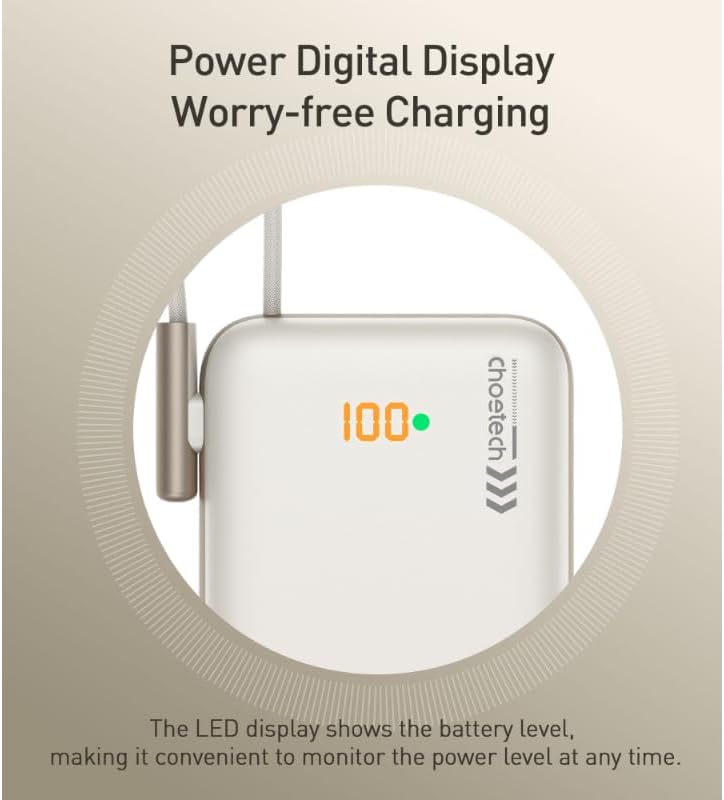
Image: A close-up of the power bank's LED digital display showing "100" and a green dot, indicating a full charge and the battery level monitoring feature.
5. Ntuziaka ọrụ
5.1 Wired Charging
- Pull out the integrated USB-C cable from its storage slot on the power bank.
- Connect the USB-C end of the cable directly to your device's charging port.
- Ụlọ akụ ike ga-amalite ịchaji ngwaọrụ gị ozugbo. Ngosipụta LED ga-egosi ụgwọ fọdụrụ na ụlọ akụ ike.
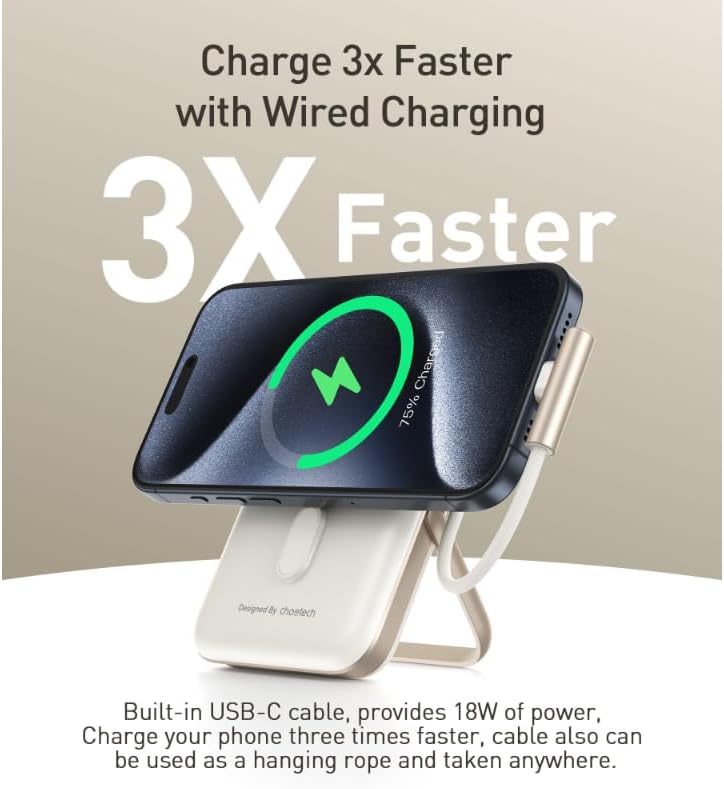
Image: A smartphone connected to the power bank via the integrated USB-C cable, with a graphic indicating rapid wired charging.
5.2 Nchaji ikuku
- Ensure your device supports Qi wireless charging and has magnetic alignment capabilities (e.g., iPhone 12 series and newer).
- Align your device with the magnetic charging pad on the front of the power bank. The magnets will help snap your device into the correct position.
- Wireless charging will begin automatically. The LED display will show the power bank's remaining charge.
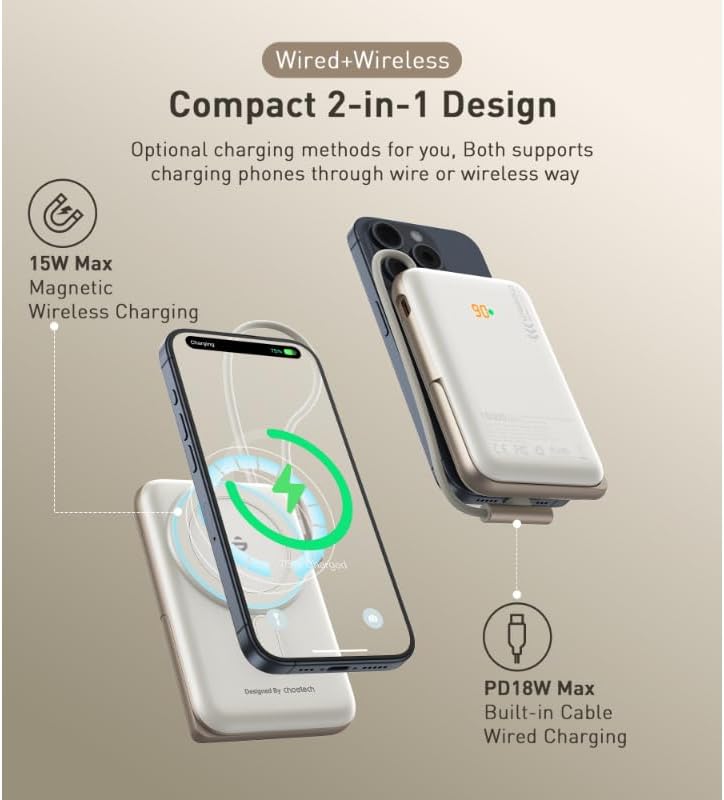
Image: An illustration showing the power bank simultaneously charging a phone wirelessly via its magnetic pad and another phone via its integrated USB-C cable, highlighting its dual charging capabilities.
5.3 Iji Nguzozi A Na-agbanwe agbanwe
- Gently pull out the integrated stand from the back of the power bank.
- Gbanwee nkwụnye ahụ ka ị chọrọ viewakụkụ n'akuku.
- Attach your smartphone to the magnetic charging pad. The stand allows for both horizontal and vertical viewing mgbe ị na-ana.
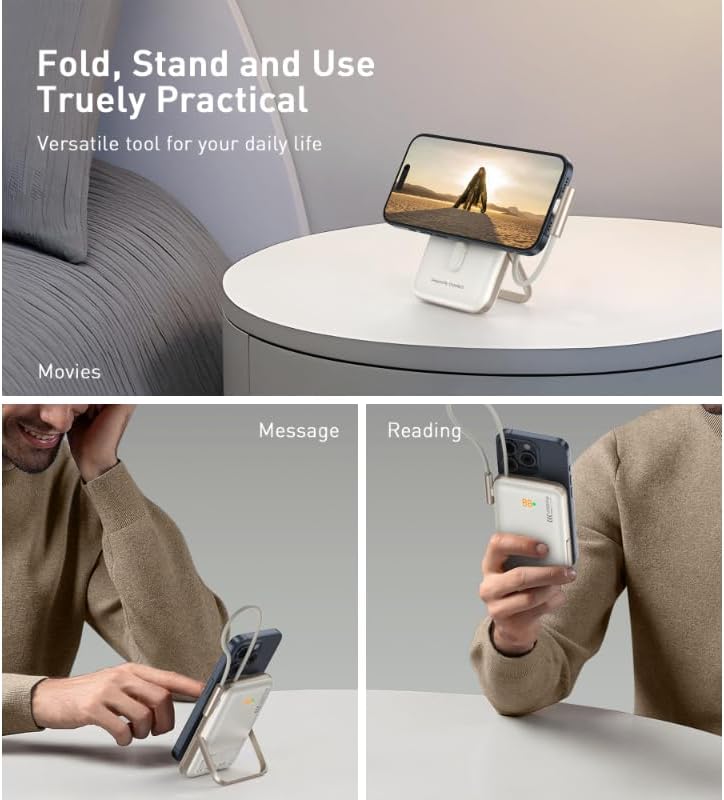
Image: A multi-panel image showing the power bank's adjustable stand being used in different scenarios: holding a phone for watching movies, for checking messages, and for reading.
5.4 Ngwa ndakọrịta
The Choetech B735 is widely compatible with various devices:
- Ngwa iOS: iPhone 12, 13, 14, 15 Series (for magnetic wireless charging).
- Ngwa Android: Samsung Galaxy S Series, Google Pixel (for wired charging and Qi wireless charging without magnetic alignment).
- Wireless Qi-enabled Earbuds: AirPods Pro, Sony WF, and other compatible earbuds.
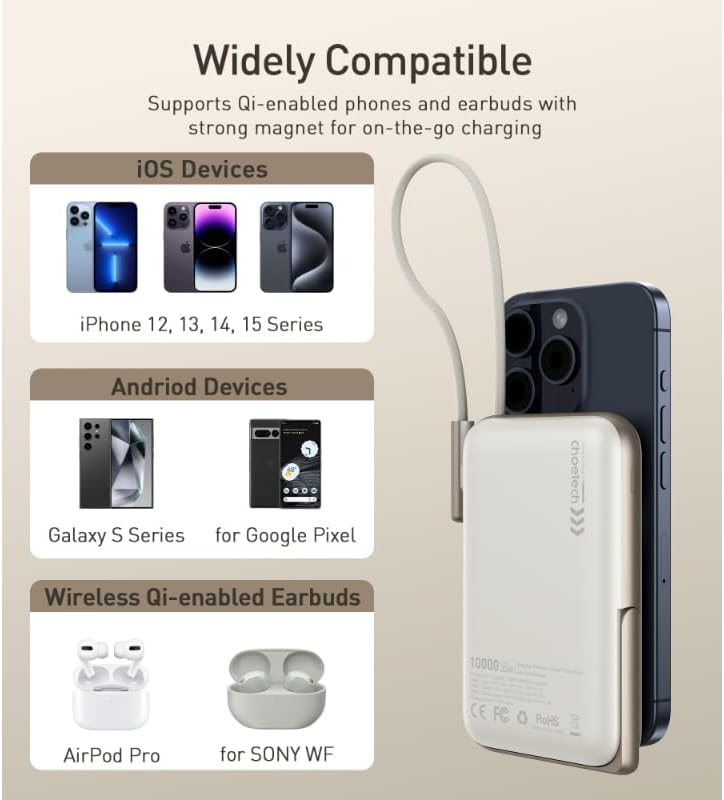
Image: An image displaying the power bank attached to a smartphone, with sections illustrating compatibility with various iOS devices, Android devices, and wireless Qi-enabled earbuds.
6. Nlekọta
- Nhicha: Use a soft, dry cloth to clean the power bank. Do not use liquid cleaners or aerosols.
- Nchekwa: Chekwaa ụlọ akụ ọkụ ahụ n'ebe dị jụụ, kpọrọ nkụ na-adịghị na ìhè anyanwụ kpọmkwem na oke okpomọkụ.
- Nlekọta batrị: To prolong battery life, fully charge the power bank at least once every three months if not in regular use. Avoid completely draining the battery frequently.
- Ijikwa: Atụfula, agbajila, ma ọ bụ nwaa ịrụzi ebe nchekwa ọkụ eletrik n'onwe gị. Nke a nwere ike imebi akwụkwọ ikike ahụ ma mebie ya.
7. Nchọpụta nsogbu
| Nsogbu | Ngwọta enwere ike |
|---|---|
| Ụlọ akụ ọkụ anaghị akwụ ụgwọ. |
|
| Device not charging (wired). |
|
| Device not charging (wireless). |
|
| Nchaji nwayọ. |
|
8. Nkọwapụta
| Njirimara | Nkọwa |
|---|---|
| Aha Nlereanya | B735 |
| Aha ika | Choetech |
| Agba | Ọcha |
| Ụdị njikọ | USB Type-C (integrated cable) |
| Mmepụta Nchaji waya | Ruo 20W |
| Mmepụta Nchaji Ikuku | Up to 7.5W (Magnetic) |
| Ike batrị | 10000mAh |
| Ọnụọgụ nke ọdụ ụgbọ mmiri | 2 (1x integrated USB-C, 1x wireless pad) |
| Ngwa dakọtara | Smartphones (iOS & Android), Wireless Qi-enabled Earbuds |
| Product Dimensions (L x W x T) | 8.7 x 10.7 x 17.2 cm |
| Atụmatụ pụrụ iche | Fast Charging, Wireless Charging, Adjustable Stand, Digital Display |

Image: A hand holding the compact power bank attached to a smartphone, with text indicating "10000mAh" capacity and charging estimates (1.8 charges for iPhone 13, 2 charges for iPhone 12).
9. Ozi nchekwa
Please observe the following safety precautions to prevent damage to the product or injury to yourself:
- Do not expose the power bank to water, moisture, or extreme temperatures.
- Zere idobe ma ọ bụ idobe ụlọ akụ ike na mmetụta siri ike.
- Anwala ịkwasa, rụkwaa ma ọ bụ gbanwee ngwaọrụ ahụ.
- Debe ebe ụmụaka na-apụghị iru.
- Do not place metal objects or magnetic cards near the wireless charging pad during operation.
- Use only compatible charging adapters and cables.
- Tụfuo ụlọ akụ ike nke ọma dịka iwu obodo siri dị.

Image: A diagram illustrating the internal protection mechanisms of the power bank, including Over-Charge, Over-Temp, Over-Voltage, Over-Current, and Smart IC Chip Protection.
10. Akwụkwọ ikike na nkwado
The Choetech B735 Magnetic Power Bank comes with a 2-afọ akwụkwọ ikike site na ụbọchị azụrụ ya. Akwụkwọ ikike a na-ekpuchi ntụpọ nrụpụta ma na-eme ka ngwaahịa ahụ mezuo ụkpụrụ arụmọrụ akọwapụtara ya n'okpuru ojiji nkịtị.
For technical support, warranty claims, or any questions regarding your product, please contact Choetech customer service through their official website or the retailer where you purchased the product. Please have your purchase receipt and product model number (B735) ready when contacting support.