
CZEview ZY-C6
CZEview Akwụkwọ ntuziaka onye ọrụ igwefoto nchekwa anyanwụ 2K
Model: ZY-C6
1. Okwu mmalite
Thank you for choosing the CZEview 2K Solar Outdoor Surveillance Camera. This manual provides essential information for setting up, operating, and maintaining your camera. Please read it carefully before use to ensure optimal performance and safety.
Ọdịnaya ngwugwu:
- CZEview Solar Outdoor Camera
- Arịọnụ Base
- Skru na mgbidi
- Mounting Straps (for pole or tree mounting)
- eriri USB-C
- Akwụkwọ ntuziaka onye ọrụ

Image: Contents of the CZEview Solar Outdoor Camera package.
2. Ozi nchekwa
Biko debe ihe ndị a iji gbochie mmebi nke ngwaahịa ahụ ma ọ bụ mmerụ ahụ nye onwe gị na ndị ọzọ:
- Ewepụla ma ọ bụ gbanwee igwefoto.
- Jiri naanị eriri ike enyere maka ịchaji.
- Ensure the camera is securely mounted to prevent falling.
- Keep the camera away from extreme heat sources or open flames.
- Avoid direct exposure of the lens to strong light sources for extended periods.
- Tụfuo ngwaahịa ahụ na batrị ya n'ụzọ kwesịrị ekwesị dịka iwu obodo si dị.
3. Ngwaahịa gafereview
Ụlọ ọrụ CZEview ZY-C6 is a 2K HD wireless outdoor surveillance camera powered by an integrated solar panel and a high-capacity lithium-ion battery. It features advanced motion detection, two-way audio, and 360° pan/tilt capabilities for comprehensive monitoring.

Image: CZEview 2K Solar Outdoor Surveillance Camera.
Akụkụ ndị bụ isi:
- 100% Wireless & Solar Powered: Eliminates the need for complex wiring, powered by an efficient solar panel and built-in rechargeable battery.
- Ndụ batrị agbatịkwuru: Can last up to 30 days on a single full charge, requiring only two days of sunlight for a full recharge.
- 2K HD & 360° View: Features a 2K HD lens with 5x magnification and a 130° wide-angle view. The lens can pan 360° horizontally and tilt 120° vertically.
- AI Human Detection & Real-time Alerts: Accurately identifies human figures, reducing false alarms from pets or leaves. Sends instant notifications to your smartphone via the app.
- Two-Way Audio & Alarm Siren: Built-in microphone and speaker allow for two-way communication. An alarm siren can be triggered remotely to deter intruders.
- Agba Ọhụụ abalị: Provides clear night vision up to 15 meters, with options for color or monochrome viewing, supported by 150 lumens projectors.
- Ihu igwe anaghị egbochi ya: IP65 rated, suitable for outdoor use in temperatures from -20℃ to 50℃.
- Nchekwa mpaghara: Supports local video storage on a microSD card up to 256GB (card not included).

Image: Wireless and Solar Power features with 5200mAh battery.

Image: 360° Pan and 120° Tilt View.

Image: Color Night Vision capability.

Image: Durable and Stable performance in various weather conditions.
4. Nhazi
4.1 Nchaji izizi
Before first use, fully charge the camera using the provided USB-C power cable. This ensures the battery is conditioned for optimal performance and longevity.
4.2 Nbudata ngwa na imepụta akaụntụ
Download the official CZEview app (or CloudEdge app, as mentioned in reviews) from your smartphone's app store (iOS App Store or Google Play Store). Follow the in-app instructions to create an account and log in.
4.3 Njikọ Wi-Fi
The camera supports 2.4GHz Wi-Fi networks only. Ensure your smartphone is connected to a 2.4GHz Wi-Fi network during the setup process. Follow the app's instructions to add your camera and connect it to your home Wi-Fi network.
4.4 na -arịgo igwefoto
Choose a mounting location where the solar panel can receive direct sunlight for most of the day to ensure continuous charging. The camera can be mounted on a wall or a tree/pole using the included accessories.
- Ịkwanye mgbidi:
- Mark the drilling points using the mounting base as a template.
- Gwuo oghere ma tinye plọg mgbidi.
- Secure the mounting base to the wall with the provided screws.
- Attach the camera to the mounting base.
- Tree/Pole Mounting:
- Thread the mounting straps through the designated slots on the mounting base.
- Wrap the straps around the tree or pole and secure them tightly.
- Attach the camera to the mounting base.
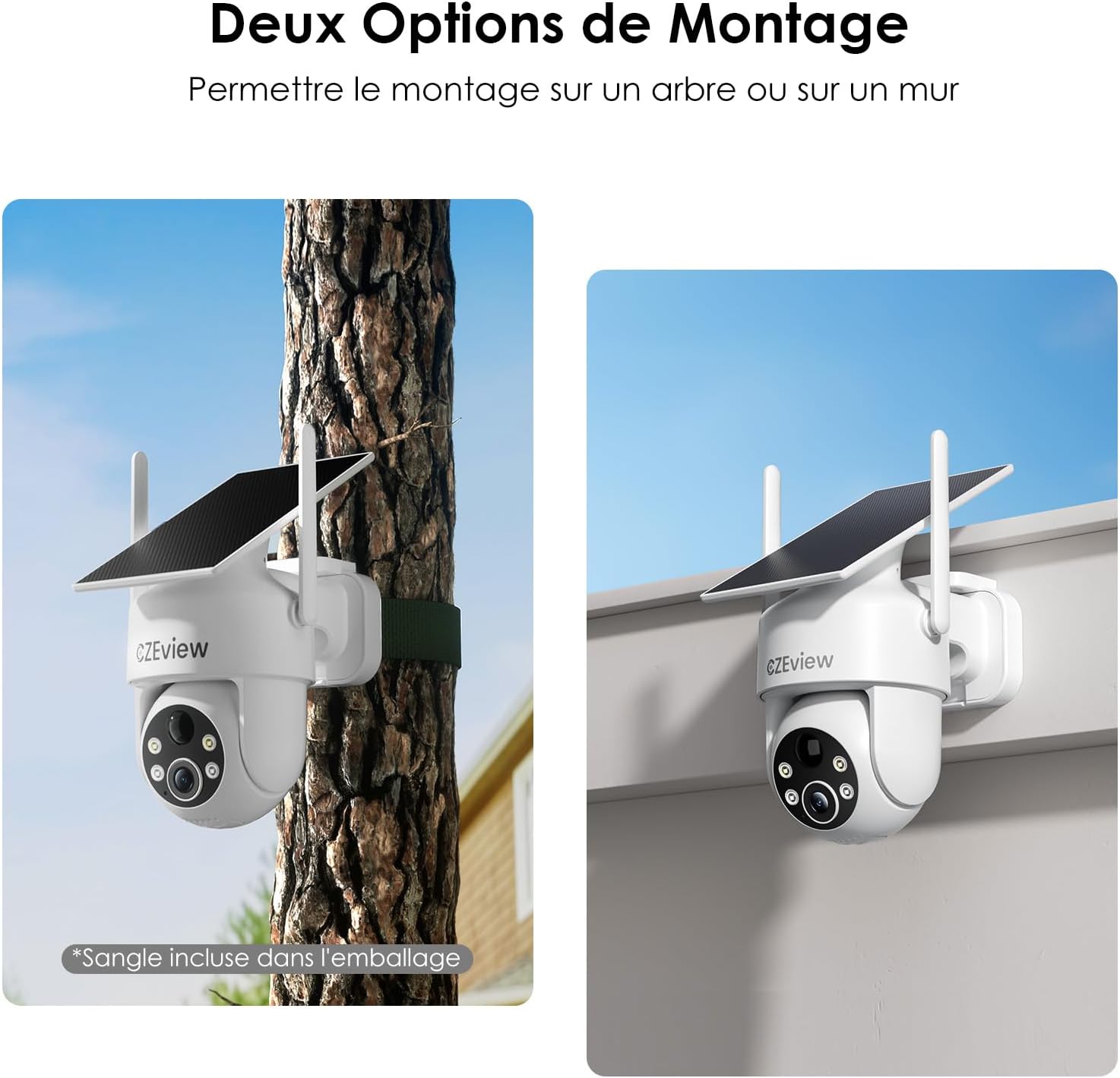
Image: Two mounting options for the camera: wall and tree/pole.

Image: Solar panel placement for optimal charging.
5. Ọrụ
5.1 Ndụ View na Njikwa PTZ
Mepee CZEview app to access the live feed from your camera. Use the on-screen controls to pan (360° horizontal) and tilt (120° vertical) the camera lens to adjust your viewing angle. You can also use the 5x digital zoom feature for closer inspection.

Image: 360° Surveillance Coverage.
5.2 Nchọpụta na Ịdọ Aka Ná Ntị
The camera is equipped with AI human detection to minimize false alarms. When motion is detected, the camera will automatically record video and send real-time alerts to your smartphone. You can customize detection sensitivity and set specific monitoring zones within the app.
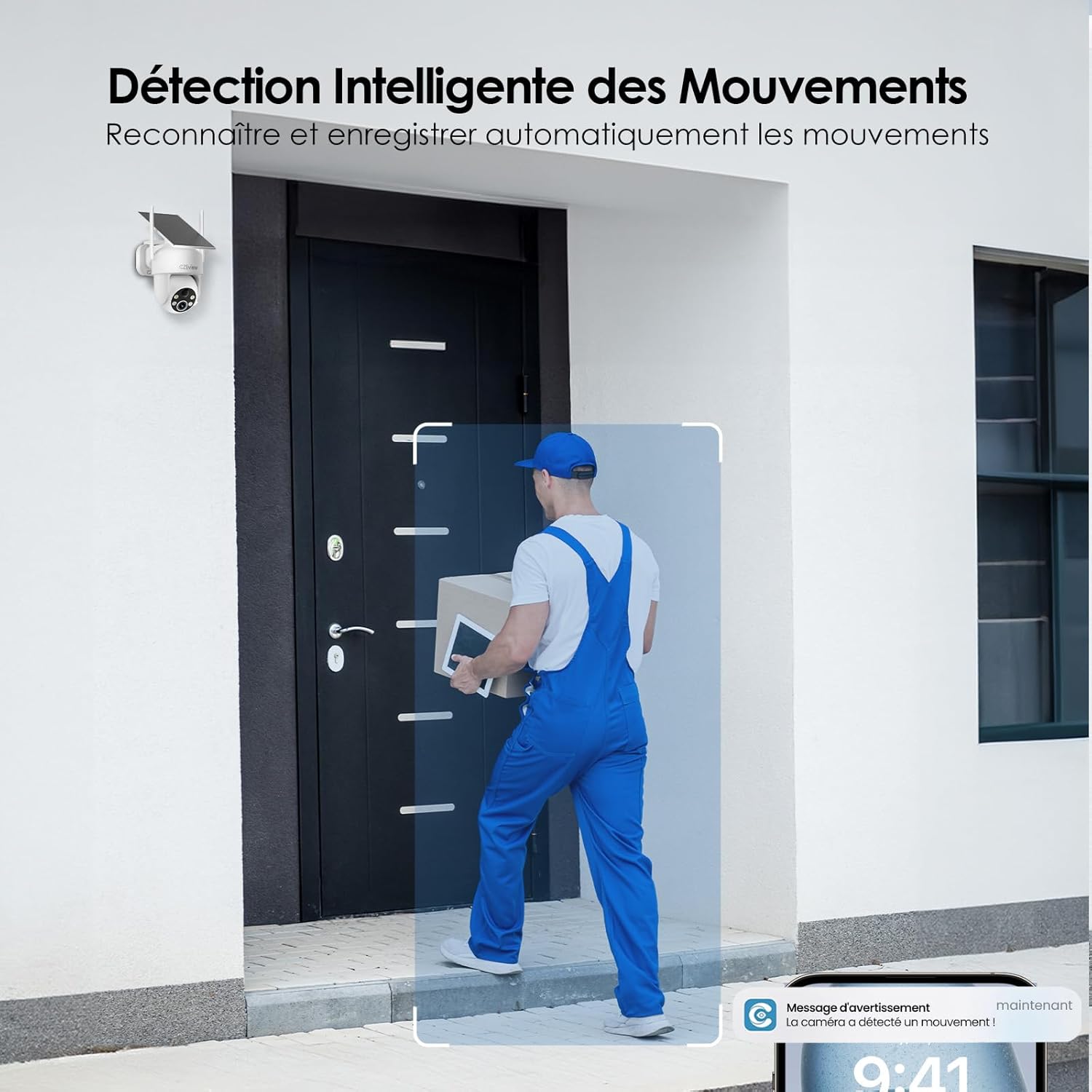
Image: Intelligent Motion Detection in action.
5.3 Audio ụzọ abụọ
Utilize the built-in microphone and speaker for two-way communication. This allows you to speak to visitors or deter unwanted individuals directly through the camera from your smartphone.

Image: Two-Way Audio and Alarm System features.
5.4 Ọhụụ abalị
The camera automatically switches to night vision mode in low-light conditions. It supports both color and monochrome night vision, providing clear images up to 15 meters. The integrated 150 lumens projectors enhance visibility in color night vision mode.

Image: Color Night Vision in operation.
5.5 Local Storage (MicroSD Card)
Insert a microSD card (up to 256GB, not included) into the camera's designated slot for local video storage. The camera will automatically record detected events to the card. Ensure the card is formatted correctly via the app if needed.

Image: Local Storage on MicroSD Card.
6. Nlekọta
6.1 Ịchaji batrị
The integrated solar panel continuously charges the camera's battery. For optimal performance, ensure the solar panel is clean and receives direct sunlight. If the camera is installed in a shaded area or during prolonged periods of low sunlight, you may need to manually charge the camera using the USB-C power cable.
6.2 Nhicha
Regularly clean the camera lens and solar panel with a soft, damp cloth to remove dust, dirt, or debris. Do not use harsh chemicals or abrasive materials, as they may damage the surfaces.
6.3 Ihe gbasara gburugburu ebe obibi
The camera is designed for outdoor use and is IP65 weatherproof. It can operate reliably in temperatures ranging from -20℃ to 50℃. Ensure the camera is not exposed to temperatures outside this range for extended periods.
7. Nchọpụta nsogbu
| Nsogbu | Ihe nwere ike ime | Ngwọta |
|---|---|---|
| Igwefoto anaghị ejikọta na Wi-Fi. | Incorrect Wi-Fi band (5GHz not supported). Weak Wi-Fi signal. Incorrect password. | Ensure you are connecting to a 2.4GHz Wi-Fi network. Move the camera closer to the router or use a Wi-Fi extender. Double-check your Wi-Fi password. |
| Battery not charging or draining quickly. | Insufficient sunlight on the solar panel. Excessive motion detection events. Low ambient temperature. | Relocate the camera to an area with more direct sunlight. Reduce motion detection sensitivity or frequency of recordings. Manually charge the camera if necessary. |
| False alarms from motion detection. | Pets, swaying branches, or passing vehicles triggering detection. | Enable AI human detection in the app. Adjust detection sensitivity. Set up targeted detection zones to exclude irrelevant areas. |
| Imagedị mma adịghị mma. | Dirty lens. Low light conditions. | Clean the camera lens. Ensure adequate lighting for optimal image quality, especially at night. |
8. Nkọwapụta
| Njirimara | Nkọwa |
|---|---|
| Nọmba nlereanya | ZY-C6 |
| Ụdị | CZEview |
| Mkpebi vidiyo | 2K (1440p) |
| Igwe oghere | Ogologo akụkụ 130° |
| Ogologo Pan/Tilt | 360° kwụ ọtọ, 120° kwụ ọtọ |
| Dijitalụ mbugharị | 5x |
| Oke ọhụụ abalị | Ruo mita 15 |
| Ụdị Ọhụụ abalị | Color / Monochrome with 150 lumens projectors |
| Njikọta | Wi-Fi (naanị 2.4GHz) |
| Isi Iyi Ike | Integrated Solar Panel, Lithium-ion Battery (5200mAh) |
| Battery Life (Full Charge) | Up to 30 days (without sun) |
| Nguzogide ihu igwe | IP65 |
| Okpomọkụ na-arụ ọrụ | -20℃ ruo 50℃ (-4°F ruo 122°F) |
| Nchekwa | MicroSD Card (up to 256GB, not included) |
| Akụkụ (L x W x H) | 18 x 8 x 14 cm (7.1 x 3.1 x 5.5 inch) |
| Ibu | 530 grams (1.17 lbs) |
9. Akwụkwọ ikike na nkwado
CZEview products come with a standard manufacturer's warranty. For detailed warranty information, technical support, or service inquiries, please refer to the contact information provided on the product packaging or visit the official CZEview websaịtị. Biko dowe ihe akaebe nke ịzụrụ ihe maka akwụkwọ ikike.
Ask a question about this manual
Ask about setup, troubleshooting, compatibility, parts, safety, or missing instructions. Manuals+ will review the question and use this page’s manual context to help answer it.