
RORRY D2
RORRY 5000mAh Portable Charger Instruction Manual
Model: D2 | Brand: RORRY
1. Okwu mmalite
Thank you for choosing the RORRY 5000mAh Portable Charger. This compact and versatile power bank is designed to provide convenient charging for your Apple Watch, iPhone, and other USB-C compatible devices on the go. Its built-in cables and keychain design make it an ideal travel companion.
Akụkụ ndị bụ isi:
- Ndakọrịta Universal: Designed for Apple Watch Ultra/11/10/9/8/7/6/SE, iPhone 17/16/15/14/13/12/11/Pro/Pro Max, AirPods, and Android devices.
- Ike 5000mAh: Provides approximately 7-10 charges for an Apple Watch, 1 full charge for an iPhone 15, or 6-8 charges for AirPods.
- Nchaji n'otu oge: Capable of charging multiple devices concurrently.
- Enwere ike ibugharị: Compact, lightweight, and features a keychain for easy transport.
- Igwe ejikọtara ọnụ: Includes built-in USB-C and Lightning cables for convenience.
- Atụmatụ nchekwa: Equipped with over-temperature, over-current, over-voltage, na nchebe mkpirisi.
2. Kedu ihe dị na Igbe ahụ
- RORRY Portable Charger x 1
- 1M USB-C to USB-C Charging Cable x 1
- Akwụkwọ ntuziaka onye ọrụ x 1
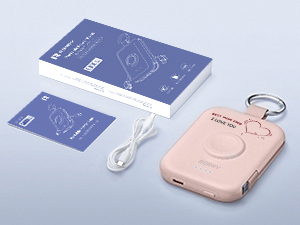
Image: RORRY Portable Charger, USB-C cable, and user manual.
3. Ngwaahịa gafereview
Familiarize yourself with the components of your RORRY Portable Charger.
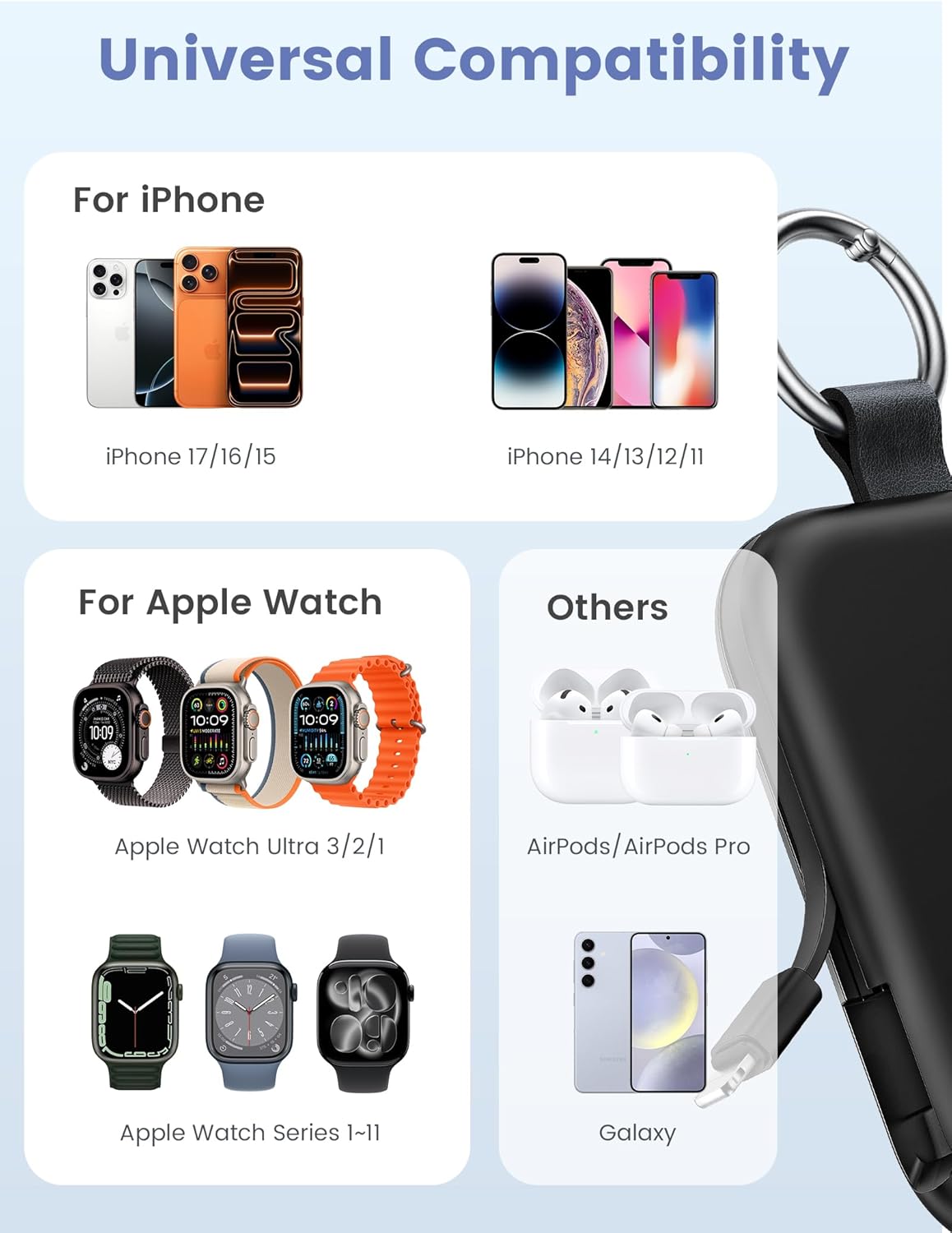
Foto: N'ihu view of the RORRY Portable Charger, highlighting the integrated Apple Watch charging pad and LED indicators.
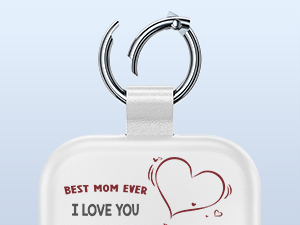
Foto: Akụkụ view of the RORRY Portable Charger, showing the retractable built-in USB-C and Lightning cables.
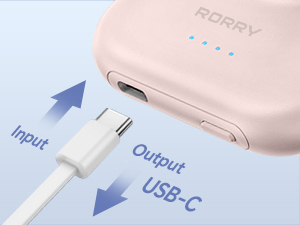
Image: Close-up of the USB-C port on the side of the charger, used for both input (recharging the power bank) and output (charging other devices).
4. Nhazi
Ebube mbụ:
- Before first use, fully charge your RORRY Portable Charger.
- Jikọọ eriri USB-C na USB-C enyere na ọdụ ụgbọ mmiri USB-C nke ụlọ akụ ike.
- Jikọọ nsọtụ nke ọzọ nke eriri ahụ na ihe nkwụnye ike USB dakọtara (anaghị etinye ya).
- The LED indicator lights on the power bank will illuminate to show charging progress. All four lights will be solid when fully charged.
- A full charge typically takes approximately 2.5 to 2.8 hours.
5. Ntuziaka ọrụ
Ịchaji ngwaọrụ gị:
Press the power button on the side of the power bank to activate it before connecting devices. The LED indicators will show the remaining battery level.
5.1. Charging an Apple Watch:
- Place your Apple Watch onto the magnetic charging pad on the front of the power bank.
- Ensure the watch is properly aligned for optimal charging.
- The watch display will indicate that it is charging.

Image: An Apple Watch placed on the magnetic charging pad of the RORRY Portable Charger.
5.2. Charging an iPhone (Lightning Devices):
- Gently pull out the built-in Lightning cable from the side of the power bank.
- Connect the Lightning connector to your iPhone or other compatible Apple device.
- Ngwaọrụ ga-amalite chajị na-akpaghị aka.
5.3. Charging USB-C Devices (e.g., iPhone 15, Android, AirPods):
- Gently pull out the built-in USB-C cable from the side of the power bank.
- Connect the USB-C connector to your compatible device.
- Alternatively, use the USB-C port on the side of the power bank with your own USB-C to USB-C cable for charging.
- Ngwaọrụ ga-amalite chajị na-akpaghị aka.

Image: The RORRY Portable Charger charging an Apple Watch, iPhone, and AirPods simultaneously using its built-in cables and wireless pad.
5.4. Simultaneous Charging:
The RORRY Portable Charger supports charging multiple devices at once, such as an Apple Watch, an iPhone via Lightning cable, and another device via the USB-C port or built-in USB-C cable.
Video: Demonstrates the RORRY Portable Charger's ability to charge an Apple Watch and other devices. This video is provided by the seller, RORRY DIRECT.
6. Recharging the Power Bank
To recharge the RORRY Portable Charger:
- Jikọọ eriri USB-C na USB-C enyere na ọdụ ụgbọ mmiri USB-C nke ụlọ akụ ike.
- Plug the other end into a USB power adapter (e.g., wall charger, computer USB port).
- The LED indicators will flash to show the charging status and become solid when fully charged.

Image: The RORRY Portable Charger connected to a wall adapter for recharging, while simultaneously charging an Apple Watch and two iPhones.
7. Nlekọta
- Debe ebe a na-echekwa ike ọkụ eletrik n'ebe okpomọkụ dị oke njọ, anwụ kpọmkwem, na mmiri mmiri dị.
- Jiri ákwà dị nro ma kpọọ nkụ hichaa ngwaọrụ ahụ. Ejila kemịkalụ siri ike ma ọ bụ ihe ndị na-emebi emebi.
- Chekwaa n'ebe dị jụụ, kpọrọ nkụ mgbe ọ naghị eji ya.
- Zere idobe ma ọ bụ idobe ngwaọrụ ahụ na mmetụta siri ike.
8. Nchọpụta nsogbu
| Nsogbu | Ihe nwere ike ime | Ngwọta |
|---|---|---|
| Ngwaọrụ anaghị akwụ ụgwọ | Power bank is off or depleted. | Press the power button to turn on. Recharge the power bank if necessary. |
| Nchaji nwayọ | Using a low-power adapter or cable. | Ensure you are using a compatible power adapter and the provided USB-C cable for optimal charging speed. |
| Apple Watch anaghị akwụ ụgwọ | Improper alignment on charging pad. | Adjust the Apple Watch position on the magnetic pad until charging begins. |
| Built-in cables not working | Cable not fully extended or connected. | Ensure cables are fully extended and securely connected to your device. |
9. Nkọwapụta
| Nọmba nlereanya | D2 |
| Ike batrị | 5000 ndeamp Oge awa |
| Akụkụ ngwaahịa | 3.86 x 0.65 x 2.82 sentimita asatọ |
| Ibu Ibu | 4.4 ounces |
| Ụdị njikọ | Built-in Cable L+C, USB-C Port |
| Atụmatụ pụrụ iche | Compact, Built-In Cables, All-in-one, Keychain design |
| Onye nrụpụta | ShenZhen XingYuanSheng Electronic Technology Co,Ltd |
| Ụbọchị mbụ dị | Maachị 3, 2025 |
10. Ozi nchekwa
- Achịkọtala, mepee, ma ọ bụ kụrie mkpọ batrị.
- Ewepụla ụlọ akụ ike ọkụ ma ọ bụ ọkụ. Zere nchekwa na ìhè anyanwụ.
- Adịla mkpirisi mkpọ batrị. Echekwala ngwugwu batrị nke ọma n'ime igbe ma ọ bụ drawer ebe ha nwere ike ịmegharị ibe ha mkpụmkpụ ma ọ bụ ihe ndị na-eduzi ga-eme ka ha dị mkpụmkpụ.
- Edonyela ụlọ akụ ike ahụ ka ọ bụrụ ujo igwe.
- In the event of a battery leak, do not allow the liquid to come into contact with the skin or eyes. If contact has been made, wash the affected area with copious amounts of water and seek medical advice.
- Debe ụlọ akụ ọkụ ka ụmụaka ghara iru.
- Ejila chaja ọ bụla na-abụghị nke enyere maka iji ya na akụrụngwa.
- Tụfuo ụlọ akụ ike nke ọma dịka iwu obodo siri dị.
11. Akwụkwọ ikike na nkwado
For warranty information or customer support, please refer to the contact details provided with your purchase or visit the official RORRY websaịtị. Debe nnata nzụta gị ka ihe akaebe nke ịzụrụ.
Onye nrụpụta: ShenZhen XingYuanSheng Electronic Technology Co,Ltd
Ụlọ ahịa ika: Visit the RORRY Store on Amazon
Ask a question about this manual
Ask about setup, troubleshooting, compatibility, parts, safety, or missing instructions. Manuals+ will review the question and use this page’s manual context to help answer it.