
JUNJIEUNVO YYK-Q16 PRO
JUNJIEUNVO Q30 Bluetooth Earphones User Manual
Model: YYK-Q16 PRO
1. Okwu mmalite
Thank you for choosing the JUNJIEUNVO Q30 Bluetooth Earphones. These earphones are designed to provide a superior audio experience with advanced features such as an intelligent color touch screen, Active Noise Cancellation (ANC), and Environmental Noise Cancellation (ENC). This manual will guide you through the setup, operation, and maintenance of your new earphones.
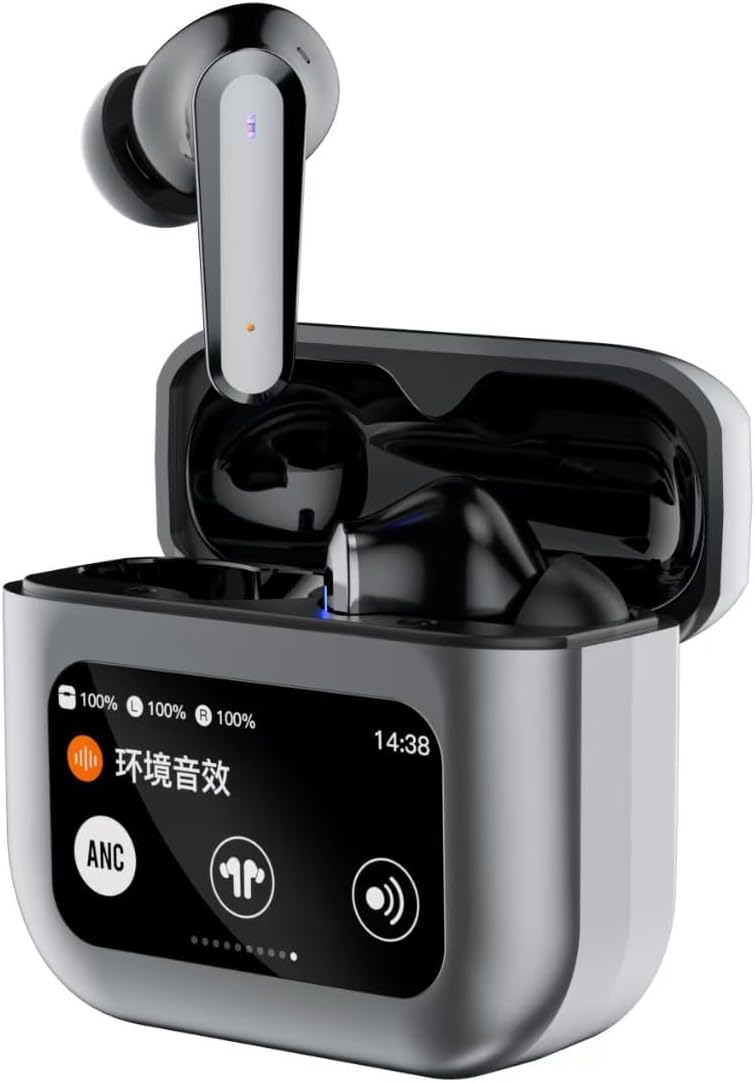
Image 1.1: JUNJIEUNVO Q30 Bluetooth Earphones in their charging case, showcasing the intelligent color touch screen.
2. Ihe ngwugwu
Biko lelee ngwungwu maka ihe ndị a:
- JUNJIEUNVO Q30 Bluetooth Earphones (Left and Right)
- Charging Case with Intelligent Color Touch Screen
- Igwe nchaji USB
- Akwụkwọ ntuziaka onye ọrụ
- Ọtụtụ nha nke ntị (S, M, L)
3. Ozi nchekwa dị mkpa
- Ewepụla ma ọ bụ gbanwee ekwe ntị ma ọ bụ chaja.
- Keep the device away from extreme temperatures, humidity, and liquids.
- Zere ikpughe ogologo oge n'ogo dị elu iji gbochie mmebi ntị.
- Jiri naanị eriri nchaji enyere ma ọ bụ ihe dabara adabara.
- Tụfuo ngwaọrụ na batrị ya nke ọma dịka iwu mpaghara siri dị.
4. Nhazi
4.1. Ịchaji ekwe ntị na akpa
Tupu ejie ya nke mbụ, chajie nke ọma ekweisi na akpa nchaji.
- Jikọọ eriri chaja USB na ọdụ chaja dị na akpa ahụ na isi iyi ike.
- The touch screen on the case will display the charging status.
- Tinye ntị ntị n'ime akpa nchaji. Ha ga-amalite ịchaji ozugbo.
- Ụgwọ zuru ezu na-ewekarị ihe dịka awa 1.5.
4.2. Njikọ Bluetooth
Iji jikọọ ekwe ntị gị na ngwaọrụ:
- Hụ na ekwe ntị ndị ahụ dị na chajị ma dịkwa n'ime akpa chajị ahụ.
- Open the charging case lid. The earphones will automatically enter pairing mode.
- Na ngwaọrụ gị (smartphone, mbadamba, wdg), gbanye Bluetooth.
- Chọọ maka available Bluetooth devices and select "Q30" from the list.
- Once connected, the earphones will indicate successful pairing, and the touch screen on the case may show connection status.
4.3. Yiri ekwe ntị
For optimal sound quality and comfort, choose the ear tips that best fit your ears. Insert the earphones gently into your ear canal and rotate them slightly until they feel secure and comfortable.
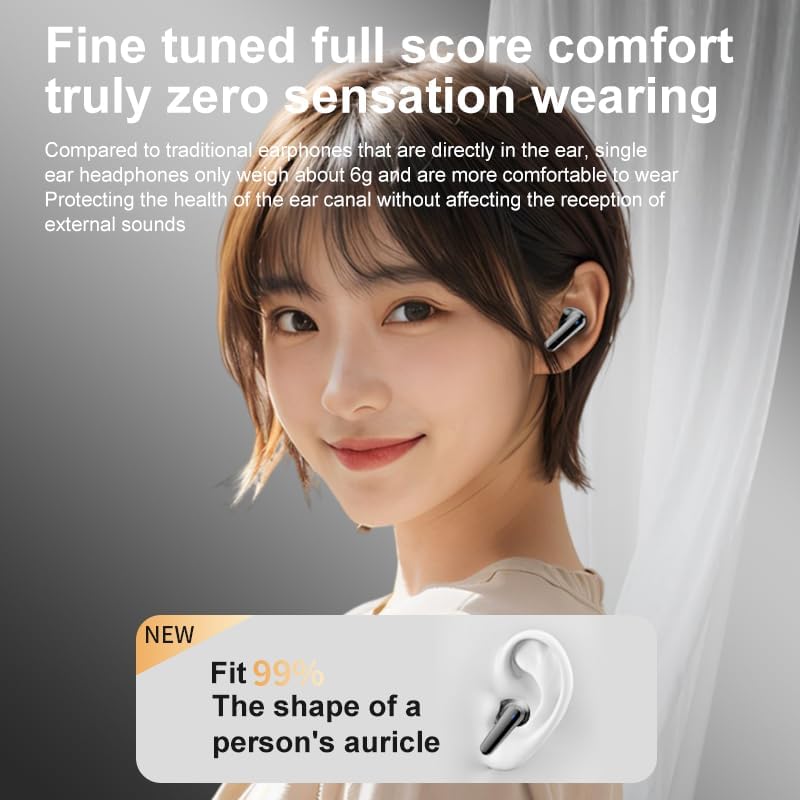
Image 4.1: Illustration of proper earphone fit for comfort and sound.
5. Ntuziaka ọrụ
5.1. Gbanyụọ / gbanyụọ
- Ike Na: Mepee mkpuchi mkpuchi chaja, ma ọ bụ wepụ ekweisi n'ime akpa ahụ. Ha ga-agbanyụ na akpaghị aka.
- Gbanyụọ: Tinyekwa ntị ntị n'ime akpa nchaji wee mechie mkpuchi. Ha ga-agbanyụ ozugbo.
5.2. Touch Controls (Earbuds)
The earphones feature touch-sensitive areas for various functions:
- Gwuo/kwụsịtụ: Otu mgbata na ntị ntị.
- Track na-esote: Pịa bọtịnụ ntị aka nri ugboro abụọ.
- Gara aga Track: Kpatụ ntị ugboro abụọ n'akụkụ aka ekpe.
- Azịza/Kwụsị Oku: Otu mgbata na ntị ntị.
- Jụ oku: Pịa ma jide otu ntị ntị maka sekọnd 2.
- Mee ka onye enyemaka olu rụọ ọrụ: Pịa ugboro atọ na ntị ntị.
- Switch ANC/ENC Modes: Press and hold the left earbud for 2 seconds to cycle through ANC On, Transparency Mode, and ANC Off.
5.3. Intelligent Color Touch Screen Functions (Charging Case)
The charging case features a full-color touch screen for advanced control and settings. Swipe left or right to navigate through the menus.

Foto 5.1: Ofeview of the intelligent color touch screen functions on the charging case.
- Njikwa egwu: Play, pause, skip tracks directly from the screen.
- Ndozi olu: Control the playback volume.
- Mmepụta: Select from preset equalizer modes or customize your sound profile.
- Pattern Selection (Mode Select): Choose different audio modes, such as gaming or movie mode.
- Lock Wallpaper: Hazie ndabere ihuenyo.
- Nhazi oge: Adjust the device's time.
- Ihu ihuenyo: Gbanwee nchapụta ngosi.
- Ọrụ ọkụ ọkụ: Activate a small flashlight feature.
- Asụsụ: Gbanwee asụsụ ngosi.
- Find Earphone: Locate misplaced earbuds by emitting a sound.
- Ọrụ igwefoto: Remotely trigger your phone's camera shutter.
- Oku olu: Initiate or manage voice calls.
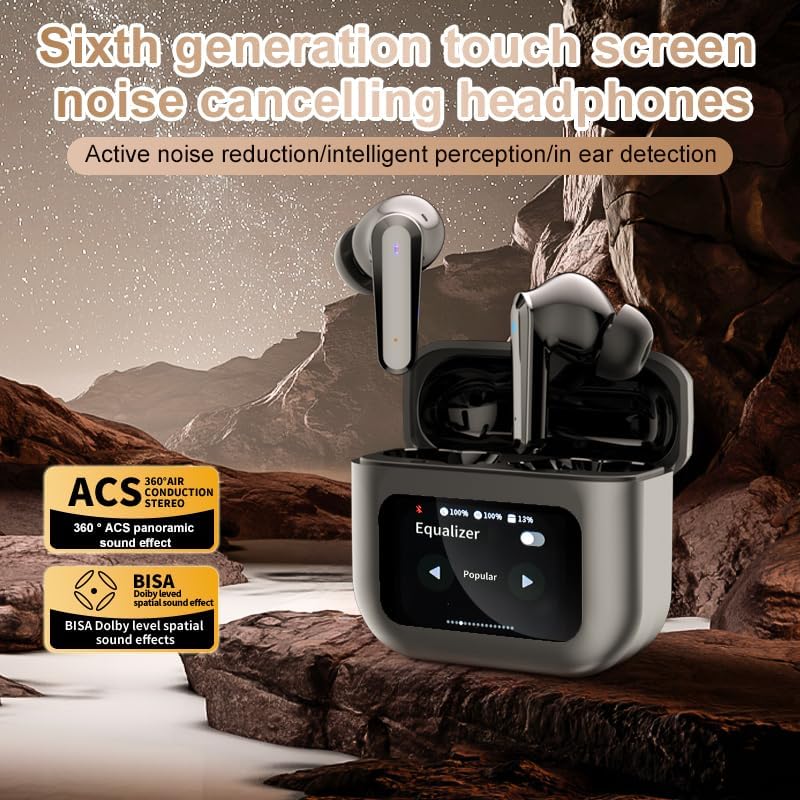
Image 5.2: The touch screen displaying equalizer settings for audio customization.
5.4. Active Noise Cancellation (ANC) and Environmental Noise Cancellation (ENC)
The Q30 earphones feature both ANC for reducing ambient noise and ENC for clear call quality.
- ANC: Reduces external low-frequency noise, ideal for travel or noisy environments. Activate via earbud touch control or the charging case screen.
- Ụdị nghọta: Allows you to hear your surroundings without removing the earphones. Cycle through modes using the earbud touch control.
- ENC: Enhances voice clarity during calls by filtering out background noise from your microphone. This feature is automatically active during calls.

Image 5.3: The touch screen interface for selecting various modes, including noise cancellation options.
6. Nlekọta
6.1. Nhicha
- Jiri nwayọ hichaa ekwe ntị na ihe mkpuchi chaja ahụ site n'iji ákwà dị nro, kpọrọ nkụ, nke na-enweghị ihe e ji acha ọcha hichaa ya.
- Ejila ihe mkpocha abrasive, mmanya, ma ọ bụ ihe mgbaze kemịkal.
- Jiri mgbasa ozi hichaa ndụmọdụ ntị mgbe niileamp akwa ma kwe ka ha kpoo kpamkpam tupu ha etinyeghachi ya.
- Ensure charging contacts on both earphones and case are clean and free of debris.
6.2. Nchekwa
- Mgbe ị naghị eji ya, debe ekweisi ndị ahụ n'ime akpa chaja ha iji chebe ha ma mee ka ha nwee ike chaja.
- Chekwaa n'ebe dị jụụ, kpọrọ nkụ, pụọ na ìhè anyanwụ kpọmkwem na oke okpomọkụ.
7. Nchọpụta nsogbu
| Nsogbu | Ihe nwere ike ime | Ngwọta |
|---|---|---|
| Igwe ntị anaghị ejikọta ọnụ | Earphones not in pairing mode; Bluetooth off on device; out of range. | Ensure earphones are in pairing mode (open case lid). Turn Bluetooth on your device. Move device closer to earphones. |
| Enweghị ụda sitere na ekwe ntị | Volume too low; earphones not connected; media paused. | Increase volume on device and earphones. Reconnect earphones. Check if media is playing. |
| Otu ekwe ntị enweghị ụda | Low battery; connection issue. | Place both earphones back in the case, close, then reopen to reset connection. Ensure both are charged. |
| Nchaji anaghị akwụ ụgwọ | Faulty cable; power source issue. | Try a different USB cable and power adapter. Ensure connections are secure. |
| Ihuenyo mmetụ anaghị anabata | Nsogbu ngwanrọ nwa oge. | Restart the case by closing and reopening it, or allow the battery to drain and recharge. |
8. Nkọwapụta
| Njirimara | Nkọwa |
|---|---|
| Aha Nlereanya | YYK-Q16 PRO (Q30) |
| Ụdị Bluetooth | V5.4 + EDR |
| Chip | Blue Flood |
| Protocol akwadoro | AVRCP V1.6, A2DP V1.3, HFP V1.7, Simultaneous LE and BR / EDR |
| Njikwa mkpọtụ | Active Noise Cancellation (ANC), Environmental Noise Cancellation (ENC) |
| Oge nkwughachi | Ihe dị ka awa 8 (na olu 80%) |
| Oge Njikere | awa 80 |
| Oge Nchaji | Ihe dị ka awa 1.5 |
| Anya ikuku | 10 mita |
| Ike batrị ekweisi | 40mAh |
| Ịchaji Ike batrị Case | 500mAh |
| Ngosi nke enweghị mmiri | IPX5 (ekwentị ntị) |
| Mgbochi | 32 Ohm |
| UPC | 884613749491 |
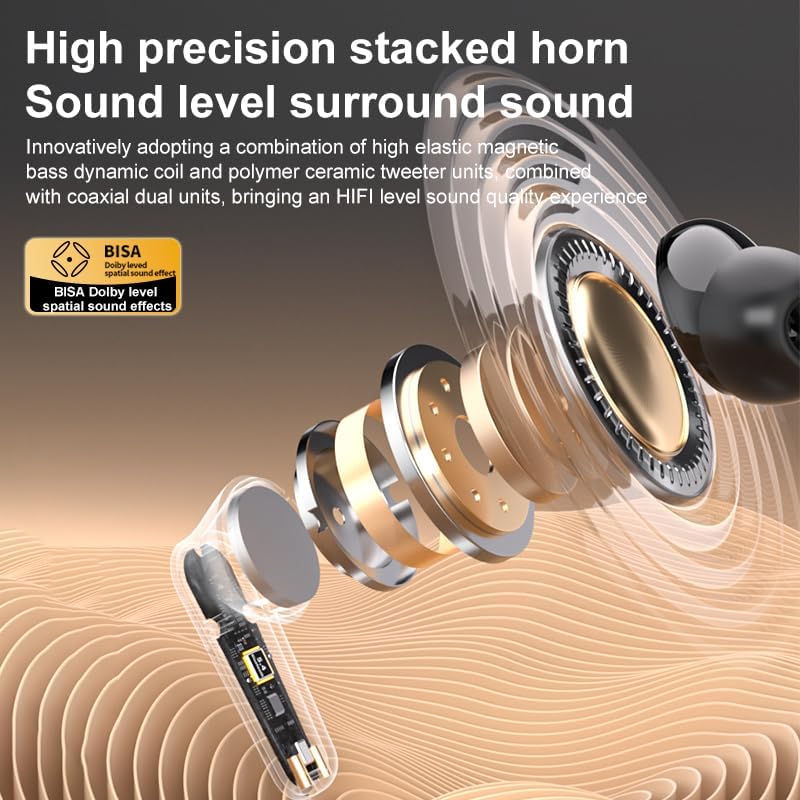
Foto 8.1: Zuru ezu view of the high-precision stacked horn and internal components for sound delivery.
9. Akwụkwọ ikike na nkwado
For warranty information or technical support, please refer to the warranty card included with your product or contact the manufacturer directly. Please have your model number (YYK-Q16 PRO) and purchase details ready when contacting support.
Manufacturer: UNVO
Ask a question about this manual
Ask about setup, troubleshooting, compatibility, parts, safety, or missing instructions. Manuals+ will review the question and use this page’s manual context to help answer it.