
1. Okwu mmalite
The MARVO KG955W Shogo 63 is a compact 60% mechanical gaming keyboard designed for versatility and performance. It features tri-mode connectivity (wired, 2.4GHz wireless, and Bluetooth), yellow linear pre-lubed switches, customizable RGB backlighting, and full-key anti-ghosting. This manual provides instructions for setting up, operating, and maintaining your keyboard.
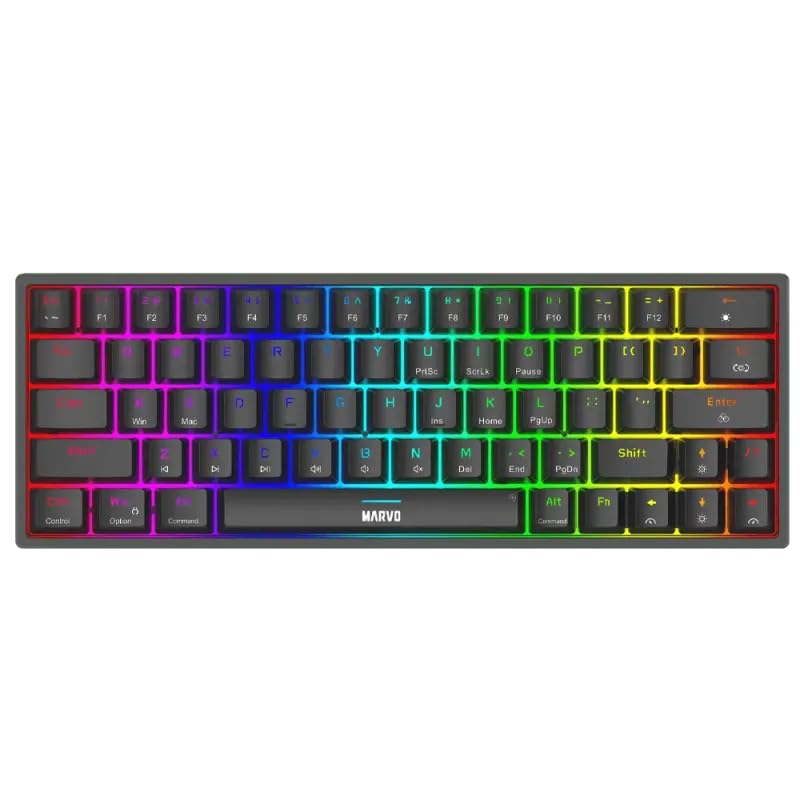
Foto 1.1: Elu-ala view of the MARVO KG955W keyboard showcasing ya kọmpat 60% okirikiri nhọrọ ukwuu yana RGB backlighting.
2. Ihe ngwugwu
Biko lelee ngwungwu maka ihe ndị a:
- MARVO KG955W Shogo 63 Wireless Mechanical Gaming Keyboard
- Detachable 1.6m braided Type-C USB Cable
- 2.4GHz Wireless Receiver (USB dongle)
- Akwụkwọ ntuziaka (akwụkwọ a)
3. Ntọala na Njikọta
The KG955W keyboard offers three connectivity modes: Wired, 2.4GHz Wireless, and Bluetooth.
3.1. Njikọ eriri
- Connect the detachable Type-C USB cable to the keyboard's USB-C port.
- Jikọọ nsọtụ nke ọzọ nke eriri USB na ọdụ USB dị na kọmputa gị.
- The keyboard will automatically be detected and ready for use. The keyboard will also charge in wired mode.
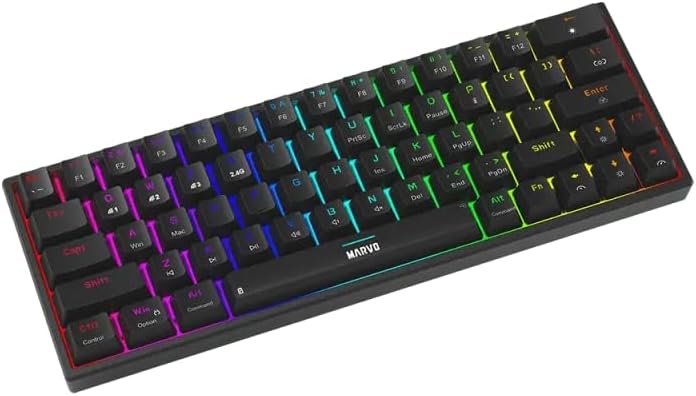
Foto 3.1: Akụkụ view of the keyboard showing the USB-C port for wired connection and charging.
3.2. 2.4GHz Njikọ ikuku
- Locate the 2.4GHz USB receiver (dongle) in the package.
- Tinye eriri USB 2.4GHz n'ọdụ ụgbọ mmiri dị na kọmputa gị.
- On the keyboard, switch the mode selector (usually on the back or side) to the 2.4G wireless mode.
- Ahụigodo kwesịrị jikọọ na akpaghị aka. Ọ bụrụ na ọ bụghị, pịa Fn + R. ibido njikọta.
3.3. Njikọ Bluetooth
- On the keyboard, switch the mode selector to Bluetooth mode.
- Pịa ma jide Fn + Q, Fn + W, ma ọ bụ Fn + E for 3-5 seconds to enter pairing mode for Bluetooth device 1, 2, or 3 respectively. The indicator light will flash rapidly.
- Na kọmputa gị ma ọ bụ ngwaọrụ gị, mee ka Bluetooth nwee ike chọọ ngwaọrụ ọhụrụ.
- Select "MARVO KG955W" (or similar name) from the list of available devices to pair.
- Ozugbo ejikọtara ọnụ, ọkụ egosi na ahụigodo ga-akwụsị ịcha ọkụ wee nọgide na-esi ike.
Igodo ahụ nwere ike ịchekwa ihe ruru Bluetooth pro atọfiles, allowing quick switching between devices using Fn + Q/W/E.
4. Ntuziaka ọrụ
The KG955W is a 60% compact keyboard, meaning some functions are accessed via the Fn isi nchikota.
4.1. Function Key Combinations (Fn Key)
Jidesie ike Fn key and press the corresponding key for secondary functions:
- Fn + 1-0, -, =: F1-F12 functions (check keycaps for specific mappings).
- Fn + P: Ihuenyo mbipụta
- Fn + [ {: Ụlọ
- Fn + ] }: Ọgwụgwụ
- Fn + ; :: Peeji elu
- Fn +": Ibe ala
- Fn + Arrow Keys: Media controls (e.g., volume up/down, play/pause, next/previous track). Refer to keycap legends.
- Fn + Mmeri: Mkpọchi/kpọghee igodo Windows.
4.2. Njikwa ọkụ azụ RGB
The keyboard features customizable RGB backlighting. Use the following combinations to control the lighting effects:
- Fn + \ |: Change lighting mode.
- Fn + ↑: Mụbaa nchapụta.
- Fn + ↓: Decrease brightness.
- Fn + ←: Decrease lighting speed.
- Fn + →: Increase lighting speed.
- Fn + Spacebar: Change backlight color (for static modes).
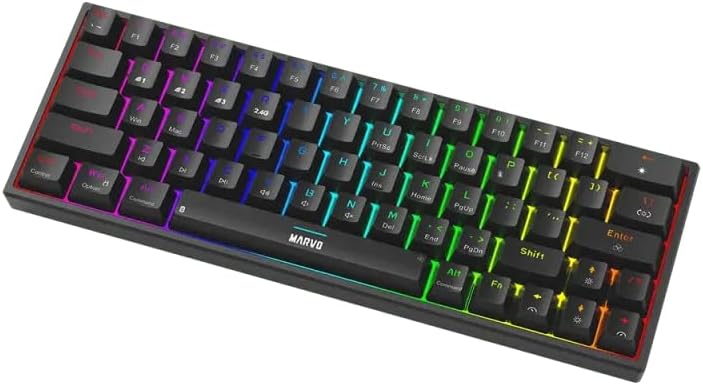
Image 4.1: The keyboard displaying its customizable RGB backlighting in a dynamic pattern.
4.3. Ọnọdụ Batrị
The keyboard has an integrated battery for wireless operation. An indicator light will typically show low battery status or charging status. Refer to the specific LED indicators on your keyboard for details.
5. Nlekọta
Ndozi nke ọma na-eme ka ahụ dị ogologo na arụmọrụ nke ahụigodo gị.
- Nhicha: Use a soft, dry cloth to wipe the keyboard surface. For deeper cleaning, use compressed air to remove dust and debris from between the keycaps. Avoid using harsh chemicals or abrasive materials.
- Nchekwa: Chekwaa ahụigodo ahụ n'ebe dị jụụ, kpọrọ nkụ pụọ na ìhè anyanwụ kpọmkwem na oke okpomọkụ.
- Nlekọta USB: Handle the detachable USB-C cable carefully. Avoid bending or twisting it excessively.

Image 5.1: Illustration of a hot-swappable switch, demonstrating the ease of maintenance and customization for individual key switches.
6. Nchọpụta nsogbu
If you encounter issues with your MARVO KG955W keyboard, refer to the following common solutions:
| Nsogbu | Ngwọta |
|---|---|
| Ahụigodo anaghị azaghachi (Ejikọrọ) |
|
| Keyboard not responding (2.4GHz Wireless) |
|
| Keyboard not responding (Bluetooth) |
|
| Ọkụ RGB anaghị arụ ọrụ ma ọ bụ ezighi ezi |
|
| Igodo anaghị edebanye aha ma ọ bụ na-ede ihe ugboro abụọ |
|
7. Nkọwapụta
| Njirimara | Nkọwa |
|---|---|
| Aha Nlereanya | MARVO KG955W Shogo 63 |
| Ụdị ahụigodo | Mechanical, 60% TKL (Tenkeyless) |
| Mgbanwe | Yellow Linear, Pre-lubed, Hot-swappable |
| Njikọta | Wired (USB-C), 2.4GHz Wireless, Bluetooth (Tri-mode) |
| Mgbochi mmụọ | Full-key Anti-Ghosting |
| Ịkụ azụ azụ | Customizable RGB |
| USB | Detachable 1.6m braided Type-C USB |
| Ihe onwunwe | Plastic |
| Ibu | 460 grams |
| OS dakọtara | Windows (also compatible with other systems via Bluetooth/2.4G) |
| Ọnụọgụ igodo | 63 |
8. Akwụkwọ ikike Ozi
The MARVO KG955W Shogo 63 Wireless Mechanical Gaming Keyboard comes with a Akwụkwọ ikike ọnwa 6 from the date of purchase. This warranty covers manufacturing defects and malfunctions under normal use. It does not cover damage caused by misuse, accidents, unauthorized modifications, or normal wear and tear. Please retain your proof of purchase for warranty claims.
9. Nkwado
For technical support, troubleshooting assistance beyond this manual, or warranty inquiries, please contact MARVO customer service through their official website or the retailer where the product was purchased. Please have your product model number (KG955W) and proof of purchase ready when contacting support.