
1. Okwu mmalite
Thank you for choosing the Kratos PB03 10000mAH Magsafe Power Bank. This manual provides essential information for the safe and efficient use of your device. Please read it thoroughly before operation and retain it for future reference.
2. Ngwaahịa gafereview
The Kratos PB03 is a versatile 10000mAH power bank designed for both wired and wireless charging. It features Magsafe compatibility for iPhones and other Qi-enabled devices, along with Type-C and dual Type-A ports for wired connections.
Akụkụ ndị bụ isi:
- 10000mAH Capacity: Na-enye ample ike maka otutu ebubo.
- Magsafe Compatibility: Secure magnetic attachment for wireless charging with compatible devices.
- 22.5W Wired Charging: Fast charging via Type-C and Type-A ports.
- Nchaji ikuku 18W: Efficient wireless power delivery.
- Ọtụtụ ọdụ ụgbọ mmiri: Includes 1x Type-C (input/output) and 2x Type-A (output) ports.
- Ihe ngosi LED: Displays battery status and charging activity.
- Atụmatụ nchekwa: Auto Shut-Off, Over Charging Protection, Short Circuit Protection.
Ọdịnaya ngwugwu:
- Kratos PB03 10000mAH Magsafe Power Bank
- Charging Cable (USB-A to Type-C)
- Akwụkwọ ntuziaka onye ọrụ
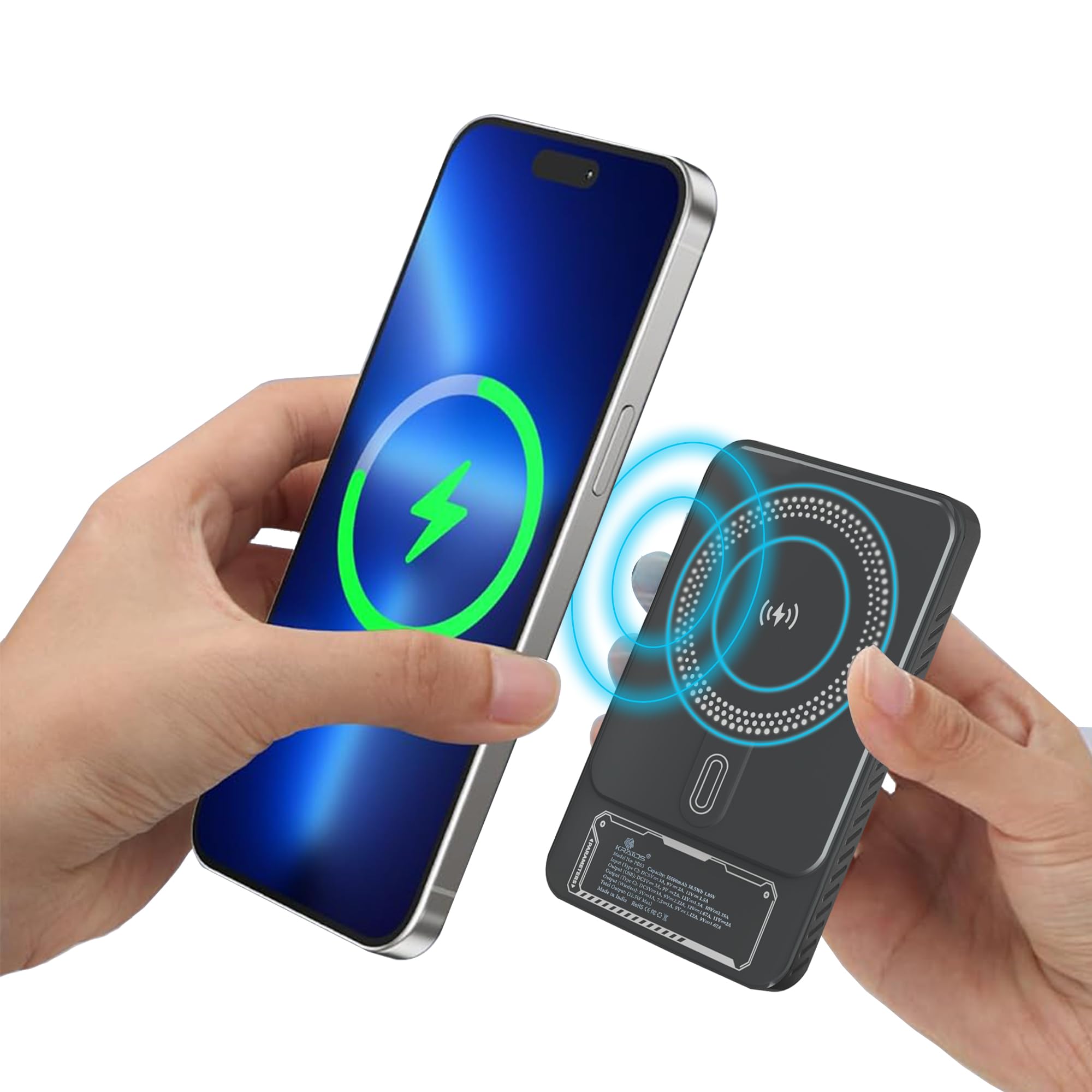
Figure 1: Kratos PB03 10000mAH Magsafe Power Bank, front view.

Nyocha 2: N'eluview of the Kratos PB03's stylish mechanical design and power features, highlighting Magsafe, Type-C, and USB ports.
3. Nhazi
3.1 Ịchaji Power Bank
- Connect the provided USB-A to Type-C cable to the power bank's Type-C port.
- Plug the other end of the cable into a compatible USB wall adapter (not included).
- The LED indicator lights will illuminate to show the charging status. When all lights are solid, the power bank is fully charged.
It is recommended to fully charge the power bank before its first use.
3.2 Gbanyụọ ma ọ bụ gbanyụọ
Press the power button once to check the battery level or to activate wireless charging. The power bank will automatically turn off when not in use for a period to conserve energy.

Figure 3: The compact, pocket-sized design of the Kratos PB03 power bank.
4. Ntuziaka ọrụ
4.1 Wired Charging
- Connect your device to one of the power bank's output ports (Type-C or Type-A) using an appropriate charging cable.
- Ụlọ akụ ọkụ ga-amalite chajị ngwaọrụ gị ozugbo.
- The LED indicator will show charging activity.
4.2 Wireless Charging (Magsafe Compatible)
- Ensure your device is Qi-enabled and Magsafe compatible (for magnetic attachment).
- Press the power button on the power bank to activate wireless charging.
- Align your device with the wireless charging pad on the power bank. For Magsafe compatible devices, the magnetic connection will secure it in place.
- Charging will begin automatically. The LED indicator will confirm wireless charging is active.

Figure 4: The Kratos PB03 supports multi-compatibility, charging a phone via Type-C, a game controller via USB-A, and earbuds wirelessly.

Figure 5: Magnetic resonance charging in action, with the power bank securely attached to a smartphone, providing 10000 mAh of pure energy.

Figure 6: Demonstrating the ease of snapping the power bank onto a compatible device for instant charging.
5. Ozi nchekwa
- Ewepụla ụlọ akụ ike ka ọ bụrụ oke okpomọkụ (karịa 45 Celsius ma ọ bụ n'okpuru 0 Celsius C), ìhè anyanwụ kpọmkwem, ma ọ bụ oke iru mmiri.
- Avoid dropping, disassembling, or modifying the device.
- Debe mmiri na mmiri mmiri ndị ọzọ.
- Do not use if the power bank is damaged or swollen.
- Debe ebe ụmụaka na-apụghị iru.
- Dispose of the power bank according to local regulations.
6. Nlekọta
- Jiri akwa dị nro hichaa ụlọ akụ ike. Ejila kemịkalụ siri ike ma ọ bụ ihe abrasive.
- Chekwaa ụlọ akụ ike n'ebe dị jụụ, kpọrọ nkụ mgbe ọ naghị eji ya.
- For optimal battery life, charge the power bank at least once every three months if stored for extended periods.
7. Nchọpụta nsogbu
| Okwu | Ihe nwere ike ime | Ngwọta |
|---|---|---|
| Ụlọ akụ ọkụ anaghị akwụ ụgwọ | Charging cable or adapter faulty; power bank fully charged; loose connection. | Check cable and adapter; ensure secure connection; try a different cable/adapter. |
| Ngwaọrụ anaghị akwụ ụgwọ site na ụlọ akụ ọkụ | Power bank battery low; device cable faulty; incorrect port used; wireless charging not activated. | Recharge power bank; check device cable; ensure correct port for wired charging; press power button for wireless charging. |
| Nchaji nwayọ | Cable not supporting fast charging; device not supporting fast charging; multiple devices charging simultaneously. | Use a fast-charging compatible cable; ensure device supports fast charging; charge one device at a time for maximum speed. |
| Nchaji ikuku anaghị arụ ọrụ | Device not Qi-enabled or misaligned; power bank not activated; phone case too thick. | Ensure device compatibility and proper alignment; press power button to activate; remove thick phone cases. |
8. Nkọwapụta
| Njirimara | Nkọwa |
|---|---|
| Aha Nlereanya | PB03 |
| Ike batrị | 10000mAH |
| Ngwakọta cell batrị | Lithium polymer |
| Mmepụta waya | Up to 22.5W (Type-C, Type-A) |
| Mbupute ikuku | Up to 18W (Magsafe compatible) |
| Ntinye Port | Ụdị-C |
| Ọdụ ụgbọ mmiri mmepụta | 1x Type-C, 2x Type-A |
| Dimensions (L x W x Thickness) | 16L x 10W x 4Th Centimeters |
| Ibu | 250 grams |
| Atụmatụ pụrụ iche | Auto Shut-Off, Fast Charging, LED Indicator Lights, Over Charging Protection, Short Circuit Protection, Wireless Charging |
9. Akwụkwọ ikike na nkwado
9.1 Ozi akwụkwọ ikike
The Kratos PB03 Power Bank comes with a 1-afọ akwụkwọ ikike from the date of purchase. This warranty covers manufacturing defects. It does not cover damage caused by misuse, accidents, unauthorized modifications, or normal wear and tear.
9.2 Nkwado ndị ahịa
For any questions, technical support, or warranty claims, please contact Kratos customer service:
- Ekwentị: 81482 73270
- Email: help@gokratos.com