
Okwu mmalite
Thank you for choosing the SWOFY D26 MP3 Player. This device combines advanced audio and video playback capabilities with the versatility of the Android 13 operating system, offering a comprehensive portable entertainment experience. This manual provides essential information for setting up, operating, and maintaining your device.
Ngwaahịa gafereview
Atụmatụ igodo
- Android 13 OS: Powered by an MTK 8-core chip for fast and smooth operation.
- Ngwa etinyegoro mbụ: Includes Spotify, Deezer, Amazon Music, and access to the Play Store.
- Ọdịda Ntụkwasị Obi Dị Elu: Powerful audio decoding chip for original sound quality, supporting MP3, WAV, FLAC, APE, OGG, M4A, AAC, WMA, and more.
- 4.7-inch HD Touchscreen: Full touch display with HiFi sound module for clear visuals, supporting RM, RMVB, FLV, MP4, DAT, MKV, MPG, MOV, TS video formats without conversion.
- Bluetooth 5.0 & Wi-Fi: Stable and fast two-way Bluetooth connection for headphones/speakers, and Wi-Fi for online streaming and app downloads.
- Nnukwu nchekwa: 160GB (32GB ROM + 128GB TF card) internal storage, expandable up to 1TB via external storage.
- Ogologo ndụ batrị: 2500 mAh battery providing up to 50 hours of music playback or 8 hours of video playback.
Ihe ngwugwu
The SWOFY D26 MP3 Player package typically includes the following items:
- SWOFY D26 MP3 Player (160GB)
- Igwe nchaji USB
- Ekwe ntị ekwe ntị
- Okwu nchekwa
- Ihe nchekwa ihuenyo
- Akwụkwọ ntuziaka (akwụkwọ a)

Image: Contents of the SWOFY D26 MP3 Player package.
Melite
1. Ịchaji ngwaọrụ
Before first use, fully charge your SWOFY D26 MP3 Player. Connect the provided USB cable to the device's charging port and the other end to a USB power adapter (not included) or a computer's USB port. The battery indicator on the screen will show charging status. A full charge provides approximately 50 hours of music playback or 8 hours of video playback.
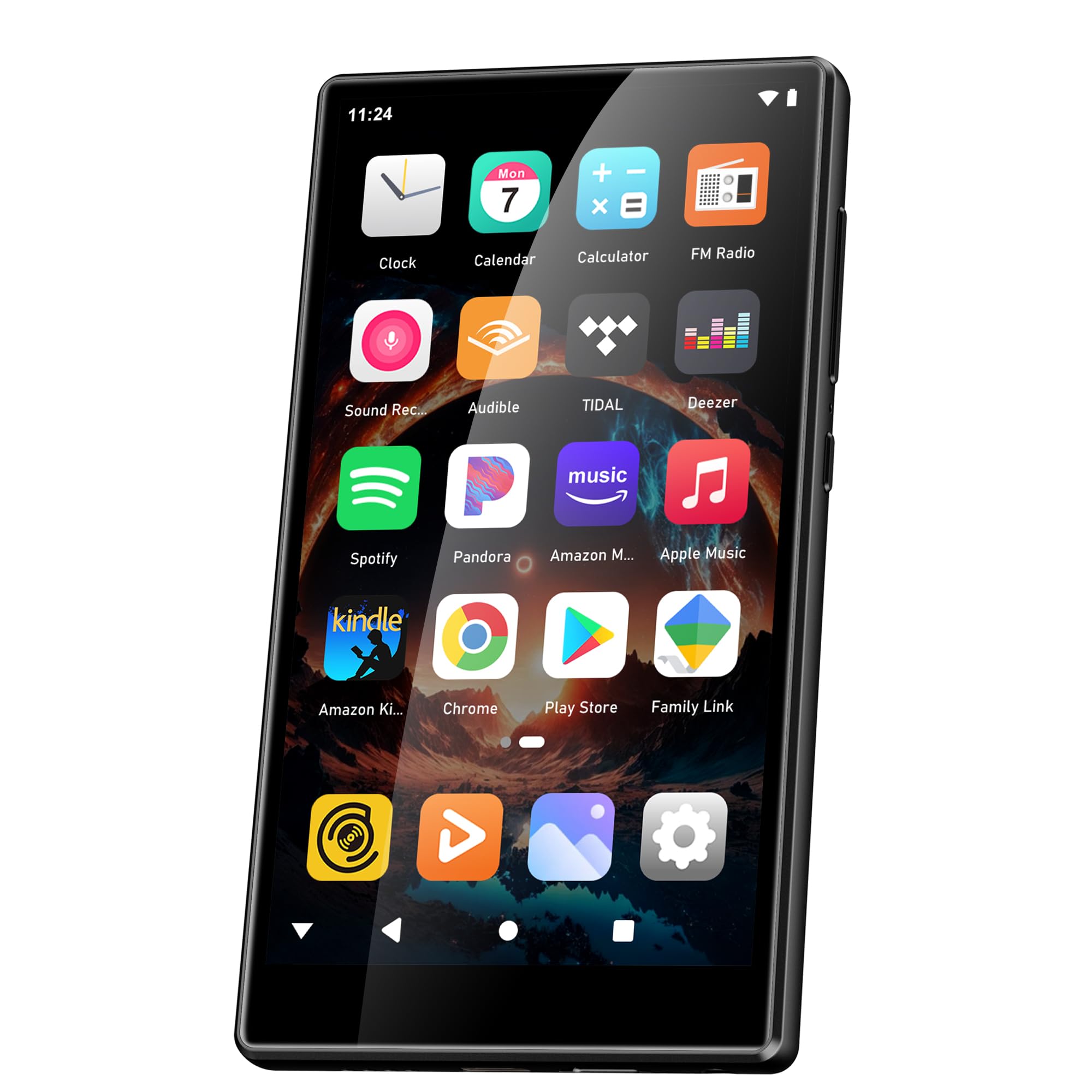
Foto: Ike batrị na oge eji eme atụmatụ.
2. Gbanyụọ / gbanyụọ
- Iji gbanye: Pịa ma jide bọtịnụ Ike (ọ na-abụkarị n'akụkụ) ruo mgbe ihuenyo ahụ ga-enwu.
- Iji gbanyụọ: Press and hold the Power button, then select "Power Off" from the options that appear on the screen.
- Ka Malitegharịa ekwentị: Pịa ma jide bọtịnụ ike, wee họrọ "Malitegharịa ekwentị" site na nhọrọ.
3. Nhazi mmalite
Upon first power-on, follow the on-screen prompts to set up your device:
- Nhọrọ asụsụ: Họrọ asụsụ nke masịrị gị.
- Njikọ Wi-Fi: Connect to a Wi-Fi network to enable internet access for app downloads and streaming.
- Akaụntụ Google: Sign in with your Google account to access the Google Play Store and synchronize data.
4. Mgbasawanye ebe nchekwa
The device comes with 160GB of storage (32GB ROM + 128GB TF card). You can expand the storage further by inserting a microSD card (up to 1TB) into the designated slot.

Image: Device screen showing app icons and storage capacity details.
Ntuziaka ọrụ
1. Navigating the Touchscreen
The SWOFY D26 features a responsive 4.7-inch HD touchscreen.
- Kpatụ: To open an app, select an item, or confirm an action.
- Mịpụta: To scroll through lists, switch between home screens, or navigate within apps.
- Tuo: Ka ibubata ma ọ bụ pụta na onyonyo ma ọ bụ web ibe.

Image: The 4.7-inch HD touchscreen in operation.
2. Nghaghachi egwu
The device supports various music formats including MP3, WAV, FLAC, APE, OGG, M4A, AAC, WMA.
- Egwu mpaghara: Nyefee egwu files to the device's internal storage or microSD card via USB. Use the pre-installed music player app to browse and play your library.
- Ọrụ gụgharia: Open pre-installed apps like Spotify, Deezer, or Amazon Music. Log in to your accounts to stream music.
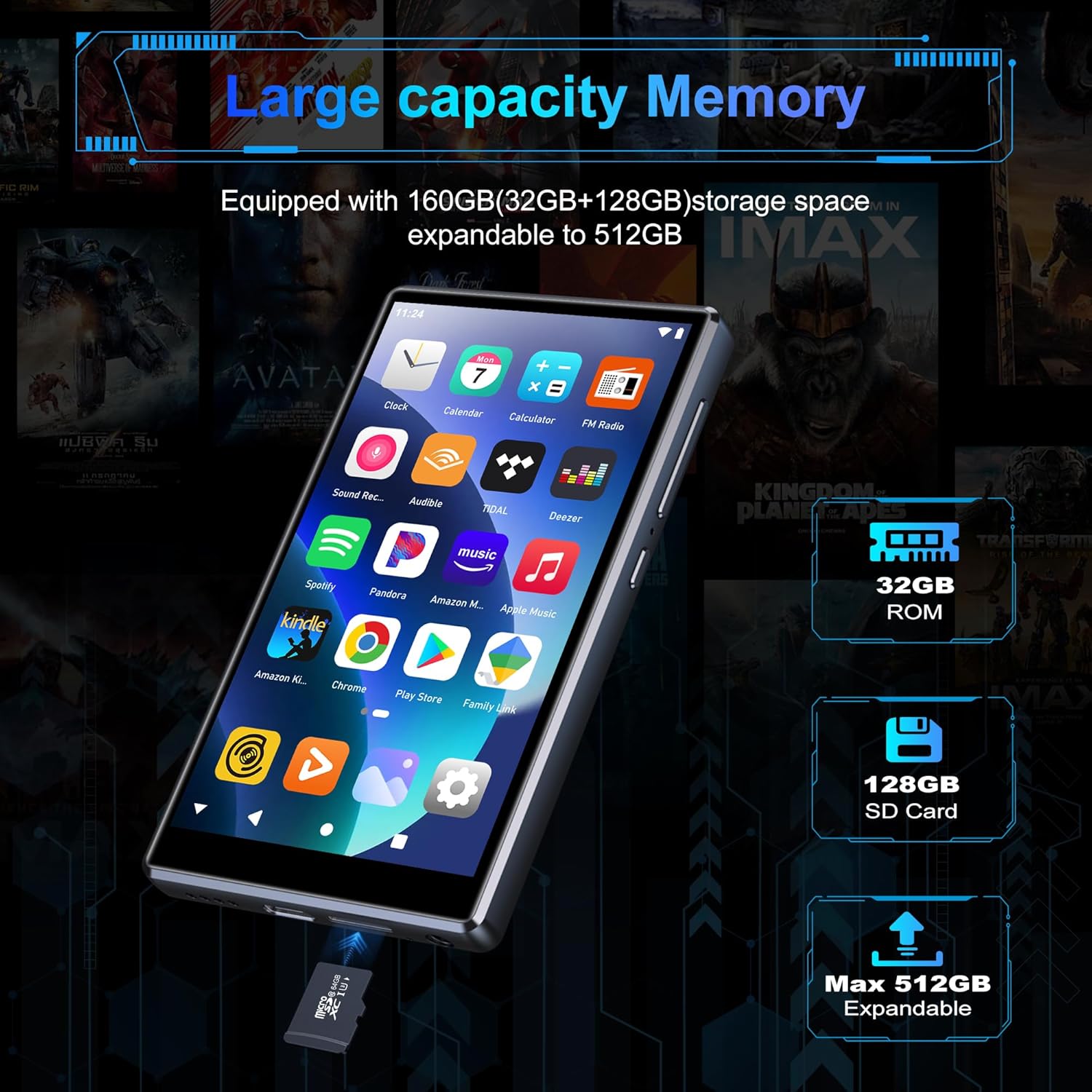
Image: Pre-installed popular applications on the device.
3. Nghaghachi vidiyo
The SWOFY D26 supports video formats such as RM, RMVB, FLV, MP4, DAT, MKV, MPG, MOV, TS directly, without requiring conversion. Use the default video player app to watch your videos.
4. Njikọ Bluetooth
Connect your device to Bluetooth headphones, speakers, or other compatible devices using Bluetooth 5.0.
- Gaa na Ntọala > Ngwa ejikọrọ > Bluetooth.
- Gbanwee Bluetooth On.
- Ensure your Bluetooth accessory is in pairing mode.
- Họrọ ngwa gị site na ndepụta ngwaọrụ dị maka ijikọ.
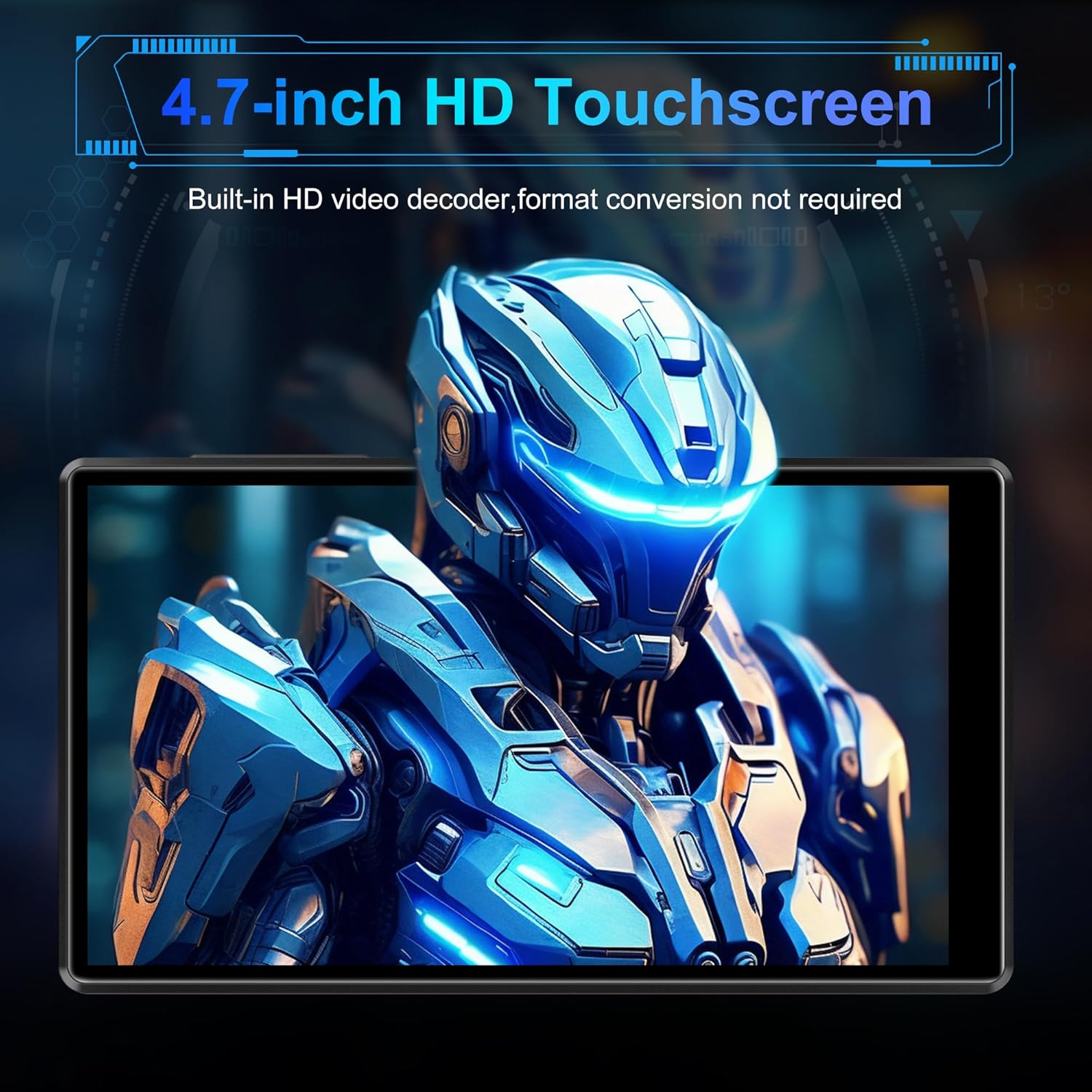
Image: Bluetooth connectivity with wireless earbuds.
5. Njikọ Wi-Fi
Connect to a Wi-Fi network to access the internet for streaming, app downloads, and web na -eme nchọgharị.
- Gaa na Ntọala > Netwọk & ịntanetị > Wi-Fi.
- Gbanwee Wi-Fi On.
- Họrọ netwọk Wi-Fi ịchọrọ site na ndepụta ahụ wee tinye paswọọdụ ma ọ bụrụ na ịchọrọ.
6. Ngwa nwụnye
Utilize the Google Play Store to download and install additional applications.
- Ensure you are connected to Wi-Fi and logged into your Google account.
- Mepee Ụlọ ahịa Play ngwa.
- Chọọ maka the desired app and follow the on-screen instructions to install it.
7. File Nyefee
Connect the SWOFY D26 to a computer using the provided USB cable to transfer music, videos, and other files.
- Jikọọ ngwaọrụ na kọmputa gị.
- On the device, swipe down from the top of the screen to open the notification panel.
- Tap the "USB charging this device" notification, then select "File transfer" or "MTP".
- Your device will appear as a removable drive on your computer, allowing you to drag and drop files.
Nlekọta
Nhicha
Jiri ákwà dị nro, nke na-enweghị lint hichaa ihuenyo na ahụ nke ngwaọrụ ahụ. Zere iji kemịkalụ siri ike ma ọ bụ ihe ndị na-emebi emebi.
Mmelite ngwanrọ
Na-enyocha mgbe niile maka mmelite ngwanrọ iji hụ na arụmọrụ kachasị mma na ịnweta atụmatụ kachasị ọhụrụ.
- Hụ na ejikọrọ ngwaọrụ ahụ na Wi-Fi.
- Gaa na Ntọala > Sistemu > Mmelite sistemụ.
- Soro ntuziaka ihuenyo ka ibudata ma wụnye mmelite ọ bụla dị.
Nlekọta batrị
Ka ịgbatị ndụ batrị:
- Zere oke okpomọkụ.
- Ekwela ka batrị kpochapu kpamkpam ugboro ugboro.
- Unplug the charger once the device is fully charged.
Nchọpụta nsogbu
Ngwaọrụ anaghị agbanwu
- Ensure the battery is charged. Connect the device to a charger for at least 30 minutes.
- Pịa ma jide bọtịnụ Ike maka sekọnd 10-15 iji mee ka ọ malitegharịa.
Cannot Connect to Wi-Fi/Bluetooth
- Ensure Wi-Fi/Bluetooth is enabled in Settings.
- Malitegharịa ekwentị ahụ wee gbalịa jikọọ ọzọ.
- For Wi-Fi, verify the password and ensure the router is working correctly.
- For Bluetooth, ensure the accessory is in pairing mode and within range.
Ngwa na-akụda ma ọ bụ na-ajụ oyi
- Mechie wee mepee ngwa ahụ.
- Hichapụ ihe nchekwa ngwa ahụ: Gaa na Ntọala > Ngwa > [Aha ngwa] > Nchekwa & cache > Kpochapụ cache.
- Malitegharịa ngwaọrụ ahụ.
- Ọ bụrụ na nsogbu ahụ anọgide, tụlee iwepụ ma tinyegharịa ngwa ahụ.
Ogo ọdịyo adịghị mma
- Check the volume settings on the device and any connected audio accessories.
- Gbaa mbọ hụ na Audio files adịghị emerụ.
- Try different headphones or speakers.
Nkọwapụta
| Aha Nlereanya | D26 |
| Sistemụ nrụọrụ | Android 13 |
| Nhazi | MTK 8-core |
| Ngosipụta | 4.7-inch HD Touchscreen (LCD) |
| Nchekwa nke ime | 160GB (32GB ROM + 128GB TF Card) |
| Nchekwa enwere ike ịgbasa | Ruo 1TB (Micro SD) |
| RAM | 4GB |
| Ike batrị | 2500 mAh |
| Oge Egwu Egwu | Ruo awa iri abụọ |
| Oge ịkpọghachi vidiyo | Ruo awa iri abụọ |
| Njikọta | Bluetooth 5.0, Wi-Fi, USB |
| Ụdị ọdịyo akwadoro | MP3, WAV, FLAC, APE, OGG, M4A, AAC, WMA |
| Ụdị vidiyo akwadoro | RM, RMVB, Flv, MP4, DAT, MKV, MPG, MOV, TS |
| Atụmatụ pụrụ iche | Built-in speaker, Equalizer, FM Radio, Voice Recorder |
| Ngwa dakọtara | Bluetooth headphones, Personal computer, Bluetooth speakers |
Ozi akwụkwọ ikike
Specific warranty details for the SWOFY D26 MP3 Player may vary by region and retailer. Please refer to the warranty card included with your purchase or visit the official SWOFY website for comprehensive warranty terms and conditions. Information regarding spare parts availability and software update guarantees is not provided in the product specifications.
Nkwado
For further assistance, technical support, or inquiries regarding your SWOFY D26 MP3 Player, please visit the official SWOFY websaịtị ma ọ bụ kpọtụrụ ngalaba ọrụ ndị ahịa ha.
Onye nrụpụta: SWOFY