
1. Okwu mmalite
This manual provides essential information for the safe and efficient operation of your GGM Gastro WKAF5N Wall-Mounted Refrigeration Unit. Please read these instructions carefully before installation, operation, or maintenance to ensure proper use and to prevent damage or injury. This unit is designed for cooling spaces up to 5 m³.
2. Ntuziaka nchekwa
Always adhere to the following safety guidelines to ensure safe operation and prevent personal injury or damage to the unit.
- Nchekwa Eletriki: Ensure the unit is connected to a properly grounded electrical outlet with the specified voltage (230 V / 50 Hz). Disconnect power before any maintenance or cleaning.
- Nwụnye: Installation must be performed by qualified personnel in accordance with local electrical and refrigeration codes.
- Igwe nju oyi: The unit contains R 452 refrigerant. Handling and disposal of refrigerants must be done by certified technicians.
- Igwe ikuku: Ensure adequate ventilation around the unit, especially for the air-cooled condenser, to prevent overheating.
- mkpochapụ: Maintain a minimum ceiling distance of 300 mm above the unit for proper airflow and maintenance access.
- Nhicha: Use only mild, non-abrasive cleaning agents. Do not spray water directly onto electrical components.
- Ụmụaka: Keep children away from the unit, especially during operation and maintenance.
3. Ngwaahịa gafereview
The GGM Gastro WKAF5N is a robust and compact wall-mounted refrigeration unit designed for commercial use. It features a durable stainless steel housing and high-quality components for long-lasting performance.
Akụkụ ndị bụ isi:
- Digital thermometer for precise temperature monitoring.
- Electronic control for accurate temperature regulation.
- Hermetic compressor with thermal protection.
- Efficient heat exchanger with copper tubes and aluminum fins.
- Heated evaporative tray for defrost water.
- High-pressure switch for safety.
- Automatic defrosting via programmable controller.
- Air-cooled condenser suitable for ambient temperatures up to +43 °C.
- Includes contact switch and interior lighting for the cold room.
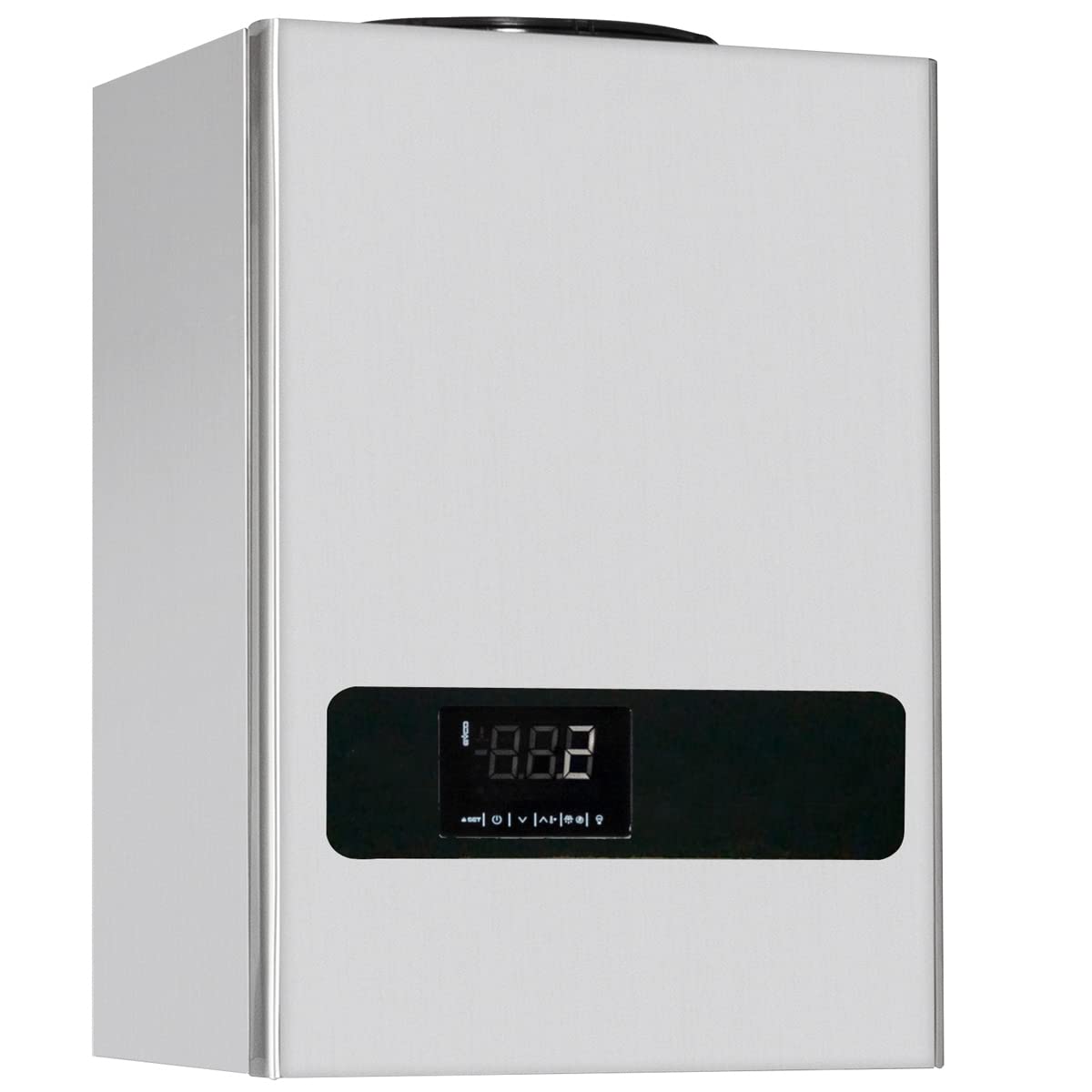
Foto: N'ihu view of the GGM Gastro WKAF5N refrigeration unit, showing the digital display and control panel.

Image: Close-up of the unit's digital display, showing temperature readings and control icons.
4. Ntọala & nwụnye
The WKAF5N unit is delivered ready for use and is designed for assembly into a cold room panel. Please note that the cold cell itself is not included and must be ordered separately.
Nzọụkwụ nwụnye:
- Iwepu: Carefully unpack the unit and inspect for any shipping damage.
- Ịkwanye: Mount the self-supporting housing onto the cold room panel. Ensure the unit is securely fastened and level.
- mkpochapụ: Ensure a minimum ceiling distance of 300 mm above the unit to allow for proper heat dissipation and maintenance access.
- Njikọ eletrik: Connect the unit to a dedicated 230 V / 50 Hz power supply. This connection must be performed by a qualified electrician.
- Ngwa gụnyere: Install the contact switch and interior lighting within the cold room as per the provided instructions. These components are included with the unit.
- Nyocha mbụ: After installation, perform a visual check of all connections and ensure no obstructions are present.

Image: The refrigeration unit mounted on the exterior wall of a cold room, with the cold room door open, showing interior shelving.

Image: The refrigeration unit installed on a cold room, highlighting the required minimum ceiling distance of 300 mm.

Image: Close-up of the included interior light and contact switch, which are installed inside the cold room.

Image: Dimensional diagram of the GGM Gastro WKAF5N unit, indicating its height, width, and depth for installation planning.
5. Ntuziaka ọrụ
The GGM Gastro WKAF5N unit features user-friendly electronic controls for setting and monitoring the cold room temperature.
Nrụ ọrụ bụ isi:
- Gbanyụọ/ Gbanyụọ: Use the main power switch to turn the unit on or off.
- Ntọala okpomọkụ: The electronic controller allows you to set the desired temperature within the range of -2 °C to +8 °C. Refer to the controller's specific manual for detailed programming instructions.
- Ngosipụta Digital: The digital thermometer displays the current temperature inside the cold room.
- Mwepu akpaaka: The unit is equipped with an automatic defrost function, managed by the programmable controller, to prevent ice buildup on the evaporator.
- Door Contact Switch: The included contact switch activates the interior lighting when the cold room door is opened and may also pause refrigeration during prolonged door openings to save energy.
6. Nlekọta
Regular maintenance ensures the longevity and efficient operation of your refrigeration unit. Always disconnect power before performing any maintenance.
Nlekọta oge niile:
- Nchacha mpụta: Clean the stainless steel housing regularly with a soft cloth and mild detergent. Avoid abrasive cleaners. The unit's design facilitates easy cleaning for hygiene.
- Condenser ihicha: Periodically inspect and clean the air-cooled condenser fins to remove dust and debris. A clogged condenser reduces efficiency and can lead to overheating.
- Defrost Water Tray: Ensure the heated defrost water tray is clear and draining properly.
- Akara ọnụ ụzọ: Check cold room door seals for damage or leaks to maintain temperature integrity.
Nlekọta ndị ọkachamara:
- Schedule periodic inspections by a qualified refrigeration technician to check refrigerant levels, compressor performance, and overall system integrity.
- Any repairs involving the refrigerant circuit or electrical components must be performed by certified professionals.
7. Nchọpụta nsogbu
Tupu ịkpọtụrụ ọrụ ndị ahịa, review nsogbu ndị a na-ahụkarị na ihe ngwọta ha nwere ike ime.
| Nsogbu | Ihe nwere ike ime | Ngwọta |
|---|---|---|
| Otu anaghị ajụ oyi | No power; thermostat set incorrectly; dirty condenser; cold room door not sealed. | Check power supply; adjust thermostat; clean condenser; inspect door seals. |
| Unit na-aga n'ihu | Cold room door left open; excessive product load; dirty condenser; low refrigerant. | Ensure door is closed; reduce load; clean condenser; contact technician for refrigerant check. |
| Mkpọtụ na-adịghị ahụkebe | Loose components; fan obstruction; compressor issue. | Check for loose parts; clear fan area; contact technician if compressor noise persists. |
| Digital display error | Sensor fault; control board issue. | Refer to controller manual for error codes; contact technician. |
Ọ bụrụ na nsogbu ahụ dịgidere mgbe ị nwara azịza ndị a, biko kpọtụrụ onye na-ahụ maka ọrụ ruru eru.
8. Nkọwapụta
| Njirimara | Nkọwa |
|---|---|
| Nlereanya | WKAF5N |
| Ụdị | GGM Gastro |
| Max. Cold Room Volume | 5 m³ |
| Oke okpomọkụ | -2 Celsius C ruo +8 Celsius |
| Igwe nju oyi | R 452 |
| Ike Compressor | 1045 W |
| Njikọ Ọdụdọ | 230 Ise / 50 Hz |
| Akụkụ Mpụga (W x D x H) | 540 mm x 890 mm x 1880 mm |
| Ambient Temperature (Max) | +43 Celsius C |
| Ihe eji eme ụlọ | Igwe anaghị agba nchara |
| Ngwa gụnyere | Contact switch, interior lighting |
9. Akwụkwọ ikike & Nkwado
Ozi akwụkwọ ikike:
For detailed warranty terms and conditions, please refer to the official GGM Gastro warranty policy provided at the time of purchase or visit the GGM Gastro official websaịtị. Debe ihe akaebe nke ịzụrụ maka akwụkwọ ikike.
Nkwado ndị ahịa:
If you require technical assistance, spare parts, or have questions regarding your GGM Gastro WKAF5N refrigeration unit, please contact GGM Gastro customer service. Contact details can typically be found on the manufacturer's websaịtị ma ọ bụ n'akwụkwọ ịzụrụ ihe.