
GTRUI 10.25"2014-2017
GTRUI 10.25" Car Stereo Instruction Manual
Model: 10.25"2014-2017 for BMW X5 F15 / X6 F16 (2014-2017) NBT System
1. Okwu mmalite
This manual provides detailed instructions for the installation, operation, and maintenance of your GTRUI 10.25" Car Stereo. This unit is designed to integrate seamlessly with BMW X5 F15 and X6 F16 models manufactured between 2014 and 2017, specifically those equipped with the NBT system. It enhances your vehicle's infotainment system with Wireless CarPlay and Android Auto functionality while retaining original vehicle features.
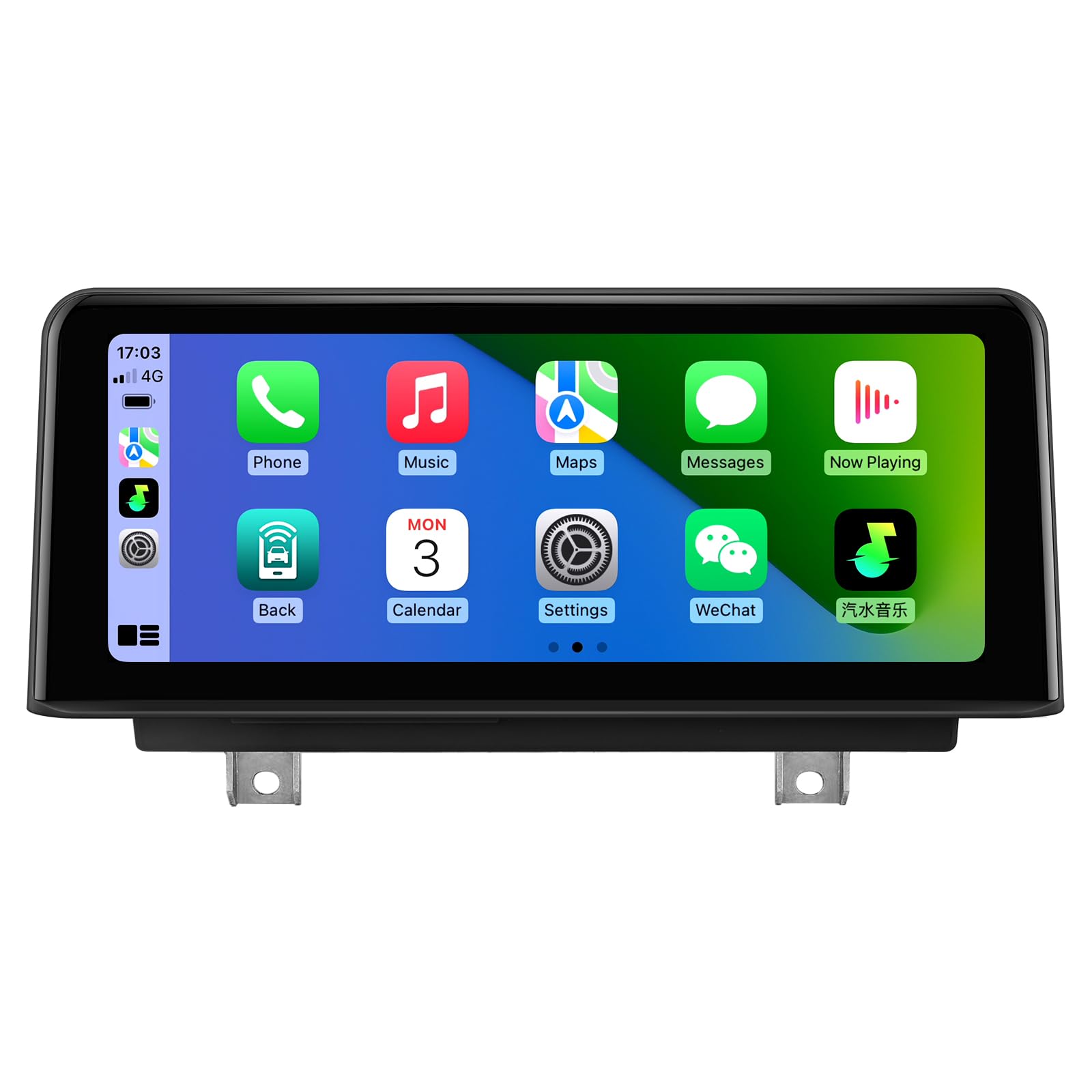
Figure 1: GTRUI 10.25" Car Stereo with CarPlay interface.
The 10.25-inch IPS display features a 1920x720 pixel resolution, offering clear visuals. Its glass-to-glass laminated screen design minimizes air and dust accumulation, providing enhanced clarity and contrast.

Figure 2: Seamless integration of CarPlay and Android Auto into the BMW X5 dashboard.
2. Gịnị gụnyere
Chọpụta na ihe niile edepụtara n'okpuru dị na ngwugwu gị:
- Head Unit with bezel
- Wiring Harness Cable
- AUX Extension Cable
- eriri USB
- Akwụkwọ ntuziaka onye ọrụ
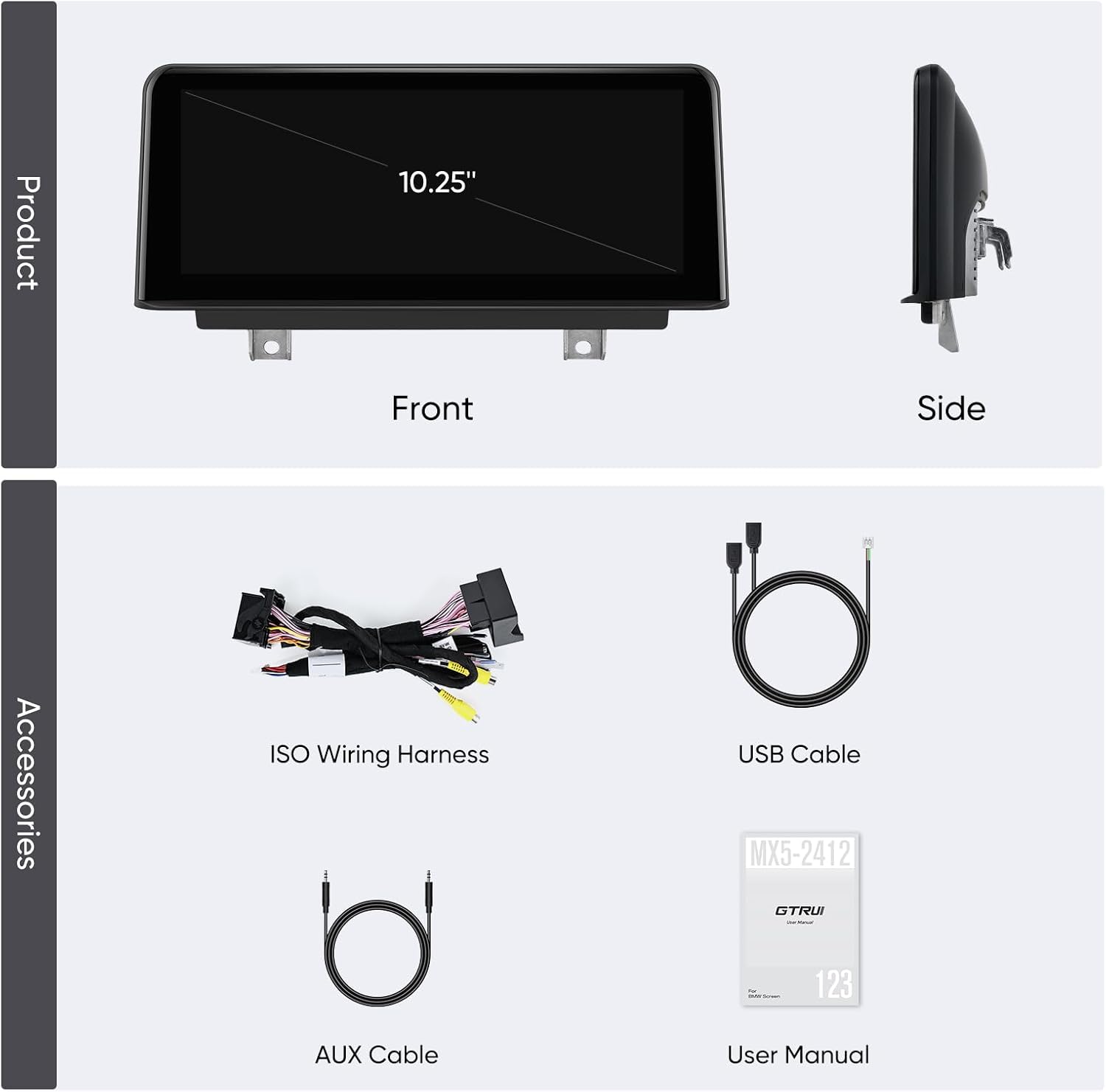
Figure 3: Product and included accessories.
3. Ntọala & nwụnye
3.1. Nyochaa ndakọrịta
This unit is compatible with BMW X5 F15 and X6 F16 models (2014-2017) equipped with the NBT system. To confirm your vehicle's compatibility, verify the presence of the following NBT system features:
- A 6-Pin LVDS port at the OEM screen.
- A 'Media' button on the iDrive controller.
- The BMW original system UI should resemble the NBT interface.

Figure 4: Identifying NBT System features.
3.2. Ndetu ntinye n'ozuzu
Installation involves replacing your car's original screen and connecting the new unit via the provided wiring harness adapter. While designed for straightforward integration, professional installation is recommended if you are unfamiliar with car electronics to ensure proper functionality and avoid damage.
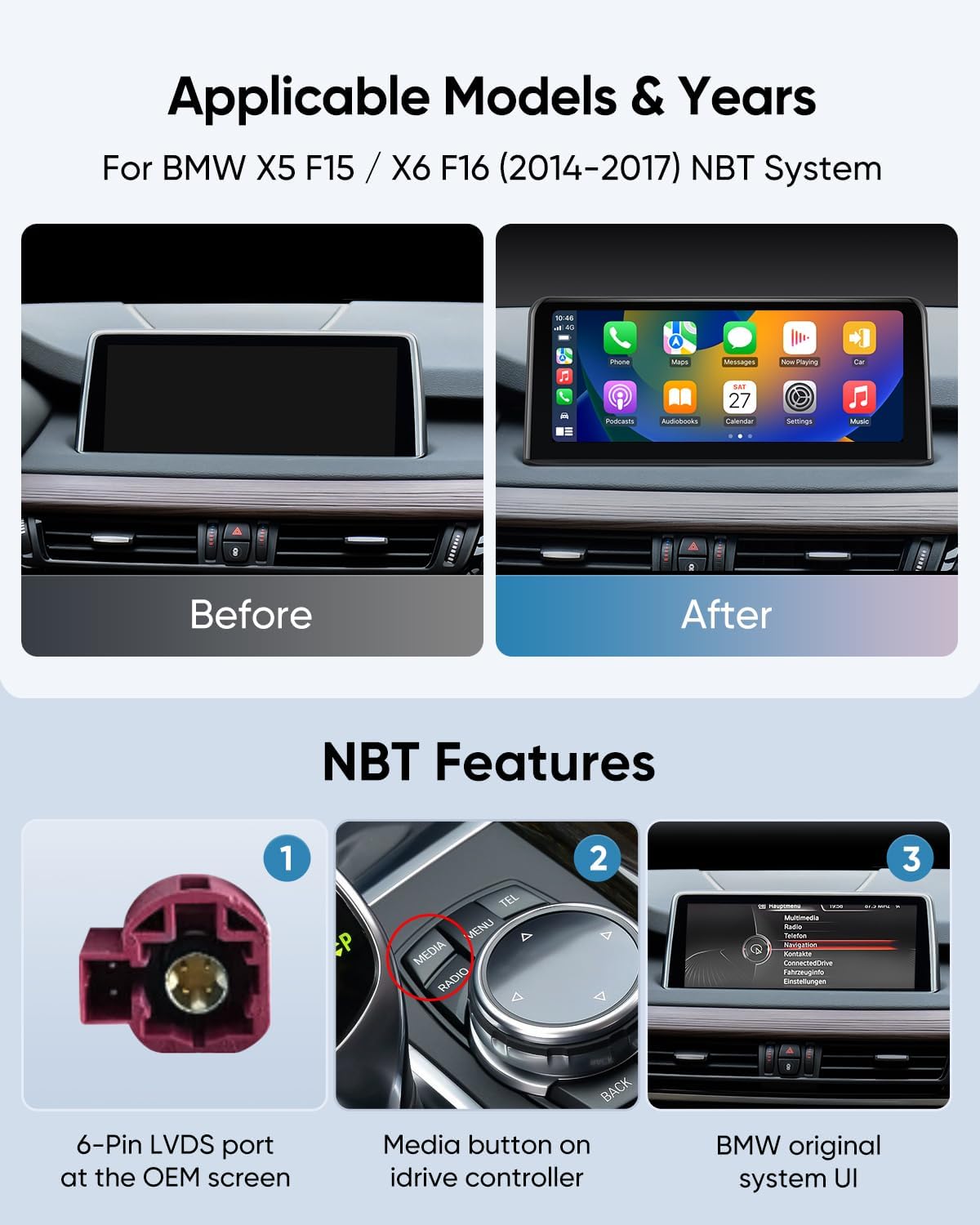
Figure 5: Before and After installation comparison.

Nyocha 6: N'eluview of the complete installation kit.
4. Ntuziaka ọrụ
4.1. CarPlay ikuku na gam akporo Auto
Connect your smartphone wirelessly via Bluetooth to enable CarPlay or Android Auto. Once paired, your phone's interface will be displayed on the 10.25" screen, providing access to navigation, calls, messages, and music.
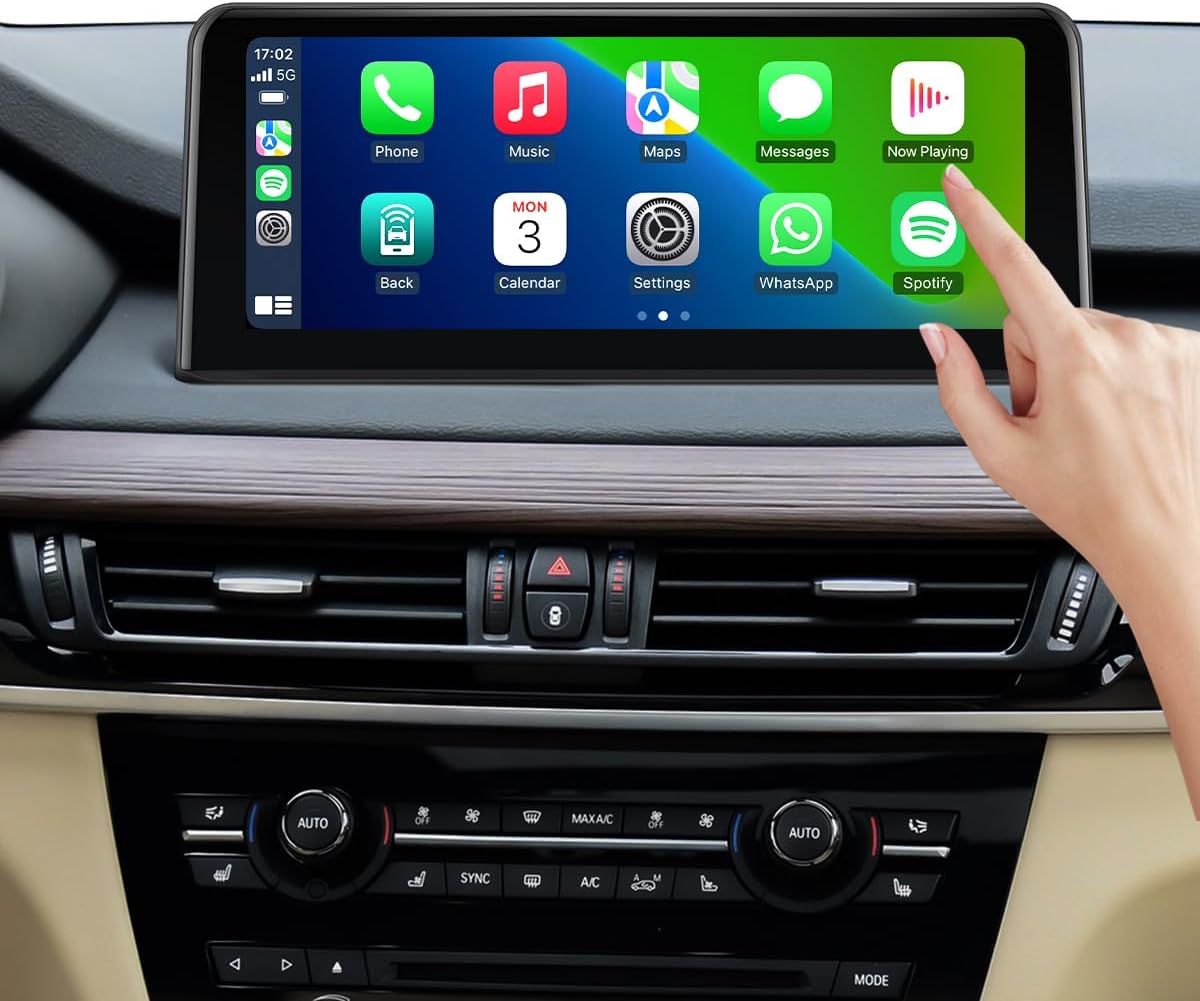
Figure 7: Interacting with the CarPlay interface.
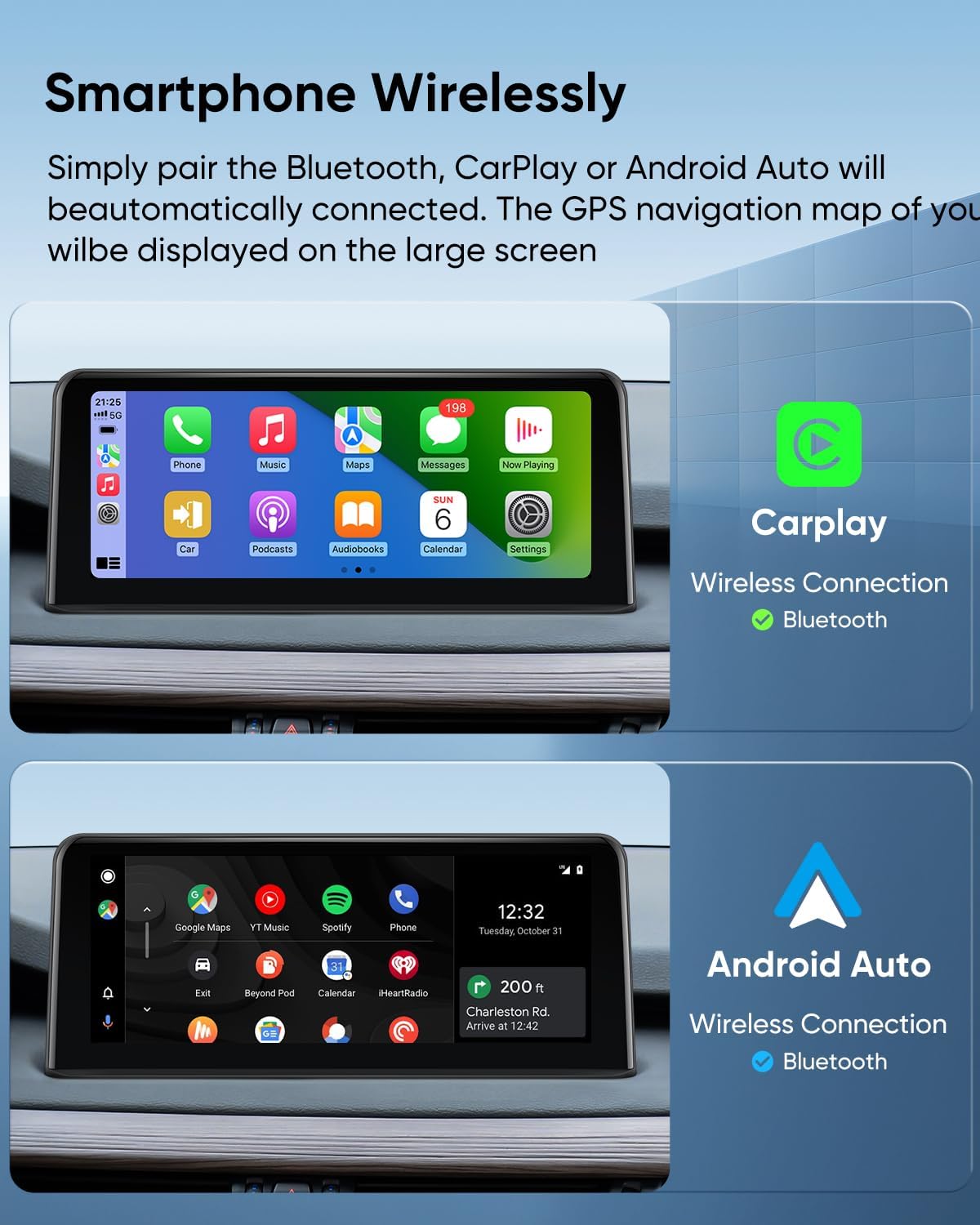
Figure 8: Wireless CarPlay and Android Auto connectivity.
4.2. Iwu olu
Utilize voice commands for hands-free operation. Say "Hey Siri" or "OK Google" to activate your smartphone's voice assistant for navigation, making calls, sending messages, and playing music.

Figure 9: Using voice commands for hands-free control.
4.3. Retained Original Functions
The GTRUI Car Stereo is designed to work with all original BMW vehicle functions, ensuring no loss of existing features:

Nyocha 10: N'eluview of retained original BMW functions.
- iDrive System: Full functionality of your original iDrive controller is maintained.
- Original Fiber Optic Sound System: Audio quality and system integrity are preserved.
- Original Radio & CD Player: Access to your vehicle's native radio and CD functions remains.
- Original Bluetooth: Your vehicle's factory Bluetooth system continues to operate.
- Backup Camera Display: The original backup camera feed is displayed on the new screen.
- Steering Wheel Control (SWC) Function: Control audio and other functions directly from your steering wheel.
5. Nlekọta
To ensure the longevity and optimal performance of your GTRUI Car Stereo, follow these maintenance guidelines:
- Na-ehicha ihuenyo: Jiri akwa dị nro na-enweghị lint iji hichaa ihuenyo ahụ nwayọ. Maka isi ike smudges, ntakịrị dampen akwa na mmiri ma ọ bụ ihe na-echebe ihuenyo. Zere ihe na-emebi emebi ma ọ bụ kemịkalụ siri ike.
- Mmelite ngwanrọ: Periodically check for software updates from GTRUI to ensure you have the latest features and performance enhancements. Follow the instructions provided with the update package.
- Ọnọdụ gburugburu: Zere ikpughe akụkụ ahụ na oke okpomọkụ, ìhè anyanwụ kpọmkwem maka ogologo oge, ma ọ bụ oke mmiri mmiri.
6. Nchọpụta nsogbu
If you encounter issues with your GTRUI Car Stereo, refer to the following common problems and solutions:
- No Power/Screen Not Turning On:
- Check all power connections and ensure they are securely seated.
- Hụ na agbanyere ọkụ ụgbọala ahụ.
- Inspect fuses related to the car stereo system.
- Laggy Performance / Unresponsive Touchscreen:
- Ensure your smartphone is not running too many background applications, which can affect wireless performance.
- Restart both your smartphone and the car stereo unit.
- If recording video from your phone while using CarPlay/Android Auto, this may cause temporary lag.
- Audio Issues (Muffled Sound, Distortion):
- Verify that the fiber optic cable (if applicable) is fully seated and undamaged.
- Check all audio wiring connections.
- Adjust equalizer settings on both the car stereo and your connected smartphone.
- Ensure the AUX input is correctly selected and functioning.
- Wireless CarPlay/Android Auto Not Connecting:
- Ensure Bluetooth is enabled on your smartphone and the car stereo.
- Chefuo ngwaọrụ ahụ na ntọala Bluetooth nke ekwentị gị wee jikọta ya ọzọ.
- Some smartphones may require a wired connection for Android Auto.
- Original Functions Not Working:
- Double-check all wiring harness connections, especially those related to the iDrive system and steering wheel controls.
- Confirm that your vehicle is indeed an NBT system as per the compatibility check.
If these steps do not resolve the issue, please contact GTRUI customer support for further assistance.
7. Nkọwapụta
| Ụdị | GTRUI |
| Nọmba nlereanya | 10.25"2014-2017 |
| Nha ihuenyo | 10.25 sentimita asatọ |
| Ụdị ngosi | LCD, IPS |
| Mkpebi | 1920x720 pikselụ |
| Ụdị ihuenyo mmetụ | Capacitive, Glass to Glass (Fully laminated) |
| Sistemụ nrụọrụ | Linux |
| Teknụzụ Njikọta | Bluetooth, USB, Wireless Android Auto, Wireless CarPlay |
| Usoro njikwa | Metụ, olu |
| Ọnọdụ mmepụta ọdịyo | Stereo |
| Supported Navigation System | GPS (Map Type: North America) |
| Ụdị ụgbọ ala dakọtara | SUV (BMW X5 F15, X6 F16) |
| Ibu Ibu | 1.79 kilogram |
8. Akwụkwọ ikike & Nkwado
GTRUI provides a Akwụkwọ ikike nke onye nrụpụta afọ 1 maka ngwaahịa a. Akwụkwọ ikike a na-ekpuchi ntụpọ dị na ihe na ọrụ aka mgbe ejiri ya nkịtị.
For technical support, warranty claims, or any inquiries, please contact GTRUI customer service via Amazon email. Our support team will respond as soon as possible to assist you.
Ask a question about this manual
Ask about setup, troubleshooting, compatibility, parts, safety, or missing instructions. Manuals+ will review the question and use this page’s manual context to help answer it.