
1. Okwu mmalite
Thank you for choosing the ZIHNIC AI Translation Earphones S11A. These earphones are designed to provide seamless communication across language barriers with real-time translation capabilities. This manual will guide you through the setup, operation, and maintenance of your device to ensure optimal performance.
2. Ngwaahịa gafereview
Ihe ngwugwu 2.1
- ZIHNIC AI Translation Earphones S11A
- Ịchaji eriri
- Akwụkwọ ntuziaka onye ọrụ
2.2 Atụmatụ
- 3 Smart Translation Modes: Supports real-time translation in up to 138 languages.
- IPX5 Nkwanye mgbochi mmiri: Resistant to sweat and rain, suitable for various environments.
- Njikwa mmetụ aka: Manage music, calls, and voice assistant with simple taps.
- Bluetooth Wireless Freedom: Stable and quick pairing with compatible devices.
- Comfortable Open-Ear Design: Flexible earhooks ensure a secure and comfortable fit for extended wear.
- Ụda Stereo HiFi: Delivers clear audio quality for music and calls.
- HD Noise-Canceling Calls: Na-eme ka o doo anya site n'ibelata mkpọtụ ndabere.

Image: ZIHNIC AI Translation Earphones S11A and charging case. The earphones are shown with text indicating translation capabilities.

Image: Diagram illustrating HiFi Stereo Sound and Voice Assistant features of the earphones.

Image: Diagram highlighting 360-degree surround sound quality, HD Noise-canceling Calls, Open Ear Design, IPX5 Water Resistance, and Convenient Touch Control.
3. Nhazi
3.1 Ịchaji ekwe ntị
Before first use, fully charge the earphones and their charging case. Connect the provided charging cable to the charging case and a USB power source. The indicator lights on the case will show the charging status.
3.2 Yiri ekwe ntị
For optimal comfort and sound quality, ensure the earphones are worn correctly.
- Take out the earbud from the charging case.
- Hang the end of the earbud on the ear bone.
- Turn the earbud and slide it behind the ear.
- Adjust the ear hook to fit your ears securely.

Image: Step-by-step guide on how to wear the earphones for a secure and comfortable fit.
3.3 Njikọ Bluetooth
- Open the charging case; the earphones will automatically enter pairing mode.
- Na ama ma ọ bụ ngwaọrụ gị, gbanye Bluetooth wee chọọ ngwaọrụ dịnụ.
- Select "ZIHNIC S11A" from the list to connect.
- Once connected, you will hear an audio prompt, and the indicator light on the earphones will change.
3.4 App Installation for Translation
To utilize the full translation features, you will need to download and install the dedicated ZIHNIC translation application on your smartphone. Refer to the QR code provided in the product packaging or search for the official ZIHNIC translation app in your device's app store. Follow the in-app instructions for setup and language selection.
4. Ntuziaka ọrụ
4.1 Njikwa mmetụ
The ZIHNIC S11A earphones feature intuitive touch controls on each earbud. Specific functions may vary slightly based on the connected device and app settings.
- Kpọọ/Kwụsị Egwu: Otu mgbata na ntị ntị.
- Azịza/Kwụsị Oku: Otu mgbata na ntị ntị.
- Jụ oku: Pịa ma jide otu ntị ntị maka sekọnd 2.
- Track na-esote: Kpatụ ntị ntị aka nri ugboro abụọ.
- Gara aga Track: Kpatụ ntị ntị aka ekpe ugboro abụọ.
- Mee ka onye enyemaka olu rụọ ọrụ: Pịa aka ntị nke ọ bụla ugboro atọ.
- Gbanwee olu: Typically controlled via your connected device. Some apps may offer in-app volume control.
4.2 Ụdị Ntụgharị Asụsụ
The earphones support multiple translation modes through the dedicated ZIHNIC translation app:
- Ntụgharị Okwu Ihu na Ihu: Ideal for direct conversations. One person speaks, and the earphones provide real-time translation to the other person.
- AI Automatic Translation: For continuous conversations, the earphones automatically detect pauses in speech and provide translations.
- AI Chat Mode: Use the app to type or speak, and the earphones will translate and output the audio.
To initiate translation, open the ZIHNIC translation app, select the desired mode and languages, then follow the on-screen prompts. A simple tap on the earbud may activate the translation function within the app.

Image: Illustration of face-to-face translation using the earphones, showing translated text on screen.

Image: Depiction of automatic AI translation in a business setting, with the app interface visible.
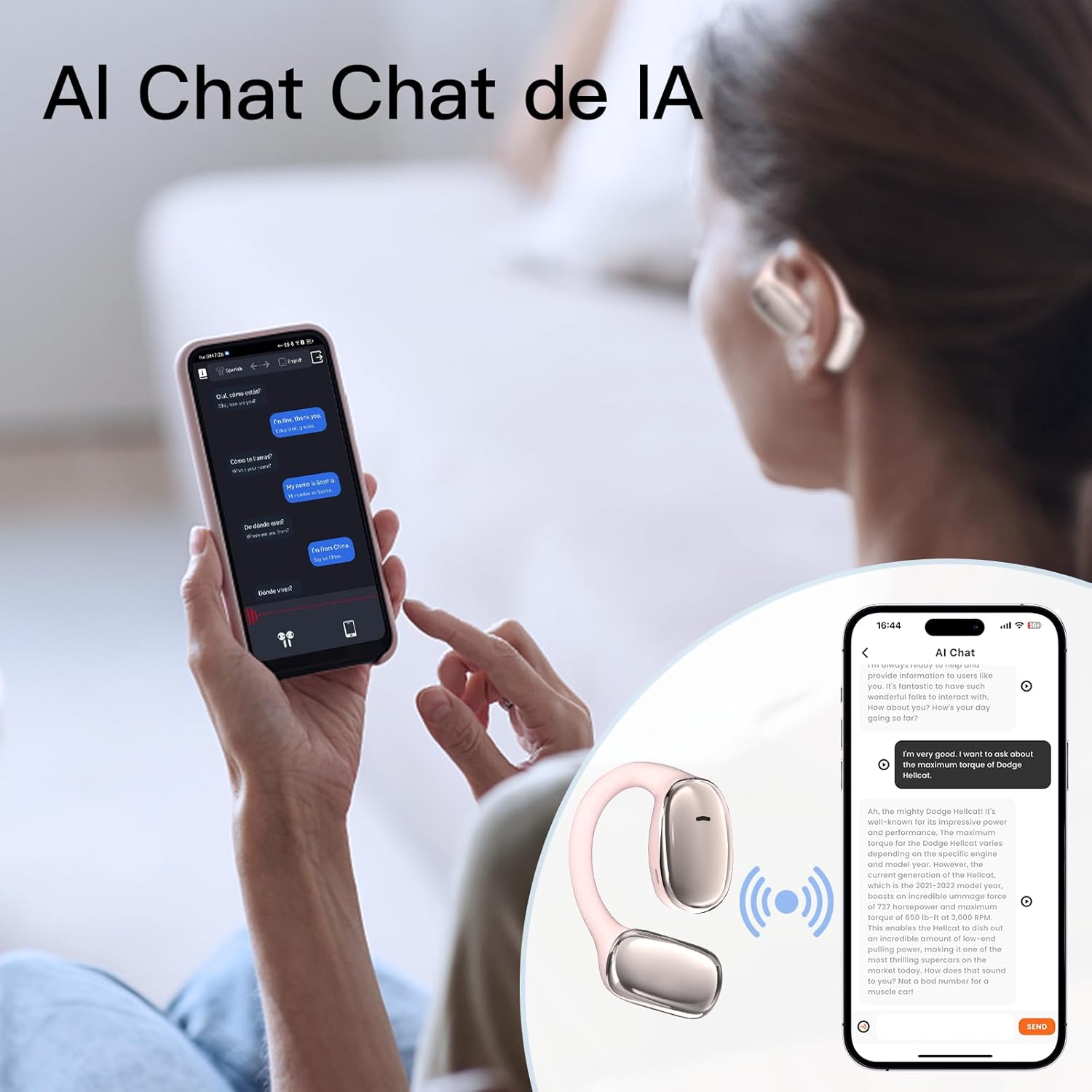
Image: User interacting with an AI chat application on a smartphone, with the earphones providing translation.

Image: A woman using the earphones with a smartphone showing real-time translation in a chat interface.
5. Nlekọta
5.1 Nhicha
- Jiri nwayọ hichaa ekwe ntị na ihe mkpuchi chaja ahụ site n'iji ákwà dị nro, kpọrọ nkụ, nke na-enweghị ihe e ji acha ọcha hichaa ya.
- Ejila ihe mkpocha abrasive, mmanya, ma ọ bụ ihe mgbaze kemịkal.
- Hụ na kọntaktị chaja dị ọcha ma ghara inwe ihe ruru unyi.
5.2 Nchekwa
- Chekwaa ekwe ntị n'akpa chaja ha mgbe ejighị ya iji chekwaa ya ma debe ya chaja.
- Avoid storing in extreme temperatures, direct sunlight, or high humidity.
5.3 Mmiri Nguzogide
The earphones have an IPX5 waterproof rating, meaning they are resistant to sweat and light splashes of water. They are not designed for submersion in water or use during swimming. Ensure the earphones are dry before placing them back in the charging case to prevent damage.
6. Nchọpụta nsogbu
If you encounter issues with your ZIHNIC AI Translation Earphones S11A, please refer to the following common solutions:
| Nsogbu | Ngwọta enwere ike |
|---|---|
| Ekwe ntị anaghị ejikọ/ejikọta |
|
| Enweghị ụda ma ọ bụ àgwà ọdịyo adịghị mma |
|
| Ntụgharị asụsụ anaghị arụ ọrụ |
|
| Earphones not charging or holding charge |
|
| Njikwa mmetụ anaghị anabata ya |
|
7. Nkọwapụta
- Ụdị: S11A
- Ibu ihe: 1.76 ounces (ihe dị ka gram 50)
- Akụkụ ngwugwu: 4.92 x 3.82 x 1.54 sentimita asatọ
- Ụdị batrị: Lithium polymer (gụnyere)
- Ọnụọgụ enweghị mmiri: IPX5
- Translation Languages: Up to 138 languages
- Njikọta: Ikuku Bluetooth

Image: Illustration indicating long battery life, with a 450mAh battery capacity likely referring to the charging case.
8. Akwụkwọ ikike Ozi
ZIHNIC products are covered by a limited warranty. Please refer to the warranty card included in your product packaging or visit the official ZIHNIC webebe a maka usoro na ọnọdụ akwụkwọ ikike zuru ezu. Debe risit ịzụrụ ihe gị dị ka ihe akaebe nke ịzụrụ ihe maka nkwupụta akwụkwọ ikike.
9. Nkwado ndị ahịa
For further assistance, technical support, or inquiries regarding your ZIHNIC AI Translation Earphones S11A, please contact ZIHNIC customer service through the following channels:
- Ndị ọchịchị Websaịtị: Visit the ZIHNIC official websaịtị maka FAQs, akụrụngwa nkwado, na fọm kọntaktị.
- Nkwado email: Rụtụ aka na nkwakọ ngwaahịa gị ma ọ bụ onye ọrụ gọọmentị webebe nrụọrụ weebụ maka adreesị ozi-e nkwado ndị ahịa.