
1. Okwu mmalite
Daalụ maka ịzụrụasing the AGPTEK A02XT MP3 Player. This device is designed to provide a high-quality audio experience with its HIFI lossless sound and Bluetooth 5.3 connectivity. It features a compact design, button operation, and various functions including FM radio, voice recording, and a pedometer. This manual will guide you through the setup, operation, and maintenance of your new MP3 player.

Figure 1.1: AGPTEK A02XT MP3 Player with accessories.
2. Ngwaahịa gafereview
Ihe ngwugwu 2.1
- AGPTEK A02XT MP3 Player (1)
- USB-C eriri USB (1)
- Akwụkwọ ntuziaka onye ọrụ (1)
- Earphones (1 pair) - May vary by region/package

Figure 2.1: Contents of the AGPTEK A02XT package.
2.2 Nhazi na Njikwa Ngwaọrụ
Familiarize yourself with the buttons and ports on your A02XT MP3 player.

Foto 2.2: N'ihu view of the A02XT MP3 Player.
- Ihuenyo: Displays menus, music information, and settings.
- M bọtịnụ: Menu/Back button. Long press to lock/unlock the screen.
- Bọtịnụ Kwụsị/Kwụsị: Na-amalite ma ọ bụ kwụsịtụ ọkpụkpọ.
- Bọtịnụ ndị gara aga/ na-esote: Navigates through tracks or menu options.
- bọtịnụ VOL: Njikwa olu.
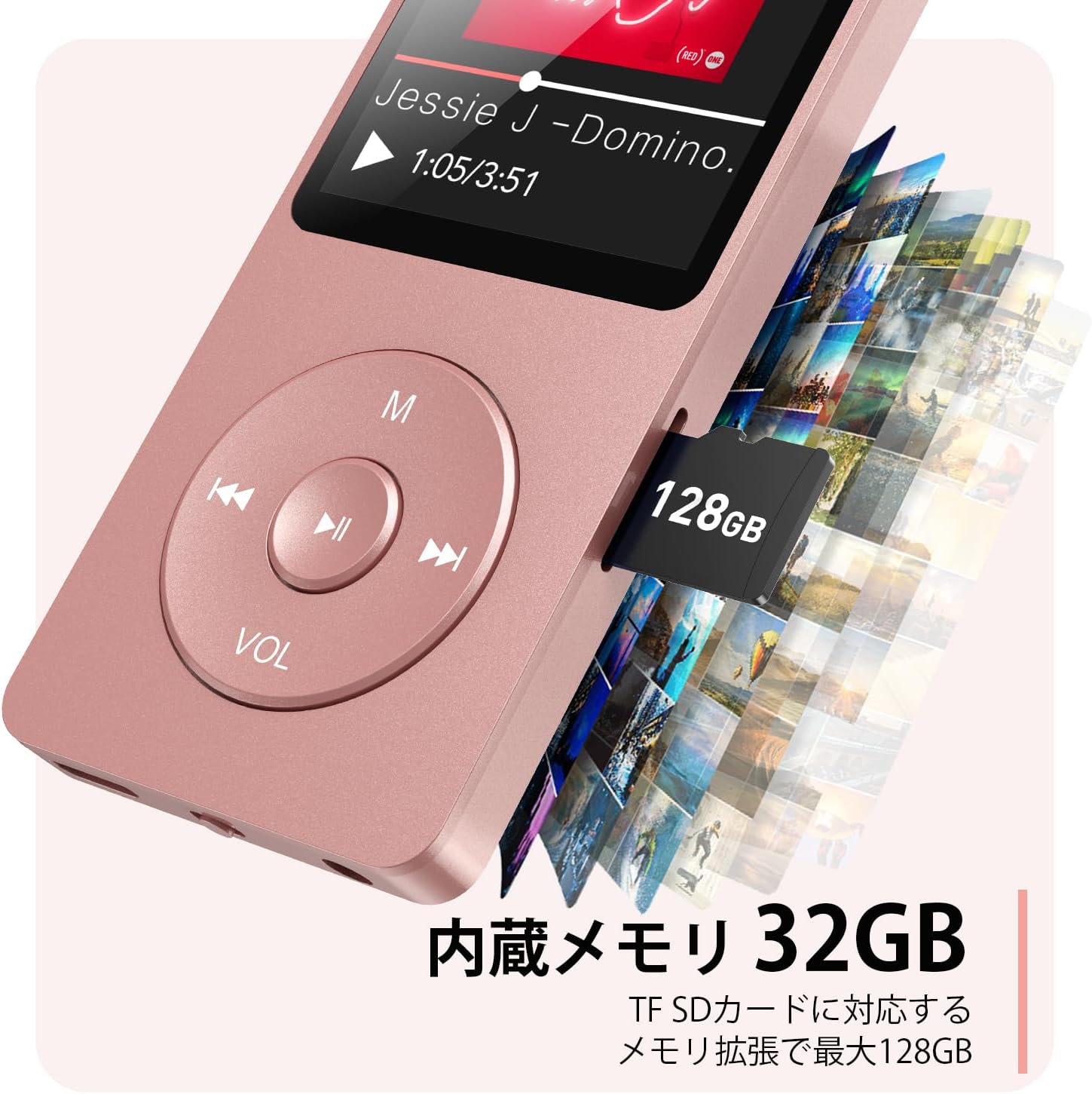
Foto 2.3: Akụkụ view with microSD card slot.
- Ọdụ USB-C: Maka ịchaji na ịnyefe data.
- Jack ekweisi 3.5mm: Maka mmepụta ọdịyo ejiri waya rụọ.
- Oghere Kaadị MicroSD: For expandable storage up to 64GB.
3. Nhazi
3.1 Ịchaji ngwaọrụ
Before first use, fully charge the MP3 player. Connect the provided USB-C cable to the player's USB-C port and the other end to a USB power adapter (not included) or a computer's USB port. The screen will indicate charging status. A full charge takes approximately 2 hours and provides up to 40 hours of music playback.

Figure 3.1: MP3 Player charging indication.
3.2 Ịtinye kaadị MicroSD
The player has 32GB of internal storage. To expand storage, insert a microSD card (up to 64GB, not included) into the microSD card slot until it clicks into place. Ensure the card is inserted correctly to avoid damage.
3.3 Transferring Music Files
- Connect the MP3 player to your computer using the USB-C cable.
- The player will appear as a removable disk on your computer.
- Dọrọ ma dobe egwu gị files (MP3, WMA, OGG, WAV, APE, FLAC, AAC, ACELP) into the 'Music' folder on the player or microSD card.
- Safely eject the device from your computer before disconnecting the cable.
4. Ntuziaka ọrụ
4.1 Gbanyụọ ma ọ bụ gbanyụọ
- Ike Na: Long press the Power button (usually on the side or top edge) until the screen lights up.
- Gbanyụọ: Long press the Power button until the 'Power Off' option appears, then select it.
4.2 Nsoro ụzọ
Use the navigation buttons (Previous, Next, Play/Pause, M) to move through menus and select options. The Play/Pause button often acts as a 'Confirm' button in menus.

Figure 4.1: Main menu interface with various functions.
4.3 Nghaghachi egwu
- From the main menu, select 'Music'.
- Browse by Artist, Album, Songs, Playlists, etc.
- Select a song to begin playback.
- Use the Previous/Next buttons to skip tracks, and Play/Pause to control playback.
- Adjust volume using the VOL button.
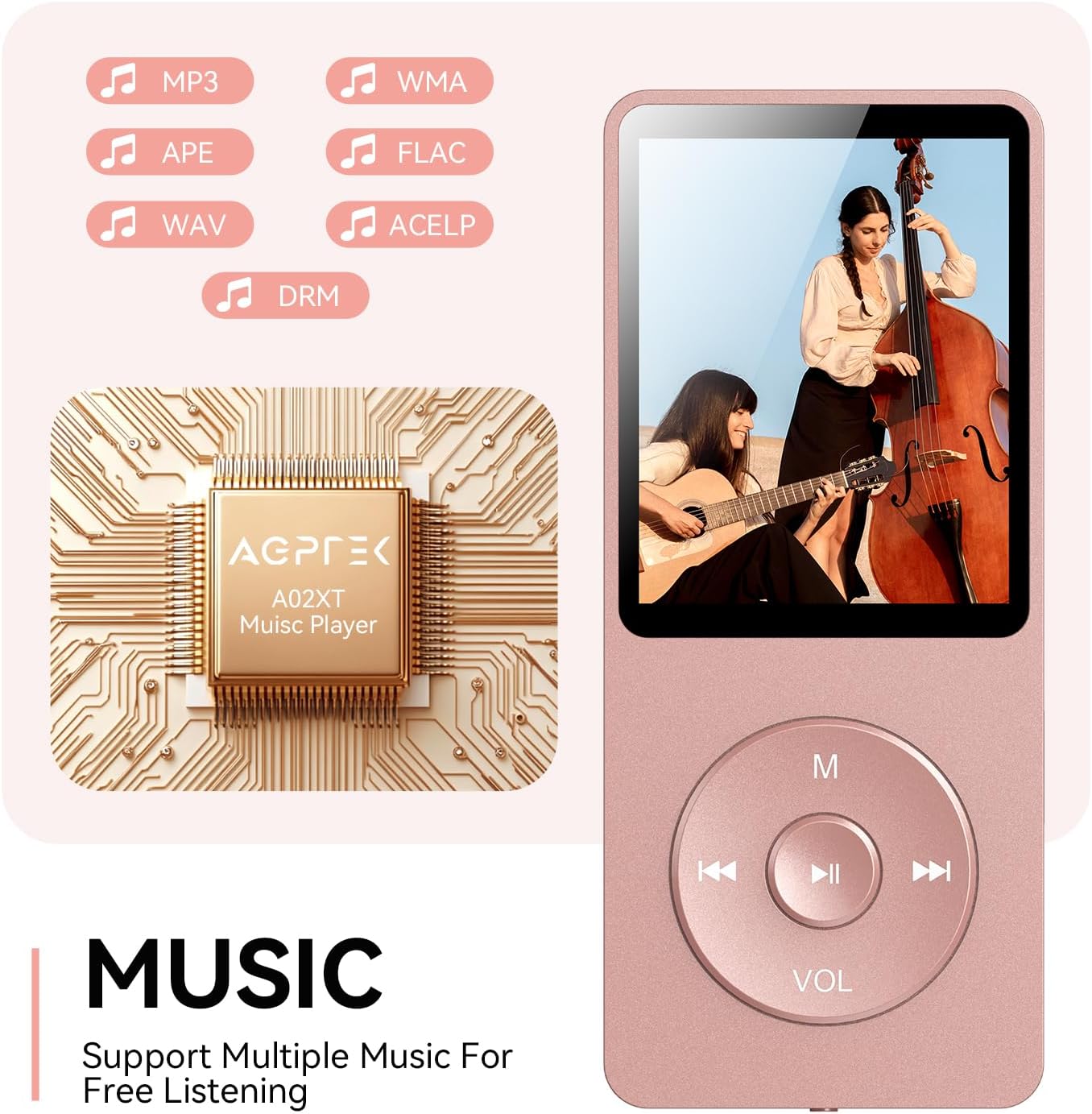
Figure 4.2: Music playback screen and supported formats.
4.4 Njikọ Bluetooth
The A02XT supports Bluetooth 5.3 for wireless audio output to headphones or speakers.
- From the main menu, select 'Bluetooth'.
- Turn on Bluetooth on the player.
- Ensure your Bluetooth headphones/speaker are in pairing mode.
- The player will search for nearby devices. Select your device from the list to pair.
Igwe redio FM 4.5
- Connect wired earphones to the 3.5mm jack; they act as the antenna.
- From the main menu, select 'FM Radio'.
- Use the navigation buttons to scan for stations or manually tune.
4.6 Ndekọ olu
- From the main menu, select 'Record'.
- Choose 'Start Voice Recording' to begin.
- Press Play/Pause to stop and save the recording.
4.7 Mkpọchi ihuenyo
To prevent accidental button presses, long press the 'M' button to lock the screen. Repeat the action to unlock.
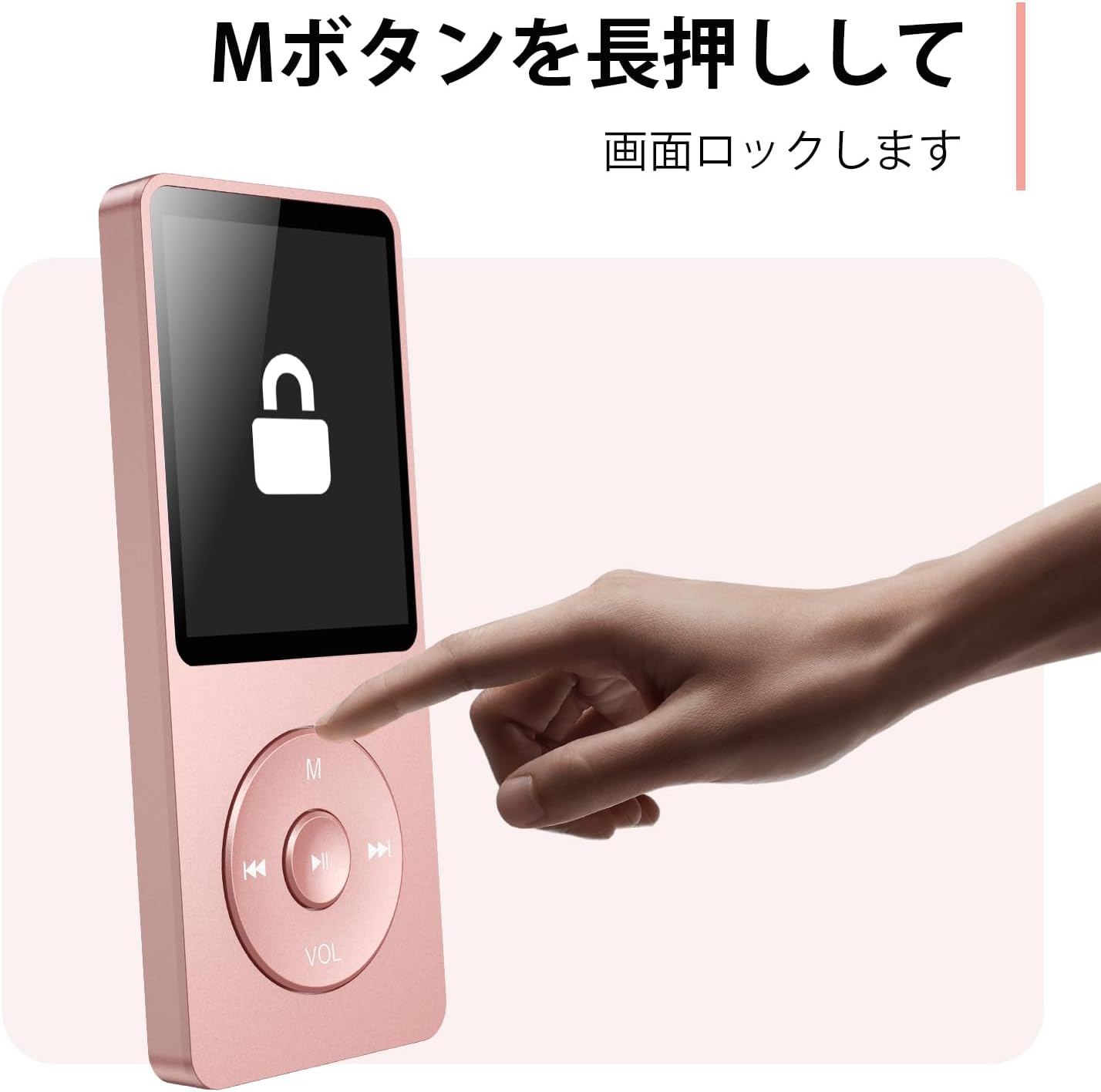
Figure 4.3: Screen lock function using the M button.
5. Nlekọta
5.1 Nhicha
- Jiri akwa dị nro hichaa ngwaọrụ ahụ.
- Ejila ihe nhicha mmiri ma ọ bụ ihe mgbaze.
5.2 Nchekwa
- Debe onye ọkpụkpọ ahụ n'ebe dị jụụ ma kpọọ nkụ, ebe anwụ na-anaghị anwụ kpọmkwem na oke okpomọkụ dị oke njọ.
- Zere idobe ma ọ bụ idobe ngwaọrụ ahụ na mmetụta siri ike.
5.3 Nlekọta batrị
- Charge the battery regularly, even if not in use, to maintain battery health.
- Zere igbapu batrị kpamkpam ugboro ugboro.
6. Nchọpụta nsogbu
6.1 Ngwaọrụ anaghị agbanwu
- Gbaa mbọ hụ na agbagoro batrị. Jikọọ na isi iyi ike wee nwaa ọzọ.
- Perform a hard reset by pressing and holding the power button for 10-15 seconds.
6.2 Cannot Transfer Files
- Check the USB-C cable connection. Try a different cable or USB port.
- Ensure the device is properly recognized by your computer.
- Chọpụta na file format is supported by the player.
6.3 Okwu njikọta Bluetooth
- Ensure both the player and the Bluetooth device are in pairing mode and within range.
- Turn off and on Bluetooth on both devices.
- Delete previous pairings and try pairing again.
6.4 Enweghị ụda
- Lelee ọkwa olu.
- Ensure headphones are properly connected or Bluetooth device is paired.
- Test with different headphones or Bluetooth device.
7. Nkọwapụta
| Ụdị | AGPTEK |
| Aha Nlereanya | A02XT |
| Ike Nchekwa ebe nchekwa | 32 GB (expandable up to 64 GB via microSD card) |
| Agba | Pink |
| Nha ihuenyo | 8.9 sentimita (ihe dị ka sentimita 3.5) |
| Ụdị mgbasa ozi | microSD Kaadị |
| Ngosipụta teknụzụ | LCD |
| Ụdị ọdịyo akwadoro | MP3, WMA, OGG, WAV, APE, FLAC, AAC, ACELP |
| Ndụ batrị | Ruo awa 40 |
| Ibu Ibu | 130 grams |
8. Akwụkwọ ikike na nkwado
8.1 Ozi akwụkwọ ikike
This AGPTEK A02XT MP3 Player comes with a 1-afọ akwụkwọ ikike from the date of purchase. This warranty covers manufacturing defects and malfunctions under normal use. It does not cover damage caused by misuse, accidents, unauthorized modifications, or normal wear and tear.
8.2 Nkwado ndị ahịa
If you encounter any issues or have questions regarding your AGPTEK A02XT MP3 Player, please refer to the troubleshooting section of this manual first. If the problem persists, contact AGPTEK customer support through the official website or your retailer's support channels. Please have your purchase receipt and product model number (A02XT) ready when contacting support.