
1. Okwu mmalite
Thank you for choosing the ATUMAN Smart Door Lock Model 702. This manual provides essential information for the proper installation, operation, and maintenance of your smart lock. Please read it thoroughly before installation and keep it for future reference.
The ATUMAN Smart Door Lock offers multiple convenient and secure access methods, including fingerprint, keypad code, Tuya Wi-Fi app control, and traditional key. It is designed for easy integration into your home, hotel, office, or apartment security system.
2. Ngwaahịa gafereview
2.1 Akụkụ na Nha
Familiarize yourself with the main components and dimensions of your smart door lock.

Foto: Product diagram illustrating the smart lock's external and internal components, including the keypad, fingerprint sensor, handles, and battery compartment. Key dimensions are also shown.
- Password/Swipe Area: For entering codes or using access cards.
- Outdoor Handle: Exterior part of the handle.
- Mkpisiaka mmetụta: For biometric authentication.
- Emergency Keyhole: For traditional key access.
- Interior Handle: Interior part of the handle.
- Batrị njide: Compartment for batteries.
3. Nhazi
3.1 Ntinye
The ATUMAN Smart Door Lock is designed for easy installation, typically taking 10 to 15 minutes. No additional drilling is required for the keypad assembly. It is suitable for most single-cylinder doors and can be installed on both right-handed and left-handed doors. The lock is compatible with 4585 mortise locks and suitable for door thicknesses between 4 cm and 10 cm.
Refer to the included installation guide for detailed step-by-step instructions and diagrams.
3.2 Tuya App Setup
The Tuya App allows for remote control and monitoring of your smart lock.
- Budata ngwa Tuya Smart site na ụlọ ahịa ngwa nke ngwaọrụ gị.
- Debanye ma ọ bụ banye na akaụntụ gị.
- Follow the in-app instructions to add your ATUMAN Smart Door Lock. Ensure your lock is within Wi-Fi range.

Foto: A smartphone displaying real-time notifications from the Tuya app, indicating various lock activities and user access, enhancing security awareness.
Through the Tuya App, you can remotely unlock the door, share temporary access, monitor the lock's status, and view guest entry records.
4. Ntuziaka ọrụ
4.1 Multiple Unlock Methods
Your ATUMAN Smart Door Lock supports five distinct methods for unlocking:

Foto: Visual representation of the five available unlock methods: Tuya WiFi App, Fingerprint, Card Unlock, Keypad Code, and Traditional Key, offering versatile access options.
- Mkpisiaka: Place your registered finger on the sensor for quick biometric identification.
- Koodu igodo: Enter your personalized passcode on the tactile keypad.
- Tuya Wi-Fi App: Use the Tuya Smart app on your smartphone to remotely unlock the door.
- Card Unlock: Swipe a registered access card over the designated area.
- Igodo Omenala: For manual override, use the physical key in the emergency keyhole.
4.2 Mkpọghe mkpịsị aka
The fingerprint sensor provides rapid and secure access.
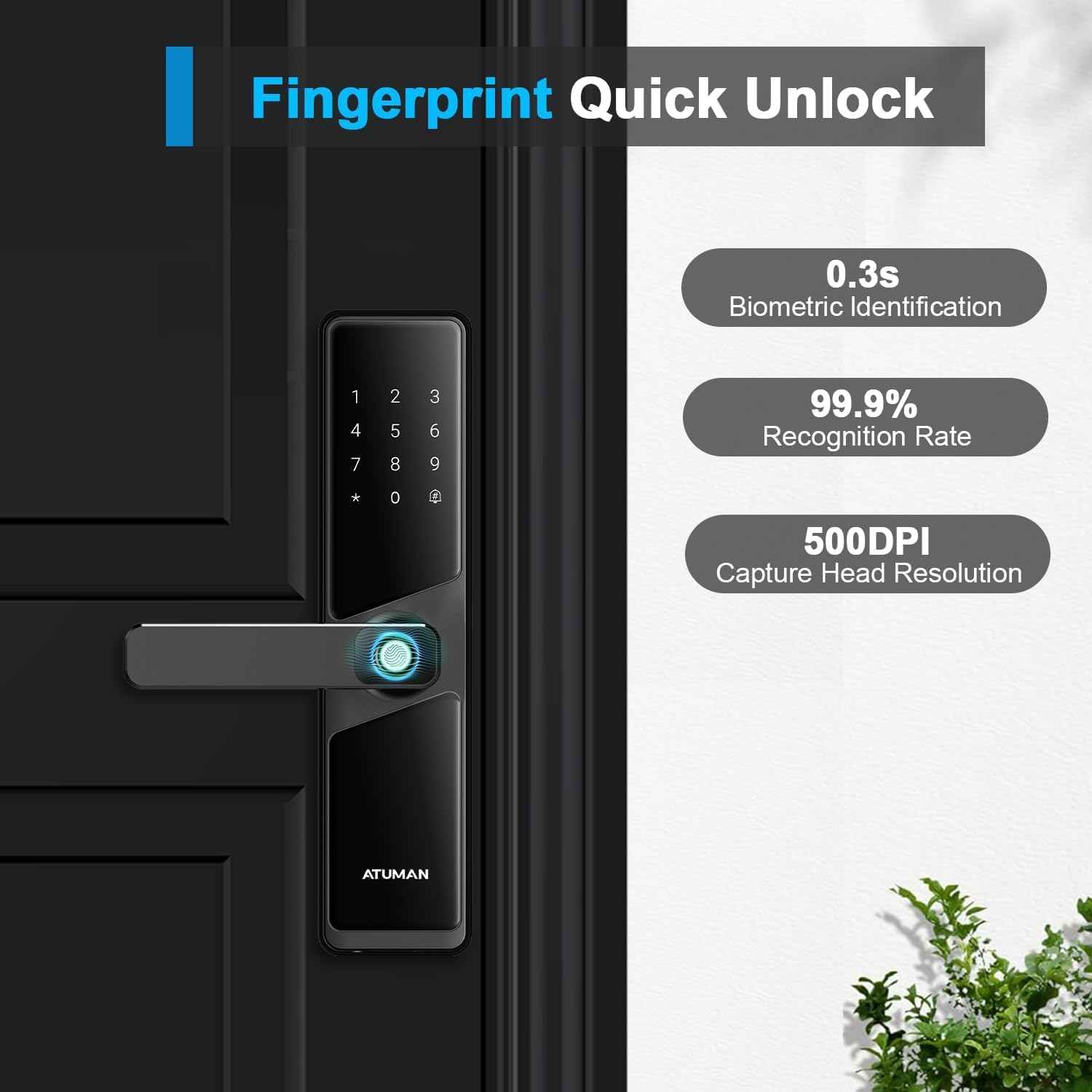
Foto: A close-up of the fingerprint sensor in use, highlighting its fast biometric identification (0.3s), high recognition rate (99.9%), and capture resolution (500DPI).
- Ndebanye aha: Follow the app or lock's voice prompts to register new fingerprints.
- Imeghe: Place your registered finger firmly on the sensor. The lock will unlock within 0.3 seconds upon successful identification.
4.3 Keypad Code and Anti-Peep Function
Enter your passcode on the tactile keypad. The anti-peep function enhances security by allowing you to enter random digits before or after your actual code, preventing others from guessing your entry sequence.

Foto: A user interacting with the smart lock's keypad, demonstrating the anti-peep feature where extra digits can be entered around the actual code for privacy. Also shows remote code sharing via app.
- Ka ịkpọghee: Enter any random numbers, then your correct passcode, then any more random numbers, followed by the '#' key.
- Koodu Nwa Oge: Generate one-time or time-limited passcodes via the Tuya app for guests or service providers.
4.4 Ịgbanwe Asụsụ
The lock supports multiple languages. Language switching must be set in the initial state.
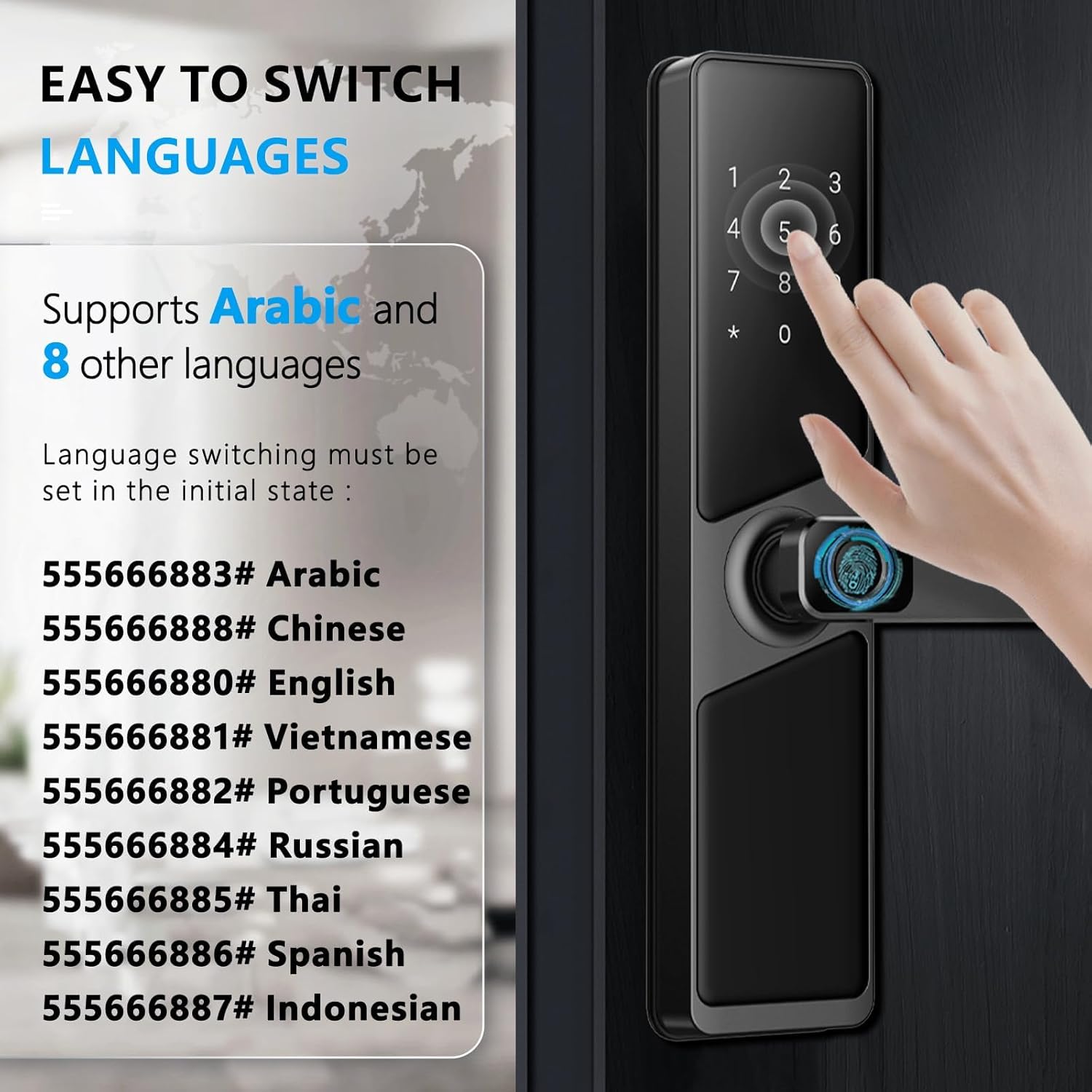
Foto: Instructions for switching the lock's voice prompt language using specific keypad codes. Supported languages include Arabic, Chinese, English, Vietnamese, Portuguese, Russian, Thai, Spanish, and Indonesian.
To switch languages, enter the corresponding code on the keypad:
- 555666883 #: XNUMX Arabic
- 555666888 #: XNUMX Chinese
- 555666880 #: XNUMX Bekee
- 555666881 #: XNUMX Vietnamese
- 555666882 #: XNUMX Portuguese
- 555666884 #: XNUMX Russian
- 555666885 #: XNUMX Thai
- 555666886 #: XNUMX Spanish
- 555666887 #: XNUMX Asụsụ Indonesian
5. Nlekọta
5.1 nnọchi batrị
The ATUMAN Smart Door Lock operates on 4 AA batteries, providing power for at least 6 months. The lock features an audible low battery alert to notify you when the power is running low.
- When the low battery warning sounds, replace all 4 AA batteries promptly.
- Use high-quality alkaline batteries for optimal performance and longevity.
5.2 Ike mberede
In case the batteries completely drain before you can replace them, the lock can be temporarily powered using an external power bank via its emergency charging port. This allows you to unlock the door and then replace the internal batteries.
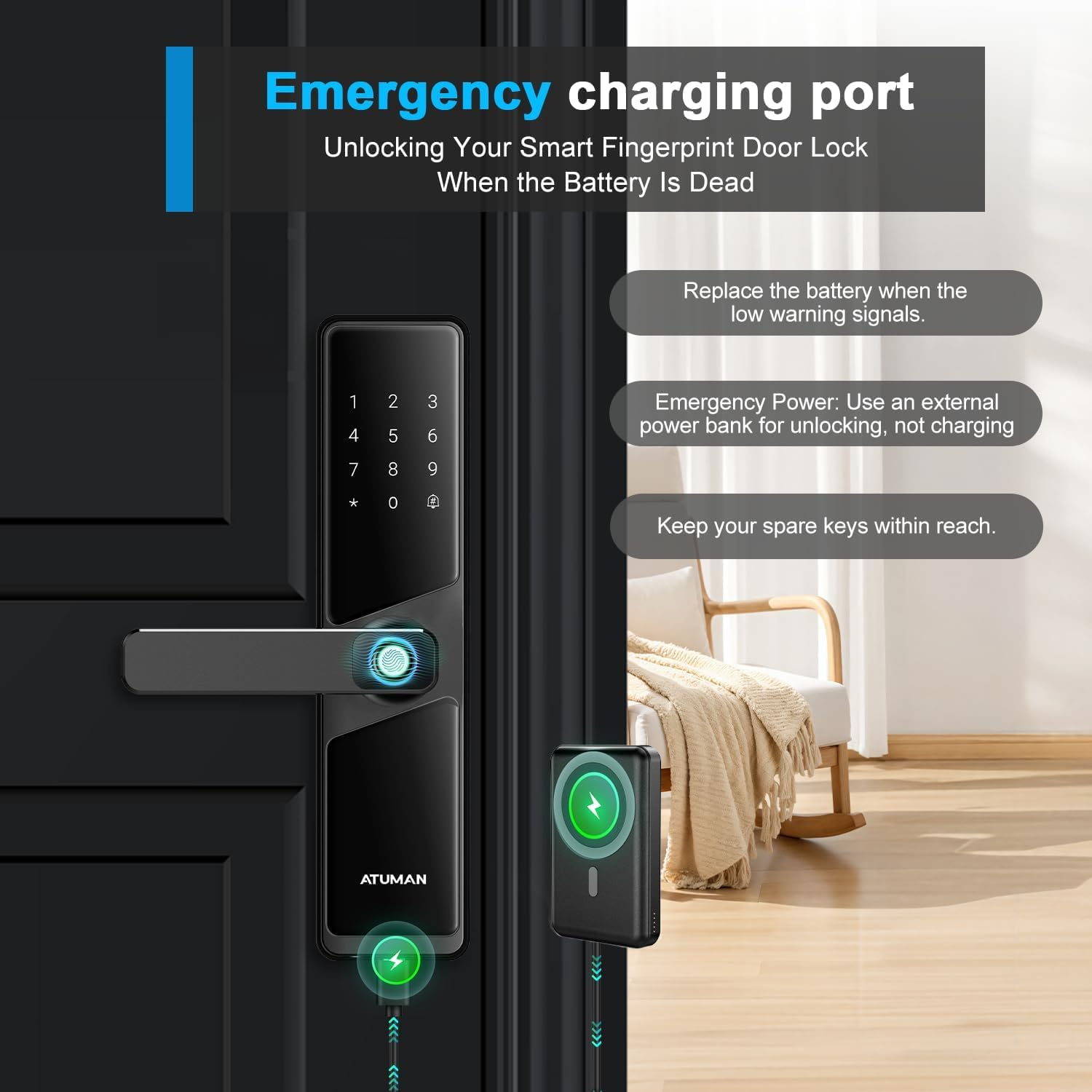
Foto: The smart lock being temporarily powered by an external power bank connected to its emergency port, enabling unlocking when internal batteries are dead. It also advises keeping spare keys accessible.
- Connect a standard power bank to the emergency charging port (usually a Micro-USB or USB-C port).
- This port is for emergency power to unlock, not for recharging the internal AA batteries.
- Always keep your spare traditional keys within reach for any unforeseen circumstances.
5.3 Nhicha
Clean the lock's exterior with a soft, dry cloth. Avoid using abrasive cleaners or solvents that could damage the finish or electronic components.
6. Nchọpụta nsogbu
- Mkpọchi anaghị aza: Check battery levels. If low, replace batteries or use emergency power. Ensure the lock is properly installed and all connections are secure.
- Amataghị akara mkpịsị aka: Ensure your finger is clean and dry. Try re-registering your fingerprint if the issue persists. Ensure the sensor is clean.
- Keypad code not working: Verify the code is correct. Ensure you are using the anti-peep function correctly (random numbers + actual code + random numbers + #).
- Nsogbu njikọ ngwa: Ensure your phone and the lock are within Wi-Fi range. Check your Wi-Fi connection. Restart the app and the lock if necessary.
- Lock is making a low battery alert: Dochie batrị AA abụọ ahụ ozugbo.
7. Nkọwapụta
| Njirimara | Nkọwa |
|---|---|
| Nọmba nlereanya | 702 |
| Ụdị | ATUMAN |
| Mepee ụzọ | Fingerprint, Passcode, Tuya App, Card, Traditional Key |
| Ihe onwunwe | Aluminom |
| Agba | Nwa |
| Ụdị mmecha | Polished Gloss |
| Akụkụ ngwaahịa (L x W x H) | 6.6 x 5 x 27.9 cm |
| Ibu ngwaahịa | 2.03 n'arọ |
| Isi Iyi Ike | 4 x AA Batteries (not 1 Lithium Ion as per feature bullets, clarifying based on more consistent info) |
| Ndụ batrị | Ihe ruru. Ọnwa isii |
| Protocol nzikọrịta ozi | Wi-Fi |
| Usoro njikwa | Touch, Remote, App |
| Ọkpụrụkpụ ọnụ ụzọ dakọtara | 4 - 10 cm |
| Ụdị mkpọchi | Deadbolt, Keypad, Biometric |
| Eji akwadoro | Home, Hotel, Office, Apartment, Bedroom |
8. Akwụkwọ ikike na nkwado
For warranty information and technical support, please refer to the documentation included with your product packaging or visit the official ATUMAN websaịtị. Debe nnata nzụta gị dị ka ihe akaebe nke ịzụrụ maka nkwupụta ikike.
If you encounter any issues not covered in this manual, please contact ATUMAN customer service for assistance.