
1. Ngwaahịa gafereview
The Adin S8BT Bone Conduction Vibration Speaker is an innovative audio device that transmits sound through vibrations, allowing any flat surface to become a speaker. Its compact and portable design makes it ideal for various indoor and outdoor environments.
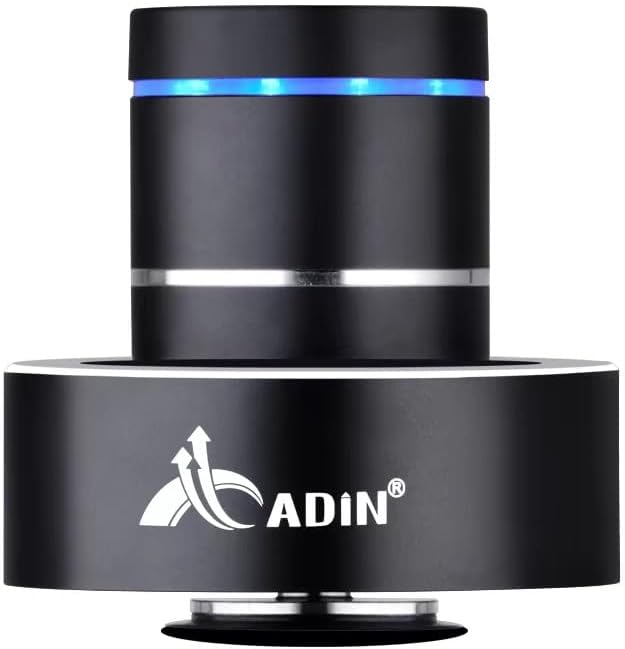
Figure 1: Adin S8BT Bone Conduction Vibration Speaker. This image displays the main unit of the speaker, showcasing its sleek black cylindrical design with a luminous blue accent ring and silver band. The speaker is designed to sit on a surface, utilizing bone conduction technology.

Figure 2: Adin S8BT Speaker and Included Accessories. This image shows the Adin S8BT speaker alongside its retail packaging, a USB charging cable, and an auxiliary audio cable, indicating the complete product package.
2. Atụmatụ igodo
- Teknụzụ Mmepụta Ọkpụkpụ: Transforms any flat surface into a speaker, delivering immersive audio.
- Ikuku Njikọ: Seamlessly stream audio via Bluetooth from compatible devices.
- Kọmpat na ibugharị: Lightweight and small form factor for easy transport and placement.
- Njikwa kensinammuo: Simple touch controls for volume adjustment, track switching, and playback management.
- Nzube ọtụtụ: Can function as a speaker, ambient lamp, or decorative item.
- Ogologo ndụ batrị: Built-in high-performance battery with Type-C socket charging.
3. Ihe ngwugwu
Biko chọpụta na ihe niile dị na ngwugwu gị:
- Adin S8BT Bone Conduction Vibration Speaker
- eriri USB (1m)
- Auxiliary Audio Cable (1m)
- Instruction Manual (PDF version available online)
4. Nka na ụzụ nkọwa
| Njirimara | Nkọwapụta |
|---|---|
| Aha Nlereanya | Adin S8BT Bone Conduction Speaker |
| Ụdị Ọkà Okwu | Nduzi Ọkpụkpụ |
| Teknụzụ Njikọta | Bluetooth |
| Oke Bluetooth | 10 mita |
| Usoro njikwa | Metụ aka |
| Isi Iyi Ike | Akwanyere batrị |
| Ike Nwepu kacha elu | 26 Watt |
| Nzaghachi ugboro ugboro | 18 kHz |
| Ọnọdụ mmepụta ọdịyo | Stereo |
| Ihe onwunwe | Aluminom |
| Agba | Nwa |
| Akụkụ ngwaahịa | 3.35"D x 3.35"W x 3.35"H |
| Ibu Ibu | 2.2 pound |
| Ojiji ime ime/n'èzí | Ime ụlọ, n'èzí |
| Enweghị mmiri | Mba |
5. Ntuziaka Nhazi
5.1 Nchaji izizi
Before first use, fully charge the speaker. Connect the provided USB charging cable to the speaker's DC 5V port and the other end to a USB power adapter (not included) or a computer's USB port.

Figure 3: Adin S8BT Speaker Ports. This image shows the side of the speaker with the DC 5V charging port, ON/OFF/BT switch, and AUX input, indicating connectivity options.
5.2 Gbanyụọ/ gbanyụọ
Locate the ON/OFF switch on the side of the speaker. Slide it to the "ON" position to power on the device. Slide it to the "OFF" position to power off.
5.3 Placement for Optimal Sound
For the best audio experience, place the speaker on a flat, solid surface. Different surfaces will produce varying sound qualities and volumes due to the bone conduction technology. Experiment with surfaces like wood, glass, metal, or cardboard to find your preferred sound.
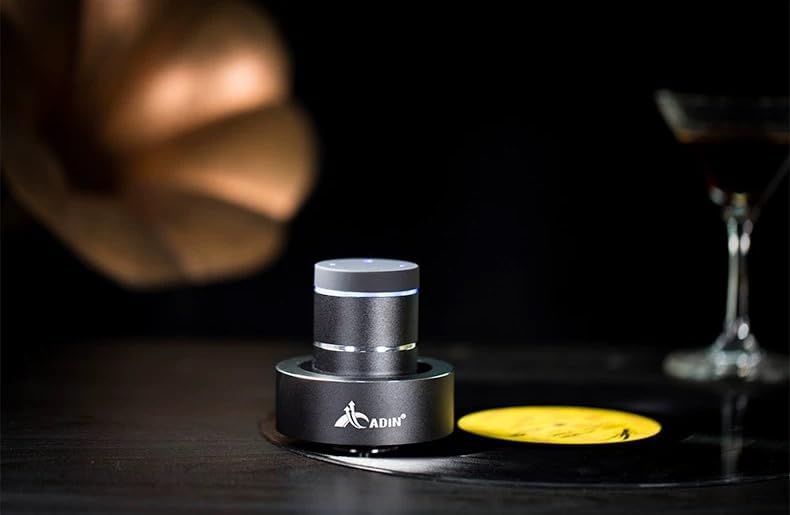
Figure 4: Adin S8BT Speaker in Use. This image depicts the Adin S8BT speaker placed on a flat surface, demonstrating its compact size and how it integrates into an environment for audio playback.
6. Ntuziaka ọrụ
6.1 Njikọ Bluetooth
- Ensure the speaker is powered on and in Bluetooth mode. The blue accent ring will likely flash, indicating it's ready for pairing.
- Na ekwentị gị ma ọ bụ ngwaọrụ ọzọ nwere Bluetooth, gaa na ntọala Bluetooth.
- Chọọ maka available devices. The speaker should appear as "Adin S8BT" or similar.
- Select the speaker from the list to pair. Once paired, the blue light may become solid or change its flashing pattern.
6.2 Ngwugharị ọdịyo
Once connected via Bluetooth, you can play audio from your device. Use the touch controls on the top of the speaker to manage playback:
- Kpatụ: Gwuo/kwụsịtụ.
- Sụgharịa akaekpe/aka nri: Previous/Next Track.
- Jide: Volume Up/Down (specific gesture may vary, refer to quick start guide for precise touch controls).
Ntinye AUX 6.3
For devices without Bluetooth, use the provided auxiliary cable. Connect one end to the speaker's "Link In" port and the other end to your audio source's headphone jack.
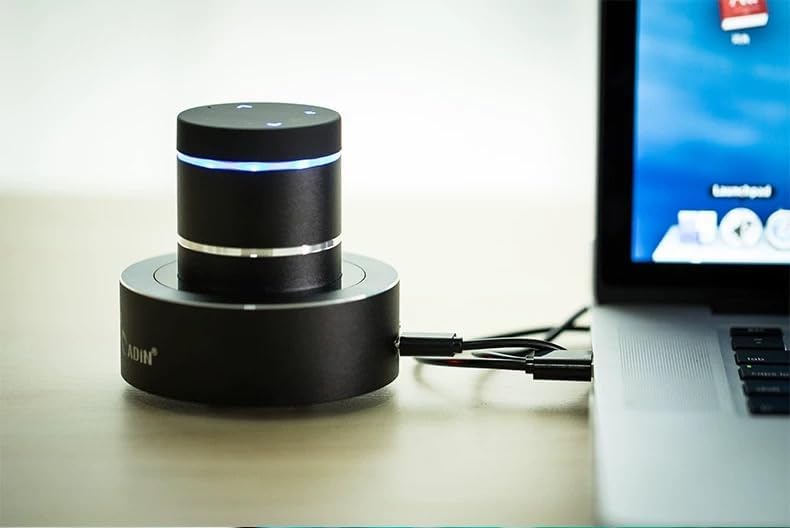
Figure 5: Adin S8BT Speaker with AUX Connection. This image illustrates the Adin S8BT speaker connected to a laptop via an auxiliary cable, demonstrating its wired connectivity option for audio input.
7. Nlekọta na nlekọta
- Nhicha: Jiri ákwà dị nro ma kpọọ nkụ hichaa elu okwu ahụ. Ejila ihe nhicha ma ọ bụ ihe mgbaze.
- Nchekwa: Chekwaa ọkà okwu n'ebe dị jụụ, kpọrọ nkụ na-adịghị na ìhè anyanwụ kpọmkwem na oke okpomọkụ.
- Mkpughe mmiri: Ọkà okwu bụ ọ bụghị waterproofZere ka mmiri ghara iru gị ala ma ọ bụ oke mmiri ozuzo.
- Nlekọta batrị: Iji mee ka batrị dị ogologo, zere ịgbapụta batrị ahụ mgbe niile. Chajie ya mgbe niile, ọbụlagodi na ọ naghị eji ya ruo ogologo oge.
8. Nchọpụta nsogbu
| Nsogbu | Ihe nwere ike ime | Ngwọta |
|---|---|---|
| Enweghị ụda sitere na ọkà okwu. | Speaker is off, not paired, or volume is too low. | Ensure speaker is ON. Re-pair Bluetooth. Increase speaker and device volume. Check surface contact. |
| Enweghị ike ijikọ site na Bluetooth. | Speaker not in pairing mode, device Bluetooth off, or too far. | Ensure speaker is in pairing mode (flashing blue light). Turn device Bluetooth off/on. Move device closer to speaker (within 10m). |
| Ogo ụda adịghị mma. | Unsuitable surface, low battery, or interference. | Try placing on a different, more solid surface. Charge the speaker. Move away from other electronic devices. |
| Ọkà okwu anaghị akwụ ụgwọ. | Cable issue, power source issue, or dirty port. | Check USB cable connection. Try a different USB port or power adapter. Ensure charging port is clean. |
9. Akwụkwọ ikike na nkwado
For information regarding warranty coverage, please refer to the warranty card included with your purchase or contact the manufacturer directly. Keep your proof of purchase for any warranty claims.
If you encounter issues not covered in this manual or require further assistance, please contact Adin customer support through their official websaịtị ma ọ bụ onye na-ere ahịa nke ị zụtara ngwaahịa a.