
1. Okwu mmalite
The AERLANG TENS EMS Muscle Stimulator AS2080 is a versatile device designed for pain management, muscle strengthening, and relaxation. It combines Transcutaneous Electrical Nerve Stimulation (TENS) for pain relief, Electrical Muscle Stimulation (EMS) for muscle conditioning, and a RELAX mode for soothing comfort. This manual provides essential information for safe and effective use of your device.

Image: The AERLANG TENS EMS Muscle Stimulator, highlighting its pain relief capabilities.
2. Ozi Nchekwa na Ihe Ndị Na-akpachara Anya
Please read all safety instructions carefully before using the device. Improper use can lead to injury or device malfunction.
- Nkwadebe akpụkpọ: Clean the skin where electrodes are applied. Grease and body hair can affect electrode adhesion and effectiveness.
- Not for Specific Groups: This device is not suitable for children or pregnant women. Consult a healthcare provider if you have any medical conditions.
- Njikọ echekwara Ensure electrode leads are securely connected and pads are firmly placed on the skin before turning on the device. Do not adjust intensity or reposition pads while the program is running. Always pause or power off the device first.
- Ahụ erughị ala: If you experience any discomfort, such as skin itching, pain, or muscle contractions that are too intense, stop using the TENS unit immediately and consult your healthcare provider.
- Ojiji nke akwa: Two pads should always be used together as a pair. Always peel off the protective film from the pads before use. To avoid electrical short circuits, do not connect two pads to each other.
- Pad Application: Do not apply ointments or solvents to pads or skin before use. Avoid using pads on sweaty, oily, hairy, or uneven areas.
- Pad Placement: Do not overlap pads during application. Do not move pads while they are active.
- Ịdị ọcha: Do not share pads with others to prevent irritation or infection.
- Nlekọta Pad: Do not touch the gel to remove pads; grip the edges, not the wires.

Image: Important safety notes regarding TENS unit usage, including skin preparation and conditions for use.

Image: Precautions for handling and applying electrode pads.
3. Ihe ngwugwu
Chọpụta na ihe niile dị na ngwugwu gị:
- AERLANG TENS EMS Muscle Stimulator Unit (AS2080)
- 16 Reusable Electrode Patches (various sizes)
- Electrode Wires (Dual plug)
- Igwe nchaji USB
- Ihe njide pads
- User Manual (English/French)

Image: A visual representation of all items included in the AERLANG TENS EMS Muscle Stimulator package.

Foto: Ọzọ view of the complete set of the TENS EMS Muscle Stimulator and its accessories.
4. Akụrụngwa Ngwaahịa
- Three Mode Functionality: TENS for pain management, EMS for muscle strengthening, and RELAX for soothing relaxation.
- Dual Channel Control: Independently control two channels to treat multiple body parts simultaneously.
- 24 Modes & 30 Intensity Levels: Offers a wide range of customizable treatment options.
- Ngosipụta LCD: Bright screen with intuitive icons and buttons for easy operation.
- Batrị Lithium nwere ike ibugharị: Built-in powerful battery for cordless operation.
- Ọrụ ngụ oge: Adjustable session times from 10 to 90 minutes.
- Ọrụ ihuenyo mkpọchi: Prevents accidental key presses during treatment.
- Nwepu akpaaka: Device turns off after 5 minutes of inactivity to conserve energy.
- Ọrụ ebe nchekwa: Retains the previously used mode for convenience.
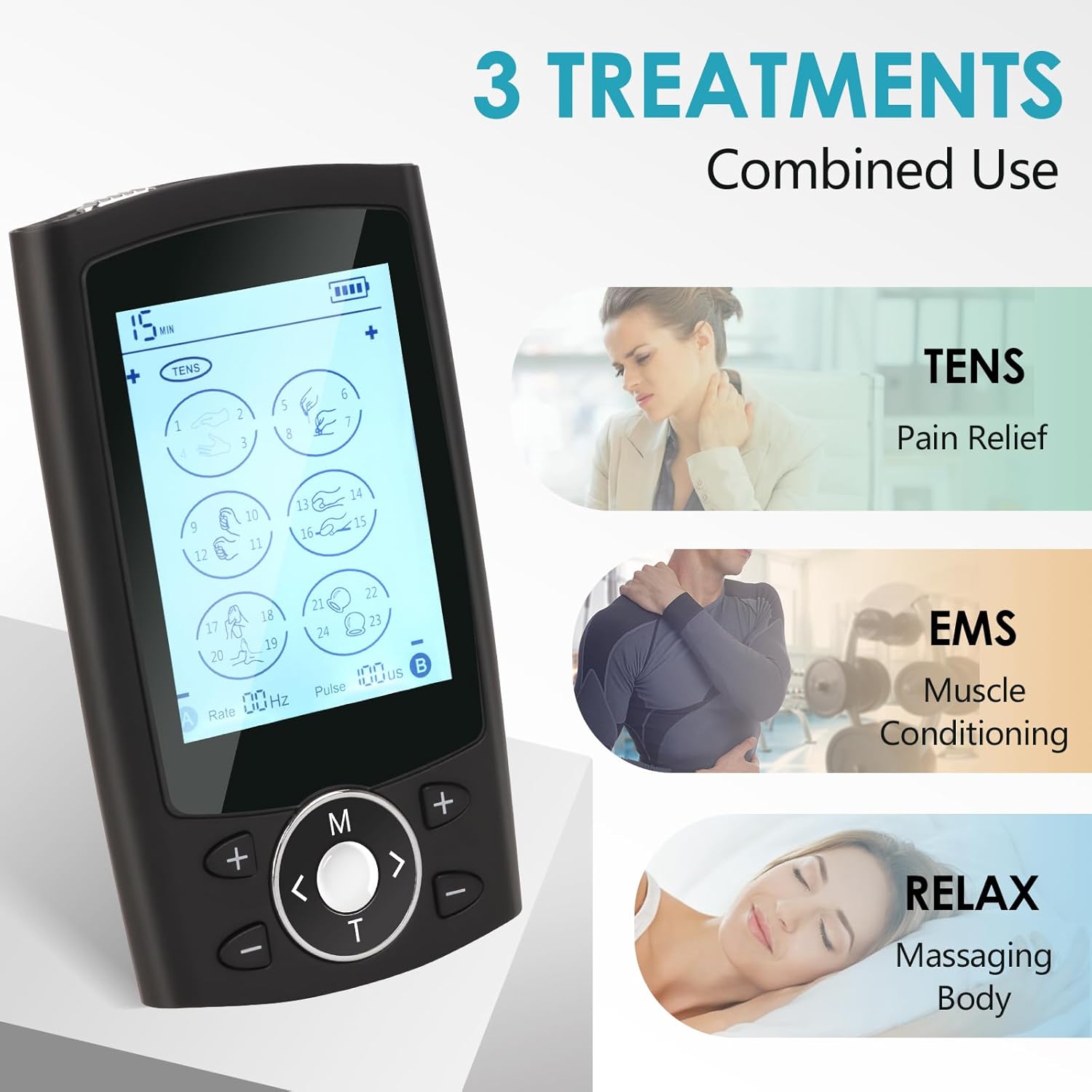
Foto: Ofeview of the three primary treatment modes: TENS, EMS, and RELAX.

Image: Detailed breakdown of the 24 modes across TENS, EMS, and RELAX categories.
5. Ntuziaka Nhazi
- Chaja ngwaọrụ: Before first use, fully charge the device using the provided USB charging cable. The battery indicator on the LCD screen will show charging status.
- Connect Electrode Wires: Plug the electrode wires into the ports on the top of the TENS unit.
- Tinye ihe mkpuchi elektrọd: Connect the electrode pads to the ends of the electrode wires. Ensure a secure connection.
- Kwadebe Akpụkpọ ahụ: Clean and dry the skin area where you intend to apply the pads.
- Tinye Pads: Peel the protective film from the electrode pads and firmly place them on the desired treatment area. Remember to use two pads per channel.

Image: Visual instructions for connecting pads, wires, and powering on the device.
6. Ntuziaka ọrụ
- Ike Na: Slide the On/Off switch located on the top of the unit to the 'On' position. The LCD screen will light up.
- Select Channel and Mode:
- Press the "<" and ">" buttons to navigate through the 6 main icons on the screen. Each icon contains different built-in modes (4 modes per icon).
- Press the "M" button to choose the desired mode within the selected icon.
- Gbanwee ike: Press the "+" button to gradually increase the intensity and the "-" button to decrease it. Start with a low intensity and increase gradually until you feel a comfortable, yet effective, sensation.
- Nịm Oge: Press the "T" button to adjust the treatment time (10-90 minutes). A short press changes the time, a long press activates the lock screen function.
- Mkpuchi mkpọchi: To prevent accidental changes during treatment, press and hold the "T" button. A lock icon will appear on the LCD. Press and hold "T" again to unlock.
- Gbanyụọ: Slide the On/Off switch to the 'Off' position when finished. The device will also automatically shut off after 5 minutes of inactivity.

Image: Step-by-step instructions for operating the device's controls.
7. Modes and Intensity Levels
The device offers 24 distinct modes across TENS, EMS, and RELAX categories, with 30 adjustable intensity levels.
- TENS Modes (Pain Relief): Typically modes 1-8. Designed to block pain signals.
- EMS Modes (Muscle Conditioning): Typically modes 9-16. Designed to stimulate muscle contractions for strengthening and recovery.
- RELAX Modes (Massaging Body): Typically modes 17-24. Designed for gentle massage and relaxation.
Intensity levels range from 1 to 30:
- Ọkwa 1-6: Low intensity, gentle sensation.
- Ọkwa 7-12: Moderate intensity.
- Ọkwa 13-20: Strong intensity.
- Ọkwa 21-30: Top intensity, for experienced users.

Image: Visual guide to the 30 intensity levels and their corresponding sensation categories.
8. Electrode Pad Application and Care
Proper application and care of electrode pads are crucial for effectiveness and longevity.
- Ngwa: Ensure skin is clean and dry. Apply pads firmly to the desired area.
- Enwere ike ijikwa ya: The advanced gel pads are designed for superior adhesion and can be reused up to 50 times with proper care.
- Nchekwa: After each use, reattach the protective film to the pads and store them on the provided pads holder or in a sealed bag to prevent drying.
- Nhicha: If pads lose stickiness, gently wipe the adhesive surface with a damp cloth (water only) and let air dry. Do not use soap or alcohol.
- Ndochi: Replace pads when they no longer adhere well or if you experience reduced sensation or discomfort during use.
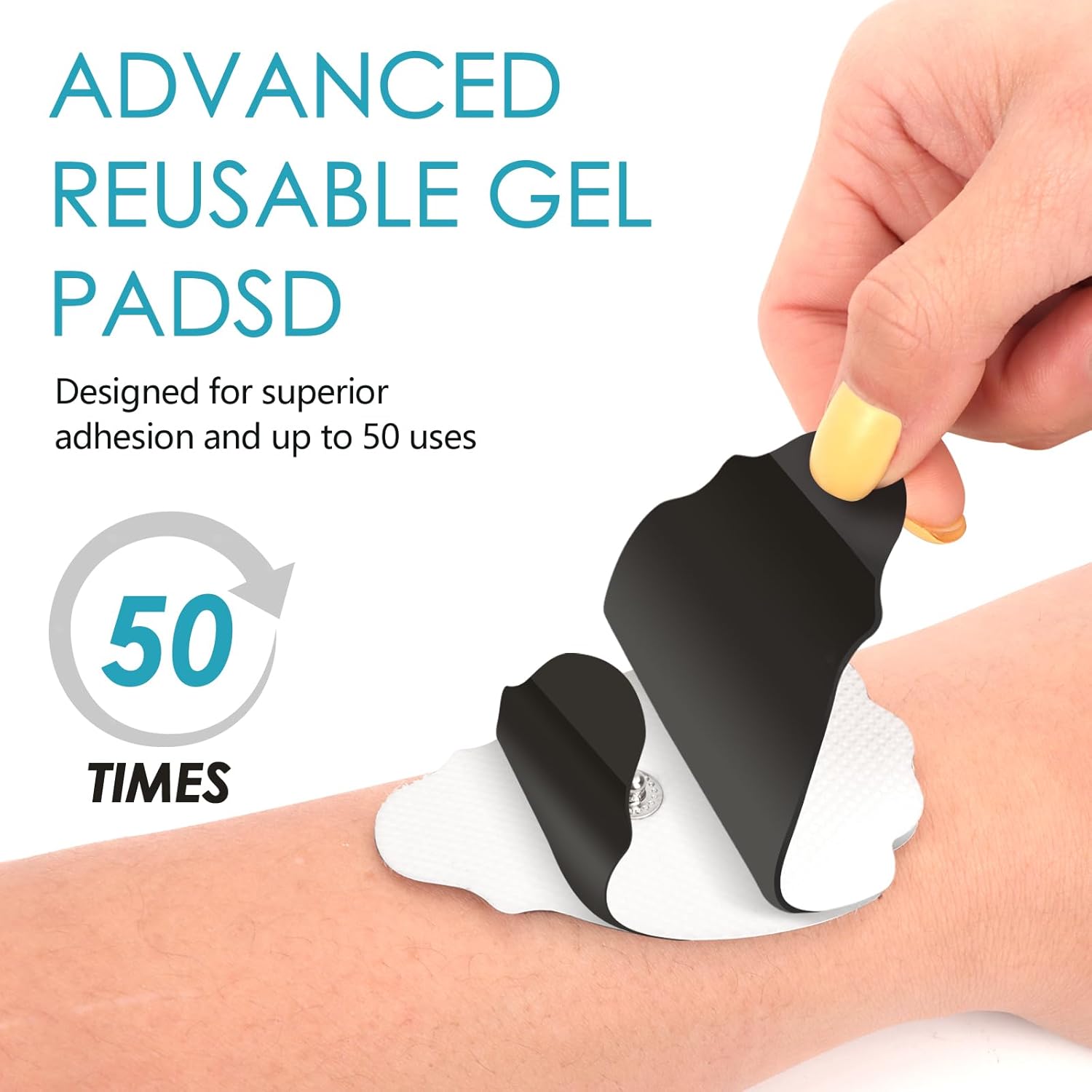
Image: Demonstrating the reusability and proper handling of the gel electrode pads.
9. Ịchaji ngwaọrụ
The AERLANG TENS EMS Muscle Stimulator is equipped with a built-in rechargeable lithium-ion battery.
- Connect the provided USB charging cable to the charging port on the device.
- Tinye nsọtụ nke ọzọ nke eriri USB n'ime ihe nkwụnye ọkụ USB dakọtara (anaghị etinye ya) ma ọ bụ ọdụ ụgbọ USB kọmputa.
- Akara ngosi batrị dị na ihuenyo LCD ga-egosi ọkwa nchaji.
- A full charge provides extended usage time.
10. Nchọpụta nsogbu
| Nsogbu | Ihe nwere ike ime | Ngwọta |
|---|---|---|
| Ngwaọrụ anaghị agbanwu. | Batrị agwụla. | Chajie ngwaọrụ ahụ nke ọma. |
| Enweghị mmetụta ma ọ bụ mmetụta adịghị ike. |
|
|
| Skin irritation or discomfort. |
|
|
| Screen is locked. | Agbanyere ọrụ mkpọchi. | Press and hold the "T" button to unlock the screen. |
11. Nkọwapụta
| Nọmba nlereanya | AS2080 |
| Akụkụ | 9.5 x 5.5 x 11 cm |
| Ibu | 62.4 grams |
| Isi Iyi Ike | Batrị nwere ike (1 Lithium Ion batrị, gụnyere) |
| Ihe onwunwe | Plastic |
| Ọwa | Ọwa abụọ |
| Ụdịdị | 24 (TENS, EMS, RELAX) |
| Ọkwa ike | 30 |
| Ntọala ngụ oge | Nkeji 10-90 |
| Onye nrụpụta | SHENZHEN ASTEC TECHNOLOGY CO., LTD. |
| Mba onye si | China |
12. Videos ngwaahịa
Watch these official videos for a visual guide on using your AERLANG TENS EMS Muscle Stimulator.
Ngwaahịa gafereview (0:56)
Vidiyo: Mkpebi dị mkpirikpiview demonstrating the key features and benefits of the AERLANG TENS EMS Muscle Stimulator.
Detailed Usage Guide (2:29)
Video: A comprehensive guide on how to set up, operate, and select modes and intensity levels on the device.
13. Akwụkwọ ikike na nkwado
For warranty information or technical support, please refer to the contact details provided in your product packaging or contact the seller directly. Keep your purchase receipt as proof of purchase.
Manufacturer: SHENZHEN ASTEC TECHNOLOGY CO., LTD.