
Ozi nchekwa dị mkpa
Read all instructions before using this appliance to prevent injury or damage. Keep this manual for future reference.
- Nchekwa Eletriki: Ensure the unit is connected to a properly grounded 115V, 60Hz electrical outlet. Do not use extension cords or adapters.
- Nkwanye: Position the refrigerator on a level, stable surface capable of supporting its weight (approximately 411 lbs when empty, more when loaded). Allow adequate ventilation space around the unit.
- Ijikwa: Due to its weight and size, always use appropriate lifting equipment and personnel when moving the unit. Use the integrated casters for repositioning.
- Igwe nju oyi nwere ike ire ọkụ: This appliance uses R290 (Propane) as a refrigerant. Handle with care and ensure proper ventilation during installation and servicing. Do not damage the refrigerant circuit.
- Nhicha: Disconnect power before cleaning. Use non-abrasive cleaners.
- Ụmụaka: Keep children away from the appliance. Do not allow them to play with or inside the unit.
Ngwaahịa gafereview
The KoolMore KM-MDR-3FGD is a 71-inch commercial three-door glass merchandiser refrigerator designed for displaying and cooling various products. It features a spacious 46.1 cubic feet capacity, adjustable shelving, and precise digital temperature control.
Atụmatụ igodo
- Ike: 46.1 cubic feet of storage.
- nkwakọba: Eight adjustable PVC shelves, each supporting up to 99 lbs.
- Njikwa okpomọkụ: Digital system maintains 36°F to 50°F (2°C to 10°C).
- Nhụta: Three double-tempered glass swing doors with integrated locks.
- Ọkụ: Bright 1520-lumen LED lights recessed in the walls.
- Ntughari: Ọrụ mwepu akpaaka.
- Ihe owuwu: Durable painted iron exterior (black) and interior (white).
- Mbugharị: Equipped with 6 casters for easy movement.
Ngwa
Ngwungwu ngwaahịa gụnyere:
- KoolMore KM-MDR-3FGD Commercial Merchandiser Refrigerator Unit
- 8 PVC Shelves
- Keys for door locks
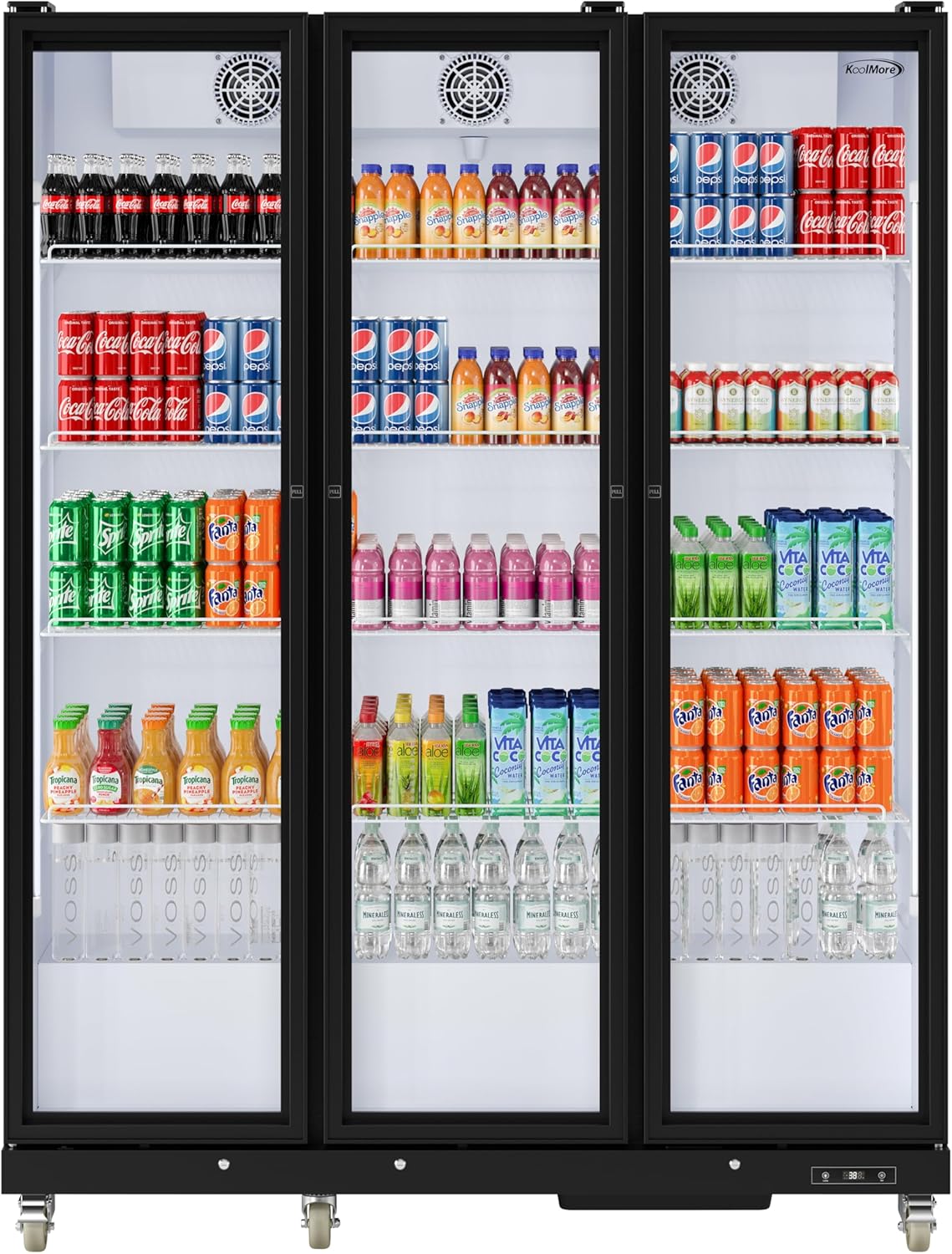
Foto 1: N'ihu view of the KoolMore KM-MDR-3FGD refrigerator, showcasing its three glass doors and interior contents.

Foto 2: Akụkụ view of the refrigerator with indicated dimensions (71"W x 22.63"D x 78.34"H).

Ọgụgụ 3: Ime view of one section, showing adjustable shelves and LED lighting.

Figure 4: Close-up of the digital temperature control panel.

Figure 5: Close-up of the integrated door lock mechanism.
Ntuziaka nhazi
1. Iwepu ngwongwo
- Jiri nlezianya wepụ ihe niile nkwakọ ngwaahịa, gụnyere teepu na ihe nkiri nchebe.
- Inspect the unit for any shipping damage. Report any damage to the carrier immediately.
2. Ntinye
- Choose a location with a strong, level floor capable of supporting the refrigerator's weight.
- Ensure adequate clearance around the unit for proper ventilation (at least 4 inches from walls and other appliances).
- Avoid direct sunlight or heat sources, as this can affect cooling efficiency.
3. Ọkwa
- The unit is equipped with casters for mobility. Once in its final position, engage the brakes on the two front casters to prevent movement.
- Use a level to ensure the refrigerator is perfectly level. Adjust the casters if necessary to achieve stability.
4. Njikọ Ọdụdọ
- Before plugging in, allow the unit to stand upright for at least 2 hours to allow compressor oils to settle.
- Connect the power cord to a dedicated, grounded 115V, 60Hz electrical outlet. Do not use multi-outlet adapters or extension cords.
5. Shelf Installation
- Insert the shelf clips into the desired slots on the interior pilasters.
- Place the PVC shelves onto the clips, ensuring they are securely seated and level.
- Adjust shelf height as needed to accommodate different product sizes.
Ntuziaka ọrụ
1. Gbanyụọ / gbanyụọ
- Once plugged in, the unit will automatically power on and begin cooling.
- To turn off, disconnect the power cord from the outlet.
2. Njikwa okpomọkụ
- The digital control panel (Figure 4) displays the current internal temperature.
- Press the 'Set' button to view ọnọdụ okpomọkụ setịpụrụ.
- While the set temperature is displayed, use the up/down arrows to adjust the desired temperature within the range of 36°F to 50°F (2°C to 10°C).
- Press 'Set' again or wait a few seconds for the display to return to the current temperature.
3. Ọkụ dị n'ime ụlọ
- The unit features internal LED lighting.
- Press the 'Lamp' button on the digital control panel (Figure 4) to turn the interior lights on or off.
4. Ibunye friji
- Allow the unit to reach the desired temperature before loading products.
- Distribute products evenly on the shelves. Do not overload shelves beyond their 99 lb capacity.
- Avoid blocking the internal air vents to ensure proper air circulation and consistent cooling.
- Ensure doors are closed completely after each use to maintain temperature. Use the integrated locks for security when needed.
Nlekọta
1. Nhicha
- Mputa: Wipe the exterior surfaces with a soft cloth and mild detergent. Avoid abrasive cleaners.
- Ime: Remove shelves and clean the interior with a solution of mild soap and water. Rinse thoroughly and dry before replacing shelves and products.
- Ọnụ ụzọ enyo: Use a glass cleaner for streak-free results.
- Kọndenser: Periodically clean the condenser coil (located at the rear/bottom of the unit) with a brush or vacuum cleaner to ensure efficient operation. Disconnect power before cleaning.
2. Mwepu akpaaka
- This unit is equipped with an automatic defrost system, which minimizes ice buildup.
- During defrost cycles, the internal temperature may temporarily rise slightly. This is normal.
- Ensure the drain pan is clear and not overflowing.
3. Gasket Care
- Regularly inspect door gaskets for cracks or damage.
- Clean gaskets with mild soap and water to maintain their sealing effectiveness.
Nchọpụta nsogbu
Tupu ịkpọtụrụ ọrụ, review nsogbu na azịza ndị a na-ahụkarị:
| Nsogbu | Ihe nwere ike ime | Ngwọta |
|---|---|---|
| Igwe nju oyi anaghị ajụ oyi | No power; thermostat set too high; condenser coil dirty; door left open. | Check power connection; adjust thermostat; clean condenser coil; ensure doors are closed. |
| Oke mkpọtụ | Nkeji anaghị adị larịị; ihe mgbochi fan; ihe ndị na-adịghị mma. | Level the unit; check for obstructions around fans; tighten any loose parts. |
| Mmiri n'ala | Drain pan overflowing; clogged drain line. | Empty drain pan; clear drain line. |
| Okpomọkụ dị oke elu/dị ala | Thermostat setting incorrect; door seals compromised; unit overloaded. | Adjust thermostat; check and clean door gaskets; reduce product load. |
Nkọwapụta
| Njirimara | Nkọwapụta |
|---|---|
| Ụdị | KoolMore |
| Nọmba nlereanya | KM-MDR-3FGD |
| Ike | 46.1 Cubic ụkwụ |
| Akụkụ (D x W x H) | 22.63 x 71 x 78.34 sentimita asatọ |
| Ibu Ibu | 411 pound |
| Oke okpomọkụ | 36°F ruo 50°F (2°C ruo 10°C) |
| Voltage | 115 volts |
| Usoro Ntughari | Akpaaka |
| Ọnụọgụ ọnụ ụzọ | 3 (Triple Doors) |
| Ụdị ihe eji eme ọnụ ụzọ | Glass (Double Tempered) |
| Ụdị shelf | PVC |
| Ọnụọgụ nke shelf | 8 |
| Ụdị nwụnye | Ntighari |
| Atụmatụ pụrụ iche | 6 Casters, Digital Temperature Control, Double Tempered Glass, Safety Lock |
| Agba | Nwa |
| Asambodo | ETL edepụtara |
| Oriri ike kwa afọ | Awa 1379 kilowatt kwa afọ |
Akwụkwọ ikike na nkwado
For warranty information or technical support, please contact KoolMore customer service directly. Refer to your purchase documentation for specific warranty terms and conditions.
KoolMore Customer Service: Please visit the official KoolMore website or refer to the contact information provided with your purchase for assistance.