
1. Okwu mmalite
Daalụ maka ịzụrụasing the AGPTEK A16 MP3 Player. This device is designed to provide a high-quality audio experience with its Bluetooth 5.3 connectivity and HIFI sound capabilities. It features a compact design, a built-in speaker, FM radio, voice recording, and expandable storage. This manual will guide you through the setup, operation, and maintenance of your new MP3 player.

Figure 1.1: AGPTEK A16 MP3 Player
2. Ngwaahịa gafereview
Ihe ngwugwu 2.1
- AGPTEK A16 MP3 Player
- USB-C eriri USB
- Igwe ntị
- Armband
- Akwụkwọ ntuziaka onye ọrụ
2.2 Nhazi ngwaọrụ
Familiarize yourself with the buttons and ports on your AGPTEK A16 MP3 Player.

Foto 2.1: N'ihu view of the player showing the screen and touch controls.

Foto 2.2: Akụkụ view of the player, indicating physical buttons and ports.
- Bọtịnụ ike: Press and hold to turn on/off. Short press to lock/unlock screen.
- Bọtịnụ olu (+/-): Gbanwee olu.
- Njikwa mmetụ: Navigate menus, play/pause, skip tracks. These buttons illuminate for easy use.
- Ọdụ USB-C: Maka ịchaji na ịnyefe data.
- Jack Audio: 3.5mm For wired earphones or external speakers.
- Oghere Kaadị MicroSD: For expandable storage.
- Ọkà okwu arụnyere n'ime ya: For audio playback without external devices.
3. Nhazi
3.1 Ịchaji ngwaọrụ
Before first use, fully charge the MP3 player. Connect the provided USB-C cable to the player's USB-C port and the other end to a USB power adapter (not included) or a computer's USB port. The battery indicator on the screen will show charging status. A full charge typically takes approximately 2 hours.
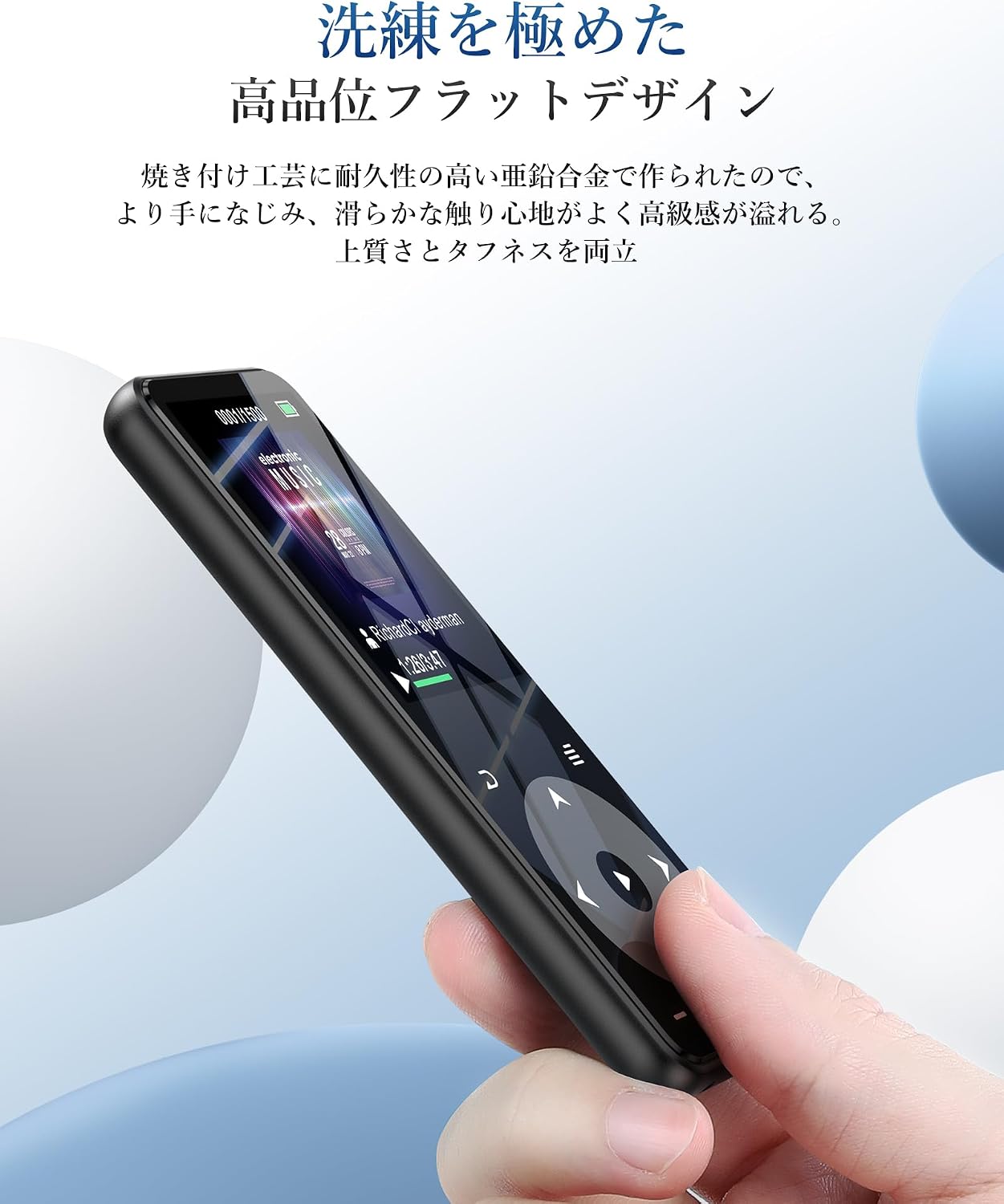
Figure 3.1: Battery performance overview. Up to 10 hours via Bluetooth, up to 40 hours with wired earphones, and approximately 2 hours for a full charge.
3.2 Transferring Music and Files
Ka ịnyefe files, connect the MP3 player to your computer using the USB-C cable. The player will appear as a removable disk. You can then drag and drop music files (MP3, WMA, APE, FLAC, WAV, DRM, ACELP, OGG, AAC-LC), videos (AMV), images (JPG, JPEG, BMP), and text files (TXT) into the appropriate folders on the device.
3.3 Ịtinye kaadị MicroSD
The device has 16GB of internal storage and supports MicroSD cards up to 128GB. To expand storage, gently insert a MicroSD card into the card slot until it clicks into place. Ensure the card is inserted in the correct orientation.
3.4 Connecting Bluetooth Devices
The A16 MP3 player features Bluetooth 5.3 for stable and fast wireless connections. To pair with Bluetooth headphones or speakers:
- Turn on the MP3 player and navigate to the Bluetooth menu.
- Enable Bluetooth on the player.
- Tinye ekweisi ma ọ bụ ọkà okwu Bluetooth gị n'ọnọdụ njikọta.
- On the MP3 player, select 'Chọọ maka devices' and choose your device from the list.
- Once paired, the device will connect automatically in the future.

Figure 3.2: The player supports Bluetooth 5.3 for connecting to wireless earphones, headphones, and speakers.
4. Ntuziaka ọrụ
4.1 Nghaghachi egwu
From the main menu, select 'Music'. You can browse your music by artist, album, genre, or all songs. Use the touch controls to play, pause, skip tracks, and adjust volume. The player supports HIFI lossless sound quality for an immersive audio experience.

Figure 4.1: The player features HIFI ultra-high sound quality with a DSP chip for effective noise reduction.
Igwe redio FM 4.2
To use the FM radio function, connect wired earphones to the 3.5mm audio jack; they act as the antenna. Navigate to the 'FM Radio' option from the main menu. You can perform an automatic search for stations or manually tune to frequencies between 76.0-108MHz.

Figure 4.2: The player's FM radio function, requiring wired earphones as an antenna.
4.3 Ndekọ olu
The A16 MP3 player includes a voice recording function. Select 'Recorder' from the main menu to start, pause, and save recordings. You can also connect external audio sources like a smartphone or CD player via a line-in cable (sold separately) for direct recording.

Figure 4.3: The player's voice recording feature, including direct recording from external devices.
4.4 Mkpọchi bọtịnụ
To prevent accidental operations during use, especially when carrying the player, short press the power button to lock the screen and controls. Repeat the action to unlock.
4.5 Ọrụ ndị ọzọ
The AGPTEK A16 also offers additional features:
- Ntughari: Track your steps during exercise.
- E-akwụkwọ: Gụọ ederede files na ngwaọrụ.
- Ihe nkiri vidiyo: View AMV format videos.
- Ọkà okwu arụnyere n'ime ya: Enjoy music without earphones.

Figure 4.4: The player's built-in speaker allows for cable-free audio playback.
5. Nlekọta
5.1 Nhicha
Wipe the device with a soft, dry cloth. Do not use liquid cleaners or abrasive materials, as they may damage the screen or casing.
5.2 Nlekọta batrị
To prolong battery life, avoid fully discharging the battery frequently. Charge the device regularly, even if not in use for extended periods. Store the device in a cool, dry place.
6. Nchọpụta nsogbu
- Ngwaọrụ anaghị agbanwu: Ensure the battery is charged. Connect to a power source and try again. If unresponsive, try holding the power button for 10-15 seconds for a hard reset.
- Enweghị ike ijikọ site na Bluetooth: Ensure both the MP3 player and the Bluetooth device are in pairing mode and within range. Check if other Bluetooth devices are interfering. Try unpairing and re-pairing the devices.
- Enweghị ụda: Check the volume level. Ensure earphones are properly connected or Bluetooth device is paired and connected. If using FM radio, ensure wired earphones are plugged in as an antenna.
- Files not appearing: Gbaa mbọ hụ files are in supported formats (MP3, WMA, etc.) and transferred to the correct folders. Disconnect and reconnect the player to your computer.
- Ihuenyo anaghị aza ozi: If the screen is locked, short press the power button to unlock. If still unresponsive, perform a hard reset by holding the power button.
7. Nkọwapụta
| Njirimara | Nkọwapụta |
|---|---|
| Ụdị | AGPTEK |
| Nọmba nlereanya | A16 |
| Ike Nchekwa ebe nchekwa | 16 GB (expandable up to 128 GB via microSD card) |
| Teknụzụ Njikọta | Bluetooth 5.3 |
| Nha ihuenyo | 1.8 Inches (TFT Display) |
| Mediadị Mgbasa Ozi Akwadoro | microSD Kaadị |
| Ụdị ọdịyo akwadoro | MP3, WMA, APE, FLAC, WAV, DRM, ACELP, OGG, AAC-LC |
| Ụdị vidiyo akwadoro | AMV |
| Ụdị onyonyo akwadoro | JPG, JPEG, BMP |
| Supported Text Formats | TXT |
| Battery Life (Music Playback) | Up to 40 hours (wired earphones), Up to 10 hours (Bluetooth) |
| Oge Nchaji | Ihe ruru. awa 2 |
| Agba | Nwa |
| Atụmatụ pụrụ iche | Bluetooth, HIFI Sound, Voice Recorder, FM Radio, Built-in Speaker, Pedometer, E-book, Lock Button |
8. Akwụkwọ ikike na nkwado
8.1 Ozi akwụkwọ ikike
This AGPTEK A16 MP3 Player comes with a 180-day warranty from the date of purchase. This warranty covers manufacturing defects. Please retain your proof of purchase for warranty claims. The warranty does not cover damage caused by misuse, accidents, unauthorized repairs, or normal wear and tear.
8.2 Nkwado ndị ahịa
For technical assistance, troubleshooting, or warranty inquiries, please contact AGPTEK customer support through the retailer where you purchased the product or visit the official AGPTEK websaịtị maka ozi kọntaktị.