
Ezlo EZL-B-2700-6W-A19-US
Ezlo Z-Wave LED Bulb User Manual
Model: EZL-B-2700-6W-A19-US
1. Okwu mmalite
The Ezlo Z-Wave LED Bulb is a smart lighting solution designed for seamless integration into your Z-Wave smart home system. This bulb offers remote control capabilities, adjustable brightness, and the ability to create customized lighting scenes, all while being energy-efficient and long-lasting.

Foto 1.1: N'ihu view of the Ezlo Z-Wave LED Bulb.

Image 1.2: The Ezlo Z-Wave LED Bulb shown with its product packaging.
2. Ndakọrịta
This Z-Wave LED Bulb is designed to work with major Z-Wave smart home hubs, including EzloPlus, HomeAssistant, and SmartThings. A Z-Wave compatible hub is required for control and automation.
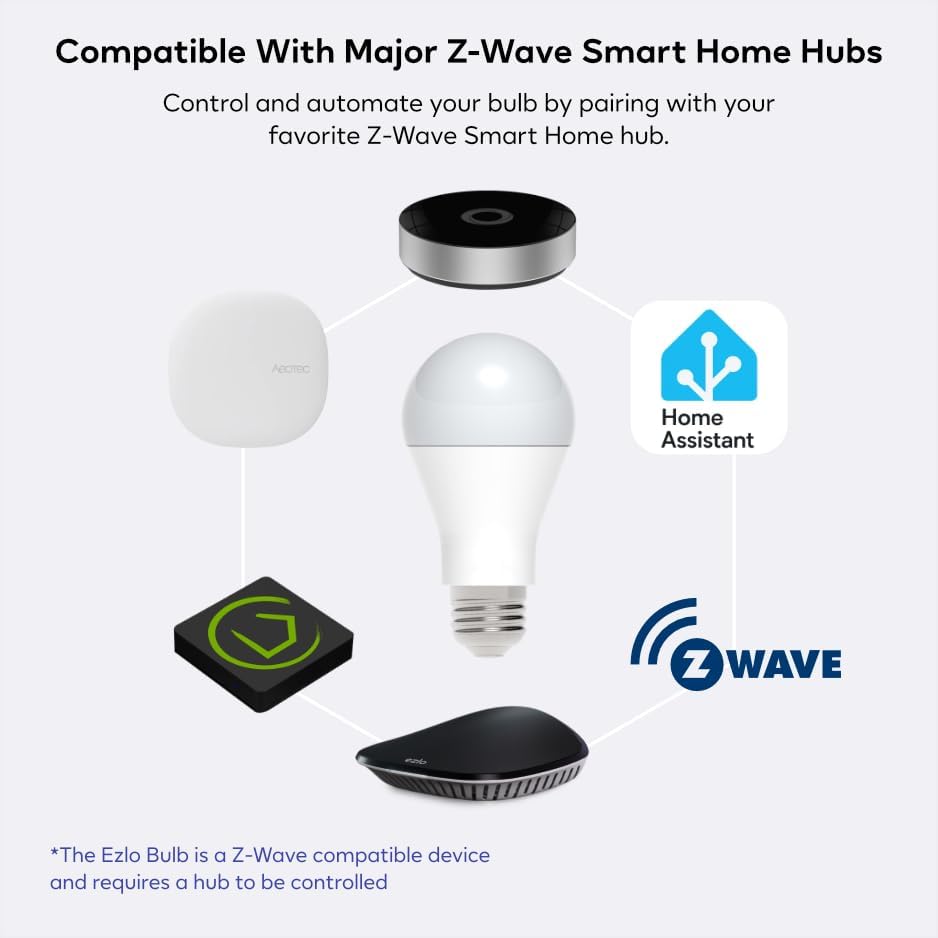
Image 2.1: Diagram illustrating the compatibility of the Ezlo Z-Wave LED Bulb with various Z-Wave smart home hubs.
3. Ntọala na nwụnye
The Ezlo Z-Wave LED Bulb is designed for simple installation into standard bulb sockets, requiring no electrician. Follow these steps to set up your bulb:
- Kpọọ n'ime bọlbụ: Screw your Ezlo Z-Wave Bulb into the desired light fixture. Ensure the light fixture is turned off before installation.
- Prepare Your Z-Wave Hub: Put your Z-Wave hub or controller into pairing (inclusion) mode. Refer to your specific hub's instructions for details on how to initiate pairing.
- Initiate Pairing Sequence: With your Ezlo Bulb turned off, perform the following sequence on the wall switch: ON > OFF > ON > OFF > ON. The bulb will blink to confirm it has been detected and is in pairing mode.
- Kwenye njikọ: Once the bulb blinks, your Z-Wave hub should detect and add the bulb to your network. Follow any on-screen prompts on your hub's application to complete the pairing process.

Image 3.1: Visual guide for the easy setup and pairing process of the Ezlo Z-Wave LED Bulb.
4. Ntuziaka ọrụ
Once paired with your Z-Wave hub, the Ezlo Z-Wave LED Bulb offers a range of functionalities:
- Njikwa anya: Control your lighting from any location using your smartphone or tablet through your Z-Wave hub's application.
- Icha ọkụ nwere ike ịgbanwe: Easily dim the bulb from 5% to 100% to set the desired ambiance or reduce glare.
- Customized Light Scenes: Create personalized lighting scenes and automate timers to fit your daily routine, such as gradual brightness for morning wake-ups.
- Ike ike: Benefit from significant energy savings, up to 84% compared to traditional incandescent bulbs.
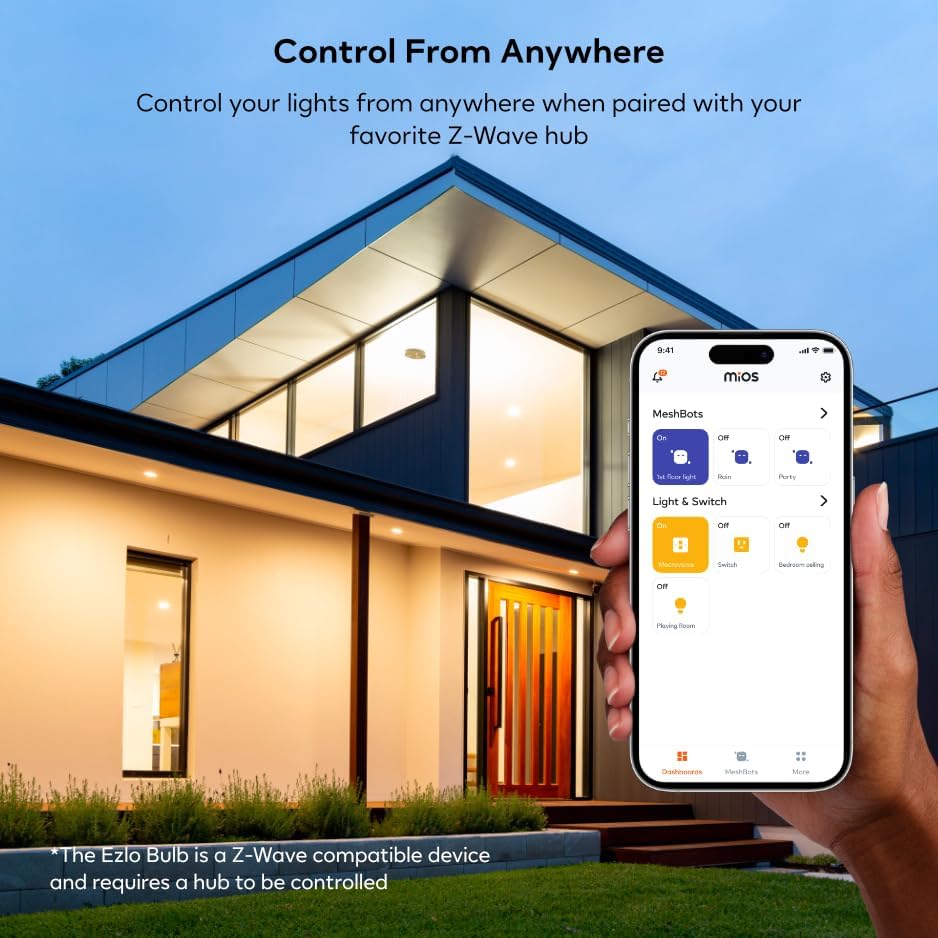
Image 4.1: Controlling the Ezlo Z-Wave LED Bulb remotely via a smartphone application.

Image 4.2: The Ezlo Z-Wave LED Bulb integrated with other Ezlo smart home devices, controllable via the Ezlo app.
5. Nlekọta
The Ezlo Z-Wave LED Bulb is designed for long-term reliability with minimal maintenance. With an average life of up to 20,000 hours, regular replacement is not frequently required.
- Nhicha: Hụ na bọlbụ ahụ dị jụụ ma gbanyụọ ọkụ tupu ị sachaa ya. Jiri ákwà dị nro ma kpọọ nkụ hichaa bọlbụ ahụ. Ejila ihe nhicha mmiri ma ọ bụ ihe ndị na-eme ka ọ dị nro.
- Nchekwa: If storing the bulb, keep it in a cool, dry place away from direct sunlight and extreme temperatures.
6. Nchọpụta nsogbu
| Nsogbu | Ihe nwere ike ime | Ngwọta |
|---|---|---|
| Bọlbụ anaghị agba ọkụ. | No power to the fixture; bulb not screwed in properly; bulb is faulty. | Check power supply to the fixture. Ensure the bulb is securely screwed into the socket. Test the bulb in another working fixture. |
| Bulb does not pair with Z-Wave hub. | Hub not in pairing mode; incorrect pairing sequence; interference; bulb too far from hub. | Ensure your Z-Wave hub is actively in pairing (inclusion) mode. Repeat the ON > OFF > ON > OFF > ON sequence carefully. Move the bulb closer to the hub during pairing. Check for other Z-Wave devices causing interference. |
| Bulb is unresponsive after pairing. | Network issue; hub communication problem; bulb is out of range. | Verify your Z-Wave network is functioning correctly. Try re-pairing the bulb. Ensure the bulb is within range of your Z-Wave hub or a Z-Wave repeater. |
| Dimming functionality is not working. | Hub or app settings incorrect; incompatible dimmer switch. | Check the dimming settings within your Z-Wave hub's application. Ensure the bulb is not connected to a non-compatible dimmer switch (this bulb is designed for smart dimming via Z-Wave, not traditional wall dimmers). |
7. Nkọwapụta ngwaahịa
| Ụdị | Ezlo |
| Aha Nlereanya | EZL-B-2700-6W-A19-US |
| Ụdị ọkụ | Ikanam |
| Wattage | 9 Watt |
| Incandescent Dị | 40 Watt |
| Nha Ụdị Bọlbụ | A15 |
| Isi Bulb | E26 |
| Icha ọkụ | 500 Lumen |
| Okpomọkụ agba | 2700 Kelvin (ọkụ na-acha ọcha) |
| Voltage | 100 to 120 Volts (50 Hertz) |
| Nkezi Ndụ | Awa 20,000 |
| Ojiji ime ime/n'èzí | Ime ụlọ |
| Ibu Ibu | 5.3 ounces |
| Akụkụ ngwugwu | 4.92 x 2.52 x 2.48 sentimita asatọ |
| UPC | 850010803081 |
8. Akwụkwọ ikike Ozi
A na-enye nkọwa akwụkwọ ikike kpọmkwem site na nkwakọ ngwaahịa ma ọ bụ na gọọmentị onye nrụpụta. website. For information regarding the warranty period and terms for your Ezlo Z-Wave LED Bulb, please refer to the documentation included with your purchase or visit the official Ezlo support page.
The product's return policy through Amazon is 30 days for refund/replacement, as per the buybox winner information.
9. Nkwado na kọntaktị
For further assistance, technical support, or inquiries regarding your Ezlo Z-Wave LED Bulb, please contact Ezlo customer support. You can typically find contact information on the official Ezlo websaịtị ma ọ bụ n'ime akwụkwọ ngwaahịa gị.
For general inquiries related to your purchase, you may also refer to the seller, Centralite, on Amazon.
Note: Always refer to the latest information available on the official Ezlo website for the most up-to-date support resources and product information.
Ask a question about this manual
Ask about setup, troubleshooting, compatibility, parts, safety, or missing instructions. Manuals+ will review the question and use this page’s manual context to help answer it.