
groov e Cuties Sleep Trainer Alarm Clock
groov e Cuties Sleep Trainer Alarm Clock with LED Night Light - Rainbow Unicorn User Manual
Okwu mmalite
This manual provides comprehensive instructions for the setup, operation, and maintenance of your groov e Cuties Sleep Trainer Alarm Clock with LED Night Light. Please read this manual thoroughly before using the product to ensure proper function and longevity.

Foto 1: N'ihu view of the groov e Cuties Sleep Trainer Alarm Clock, illuminated, displaying the time and sleep/wake indicators.
Njirimara ngwaahịa
The groov e Cuties Sleep Trainer Alarm Clock is designed to assist children with sleep routines and provide a comforting night light. Key features include:
- Ìhè abalị LED: Offers 9 vibrant color options and 5 light modes. Tap the device to change colors.
- Elekere mkpu: Features 6 preset alarm sounds for wake-up.
- White Noise & Soothing Sounds: Includes 6 soothing sounds, such as white noise, to aid sleep.
- Sleep Trainer: Visual cues (sun/moon icons) help children understand when it's time to sleep and wake up.
- Ihe nchekwa: Constructed from safe silicone material.
- Ọrụ Sooze: Allows for temporary delay of the alarm.
- Ngosipụta oge: 12/24 hour clock format.
- Ntọala oge: Includes 30 and 60-minute timer options.
- Icha ọkụ nwere ike ịgbanwe: 5 levels of display brightness.
- Olu nwere ike imeghari: 5 levels of sound volume.
- Batrị enwere ike ịchaji: Built-in 1800mAH rechargeable battery with USB-C charging.
Melite
1. Nchaji mbụ
Before first use, fully charge the device. Connect the included USB-C charging cable to the charging port on the back of the unit and plug the other end into a compatible USB power adapter (not included).
- A charging indicator light will typically show the charging status.
- The device can also be operated while connected to a USB power source.

Foto 2: N'azụ view of the alarm clock, highlighting control buttons and the USB-C charging port.
2. Ịgbanye / gbanyụọ
Press and hold the Power button (usually located on the back) to turn the device on or off.
Ntuziaka ọrụ
1. Isetịpụ Oge
- Pịa OGE button (refer to Image 2 for button location).
- Jiri ihe Up na Ala arrow buttons to adjust the hour. Press OGE ọzọ iji gosi.
- Jiri ihe Up na Ala arrow buttons to adjust the minute. Press OGE ọzọ iji gosi.
- To switch between 12-hour and 24-hour format, typically this is done during the time setting process or via a dedicated button/menu option. Consult the quick start guide if available for specific button combinations.
2. Ịtọlite mkpu
- Pịa Mkpu button (refer to Image 2).
- Jiri ihe Up na Ala arrow buttons to set the desired alarm hour. Press Mkpu ọzọ.
- Jiri ihe Up na Ala arrow buttons to set the desired alarm minute. Press Mkpu ọzọ.
- To select an alarm sound (from 6 preset options), use the Ndeba egwu button or arrow buttons during the alarm setting process. Press Mkpu iji gosi.
- To activate/deactivate the alarm, there is usually a dedicated switch or a long press on the Mkpu bọtịnụ.
3. Sleep Trainer Function
The sleep trainer uses visual cues to indicate sleep and wake times. The display will show a moon icon during sleep time and a sun icon during wake time.
- Access the sleep trainer settings (specific button combination may vary, often involves holding the OGE or Mkpu bọtịnụ).
- Set the desired "sleep time" (when the moon icon appears).
- Set the desired "wake time" (when the sun icon appears).
- Confirm settings. The device will then visually guide your child.
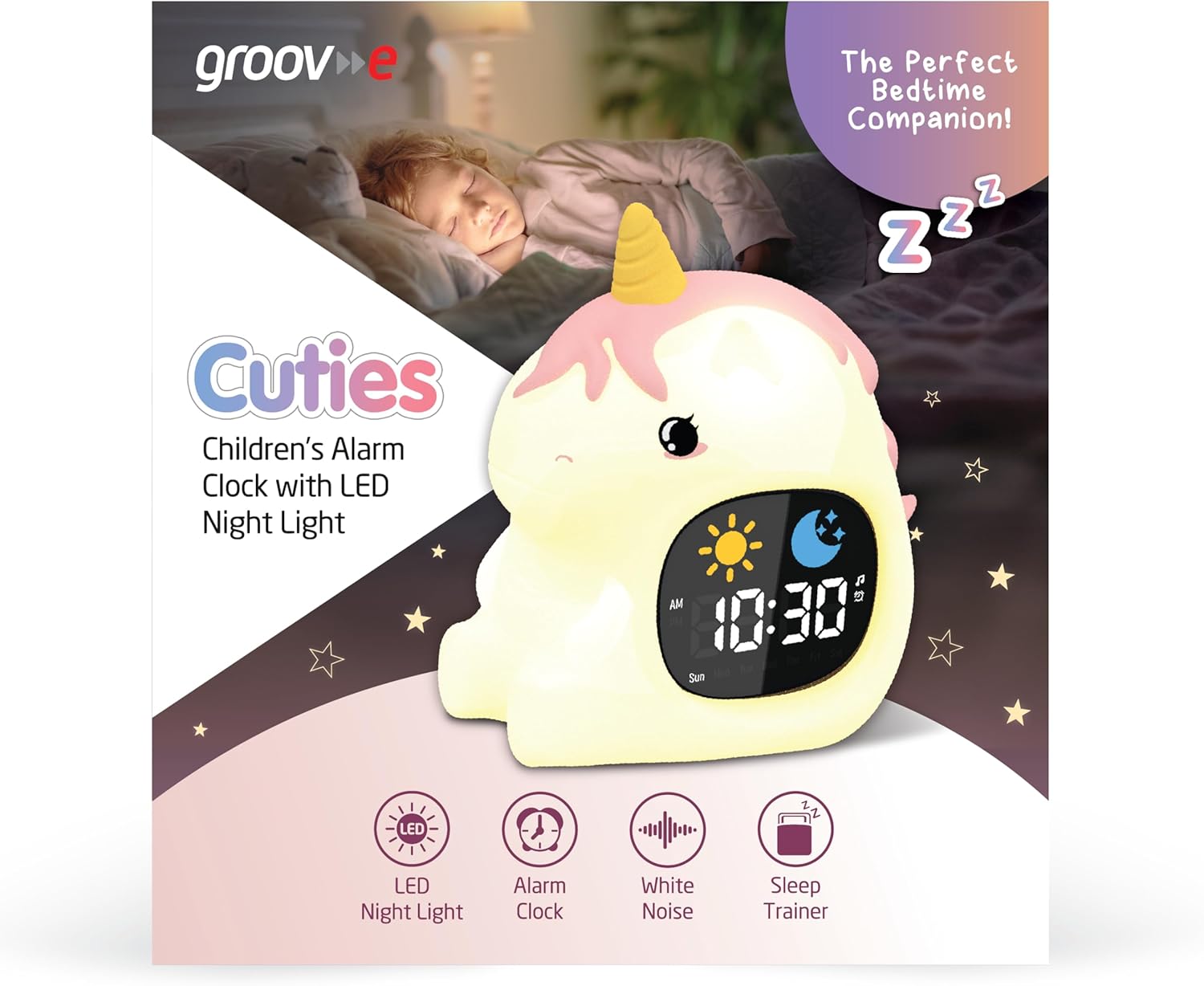
Image 3: The alarm clock functioning as a sleep trainer, displaying the sun icon for wake-up.
4. Ọkụ abalị LED
The device features an integrated LED night light with multiple color and brightness options.
- Na-agbanwe agba: Tap the silicone body of the device to cycle through 9 vibrant colors and 5 light modes.
- Na-edozi ihie: Use dedicated brightness buttons (if available) or a combination with the OGE button to adjust between 5 brightness levels.
5. White Noise and Soothing Sounds
To activate soothing sounds:
- Pịa Ndeba egwu button (refer to Image 2) to cycle through the 6 available soothing sounds, including white noise.
- Gbanwee olu site na iji Up na Ala arrow buttons (5 volume levels available).
6. Ọrụ snooze
When the alarm sounds, press any button (other than the power button) or tap the device to activate the snooze function. The alarm will temporarily pause and sound again after a set interval (e.g., 9 minutes).
7. Ntọala ngụ oge
The device includes 30 and 60-minute timer settings, useful for short sleep cycles or quiet time.
- Consult the quick start guide for specific button presses to activate and select timer durations.
Nlekọta
- Nhicha: Jiri nwayọ hichaa ngwaọrụ ahụ, damp akwa . Ejila ihe nhicha abrasive ma ọ bụ imikpu ngwaọrụ n'ime mmiri.
- Nchekwa: Chekwaa ngwaọrụ ahụ n'ebe dị jụụ, kpọrọ nkụ mgbe ọ naghị eji ya ogologo oge.
- Nlekọta batrị: To prolong battery life, avoid fully discharging the battery frequently. Recharge when the low battery indicator appears.
Nchọpụta nsogbu
| Nsogbu | Ihe nwere ike ime | Ngwọta |
|---|---|---|
| Ngwaọrụ anaghị agbanwu. | Batrị agwụla. | Connect the device to a USB power source using the provided USB-C cable and allow it to charge for at least 30 minutes before attempting to power on. |
| Oti mkpu anaghị ada ụda. | A naghị agba mkpu ma ọ bụ olu ya dị oke ala. | Ensure the alarm is set and activated. Check the volume level and adjust if necessary. |
| Night light is not changing colors. | Incorrect tapping or mode selection. | Ensure you are tapping the silicone body firmly. Check if the device is in a specific light mode that prevents color changes. |
| Device is not charging properly. | Faulty cable, adapter, or charging port. | Try using a different USB-C cable and/or a different USB power adapter. Ensure the cable is securely connected to both the device and the power source. If the issue persists, contact customer support. |
Nkọwapụta
| Ụdị | groov e |
| Nlereanya | Cuties Sleep Trainer Alarm Clock |
| Ibu Ibu | 0.34 kilogram |
| Batrị | 1800mAH Rechargeable Battery (USB-C charging) |
| Ụdị ngosi | Dijitalụ |
| Njirimara Pụrụ Iche | Sleep Trainer, LED Night Light, White Noise |
Akwụkwọ ikike na nkwado
For warranty information or technical support, please refer to the documentation included with your purchase or visit the official groov e websaịtị. Debe ihe akaebe nke ịzụrụ maka akwụkwọ ikike.
Manufacturer: Rashmian Ltd.
Ask a question about this manual
Ask about setup, troubleshooting, compatibility, parts, safety, or missing instructions. Manuals+ will review the question and use this page’s manual context to help answer it.