
1. Okwu mmalite
The Promate AirClip True Wireless Earbuds feature Open Wearable Stereo (OWS) technology, providing an open-ear listening experience. This design allows for enhanced environmental awareness while delivering clear audio. The earbuds are equipped with IntelliTouch controls and an ergonomic clip design for stable wear.

Image: Promate AirClip True Wireless Earbuds in their white charging case.

Image: Close-up of Promate AirClip earbuds highlighting the Open Wearable Stereo (OWS) clip-on design.
2. Ihe ngwugwu
Biko chọpụta na ihe niile dị na ngwugwu gị:
- Promate AirClip True Wireless Earbuds (Left and Right)
- Nchaji case
- Igwe nchaji USB
- Akwụkwọ ntuziaka onye ọrụ

Image: The Promate AirClip earbuds and their charging case, representing the main components.
3. Nhazi
3.1 Ịchaji ntị na akpa
Before first use, fully charge the earbuds and charging case. The charging case has a 500mAh battery, providing extended playtime.
- Connect the provided USB charging cable to the charging port on the case and to a compatible USB power source.
- The indicator light on the charging case will show the charging status.
- Tinye ntị ntị n'ime akpa nchaji. Gbaa mbọ hụ na ha nọ ọdụ nke ọma ka ha malite ịchaji.
- A full charge for the case takes approximately 2-3 hours, and for the earbuds, it takes about 30 minutes.
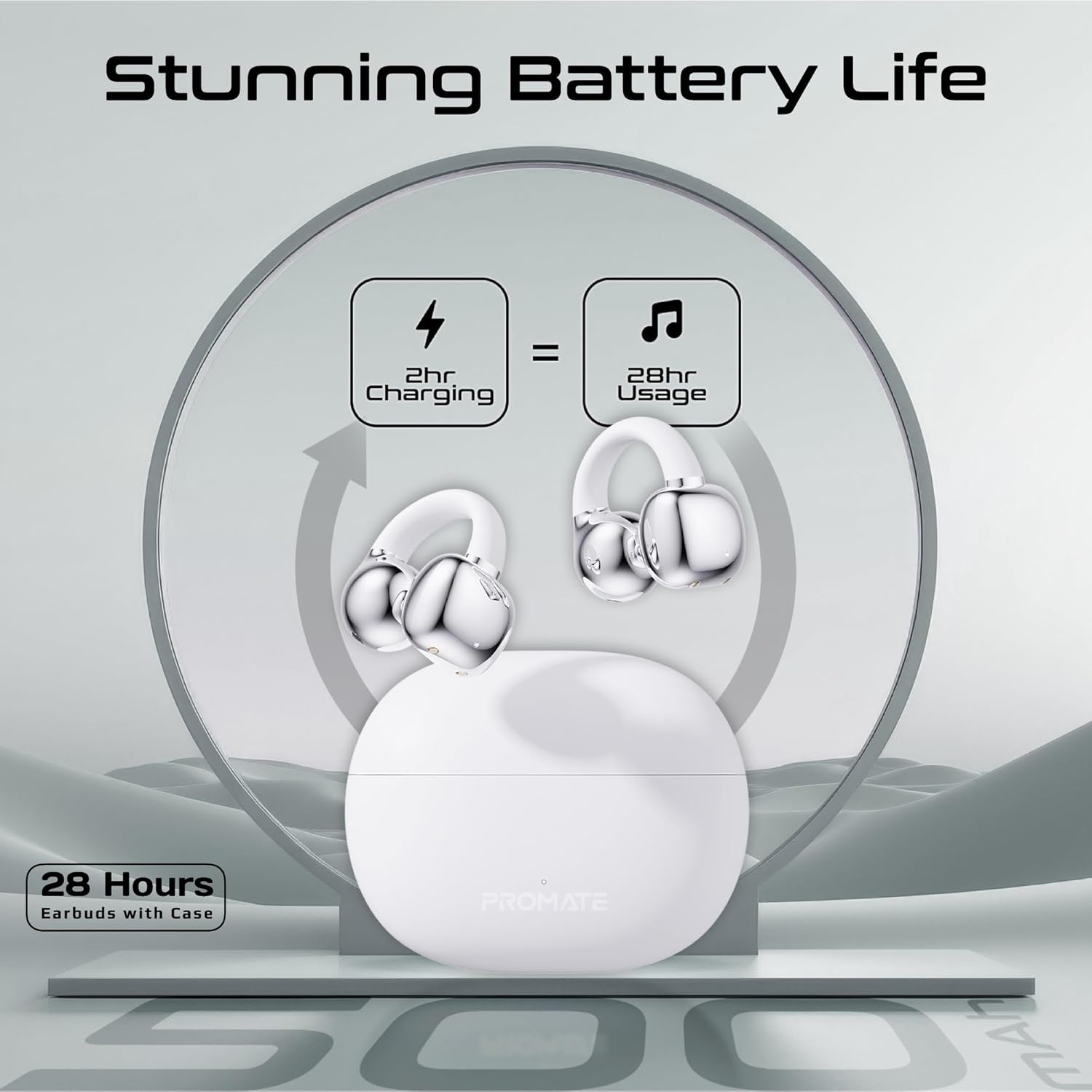
Image: An illustration demonstrating the battery life, indicating 2 hours of charging provides 28 hours of usage with the case.
3.2 Njikọ Bluetooth
Follow these steps to pair your Promate AirClip earbuds with your device:
- Mepee igbe nchaji. Igwe ntị ga-abanye na ọnọdụ njikọta na-akpaghị aka.
- Na ngwaọrụ gị (smartphone, mbadamba, wdg), gbanye Bluetooth.
- Chọọ maka available Bluetooth devices and select "Promate AirClip" from the list.
- Ozugbo ejikọtara ya, ụda olu ga-akwado ijikọ na-aga nke ọma.
- Igwe ntị ntị ga-ejikọta ya na ngwaọrụ ejikọtara ikpeazụ na-akpaghị aka mgbe ewepụrụ ya na ikpe ahụ, ọ bụrụ na agbanyere Bluetooth na ngwaọrụ ahụ.
4. Ntuziaka ọrụ
4.1 Yiri ekwe ntị
The AirClip earbuds feature an ergonomic open-ear clip design for a secure and comfortable fit.
- Chọpụta ihe ekwe ntị aka ekpe (L) na aka nri (R).
- Gently clip the earbud onto your ear, ensuring the speaker portion is positioned correctly for optimal sound and the clip rests comfortably around your ear.
- Adjust for a snug fit that remains stable during movement.

Image: A person wearing the Promate AirClip earbud, illustrating the AudioFit stable design and open-ear placement.
4.2 IntelliTouch Controls
The earbuds are equipped with touch-sensitive controls for easy management of audio and calls.
- Gwuo/kwụsịtụ: Otu mgbata na ntị ntị.
- Track na-esote: Pịa bọtịnụ ntị aka nri ugboro abụọ.
- Gara aga Track: Kpatụ ntị ugboro abụọ n'akụkụ aka ekpe.
- Azịza/Kwụsị Oku: Otu mgbata na ntị ntị.
- Jụ oku: Pịa ma jide otu ntị ntị maka sekọnd 2.
- Activate Voice Assistant (Google Assistant/Amazon Alexa): Pịa ugboro atọ na ntị ntị.
- Ụdị egwuregwu: Press and hold the right earbud for 2 seconds to toggle low latency game mode.

Foto: A nso nso view of a hand interacting with the Promate AirClip earbud, demonstrating the IntelliTouch control feature.

Image: Promate AirClip earbuds shown alongside a smartphone displaying an incoming call, emphasizing crystal clear stereo calls and connectivity.
5. Nlekọta
Nlekọta kwesịrị ekwesị na-eme ka ogologo ndụ na arụmọrụ nke ntị ntị gị dị ogologo.
- Nhicha: Jiri akwa dị nro, kpọrọ nkụ, akwa enweghị lint iji hichaa ntị ntị na akpa chaja. Ejila ihe nchacha abrasive ma ọ bụ ihe mgbaze.
- Nguzogide mmiri: The earbuds are IPX4 water-resistant, meaning they are protected against splashing water from any direction. Do not submerge them in water or expose them to heavy rain. Dry them thoroughly if they get wet.
- Nchekwa: Mgbe ị na-ejighị ya, debe ekweisi ntị n'ime akpa chaja ha iji chebe ha ma mee ka ha dị ọkụ. Debe ha n'ebe dị jụụ ma kpọọ nkụ, ebe okpomọkụ na-adịghị oke njọ.

Image: Promate AirClip earbuds and charging case depicted with a water splash effect, indicating IPX4 water resistance.
6. Nchọpụta nsogbu
If you encounter issues with your Promate AirClip earbuds, refer to the following common solutions:
- Igwe ntị anaghị ejikọta: Hụ na ekweisi abụọ ahụ dị n'ime akpa chaja, wee mepee mkpuchi ahụ iji mee ka ọnọdụ njikọta rụọ ọrụ. Lelee ntọala Bluetooth nke ngwaọrụ gị wee nwaa ijikọghachi.
- Enweghị ụda sitere na otu ntị ntị: Place both earbuds back into the charging case, close the lid, wait a few seconds, then open it again. This can reset the connection.
- Nsogbu ịchaji: Verify the charging cable is securely connected to both the case and the power source. Ensure the charging contacts on the earbuds and inside the case are clean and free of debris.
- Olu dị ala: Adjust the volume on both your connected device and through the earbud controls. Ensure the earbuds are worn correctly.
- Njikọ na-adịte aka: Move closer to your connected device to reduce interference. Ensure there are no major obstacles between the earbuds and your device.
7. Nkọwapụta
Key technical specifications for the Promate AirClip True Wireless Earbuds:
| Njirimara | Nkọwapụta |
|---|---|
| Aha Nlereanya | AIRCLIP |
| Ụdị Bluetooth | 5.3 |
| Teknụzụ Njikọta | Ikuku |
| Ntinye ntị | Mepee Ntị |
| Ndụ batrị (Earbuds) | Ruo awa iri abụọ |
| Ndụ batrị (ya na igbe) | Ruo awa iri abụọ |
| Ịchaji ikike | 500mAh |
| Oge Nchaji (Earbuds) | Ihe ruru. Nkeji 30 |
| Oge Njikere (Ikpe) | Ihe ruru. 2-3 awa |
| Ogo Nguzogide Mmiri | IPX4 |
| Nha ọkwọ ụgbọ ala ọdịyo | 30mm |
| Ibu Ibu | 42g |
| Ngwa dakọtara | Gaming Consoles, Samsung, Television, Windows, iPhone |
| Ụdị njikwa | Touch, Google Assistant, Amazon Alexa |

Image: A detailed chart outlining various technical specifications for the Promate AirClip earbuds.
8. Akwụkwọ ikike na nkwado
Promate products are designed with quality and reliability in mind. For warranty information and customer support, please refer to the warranty card included in your package or visit the official Promate websaịtị. Debe ihe akaebe nke ịzụrụ maka akwụkwọ ikike.
For further assistance, you may contact Promate customer service through their official channels.