
Okwu mmalite
Welcome to the user manual for your Maxcom Celin FW27 Smartwatch. This guide provides essential information on how to set up, operate, and maintain your device. The FW27 combines elegant design with advanced technology, offering features such as health monitoring, sports tracking, and smart notifications. Please read this manual thoroughly to ensure proper use and to maximize your smartwatch experience.
Ihe ngwugwu
Upon opening your Maxcom Celin FW27 Smartwatch package, please verify that all the following items are included:
- Maxcom Celin FW27 Smartwatch
- Ịchaji eriri
- Akwụkwọ ntuziaka (akwụkwọ a)
- Additional Fabric Strap
- Extra Glass Protector
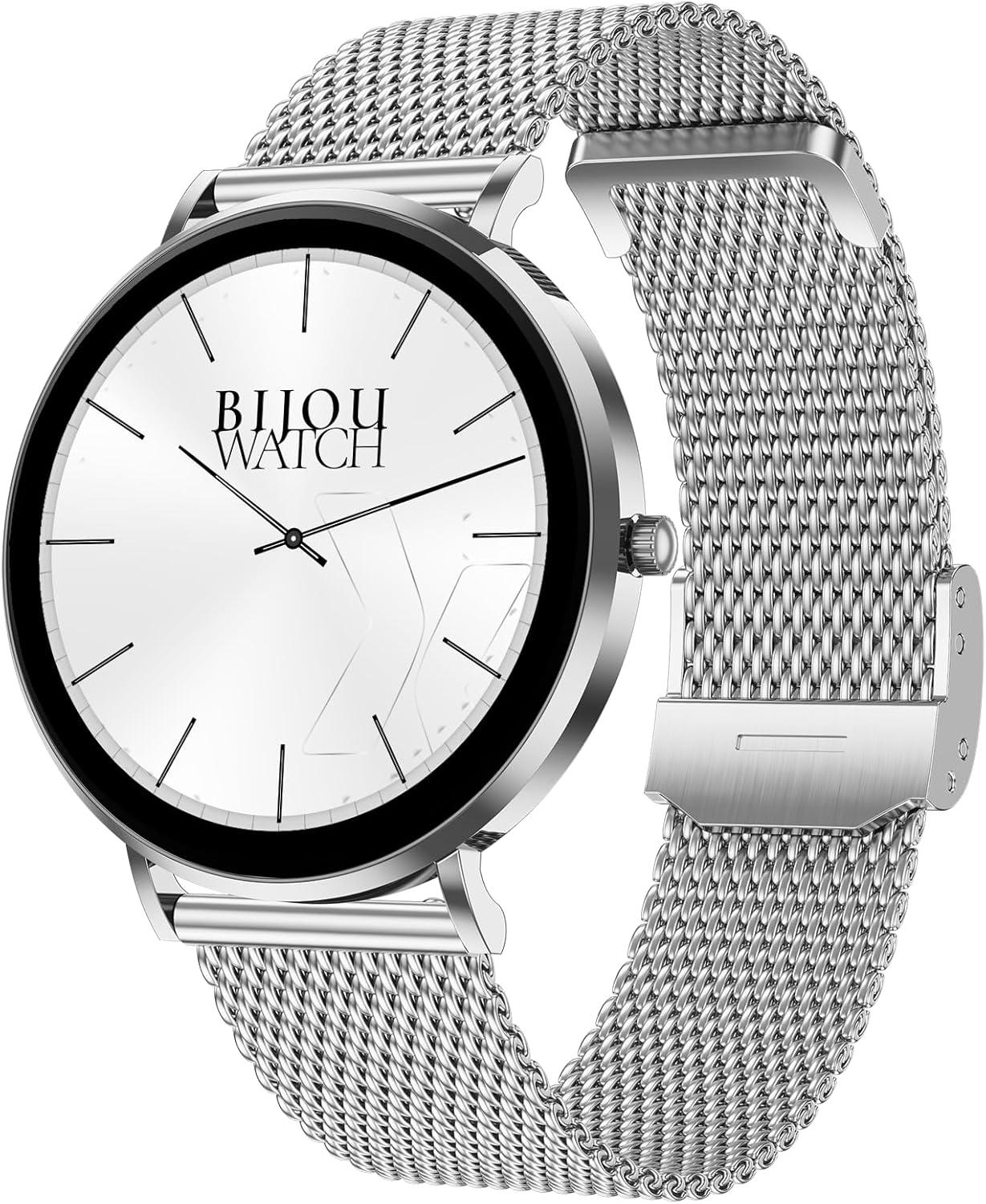
Image: The Maxcom Celin FW27 Smartwatch with its elegant silver mesh strap.
Ngwaahịa gafereview
The Maxcom Celin FW27 Smartwatch features a sleek, ultra-slim stainless steel design with a vibrant AMOLED display. It is designed for comfort and durability, making it suitable for daily wear and various activities.
Isi ihe:
- Ngosipụta AMOLED: High-resolution 1.35-inch screen (466x466 pixels) for clear visuals and vibrant colors, supporting Always-On Display (AOD).
- Bọtịnụ/Okpueze Akụkụ: Used for navigation, power on/off, and accessing menus.
- Ihe mmetụta: Located on the back for heart rate, blood oxygen, and blood pressure monitoring.
- Kọntaktị na-akwụ ụgwọ: Magnetic contacts on the back for connecting the charging cable.
- Ọkà okwu/igwe okwu: For Bluetooth calling functionality.

Image: The smartwatch displaying a digital watch face with time.
Melite
1. Ịchaji smartwatch
Before first use, fully charge your smartwatch.
- Connect the charging cable to a USB power adapter (not included) or a computer's USB port.
- Align the magnetic pins of the charging cable with the charging contacts on the back of the smartwatch. The cable will snap into place.
- The watch display will show a charging indicator. Allow approximately 2 hours for a full charge.
2. Ịgbanye / gbanyụọ
- Ike Na: Press and hold the side button for a few seconds until the Maxcom logo appears.
- Gbanyụọ: From the watch face, swipe down to access quick settings, or navigate to the settings menu. Select "Power Off" and confirm. Alternatively, press and hold the side button and select "Power Off".
3. Ịwụnye ngwa Da Fit
To unlock the full potential of your smartwatch, download and install the "Da Fit" app on your smartphone.
- Scan the QR code provided in the quick start guide (if available) or search for "Da Fit" in your smartphone's app store (App Store for iOS, Google Play Store for Android).
- Wụnye ngwa ahụ ma nye ikike dị mkpa.
4. Ijikọ na ekwentị mkpanaaka gị
- Gbaa mbọ hụ na agbanyere Bluetooth na ekwentị gị.
- Open the "Da Fit" app.
- Follow the on-screen instructions to add a new device. The app will search for your FW27 smartwatch.
- Select "FW27" from the list of available devices to pair.
- Kwenye arịrịọ njikọta na ma ekwentị gị ma smartwatch.
- For calling functionality, you may need to pair the watch a second time via your phone's Bluetooth settings (look for "FW27_CALL" or similar).
Na-arụ ọrụ Smartwatch
Nsoro ụzọ
- Swipe elu: Ịma ọkwa ịnweta.
- Mkpu ala: Access quick settings (brightness, DND, battery, settings).
- Sụgharịa akaekpe/aka nri: Cycle through widgets (activity, heart rate, weather, music control, etc.).
- Pịa bọtịnụ akụkụ: Return to the watch face from any screen, or open the app menu from the watch face.
- Long Press Watch Face: Gbanwee ihu elekere.
Nyocha ahụike na ahụike
The FW27 smartwatch is an effective health and sports tracker. It monitors various metrics to help you stay informed about your well-being.
- Nlekota obi obi: Continuously tracks your heart rate. Access this feature from the app menu or a dedicated widget.
- Nyocha ọbara oxygen (SpO2): Na-enyocha ọkwa oxygen dị n'ọbara gị.
- Nyochaa Ọbara Ọbara: Provides estimates of your blood pressure.
- Nchicha ụra: Automatically monitors your sleep patterns, including deep sleep, light sleep, and wake times.
- Ndepụta mmemme: Records steps taken, distance covered, and calories burned throughout the day.
- Ụdị egwuregwu: Supports over 70 sports modes, including cycling, running, yoga, and cardio training. Select a mode before starting your workout to track specific metrics.

Image: The smartwatch displaying a watch face with step count and battery status.
Customization (Watch Faces)
The Celin FW27 offers exclusive watch faces that can be changed to match your outfit, occasion, or mood.
- On-Watch: Long-press the watch face and swipe left/right to select from pre-installed faces.
- Via Da Fit App: Open the "Da Fit" app, navigate to the "Watch Faces" section. Choose from over 100 free watch faces or customize your own using personal photos.

Image: The smartwatch displaying an analog watch face with additional health metrics like steps and heart rate.
Calling and Notifications
With the FW27, you can answer and make calls directly from your watch. It also keeps you informed of new messages and app notifications.
- Ịkpọ/ịza oku: Ensure the watch is properly paired for calls (refer to Setup section). You can dial numbers or answer incoming calls directly on the watch.
- Amamọkwa: The watch will alert you to new messages and app notifications (e.g., WhatsApp). Manage which app notifications appear on your watch through the "Da Fit" app settings.
Ndụ batrị
The Maxcom Celin FW27 Smartwatch offers an extended battery life. With average use, the smartwatch can provide up to 10 days of operation on a single charge. This reduces the need for frequent charging.
Nlekọta
Nhicha
- Jiri ákwà dị nro, nke na-enweghị ihe e ji ehicha ákwà hichaa ihuenyo elekere na ahụ ya.
- Maka unyi isi ike, ntakịrị dampen akwa na mmiri. Zere iji kemịkalụ siri ike ma ọ bụ ihe na-emebi emebi.
- Na-ehicha kọntaktị chaja mgbe niile iji hụ na chaja dị irè.
Nlekọta eriri
- The metal mesh strap can be cleaned with a soft brush and mild soapy water, then rinsed and dried thoroughly.
- The fabric strap can be hand-washed with mild soap and water, then air-dried.
- Ensure straps are completely dry before reattaching to the watch.
Mgbochi mmiri (IP68)
The FW27 smartwatch has an IP68 rating, meaning it is resistant to dust and can withstand immersion in water up to 1.5 meters for up to 30 minutes.
- Ọ dị mma maka ojiji kwa ụbọchị, dịka ịsa aka ma ọ bụ obere mmiri ozuzo.
- Avoid using it in hot water, saunas, or during diving, as steam and high pressure can compromise the seal.
- After exposure to water, wipe the watch dry before charging or operating buttons.
Nchọpụta nsogbu
| Nsogbu | Ngwọta enwere ike |
|---|---|
| Elekere anaghị agba ọkụ. | Gbaa mbọ hụ na chajịrị elekere ahụ nke ọma. Jikọọ ya na chaja opekata mpe nkeji iri atọ. |
| Enweghị ike ijikọ na smartphone. |
|
| Anabataghị ọkwa. |
|
| Data ahụike na-ezighi ezi. |
|
Nkọwapụta
| Njirimara | Nkọwa |
|---|---|
| Nọmba nlereanya | YG01010000262 |
| Ụdị | Maxcom |
| Ụdị ngosi | AMOLED |
| Nha ihuenyo | 1.35 sentimita asatọ |
| Mkpebi | 466 x 466 pikselụ |
| Njikọta | Bluetooth |
| Mmiri Nguzogide | IP68 |
| Atụmatụ pụrụ iche | Notifications, Health Tracking (Heart Rate, SpO2, Blood Pressure), Sports Modes, Bluetooth Calling, Always-On Display (AOD) |
| Ndụ batrị | Up to 10 days (average use) |
| Ihe onwunwe | Ígwè anaghị agba nchara (akpa) |
| Ụdị | Gburugburu |
Akwụkwọ ikike na nkwado
For warranty information and customer support, please refer to the documentation included with your purchase or visit the official Maxcom websaịtị. Debe ihe akaebe nke ịzụrụ maka akwụkwọ ikike.
If you encounter any issues not covered in the troubleshooting section, please contact Maxcom customer service for assistance.