
Okwu mmalite
The Xiaomi Smart Camera C500 is an advanced indoor surveillance camera designed to provide comprehensive monitoring for your home. Featuring a dual-lens system, 4-megapixel resolution, and dual-band Wi-Fi 6 connectivity, it offers enhanced security features such as human tracking, crying detection, and pet tracking. This manual provides detailed instructions for setting up, operating, and maintaining your camera to ensure optimal performance.
Ozi nchekwa
- Ensure the camera is installed in a stable location to prevent it from falling.
- Jiri naanị ihe nkwụnye ike mbụ enyere na ngwaọrụ ahụ.
- Do not expose the camera to extreme temperatures, humidity, or direct sunlight.
- Keep the camera away from water or other liquids. This product is not water-resistant.
- Do not attempt to disassemble or repair the camera yourself. Contact authorized service personnel for assistance.
- Debe ebe ụmụaka na-apụghị iru.
Ihe ngwugwu
Chọpụta na ihe niile dị na ngwugwu gị:
- 1 × Xiaomi Smart Camera C500 4MP Dual Lens with Wi-Fi 6 Dual-Band
- Ihe nkwụnye ọkụ
- Mounting Accessories (if applicable for ceiling/wall mount)
- Akwụkwọ ntuziaka onye ọrụ
Ngwaahịa gafereview
The Xiaomi Smart Camera C500 features a compact dome design with dual lenses for extended coverage. It includes a power port, status indicator light, and a microSD card slot for local storage.
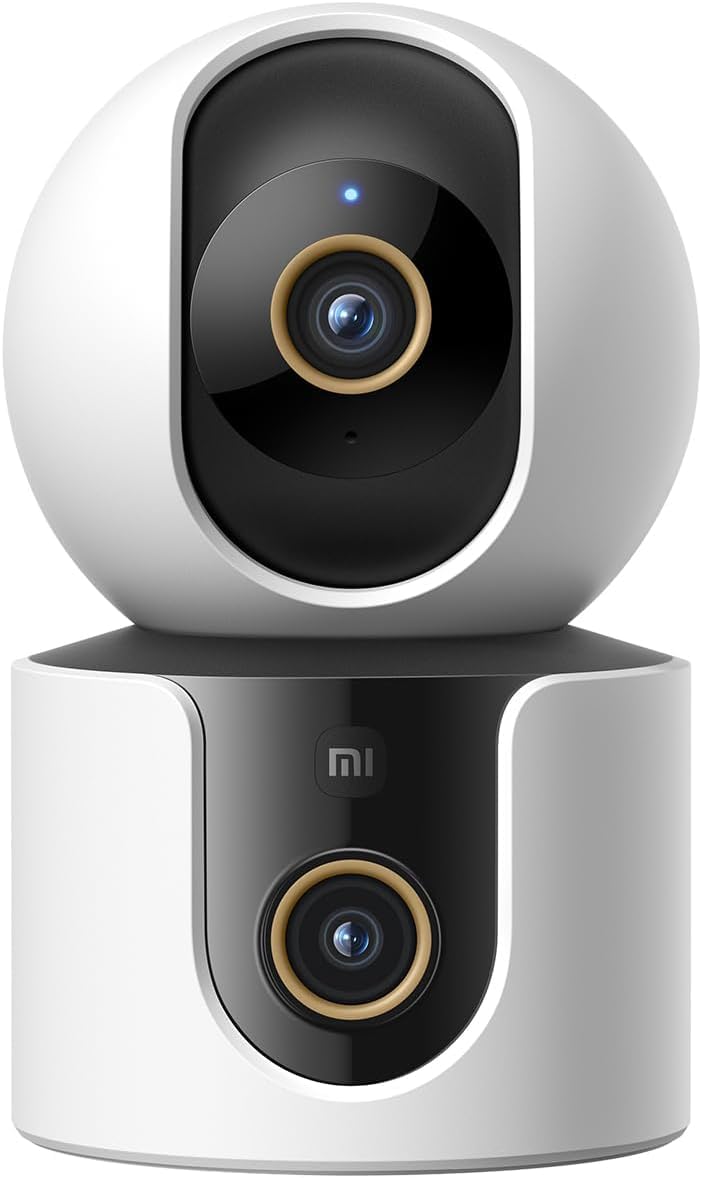
Foto 1: N'ihu view of the Xiaomi Smart Camera C500, showing its dual-lens design and white and black casing.

Ọgụgụ 2: N'elu-ala view of the Xiaomi Smart Camera C500, highlighting its spherical upper section and ventilation holes.

Foto 3: Akụkụ view of the Xiaomi Smart Camera C500, showing the power input and other ports on the base.
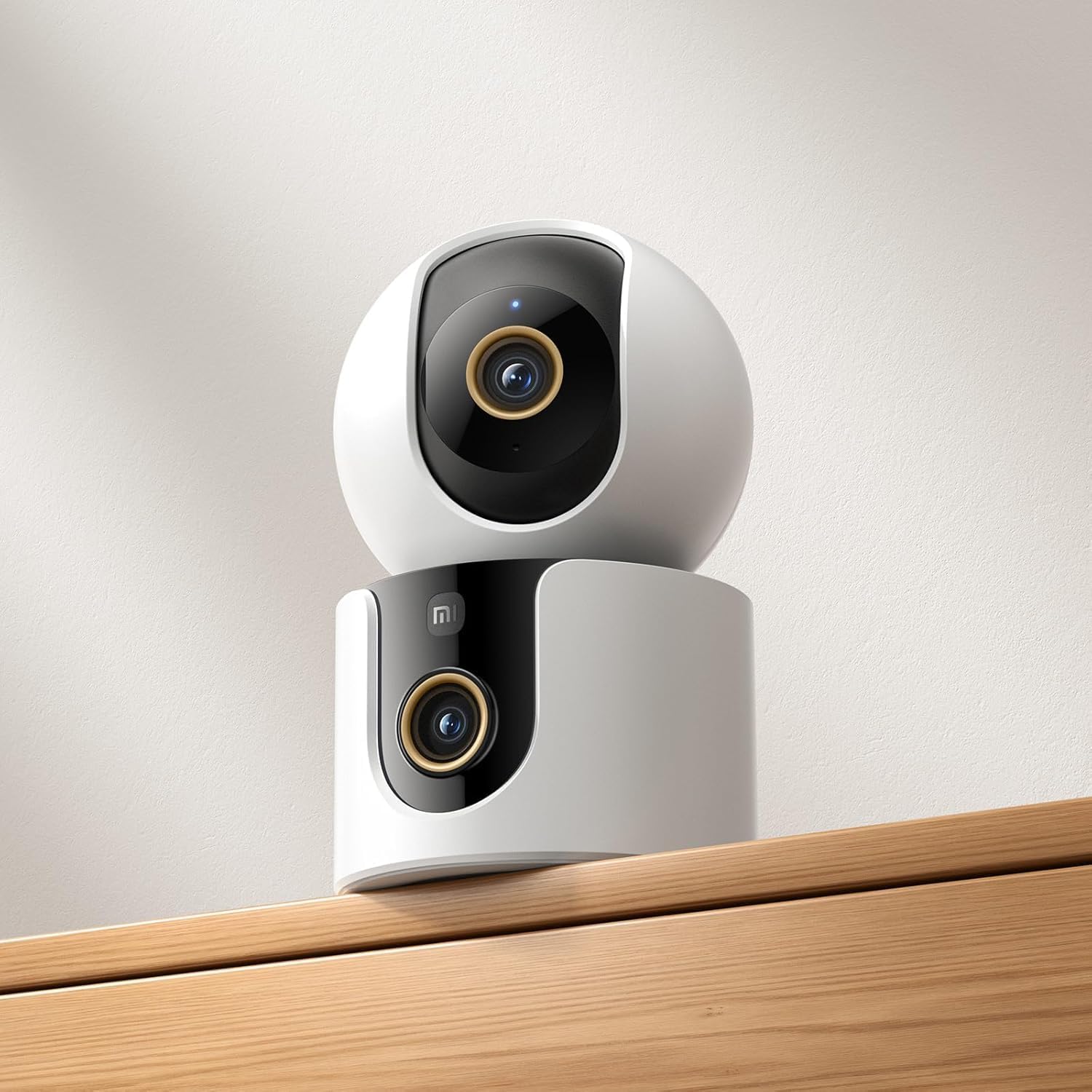
Figure 4: The Xiaomi Smart Camera C500 positioned on a wooden shelf, demonstrating its compact size and discreet placement.
Melite
1. Na-agbanye ike
- Jikọọ ihe nkwụnye ike ahụ na ọdụ ntinye ike nke igwefoto ahụ.
- Tinye nkwụnye ọkụ n'ime oghere mgbidi.
- The camera will automatically power on, and the indicator light will begin to flash, indicating it is ready for connection.
2. Ngwa nwụnye
- Budata ya Ụlọ Xiaomi ngwa sitere na ụlọ ahịa ngwa ekwentị gị (Google Play Store maka gam akporo ma ọ bụ Apple App Store maka iOS).
- Open the app and create a Xiaomi account or log in if you already have one.
3. Ijikọta na ngwa
- In the Xiaomi Home app, tap the "+" icon in the top right corner to add a new device.
- Select the Xiaomi Smart Camera C500 from the list of available devices.
- Follow the on-screen instructions to connect the camera to your Wi-Fi network. Ensure your phone is connected to a 2.4GHz or 5GHz Wi-Fi network (the camera supports dual-band Wi-Fi 6).
- Scan the QR code displayed on your phone screen using the camera lens. You will hear a voice prompt confirming successful scanning.
- Once connected, you can name your camera and assign it to a specific room.
4. Ịtinye igwefoto
The camera supports tabletop placement or ceiling/wall mounting.
- Ugwu okpokoro: Tinye igwefoto n'elu larịị ma kwụsie ike.
- Ceiling/Wall Mount: Use the provided mounting base and screws to secure the camera to a desired location. Ensure the camera is securely attached and has a clear field of view.
Ntuziaka ọrụ
1. Ndụ View
Open the Xiaomi Home app and select your camera to view the live feed. You can pan and tilt the camera remotely using the controls in the app to achieve 360-degree coverage.
2. Ndekọ na ịkpọghachi
- Nchekwa mpaghara: Insert a microSD card (up to 256GB) into the camera's slot for continuous or event-triggered recording.
- Nchekwa igwe ojii: Optional cloud storage services may be available through the Xiaomi Home app for secure backup of recordings.
- Nkpọghachi: Nweta ndekọ footage through the app's playback feature, navigating by date and time.
3. Audio Ụzọ Abụọ
Use the microphone and speaker icon in the live view interface to enable two-way communication. This allows you to speak through the camera and hear audio from its location.
4. Motion Detection and Human Tracking
The camera can detect motion and intelligently track human figures. Enable these features in the app settings to receive alerts and automatically record when activity is detected.
5. Crying Detection
For parents, the crying detection feature can be enabled to send instant notifications to your phone when a baby's cry is detected, allowing for quick response.
6. Pet Tracking
The camera can also track pets, providing alerts and recording their movements. This feature is useful for monitoring your furry companions throughout the day.
7. Ọhụụ abalị
The camera automatically switches to ultra-low light color mode or infrared night vision in dim conditions, ensuring clear visibility up to 15 meters even in complete darkness.
Nlekọta
- Nhicha: Jiri ákwà dị nro ma kpọọ nkụ hichaa anya igwefoto na ahụ ya nwayọ. Ejila kemịkalụ siri ike ma ọ bụ ihe nhicha na-eme ka ọ dị nro.
- Mmelite femụwe: Regularly check for and install firmware updates through the Xiaomi Home app to ensure optimal performance and access to new features.
- Kaadị MicroSD: If using a microSD card, periodically check its status and format it if necessary to maintain recording quality and prevent data corruption.
Nchọpụta nsogbu
| Okwu | Ngwọta enwere ike |
|---|---|
| Camera fails to connect to Wi-Fi | Ensure your Wi-Fi network is 2.4GHz or 5GHz. Check Wi-Fi password. Move camera closer to router. Reset camera and try pairing again. |
| Adịghị ndụ view ma ọ bụ ndekọ | Check power connection. Ensure Wi-Fi is stable. Verify microSD card is inserted correctly and not full. Check app permissions. |
| Ogo vidiyo na-adịghị mma | Clean the camera lens. Ensure adequate lighting. Check Wi-Fi signal strength. Adjust video resolution settings in the app. |
| Anabataghị ọkwa | Check app notification settings on your phone. Ensure motion/crying detection is enabled in the camera settings. Verify app has necessary permissions. |
| Audio ụzọ abụọ anaghị arụ ọrụ | Check microphone and speaker settings in the app. Ensure phone volume is up. Avoid placing camera in noisy environments. |
Nkọwapụta
| Njirimara | Nkọwa |
|---|---|
| Aha ika | Xiaomi |
| Aha Nlereanya | Igwefoto onyunyo |
| Nọmba nlereanya | C500 Dual |
| Eji akwadoro maka ngwaahịa | Nchebe ime ụlọ |
| Teknụzụ Njikọta | Ikuku |
| Atụmatụ pụrụ iche | Nkọwa dị elu |
| Ojiji ime ime/n'èzí | Ime ụlọ |
| Ngwa dakọtara | Ekwentị mkpanaaka |
| Isi Iyi Ike | Igwe ọkụ eletrik |
| Protocol nzikọrịta ozi | Neti Wi-Fi |
| Ụdị njikwa | Amazon Alexa |
| Ụdị nkwụnye | Tabletop Mount, Freestanding |
| Agba | Ọcha |
| Ụdị Ihe | Dome |
| Ihe onwunwe | Acrylonitrile Butadiene Styrene (ABS) |
| Ọkwa Nguzogide mmiri | Ọ bụghị mmiri na-eguzogide |
| Ụdị ihe | Dome |
| Rtdị Alert | Audio na Motion |
| Ụdị ụlọ | Ụlọ ọrụ |
| Isi Iyi Ìhè | Infrared |
| Mkpebi ihe mmetụta onyonyo | 4 megapixels |
| Usoro njikwa | Site na ngwa |
| Voltage | 5.0 |
| Wattage | 10.0 |
| Achọrọ batrị? | Mba |
| Ọnụọgụ nke ọwa | 2 |
| Ndekọ vidiyo | H.265 |
| Usoro Nseta vidiyo | MPEG-4 |
| Oke ọhụụ abalị | 15 mita |
| Ọhụụ abalị | Agba abalị |
| Number of Infrared LED Lights | 10 |
| Ụdị ebe nchekwa Flash | Micro SD |
| Maximum Supported Flash Memory Size | 256 GB |
| Ọnụọgụ nke ihe | 1 |
| Ojiji Ngwaahịa Pụrụ Iche | 360 ogo mkpuchi, onyunyo |
| Onye nrụpụta | Xiaomi |
| Teknụzụ nzikọrịta ozi ikuku | Wi-Fi |
| Mkpebi ịse vidiyo | 1080p |
| Ọnụego Frame | 25 okpokolo agba kwa nkeji |
| Viewna n'akuku | ogo 360 |
| Ụdị elekwasị anya | Mgbado anya akpaaka |
| Teknụzụ ihe mmetụta onyonyo | CMOS |
| Akụkụ akụkụ | 7.8 x 7.8 x 11.5 cm |
| Ibu Ibu | 327 grams |
| Ọnụọgụ nkeji | 1.0 Ọnụ |
Akwụkwọ ikike na nkwado
For warranty information, please refer to the warranty card included in your product packaging or visit the official Xiaomi website. For technical support, troubleshooting assistance, or to report issues, please contact Xiaomi customer service through their official channels or the Xiaomi Home app.
You can find additional resources and FAQs on the Xiaomi official support page.