
1. Okwu mmalite
This manual provides essential instructions for the safe and effective use of your ONNAIS Iron PRO&Large Gun Safe. Please read this manual thoroughly before operating the safe and retain it for future reference. This safe is designed to secure firearms and valuables, offering multiple access methods including biometric fingerprint, digital password, and key access.
2. Ozi nchekwa
Akpachara anya nchekwa izugbe:
- Always keep the safe locked when not in use.
- Store the emergency keys in a secure location away from the safe and out of reach of unauthorized individuals.
- Echekwala ihe ndị na-ere ọkụ ma ọ bụ ihe ndị ọzọ dị ize ndụ n'ime ebe nchekwa ahụ.
- Ensure the safe is mounted or secured properly to prevent unauthorized removal.
Nchekwa ụmụaka:
The ONNAIS Iron PRO&Large Gun Safe features a child-safe design to prevent unauthorized access to firearms. It is crucial to:
- Never leave the safe unlocked, even for short periods.
- Keep all access methods (fingerprints, passwords, keys) confidential and out of reach of children.
- Educate children about the dangers of firearms and the importance of not touching the safe.
3. Ihe ngwugwu
Chọpụta na ihe niile dị na ngwugwu:
- ONNAIS Iron PRO&Large Gun Safe
- Igodo ihe mberede (2)
- Akụrụngwa mgbago (skru, arịlịka)
- Igwe nchekwa igwe
- Akwụkwọ ntuziaka (akwụkwọ a)
4. Nhazi
4.1 Mwepu na nyocha izizi
Carefully remove the safe from its packaging. Inspect for any signs of damage. If damage is found, contact customer support immediately.
4.2 Ntinye batrị
The safe requires 4 AA batteries (not included) for operation. Locate the battery compartment, typically on the underside or inside the door. Insert the batteries, ensuring correct polarity.

This image details the power supply options for the ONNAIS gun safe, including the compartment for four AA batteries and a convenient USB port for emergency power backup, ensuring functionality even if batteries are depleted.
4.3 Initial Access with Emergency Key
Before setting up electronic access, use one of the provided emergency keys to open the safe. Insert the key into the keyhole and turn to unlock. Keep the spare key in a secure, separate location.
4.4 Securing the Safe
For enhanced security, the safe can be mounted or secured using the provided hardware and steel cable.
- Ịkwanye: Use the pre-drilled holes on the safe's bottom or back to secure it to a floor, wall, or shelf using the provided screws and anchors.
- Igwe igwe: Loop the steel security cable around a fixed object (e.g., bed frame, desk leg) and secure it to the safe's designated attachment point.
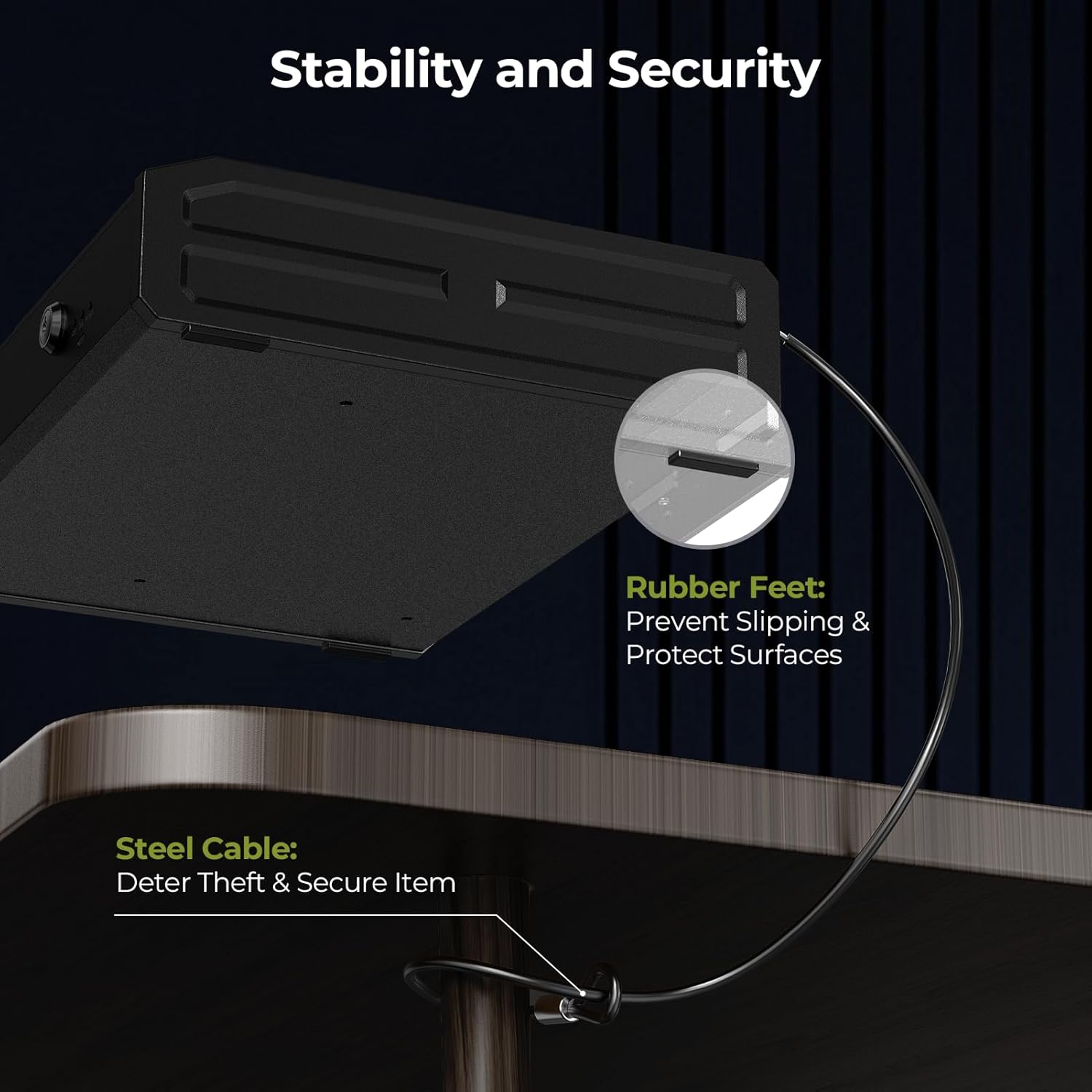
This image highlights the stability and security features of the ONNAIS gun safe, including non-slip rubber feet that protect surfaces and a robust steel cable for deterring theft and securing the safe to a fixed object.
4.5 Setting Up Fingerprint and Password
Refer to the specific instructions provided with your safe for detailed steps on programming fingerprints and setting a digital password. Typically, this involves pressing a 'SET' or 'ENROLL' button inside the safe and following prompts on the keypad/fingerprint scanner.

This image displays the three primary methods for accessing the ONNAIS gun safe: a rapid 1-second fingerprint unlock, instant password entry via the numeric keypad, and a reliable key backup for emergency access.
5. Ntuziaka ọrụ
5.1 Ịkpọghe Nchekwa ahụ
- Nweta akara mkpịsị aka: Place a registered finger firmly on the fingerprint sensor. The safe will unlock if the fingerprint is recognized.
- Nnweta Okwuntughe: Enter your programmed digital password on the keypad, then press 'OK' or 'ENTER'. The safe will unlock if the password is correct.
- Nnweta igodo: In case of battery failure or forgotten password, use the emergency key to manually unlock the safe.
5.2 Interior Light
The safe is equipped with an internal light for improved visibility. This light typically activates automatically when the safe is opened, or it may have a manual switch depending on the model.
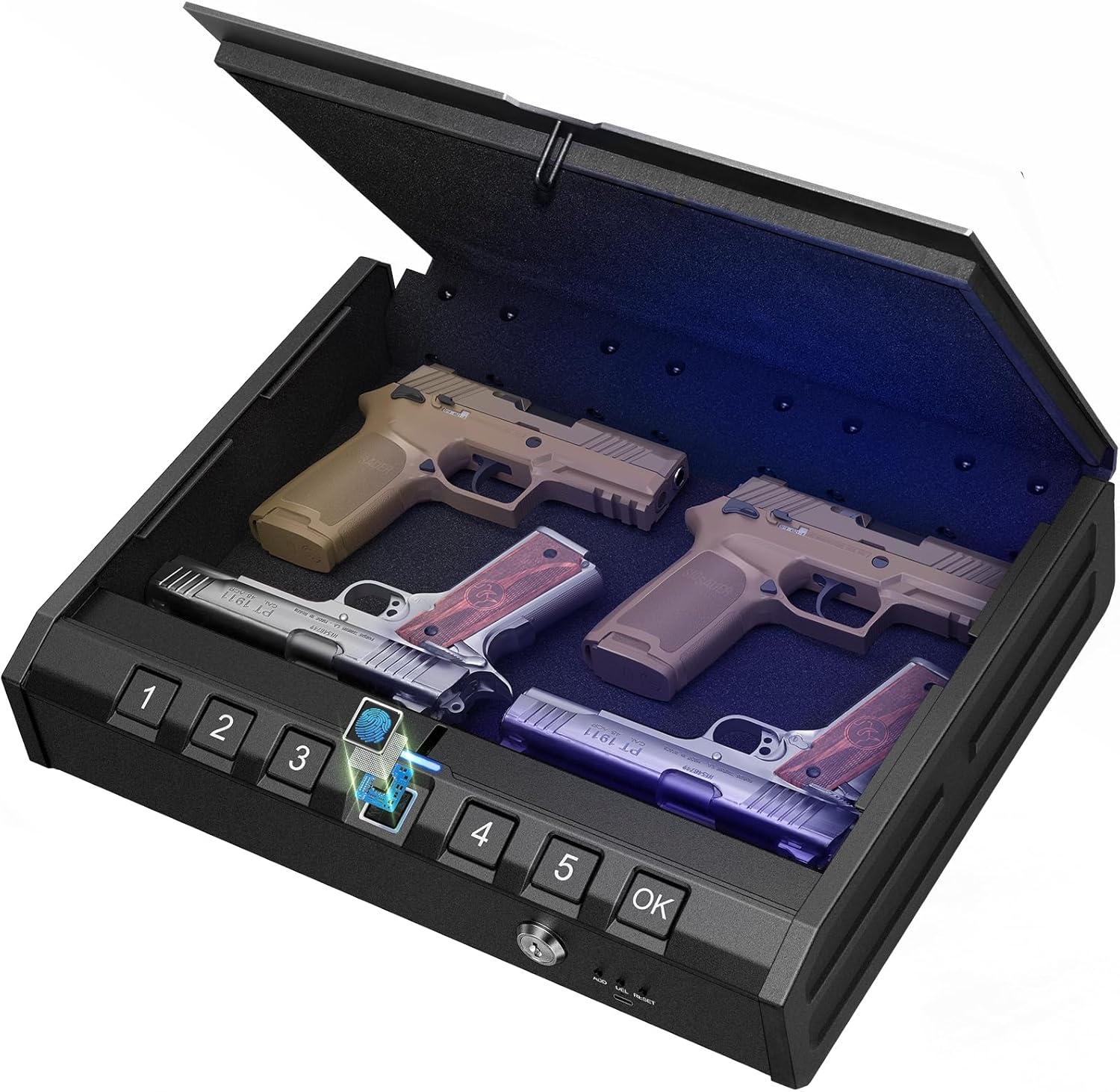
Foto a na-enye a view of the ONNAIS gun safe's interior when open, showcasing its capacity to store multiple handguns. The integrated internal light illuminates the contents, facilitating quick access in low-light conditions, and the biometric keypad is visible on the front.
5.3 Ntinye ike mberede
If the internal batteries are depleted, the safe can be powered externally using a USB cable connected to a power source (e.g., power bank, wall adapter). Connect the USB cable to the emergency power port on the safe to temporarily power the electronic locking system.
5.4 Storing Items
The safe is designed to accommodate up to 4 handguns and additional magazines. The interior features protective padding to prevent damage to your stored items.

This image illustrates the robust construction of the ONNAIS gun safe, highlighting its advanced locking mechanism, durable carbon steel body, soft interior padding to protect contents, and reinforced hinges designed to resist prying attempts.
6. Nlekọta
6.1 Nhicha
Jiri ihe dị nro hichaa mpụta nke ebe nchekwa ahụamp akwa . Zere ihe nchacha ma ọ bụ ihe mgbaze nke nwere ike imebi ngwụcha ma ọ bụ ngwa eletrọnịkị.
6.2 nnọchi batrị
Replace batteries annually or when the low battery indicator (if present) activates. Always use new, high-quality AA alkaline batteries. Do not mix old and new batteries or different battery types.
7. Nchọpụta nsogbu
7.1 Safe Does Not Open Electronically
- Lelee batrị: Gbaa mbọ hụ na etinyere batrị nke ọma na agwụchabeghị ya. Dochie ma ọ dị mkpa.
- Ike Mberede: Use the USB emergency power supply.
- Igodo ihe mberede: Use the physical key to open the safe.
7.2 Fingerprint Not Recognized
- Gbaa mbọ hụ na mkpịsị aka gị dị ọcha ma kpọọ nkụ.
- Tinye mkpịsị aka gị nke ọma na ihe mmetụta ahụ.
- Try re-registering your fingerprint if issues persist.
7.3 Paswọdu echefuru
- Use the emergency key to open the safe.
- Refer to the programming instructions to reset the password.
8. Nkọwapụta
| Njirimara | Nkọwa |
|---|---|
| Nọmba nlereanya | 14279a45-e5ba-4f37-87d4-60d1d31430e1 |
| Ụdị ngwaahịa | ONNAIS Iron PRO&Large Gun Safe |
| Ụzọ nnweta | Mkpịsị aka biometric, ahụigodo dijitalụ, igodo mberede |
| Isi Iyi Ike | 4 x AA Batteries (not included), USB Emergency Power |
| Ike nchekwa | Up to 4 handguns and magazines |
| Njirimara ime | Protective padding, Internal LED light |
| Atụmatụ nchekwa | Carbon steel construction, Reinforced anti-pry hinges, Steel security cable attachment point, Child-safe design |
9. Akwụkwọ ikike Ozi
Warranty details for the ONNAIS Iron PRO&Large Gun Safe are typically included with your purchase documentation or available on the official ONNAIS websaịtị. Biko dowe ihe akaebe nke ịzụrụ ihe maka akwụkwọ ikike.
10. Nkwado ndị ahịa
For technical assistance, troubleshooting not covered in this manual, or warranty inquiries, please contact ONNAIS customer support through the retailer where the product was purchased or visit the official ONNAIS websaịtị maka ozi kọntaktị.