
Okwu mmalite
The OnePlus Buds Pro 3 are advanced wireless Bluetooth earbuds designed to deliver a high-quality audio experience with features such as adaptive noise cancellation, dual-driver audio, and extended battery life. This manual provides essential information for setting up, operating, and maintaining your earbuds.

Image: OnePlus Buds Pro 3 earbuds and their charging case in Midnight Opus.
Kedu ihe dị na Igbe ahụ
Your OnePlus Buds Pro 3 package includes the following items:
- OnePlus Buds 3 Pro x 1 pair
- OnePlus Buds 3 Pro charging case x 1
- Ntuziaka onye ọrụ x 1
- Silicon eartips x 3 (S, M, L)
- USB Ụdị-C eriri USB x 1

Image: All items included in the OnePlus Buds Pro 3 retail packaging.
Ngwaahịa gafereview
The OnePlus Buds Pro 3 feature a sleek design with a metallic finish on the earbud stems and a textured charging case. Each earbud is equipped with dual drivers for enhanced audio quality.

N'ihu view of earbuds and case.

Akụkụ view of earbuds and case.
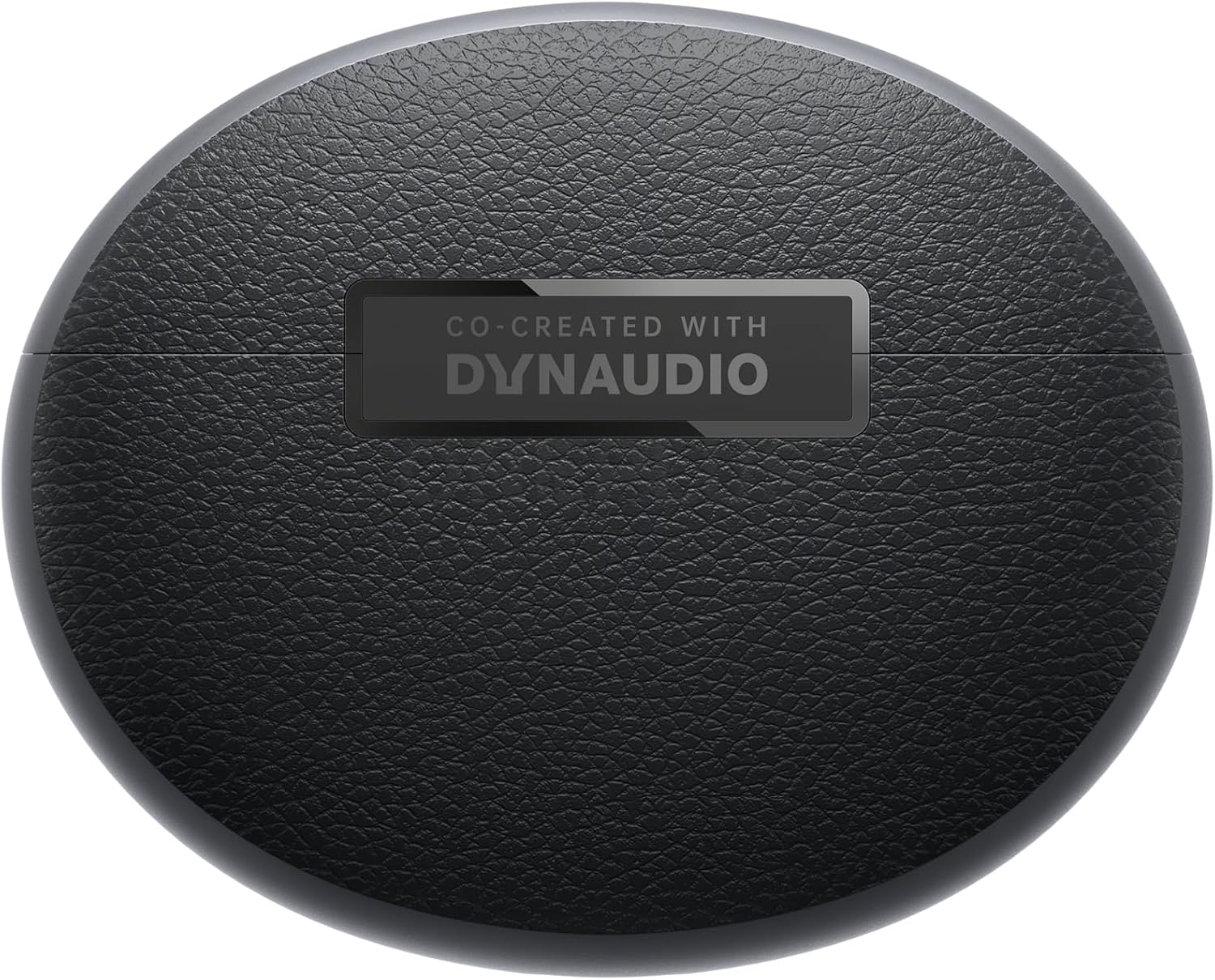
Azu view of earbuds and case.
Melite
Ijikọta
- Ensure your OnePlus Buds Pro 3 are charged.
- Mepee igbe nchaji. Igwe ntị ga-abanye na ọnọdụ njikọta na-akpaghị aka.
- Na ngwaọrụ gị (smartphone, mbadamba, wdg), gbanye Bluetooth.
- Chọọ maka "OnePlus Buds Pro 3" in the list of available Bluetooth devices and select it to pair.
- For quick pairing with compatible Android devices, Google Fast Pair is supported.
HeyMelody App Installation
For full functionality and customization of your OnePlus Buds Pro 3, download the HeyMelody app from your device's app store (Google Play Store for Android, Apple App Store for iOS). The app allows you to manage settings, update firmware, and access advanced features.
Earbud Fit Test
Use the HeyMelody app to perform an earbud fit test. This ensures you have the optimal seal for the best audio quality and effective noise cancellation. Experiment with the included silicone eartips (S, M, L) to find the size that provides the best fit for your ears.
Ntuziaka ọrụ
Njikwa mmetụ
The OnePlus Buds Pro 3 feature intuitive touch and squeeze controls on the earbud stems. These controls can be customized via the HeyMelody app.
- Quick Squeeze: Kpọọ/ kwụsịtụ ọdịyo.
- Double Squeeze: Egwu na-esote.
- Triple Squeeze: egwu gara aga.
- Slide on Earbud Stem: Njikwa olu.
- Squeeze and Hold: Switch between Noise Cancellation and Transparency modes.
Ụdị njikwa mkpọtụ
The earbuds offer various noise control modes to adapt to your environment:
- Nkagbu mkpọtụ mkpọtụ (ANC): Na-ebelata mkpọtụ gburugburu ruo 50dB maka ahụmịhe ige ntị nke ukwuu.
- Adaptive Noise Cancellation: Automatically adjusts the noise cancellation level based on your surroundings.
- Ụdị nghọta: Na-enye gị ohere ịnụ ihe gbara gị gburugburu ka ị ka na-anụ ụda olu gị, nke bara uru maka mmata n'ebe ndị mmadụ na-ekwo ekwo.
Spatial Audio with Head Tracking
Experience immersive 3D sound with dynamic head tracking. This feature creates a sound environment that adapts to your head movements, providing a more realistic audio experience for supported music, video, and game apps.

Image: Spatial Audio with head tracking provides an immersive sound experience.
Ụdị egwuregwu adịghị ala ala
Activate Gaming Mode via the HeyMelody app to reduce audio lag, ensuring seamless sound synchronization for an enhanced gaming experience.
Smart Dual Connection
The earbuds support dual connection, allowing you to seamlessly switch between two paired devices (e.g., a smartphone and a laptop) without manually disconnecting and reconnecting.
Sound Master EQ
The HeyMelody app provides access to various Sound Master EQ presets, including Dynaudio-featured tuning, to customize your audio experience. You can also adjust the BassWave™ feature for deeper bass with clarity and fidelity.
Ịchaji
Ndụ batrị agbatịkwuru
The earbuds offer up to 9 hours of playback on a single charge. With the charging case, the total battery life extends up to 44 hours.
Teknụzụ Nchaji ngwa ngwa
A quick 10-minute charge provides up to 5 hours of playback, ensuring your music is always ready when you are.
Nchaji ikuku
The charging case supports wireless charging for convenient power replenishment.

Image: Battery life details for various usage scenarios.
Nlekọta na nlekọta
IP55 Water and Sweat Resistance
The earbuds are rated IP55 for water and sweat resistance, making them suitable for workouts and outdoor activities. This rating protects against splashes and sweat, but they are not designed for submersion in water.

Image: IP55 rating ensures protection against water splashes and sweat.
Nhicha
Regularly clean the earbuds and charging case with a soft, dry cloth. Remove any earwax or debris from the eartips and speaker grilles to maintain optimal sound quality and hygiene.
Nchọpụta nsogbu
- Enweghị Nsogbu Ụda/Njikọ: Ensure earbuds are charged, Bluetooth is enabled on your device, and the earbuds are paired correctly. Try unpairing and re-pairing.
- Ogo ụda adịghị mma: Check earbud fit using the HeyMelody app's fit test. Ensure eartips are clean and free of debris.
- Nkagbu mkpọtụ adịghị arụ ọrụ: Verify ANC mode is active and that earbuds have a good seal.
- Earbuds anaghị akwụ ụgwọ: Ensure the charging case is charged and that the earbuds are properly seated in the case. Clean charging contacts if necessary.
Nkọwapụta
| Njirimara | Nkọwapụta |
|---|---|
| Aha Nlereanya | OnePlus Buds Pro 3 (E512A) |
| Njikwa mkpọtụ | Adaptive Noise Cancellation (up to 50dB) |
| Ụdị ọkwọ ụgbọ ala ọdịyo | Hybrid Driver (11mm woofer, 6mm tweeter) |
| Teknụzụ Njikọta | Bluetooth 5.2 |
| Ndụ batrị (Earbuds) | Ruo awa iri abụọ |
| Ndụ batrị (ya na igbe) | Ruo awa iri abụọ |
| Nchaji ngwa ngwa | Akwụ ụgwọ nkeji 10 maka elekere iri nkwughachi |
| Mmiri Nguzogide | IP55 (Earbuds) |
| Ụdị njikwa | Njikwa aka |
| Mgbochi | 18 ohms |
| Mmetụta | 100 dB |
| Nzaghachi ugboro ugboro | 40 Hz |
| Ibu | 7.4 ounces (0.21 Kilogram) |
Vidiyo ngwaahịa ngwaahịa
Video: An official short preview ihe ngosiasing the design and features of the OnePlus Buds Pro 3.
Akwụkwọ ikike na nkwado
For detailed warranty information and support, please refer to the official OnePlus website or contact OnePlus customer service. Keep your proof of purchase for warranty claims.