
1. Okwu mmalite
This instruction manual provides essential information for the safe and effective use of your GT POWER AC Adapter, model 602. This power supply is designed to be compatible with the Verizon WNC-CR200A Gateway Router. Please read this manual thoroughly before use and retain it for future reference.
2. Ozi nchekwa
WARNING: To reduce the risk of electric shock, fire, or injury, observe the following safety precautions:
- Ensure the power adapter is used with devices that match its voltage na nkọwapụta ugbu a.
- Ekpughela ihe nkwụnye ahụ na mmiri, mmiri ozuzo, ma ọ bụ oke mmiri mmiri.
- Achịkọtala ma ọ bụ gbanwee ihe nkwụnye ọkụ. Kpọtụrụ ndị ọrụ ruru eru ọrụ niile.
- Avoid placing the adapter in areas with poor ventilation or near heat sources.
- Inspect the adapter and cable for damage before each use. Do not use if damaged.
- Debe ebe ụmụaka na-apụghị iru.
- Kwụpụ ihe nkwụnye ahụ na ebe a na-ere ọkụ mgbe a naghị eji ya ruo ogologo oge.
Ihe nkwụnye a nwere ihe karịrị voltagNchedo e (OVP), Nchedo Karịrị Ugbu a (OCP), na Nchedo Kachasị Mkpirisi (SCP) iji hụ na arụ ọrụ dị mma.
3. Ihe ngwugwu
- 1 x GT POWER AC Adapter (Model 602)
4. Ngwaahịa gafereview
The GT POWER AC Adapter is a compact and reliable power supply designed for specific networking equipment. It converts standard AC wall power to the DC power required by your device.

Foto 4.1: N'ihu view of the GT POWER AC Adapter, showing the power prongs and the output cable.

Foto 4.2: Akụkụ view of the GT POWER AC Adapter, highlighting the barrel connector at the end of the output cable.
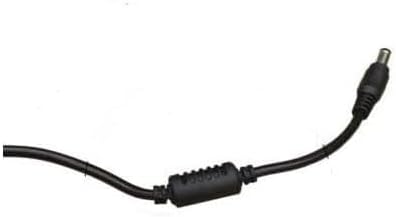
Foto 4.3: Agara nso view of the barrel connector, which plugs into the compatible device.
5. Nhazi
Follow these steps to properly connect your GT POWER AC Adapter to your Verizon WNC-CR200A Gateway Router.
- Nyochaa ndakọrịta ngwaọrụ: Before connecting, ensure your device is a Verizon WNC-CR200A Gateway Router. The adapter is specifically designed for this model. You can often find the model number on a label at the bottom or back of your router.

Foto 5.1: Example of a Verizon WNC-CR200A Gateway Router's bottom label, indicating the model number for compatibility verification.
- Jikọọ na ngwaọrụ: Insert the barrel connector of the GT POWER AC Adapter firmly into the power input port of your Verizon WNC-CR200A Gateway Router.
- Jikọọ na nkwụnye ọkụ: Tinye ihe nkwụnye AC nke ihe nkwụnye ahụ n'ime oghere mgbidi AC 100-240V ọkọlọtọ.
- Ike Na: Once connected, your Verizon WNC-CR200A Gateway Router should power on automatically or can be turned on using its power button, if available.
6. .rụ ọrụ
The GT POWER AC Adapter operates automatically once connected. It provides a stable power supply to your compatible device. No user interaction is required for its operation beyond initial connection.
- Ensure the adapter is always connected to a functioning power outlet.
- Avoid disconnecting the adapter during critical operations of your router to prevent data loss or system instability.
7. Nlekọta
Proper maintenance ensures the longevity and safe operation of your AC adapter.
- Nhicha: Kwụpụ ihe nkwụnye ahụ na ebe ọkụ eletrik na ngwaọrụ ahụ tupu ị hichaa ya. Jiri ákwà dị nro ma kpọọ nkụ hichaa mpụta ya. Ejila ihe nhicha mmiri ma ọ bụ ihe mgbaze.
- Nchekwa: Mgbe ị na-ejighị ya, debe ihe nkwụnye ahụ n'ebe dị jụụ ma kpọọ nkụ, ebe anwụ na-anaghị apụta kpọmkwem ma ọ bụ oke okpomọkụ. Zere ka eriri ahụ kpụọ ya nke ọma iji gbochie mmebi.
- Nlekọta USB: Etinyela eriri ahụ n'elu eriri ahụ, gbagọọ ya, ma ọ bụ dọpụta ya nke ukwuu. Zere itinye ihe dị arọ n'elu eriri ahụ.
8. Nchọpụta nsogbu
If you encounter issues with your GT POWER AC Adapter, refer to the following common problems and solutions:
| Nsogbu | Ihe nwere ike ime | Ngwọta |
|---|---|---|
| Ngwaọrụ anaghị agbanye ọkụ. |
|
|
| Adapter ahụ na-ekpo ọkụ nke ukwuu. |
|
|
9. Nkọwapụta
| Njirimara | Nkọwa |
|---|---|
| Nọmba nlereanya | 602 |
| Ụdị | GT IKE |
| Ntinye Voltage | AC 100-240V (50/60Hz) |
| Mmepụta Voltage | DC 12V |
| Mmepụta ugbu a | 3A |
| Wattage | 36 Watt |
| Ụdị njikọ | gbọmgbọm |
| Ogologo eriri USB | 59 sentimita (ihe dị ka mita 1.5) |
| Njirimara nchedo | OVP (N'elu VoltagNchedo e), OCP (Nchedo Karịrị Ugbu a), SCP (Nchedo Kachasị Mkpirisi) |
| Ngwa dakọtara | Verizon WNC-CR200A Gateway Router CR200A WiFi6 NKR-LV65C-T3 |
10. Akwụkwọ ikike na nkwado
This GT POWER AC Adapter comes with a Akwụkwọ ikike nke otu afọ site na ụbọchị ịzụrụ. Ọzọkwa, a 30-ụbọchị ego azụ nkwa a na-enye.
For technical support, warranty claims, or further assistance, please contact your retailer or the manufacturer directly. Please have your purchase information and product model number (602) available when contacting support.
For more information, you may refer to the seller's contact details provided at the point of purchase.