
Okwu mmalite
Daalụ maka ịzụrụasing the MangoKit MS1 DAB Radio with CD Player. This compact wooden Hi-Fi stereo system offers a versatile audio experience, combining DAB/DAB+ and FM radio, a CD player, Bluetooth connectivity, and USB playback/charging capabilities. This manual provides detailed instructions for setup, operation, and maintenance to ensure optimal performance and longevity of your device.
Ozi nchekwa
- Read all instructions carefully before use and retain for future reference.
- Etinyela igwe ahụ n'ime mmiri ozuzo, mmiri ozuzo, ma ọ bụ oke okpomọkụ.
- Gbaa mbọ hụ na ikuku ikuku kwesịrị ekwesị; egbochila oghere ventilashị ọ bụla.
- Jiri naanị ihe nkwụnye ọkụ ewepụtara na unit ahụ.
- Anwala ịkwasa ma ọ bụ gbanwee unit ahụ. Kpọtụrụ ndị ọrụ ruru eru ọrụ niile.
- Debe unit ahụ pụọ na mpaghara magnetik siri ike.
- Jiri ákwà dị nro ma kpọọ nkụ hichaa ihe dị n'ime ya. Ejila ihe nhicha mmiri ma ọ bụ ihe na-eme ka ọ dị ka aerosol.
Ihe ngwugwu
Biko lelee na ihe niile dị:
- MangoKit MS1 Main Unit
- Njikwa anya
- Ihe nkwụnye ọkụ
- Akwụkwọ ntuziaka (akwụkwọ a)
Ngwaahịa gafereview
Ogwe ihu na njikwa

The image above displays the front of the MangoKit MS1 unit, highlighting its primary functions: CD playback, FM radio, Bluetooth connectivity, and alarm clock features. The central display shows operational information, while buttons and a rotary dial provide control over various modes and settings.
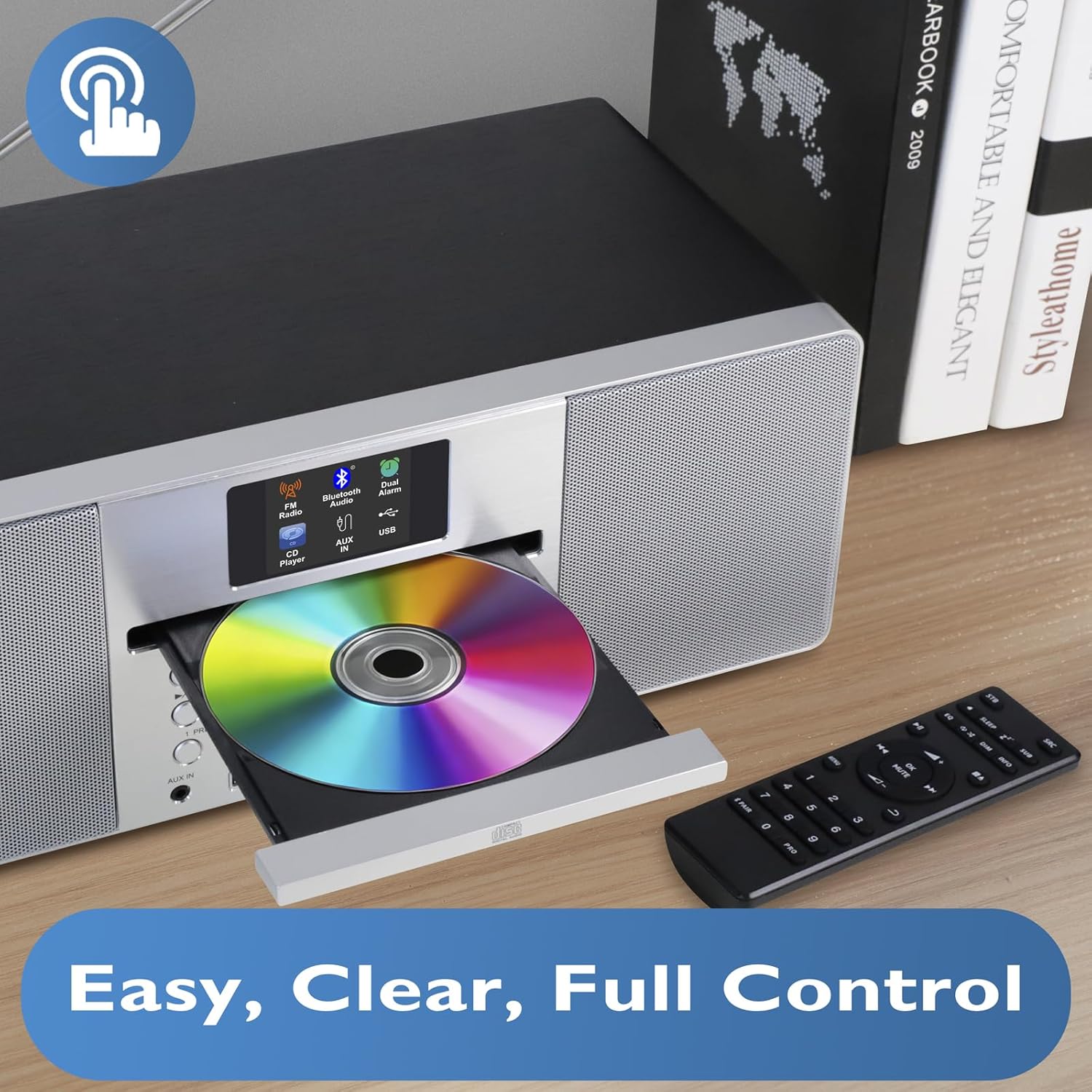
This image provides a closer view of the CD player with its tray open, ready for disc insertion. The remote control is also visible, indicating convenient wireless operation for all functions, including CD playback, radio tuning, and volume adjustment.
Rear Panel and Connections
The rear panel typically includes the power input, antenna connection, and potentially additional audio input/output ports. Refer to the physical unit for exact port locations.
Melite
1. Iwepu ngwongwo
Carefully remove the unit and all accessories from the packaging. Retain the packaging for future transport or storage.
2. Njikọ ike
- Insert the DC plug of the power adapter into the DC IN socket on the rear of the MS1 unit.
- Plug the power adapter into a standard AC wall outlet (100-240V, 50/60Hz).
3. Ntọala antenna
Extend the telescopic antenna fully for optimal DAB/DAB+ and FM radio reception. Adjust its position to achieve the best signal quality.
4. Ike izizi
Press the Power button on the unit or remote control. The display will illuminate, and the unit will typically enter standby or the last used mode. Upon first use, it may initiate an automatic DAB scan.
Ntuziaka ọrụ
Ọrụ izugbe
- Gbanyụọ/ Gbanyụọ: Pịa bọtịnụ ike.
- Njikwa olu: Use the Volume knob or +/- buttons on the remote.
- Nhọrọ ụdị: Press the Mode button to cycle through DAB, FM, CD, Bluetooth, and USB modes.
- Ntugharị menu: Use the navigation buttons (Up/Down/Left/Right) and Select/OK button to browse menus and confirm selections.
DAB/DAB+ and FM Radio
The MS1 allows you to enjoy a wide range of digital and analog radio stations with superior sound quality.
- Select Radio Mode: Press the Mode button until DAB or FM is selected.
- Auto Scan (DAB): Upon first use or if stations are not found, the unit will perform an auto-scan for DAB stations. You can also initiate a scan from the menu.
- Tuning (FM): In FM mode, use the tuning buttons to manually tune or auto-scan for stations.
- Atọrọ atọ: Store up to 20 favorite stations by pressing and holding the Preset button, then selecting a preset number. Recall stations by pressing the Preset button and selecting the desired number.
Ihe ọkpụkpọ CD
Play your favorite audio CDs with the integrated CD player.
- Fanye CD: Gently press the Eject button to open the CD tray. Place a CD with the label side up into the tray and close it.
- Họrọ ọnọdụ CD: Press the Mode button until CD is selected. The unit will begin playing automatically.
- Njikwa ọkpụkpọ: Use Play/Pause, Stop, Skip Forward/Backward buttons on the unit or remote for control.
Njikọ Bluetooth
Stream music wirelessly from your smartphone, tablet, or other Bluetooth-enabled devices.

This image illustrates the MS1 unit wirelessly connected to a smartphone via Bluetooth, demonstrating its capability for streaming music. The display shows 'Bluetooth' mode, indicating a successful connection for audio playback.
- Họrọ Ụdị Bluetooth: Press the Mode button until Bluetooth is selected. The unit will enter pairing mode, indicated on the display.
- Na-ejikọta: On your device, enable Bluetooth and search for 'MS1'. Select it to pair.
- Kpọọ egwu: Once paired, play audio from your device, and it will stream through the MS1.
Ịkpọgharị na Ịchaji USB
The MS1 features two dedicated USB ports for MP3 file playback and device charging.
- USB playback: Fanye draịva USB nwere MP3 files into the designated USB port. Select USB mode to browse and play files.
- Nchaji USB: Connect your device (e.g., smartphone) to the 1A USB charging port using a compatible USB cable. The unit will provide power to charge your device.
Elekere mkpu na snooze
Set dual alarms to wake up to your favorite radio station or a buzzer.

This image shows the MS1 unit positioned on a bedside table, accompanied by headphones. This setup highlights its utility as an alarm clock and its capability for private listening, allowing users to enjoy audio without disturbing others.
- Ịtọ mkpu: Access the Alarm settings via the menu. Set the desired time, alarm source (DAB/FM/Buzzer), and volume for Alarm 1 and Alarm 2.
- Ọrụ Sooze: When an alarm sounds, press the Snooze button to temporarily silence it for a short period.
Eji ekweisi
For private listening, connect standard 3.5mm headphones to the headphone jack located on the unit. The main speakers will mute automatically.
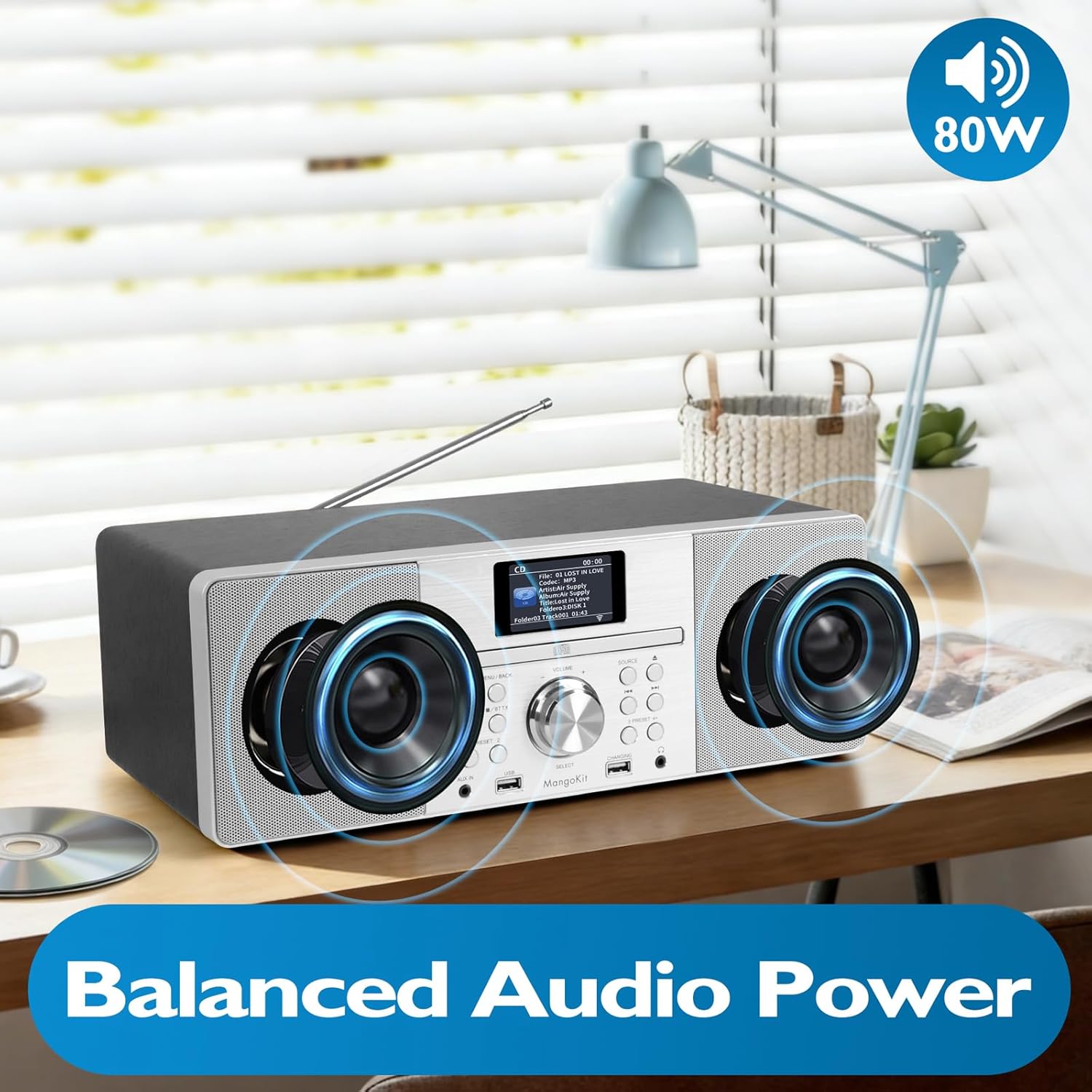
This image focuses on the internal speaker design of the MangoKit MS1, illustrating its balanced audio power. It visually represents the stereo sound delivery through its custom, high-quality speakers, contributing to a rich audio experience.
Nlekọta
Nhicha
- Kwupu ike tupu ihicha.
- Jiri ákwà dị nro, kpọrọ nkụ, nke na-enweghị lint hichaa elu mpụta ahụ.
- Ejila ihe nchacha abrasive, waxes, ma ọ bụ ihe mgbaze.
- For the CD lens, use a specialized CD lens cleaning kit if necessary.
Nchekwa
Ọ bụrụ na ị na-echekwa ihe dị n'ime ya ruo ogologo oge, wepụ ya na ọkụ eletrik ahụ ma debe ya n'ebe dị jụụ ma kpọọ nkụ, ọkachasị na ngwugwu mbụ ya.
Nchọpụta nsogbu
| Nsogbu | Ihe nwere ike ime | Ngwọta |
|---|---|---|
| Enweghị ike | Ejikọghị ihe nkwụnye ike; ihe nkwụnye anaghị arụ ọrụ. | Check power adapter connection; try a different outlet. |
| Enweghị ụda | Volume too low; headphones connected; incorrect mode. | Increase volume; disconnect headphones; select correct mode. |
| Nnabata redio adịghị mma | Antenna not extended/positioned correctly; weak signal. | Extend and adjust the telescopic antenna; try repositioning the unit. |
| CD anaghị egwu | CD inserted incorrectly; disc dirty/scratched; incorrect mode. | Re-insert CD label side up; clean or replace disc; select CD mode. |
| Njikọ Bluetooth adaghị | Device not in pairing mode; MS1 not discoverable; device too far. | Ensure MS1 is in Bluetooth pairing mode; restart Bluetooth on your device; move device closer. |
Nkọwapụta
- Ụdị: MS1
- Akara: MangoKit
- Teknụzụ Njikọta: USB, Bluetooth
- Isi mmalite ike: AC Power (via adapter)
- Wattage: 20 watt
- Akụkụ ihe (L x W x H): 38 x 21 x 14 cm
- Atụmatụ: DAB/DAB+ Radio, FM Radio, CD Player, Bluetooth Streaming, USB Playback, USB Charging (1A), Dual Alarms, Headphone Port
Akwụkwọ ikike na nkwado
For warranty information and technical support, please refer to the documentation provided at the time of purchase or contact MangoKit customer service. Keep your proof of purchase for warranty claims.