
Okwu mmalite
Thank you for choosing the ZEALOT S49 Pro Portable Bluetooth Speaker. This manual provides essential information for the safe and efficient use of your speaker. Please read it thoroughly before operation and retain it for future reference.
The ZEALOT S49 Pro is a compact and lightweight portable speaker designed to deliver clear, high-quality audio with powerful bass. It features multiple connectivity options, including Bluetooth, USB, TF card, and AUX input, and supports TWS (True Wireless Stereo) pairing for an enhanced 40W 360-degree stereo experience. With IPX5 water resistance and a long-lasting 3000mAh battery, it is suitable for various indoor and outdoor environments.

Figure 1: HiFi Sound Quality with 360° Omnidirectional Sound
Ihe ngwugwu
- ZEALOT S49 Pro Portable Bluetooth Speaker
- Power Cable (USB-C charging cable)
- Akwụkwọ ntuziaka onye ọrụ
Ngwaahịa gafereview
Familiarize yourself with the various parts and controls of your ZEALOT S49 Pro speaker.
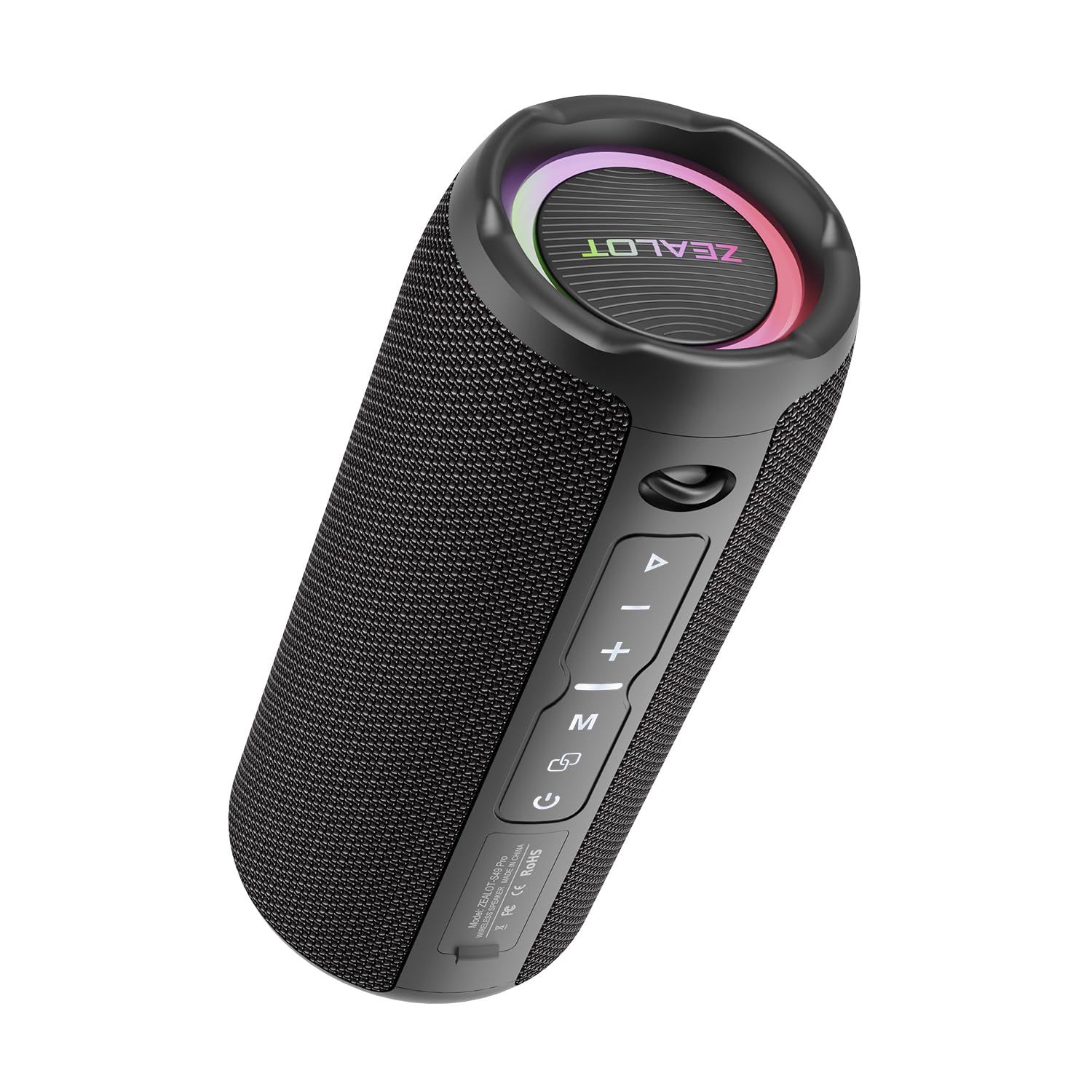
Figure 2: ZEALOT S49 Pro Speaker Front View
Njikwa na ọdụ ụgbọ mmiri:
- Bọtịnụ ike: Pịa ma jide iji gbanye ma ọ bụ gbanyụọ ọkà okwu.
- Bọtịnụ Kwụsị/Kwụsị: Press to play or pause music. Press to answer or end calls.
- Bọtịnụ egwu na-esote (+): Short press to increase volume. Long press to skip to the next track.
- Mpịakọta nke ala / bọtịnụ egwu gara aga (-): Short press to decrease volume. Long press to go to the previous track.
- Bọtịnụ Ụdị (M): Press to switch between Bluetooth, USB, TF Card, and AUX input modes.
- TWS Button (∞): Press to initiate True Wireless Stereo pairing with another S49 Pro speaker.
- DC5V ọdụ ụgbọ mmiri: Ọdụ USB-C maka ịchaji ọkà okwu.
- Oghere TF Kaadị: Insert a TF (MicroSD) card for music playback.
- Ọdụ ụgbọ mmiri USB: Tinye draịvụ USB flash maka ịkpọ egwu.
- Ọdụ ụgbọ mmiri AUX: Jikọọ ngwaọrụ ọdịyo mpụga site na eriri ọdịyo 3.5mm.

Figure 3: Connectivity Ports
Melite
1. gingchaji Okwu Okwu
Before first use, fully charge the speaker. Connect the provided power cable to the DC5V port on the speaker and the other end to a USB power adapter (not included) or a computer's USB port. The charging indicator light will show the charging status.

Figure 4: Charging the Speaker
2. Ịgbanye / gbanyụọ
Pịa ma jide bọtịnụ ike for approximately 3 seconds to turn the speaker on or off. A sound prompt will indicate the power status.
3. Njikọ Bluetooth
- Gbanwuo ọkà okwu. Ọ ga-abanye na ọnọdụ njikọta Bluetooth na-akpaghị aka, nke ọkụ ikanam na-egbuke egbuke gosipụtara.
- Kwado Bluetooth na ngwaọrụ gị (smartphone, tabletị, wdg).
- Chọọ maka "ZEALOT S49 Pro" in your device's Bluetooth list and select it to connect.
- Once connected, the LED light will stop flashing, and you will hear a confirmation sound.
4. Ezi Ikuku Stereo (TWS) Pairing
To achieve a 40W 360-degree stereo sound experience, you can pair two ZEALOT S49 Pro speakers together:
- Ensure both S49 Pro speakers are powered on and not connected to any other Bluetooth device.
- On one of the speakers (this will be the primary speaker), short press the TWS Button (∞)Ọkà okwu ahụ ga-abanye n'ụdị njikọta TWS.
- The two speakers will automatically connect to each other. You will hear a confirmation sound once paired.
- Now, connect your device to the primary speaker via Bluetooth as described in "3. Bluetooth Pairing". Both speakers will play audio in stereo.

Figure 5: TWS Pairing for Stereo Sound
Ntuziaka ọrụ
1. Nghaghachi egwu
- Ọnọdụ Bluetooth: After successful Bluetooth pairing, open your music player app and start playing audio.
- Ụdị kaadị USB/TF: Insert a USB flash drive or TF card into the respective port. The speaker will automatically switch to the corresponding mode and begin playing music. Press the Bọtịnụ ọnọdụ (M) to switch if it doesn't.
- Ọnọdụ AUX: Connect your audio device to the speaker's AUX port using a 3.5mm audio cable. Press the Bọtịnụ ọnọdụ (M) ka ịgbanwee gaa na ọnọdụ AUX.

Figure 6: Speaker Internal Components for Enhanced Bass
2. Njikwa olu
Mkpirisi pịa + bọtịnụ to increase volume. Short press the - bọtịnụ ibelata olu.
3. Track Control
Pịa ogologo + bọtịnụ to skip to the next track. Long press the - bọtịnụ ịga na egwu gara aga.
4. Njikwa oku
When connected via Bluetooth, if a call comes in, press the Bọtịnụ Kwụsị/ Kwụsị to answer the call. Press it again to end the call. Long press to reject an incoming call.
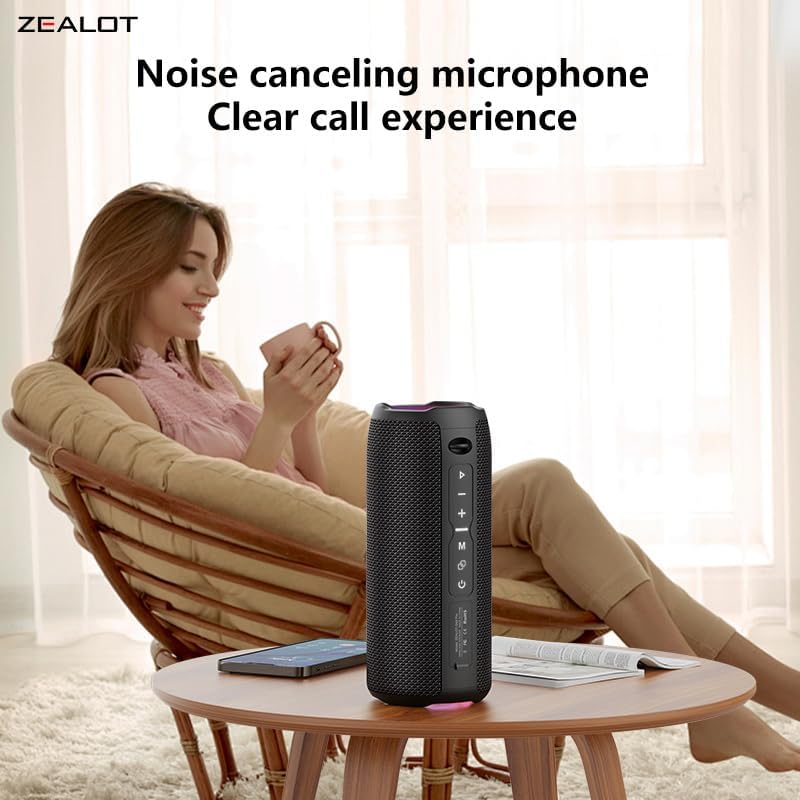
Figure 7: Clear Call Experience with Built-in Microphone
5. Mgbanwe ọnọdụ
Pịa Bọtịnụ ọnọdụ (M) to cycle through available input modes: Bluetooth, USB, TF Card, and AUX.
6. RGB ọkụ
The speaker features RGB colorful lights. These lights typically synchronize with the music rhythm. Specific controls for the lights are not detailed in the provided information, but they are an aesthetic feature.

Figure 8: RGB Colorful Light Show
Nlekọta
- Nhicha: Jiri akwa dị nro dị nro hichaa ọkà okwu. Ejila ihe nchacha abrasive ma ọ bụ ihe mgbaze.
- Nguzogide mmiri: The speaker is IPX5 water-resistant, meaning it can withstand splashes and light rain. Do not submerge the speaker in water or expose it to strong jets of water. Ensure all port covers are securely closed before exposure to water.
- Nchekwa: Chekwaa ọkà okwu n'ebe dị jụụ, kpọrọ nkụ na-adịghị na ìhè anyanwụ kpọmkwem na oke okpomọkụ.
- Nlekọta batrị: To prolong battery life, charge the speaker regularly, even if not in use for extended periods. Avoid fully discharging the battery frequently.

Foto nke 9: Nguzogide Mmiri IPX5
Nchọpụta nsogbu
| Nsogbu | Ihe nwere ike ime | Ngwọta |
|---|---|---|
| Ọkà okwu anaghị agbanwuo. | Batrị dị ala. | Chajie ọkà okwu zuru ezu. |
| Enweghị ike ijikọ site na Bluetooth. | Speaker is not in pairing mode or already connected to another device. Device Bluetooth is off. | Ensure speaker is in pairing mode (flashing LED). Disconnect from other devices. Turn on Bluetooth on your device and search again. |
| Enweghị ụda. | Volume too low. Incorrect input mode. Device not playing. | Increase speaker and device volume. Press 'M' button to switch modes. Ensure music is playing on your connected device. |
| Njikota TWS ada ada. | Speakers are too far apart. One speaker is already connected to a device. | Ensure speakers are close to each other. Disconnect both speakers from any Bluetooth devices before initiating TWS pairing. |
| Ogo ụda adịghị mma. | Low battery. Device too far from speaker. Obstructions. | Charge the speaker. Move device closer to the speaker. Remove any obstacles between the speaker and device. |
Nkọwapụta
| Njirimara | Nkọwa |
|---|---|
| Ụdị | Onye na-anụ ọkụ n'obi |
| Aha Nlereanya | ZEALOT S49 Pro |
| Ụdị Ọkà Okwu | Subwoofer |
| Teknụzụ Njikọta | Bluetooth, USB, TF Card, AUX (3.5mm) |
| Wireless Communication Protocol | Bluetooth |
| Ike Mmepụta Ọkà Okwu Kachasị Elu | 20 Watt |
| Nzaghachi ugboro ugboro | Ruo 20 kHz |
| Ọnọdụ mmepụta ọdịyo | Stereo (Ọwa 2.0) |
| TWS Mmakọ | Yes, for 40W 360-degree stereo sound |
| Ihe onwunwe | Acrylonitrile Butadiene Styrene (ABS) |
| Agba | Nwa |
| Ọkwa Nguzogide mmiri | IPX5 (Waterproof/Splash-proof) |
| Atụmatụ pụrụ iche | Portable, Water Resistant, USB Port, Built-in Microphone, RGB Lighting |
| Usoro njikwa | Pịa bọtịnụ |
| Ụdị batrị | 2 Lithium Ion batteries (Included) |
| Ike batrị | 3000 mAh |
| Ndụ batrị | Up to 12 hours (Varies with volume and content) |
| Isi Iyi Ike | Akwadoro batrị (enwere ike ịnweta ya site na USB-C) |
| Akụkụ ngwaahịa (DxWxH) | 8.6 x 8.6 x 20.4 cm (3.38 x 3.38 x 8.03 inch) |
| Ibu Ibu | 762 grams |
| Ngwa gụnyere | Igwe ọkụ |

Ọgụgụ 10: Akụkụ ngwaahịa
Akwụkwọ ikike na nkwado
Ozi akwụkwọ ikike
The ZEALOT S49 Pro Portable Bluetooth Speaker comes with a one-year manufacturer's warranty from the date of purchase. This warranty covers manufacturing defects and workmanship under normal use. It does not cover damage caused by misuse, accidents, unauthorized modifications, or normal wear and tear.
Nkwado ndị ahịa
If you encounter any issues or have questions regarding your ZEALOT S49 Pro speaker, please contact our customer support team. For the fastest service, please have your product model number (S49 Pro) and proof of purchase ready.
Ozi mkpọtụrụ:
- Websaịtị: www.zealot.cc (Biko lelee onye ọrụ gọọmentị ahụ website for the most up-to-date contact details.)
- Email: support@zealot.cc (Example email, please verify with actual product documentation)