
1. Okwu mmalite
This manual provides essential information for the proper setup, operation, and maintenance of your MAIWO Portable SSD 1TB External Solid State Drive. Please read this guide thoroughly before using the device to ensure optimal performance and longevity.
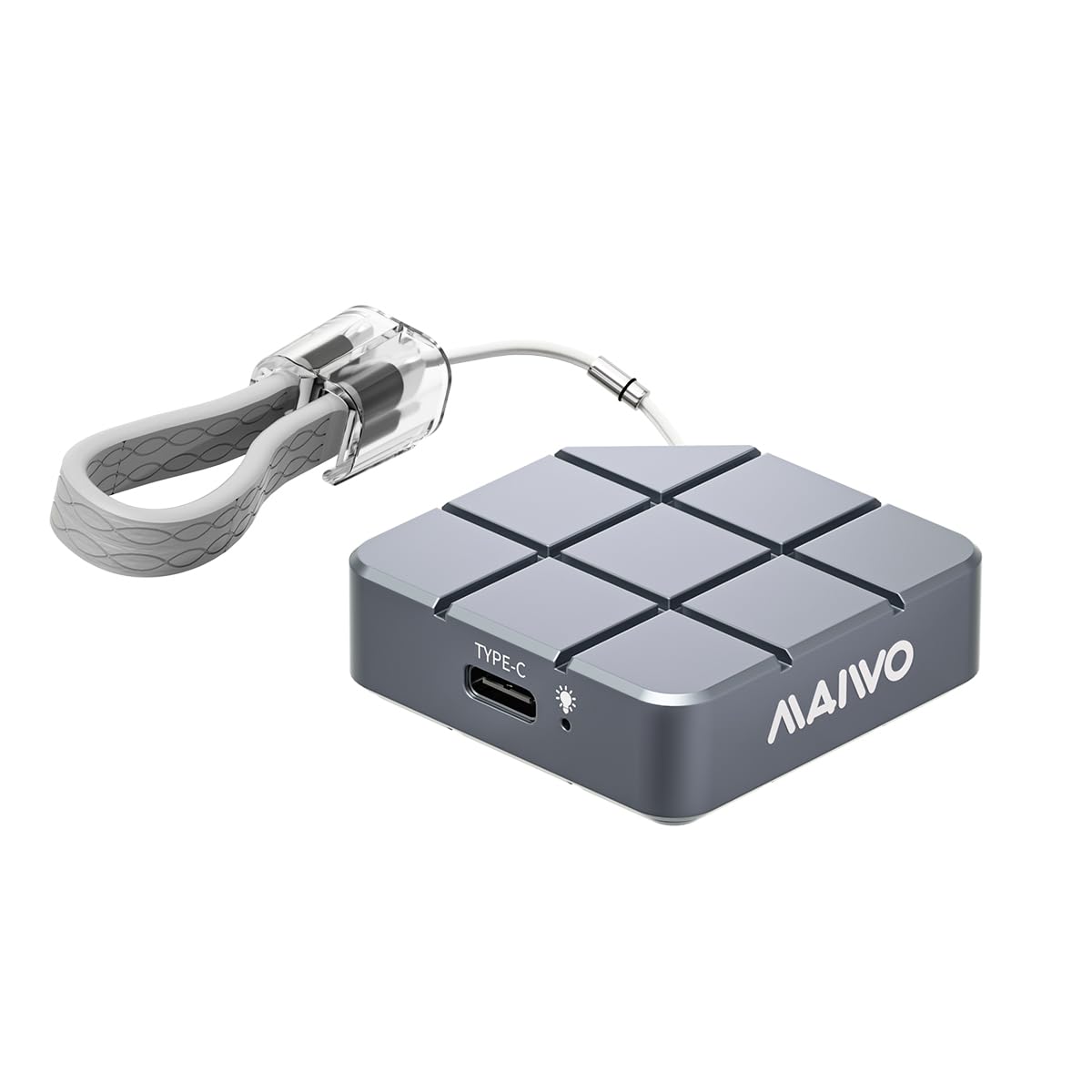
Figure 1: MAIWO Portable SSD 1TB External Solid State Drive.
2. Ngwaahịa gafereview
2.1 Atụmatụ
- Ultra-High-Speed Transmission: Equipped with USB 3.2/USB-C interface, offering read/write speeds up to 1050MB/s.
- Dị fechaa na ibu: Compact size, weighing less than 55g, designed for easy transport.
- siri ike ma dịgidere: Metal casing with shockproof, anti-drop, and dust-proof design.
- Large Capacity Options: Available in 256GB, 512GB, 1TB, and 2TB to suit various storage needs.
- Nkwụnye ma kpọọ: No additional drivers required for Windows, macOS, Android, and Linux systems.
- Ndakọrịta sara mbara: Compatible with Android Phones, laptops, PS5/Xbox, and other devices.
- Mgbasa ọkụ nke ọma: CNC-processed aluminum alloy shell for rapid heat dissipation.
2.2 Kedu ihe dị na igbe ahụ
- MAIWO Portable SSD (1TB)
- USB-C na eriri USB-C
- Ntuziaka mmalite ngwa ngwa

Figure 2: The MAIWO Portable SSD connected via its USB-C cable, highlighting its 10Gbps transfer rate.
Vidiyo nke 1: Mwepuview of the MAIWO USB-C External Portable SSD, demonstrating its compact size and connectivity.
3. Nhazi
The MAIWO Portable SSD is designed for immediate use with its plug-and-play functionality. No complex installation or driver downloads are typically required.
3.1 Connecting the SSD
- Locate the USB-C port on your device (computer, smartphone, tablet, gaming console).
- Connect one end of the provided USB-C cable to the MAIWO Portable SSD.
- Connect the other end of the USB-C cable to your device's USB-C port.
- The SSD should be automatically recognized by your operating system. A blue indicator light on the SSD will illuminate when connected and active.

Figure 3: The MAIWO Portable SSD featuring its integrated USB-C cable and a convenient lanyard loop for portability.
Video 2: An unboxing and initial setup demonstration of the MAIWO Portable SSD, showing its contents and how to connect it.
4. Ntuziaka ọrụ
4.1 Nyefee data
Once connected, the MAIWO Portable SSD will appear as an external drive on your device. You can drag and drop files, copy and paste, or use your device's file management system to transfer data.
- For Computers (Windows/macOS/Linux): The SSD will appear in 'My Computer' or 'Finder'. Open the drive and transfer filedịka ị ga-eme na ngwaọrụ nchekwa mpụga ọ bụla ọzọ.
- Maka Ngwaọrụ Mkpanaka (Android/iOS): Jiri ngwaọrụ gị file manager application (e.g., 'Files' app on iOS, 'My Files' on Android) to browse and transfer files gaa na site na SSD.
- For Gaming Consoles (PS5/Xbox): Connect the SSD to an available USB port. Follow your console's instructions for external storage setup to store games or media.
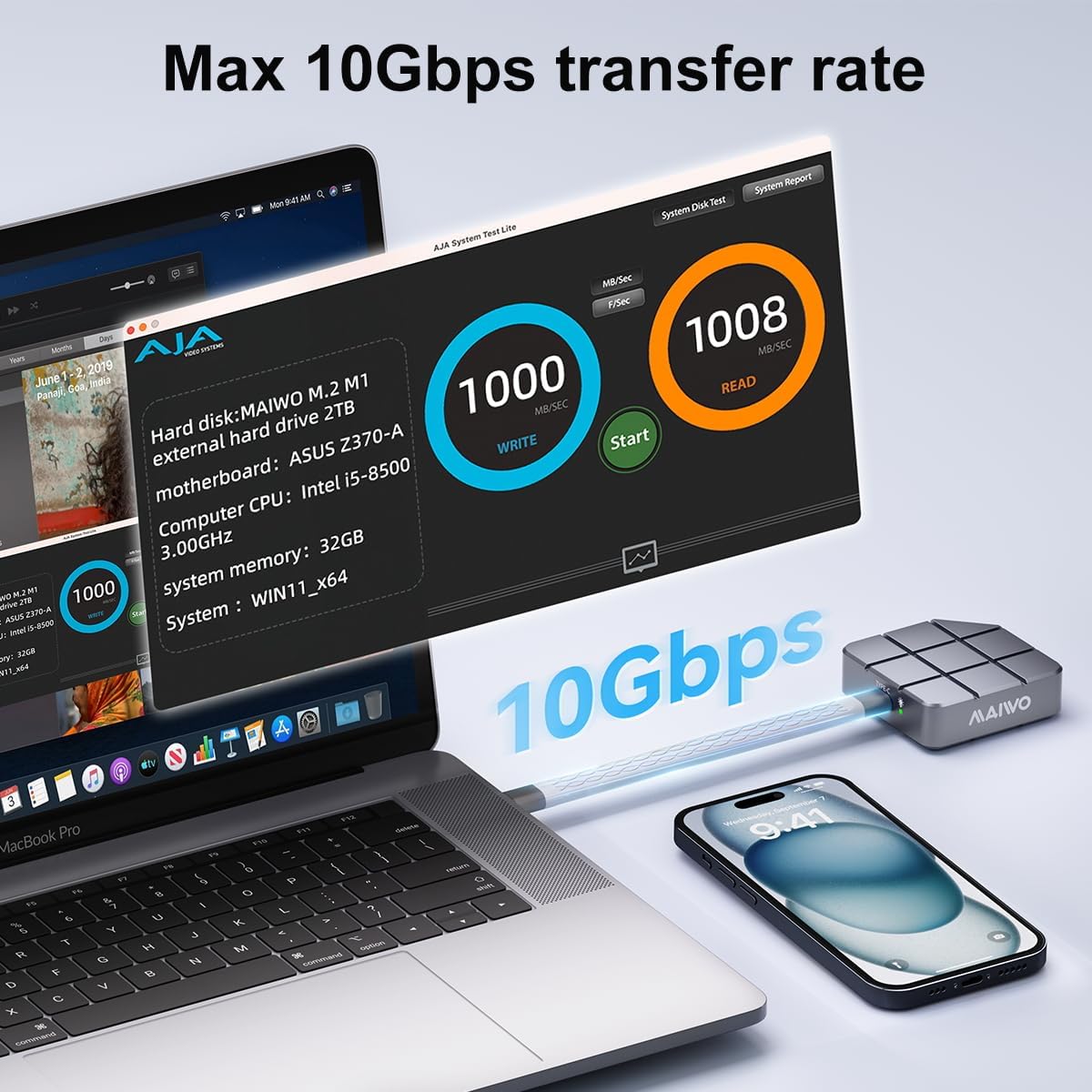
Figure 4: Speed test results on a MacBook Pro, demonstrating the MAIWO Portable SSD's high-speed data transfer capabilities.

Figure 5: The MAIWO Portable SSD connected to an iPhone, illustrating its use for expanding storage for photos and videos.
4.2 4K ProRes Video Recording
The MAIWO Portable SSD supports direct recording of high-definition videos, photos, and audio from compatible devices, such as iPhone 15 Pro and above. Connect the SSD to your iPhone's USB-C port and select the SSD as the storage destination within your camera application.

Figure 6: Demonstrating 4K ProRes video recording directly to the MAIWO Portable SSD using an iPhone.
5. Nlekọta
To ensure the longevity and optimal performance of your MAIWO Portable SSD, follow these maintenance guidelines:
- Nlekọta anụ ahụ: Ihe mkpuchi aluminom casing provides durability and aids in heat dissipation. Avoid dropping the device or exposing it to extreme physical shock.
- Okpomọkụ: While designed for efficient heat dissipation, prolonged heavy use may cause the device to warm up. This is normal. Ensure adequate airflow around the device during operation.
- Nhicha: Use a soft, dry cloth to clean the exterior of the SSD. Avoid liquid cleaners or abrasive materials.
- Ndabere data: Regularly back up important data stored on the SSD to another location to prevent data loss.
- SSD dị n'ime: The internal SSD is not designed to be replaced, and the casing cannot be disassembled. Attempting to do so may void your warranty.

Figure 7: The MAIWO Portable SSD's aluminum alloy construction is designed for fast heat dissipation.
6. Nchọpụta nsogbu
If you encounter issues with your MAIWO Portable SSD, refer to the following common solutions:
- Achọpụtaghị SSD:
- Ensure the USB-C cable is securely connected to both the SSD and your device.
- Try connecting the SSD to a different USB-C port on your device.
- Test the SSD with a different compatible device to rule out device-specific issues.
- Malitegharịa ekwentị gị ma ọ bụ ngwaọrụ.
- Ọsọ mbufe nwayọ:
- Ensure your device's USB-C port supports USB 3.2 Gen 2 (10Gbps) for maximum speed. Older USB versions will result in slower speeds.
- Verify that the cable used is the original MAIWO cable or another high-quality USB 3.2 Gen 2 compatible cable.
- Mechie ngwa ọ bụla na-adịghị mkpa na-agba n'azụ nwere ike na-eri akụrụngwa sistemụ.
- Device Gets Warm During Use:
- It is normal for the SSD to become warm during high-speed data transfers or prolonged use due to its aluminum casing acting as a heatsink. This indicates efficient heat dissipation.
- If the device becomes excessively hot and performance degrades, ensure it is not covered and has adequate ventilation.
- Nrụrụ data ma ọ bụ mperi:
- Always safely eject the SSD from your device before disconnecting it to prevent data corruption.
- If issues persist, consider reformatting the drive (note: this will erase all data). Refer to your operating system's instructions for formatting external drives.
7. Nkọwapụta
| Njirimara | Nkọwa |
|---|---|
| Ike Nchekwa Dijitalụ | 1 TB |
| Interface Hard Disk | USB 3.2 |
| Teknụzụ Njikọta | USB |
| Ụdị | MAIWO |
| Njirimara Pụrụ Iche | Portable, Shock Resistant, USB 3.2/USB-C interface |
| Nkọwa diski ike | Mbanye Steeti siri ike |
| Ngwa dakọtara | Desktop, Gaming Console, Laptop, Android Phones, iPad, MacBook, PS5 |
| Ụdị nwụnye | Mbanye ike mpụga |
| Agba | Agba ntụ |
| Nha diski ike | 1 TB |
| Gụọ Ọsọ | 1050 Megabytes kwa nkeji |
| Ọnụego mbufe data | 10 Gigabits kwa nkeji |
| Ụdị Ihe | Enwere ike ibugharị |
| Njikọta ngwaike | USB 3.2 Gen 2 |
| Ibu Ibu | 0.12 pound |
| Nọmba nlereanya | Portable ssd-1TB |
| Ihe mkpuchi | Aluminom |
8. Akwụkwọ ikike na nkwado
8.1 Ozi akwụkwọ ikike
The MAIWO Portable SSD comes with a Akwụkwọ ikike nke ọnwa 12 site na ụbọchị ịzụrụ. Akwụkwọ ikike a na-ekpuchi ntụpọ nrụpụta na adịghị arụ ọrụ n'okpuru ojiji nkịtị. Biko dowe ihe akaebe nke ịzụrụ ihe maka akwụkwọ ikike.
8.2 Nkwado ndị ahịa
For technical assistance, troubleshooting, or warranty inquiries, please contact MAIWO customer support through the official MAIWO website or your retailer's support channels. You may also refer to the Quick Start Guide included in your product packaging for additional contact information.
For more information about MAIWO products, visit the MAIWO Store on Amazon.