
1. Okwu mmalite
Thank you for choosing the MANGOKIT MS1 CD Player with DAB/DAB+ FM Radio, Bluetooth, and 80W Stereo Hi-Fi System. This manual provides essential information for the safe and efficient operation of your device. Please read it thoroughly before use and retain it for future reference.
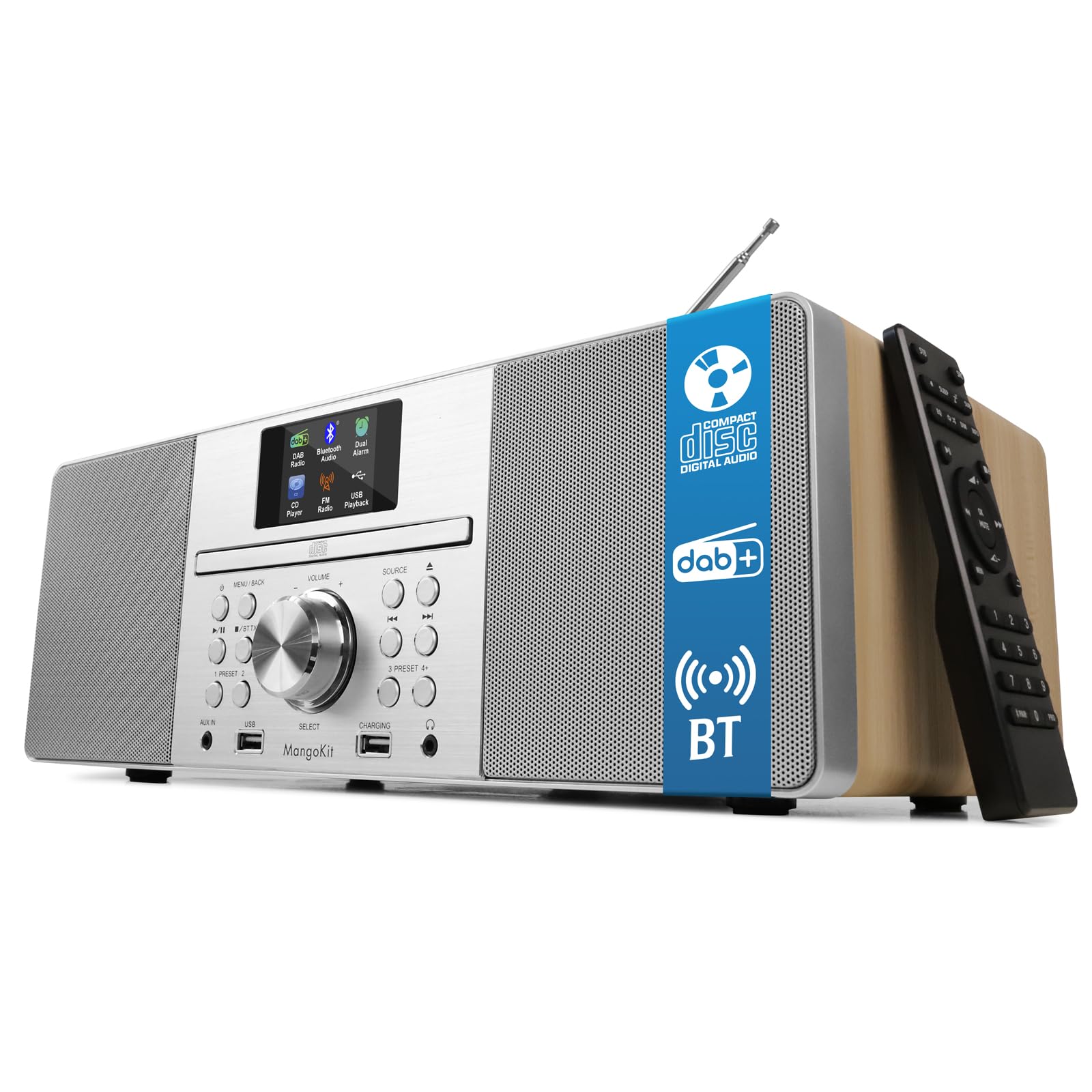
The MANGOKIT MS1 CD Player, a versatile audio system featuring a wooden acoustic cabinet.
2. Ozi nchekwa
- Isi mmalite ike: Jiri naanị ihe nkwụnye ike akọwapụtara. Hụ na vol ahụ dị.tage dakọtara ọkụ ọkụ mpaghara gị.
- Igwe ikuku: Ekpuchila oghere ikuku ọ bụla. Debe oghere zuru oke gburugburu ngwaọrụ ahụ maka ikuku ikuku kwesịrị ekwesị.
- Mmiri na mmiri: Etinyela igwe ahụ n'ime mmiri ozuzo, mmiri ozuzo, ma ọ bụ mmiri na-asọpụta/na-efesa. Debe ya ebe mmiri na-abata.
- Okpomọkụ: Etinyela ya nso ebe okpomọkụ dị ka radiators, ihe ndekọ okpomọkụ, stovu, ma ọ bụ ngwaọrụ ndị ọzọ (gụnyere amplifiers) nke na-emepụta okpomọkụ.
- Nhicha: Wepụ ihe mkpuchi ahụ na ihe mkpuchi mgbidi tupu ị hichaa ya. Jiri ákwà dị nro ma kpọọ nkụ. Ejila ihe nhicha mmiri ma ọ bụ ihe nhicha aerosol.
- Ije ozi: Anwala ịnye ngwaahịa a n'onwe gị. Tụtụ aka n'aka ndị ọrụ ruru eru.
- Nkwanye: Debe ihe ahụ n'elu ebe kwụsiri ike ma dị larịị iji gbochie ya ịda.
3. Ihe ngwugwu
Hụ na ihe niile dị n'ime igbe ahụ:
- MANGOKIT MS1 CD Player System
- Igwe ọkụ ọkụ
- Njikwa anya
- Akwụkwọ ntuziaka onye nwe
4. Ngwaahịa gafereview
The MANGOKIT MS1 offers multiple audio sources and convenient controls for an enhanced listening experience.

N'ihu view of the MANGOKIT MS1, highlighting its multi-source capabilities including CD, DAB+, FM, and Bluetooth.
Front Panel Controls and Ports

Zuru ezu view of the MANGOKIT MS1 front panel, showing the AUX IN port, USB port for playback, USB port for charging, and the 3.5mm headphone jack.
- Ngosipụta ihuenyo: 2.4-inch color display for station information, track details, and settings.
- Tray CD: Front-loading CD player.
- Control Knobs/Buttons: For power, volume, source selection, tuning, menu navigation, and presets.
- USB Port (Playback): Maka ịkpọ ụda files site na draịvụ USB.
- USB Port (Charging): Maka ịchaji ngwaọrụ mpụga.
- AUX IN (3.5mm): Maka ijikọ isi iyi ọdịyo mpụga.
- Jack ekweisi (3.5mm): Maka ige ntị nkeonwe.
- Antenna telescopic: For DAB/DAB+ and FM radio reception.
5. Nhazi
- Iwepu: Jiri nlezianya wepụ ihe niile dị na nkwakọ ngwaahịa.
- Nkwanye: Place the MS1 on a stable, flat surface. Ensure there is adequate space around the unit for ventilation.
- Antenna: Fully extend the telescopic antenna for optimal radio reception.
- Njikọ ike: Connect the power cable to the DC IN port on the back of the unit and then plug it into a wall outlet.
- Ike izizi: Press the Power button on the unit or remote control to turn on the device. The unit will typically perform an automatic scan for DAB/DAB+ stations upon first use.
6. Ntuziaka ọrụ
6.1 Nhọrọ Isi mmalite
Press the 'Source' button on the unit or remote control to cycle through available modes: DAB/DAB+ Radio, FM Radio, CD Player, Bluetooth, USB, and AUX Input.
6.2 DAB/DAB + Redio
- Select DAB mode. The unit will scan for available stations.
- Use the 'Tune' or navigation buttons to browse the list of available stations.
- Press 'Select' or 'Enter' to choose a station.
- To save a preset: Press and hold a 'Preset' button (1-5) until the display confirms the station is saved. You can save up to 60 stations.
- To recall a preset: Briefly press the corresponding 'Preset' button.
Igwe redio FM 6.3
- Họrọ ụdị FM.
- Press the 'Scan' button to automatically search for and store available stations.
- Alternatively, use the 'Tune' or navigation buttons to manually tune to a frequency.
- Saving and recalling presets works similarly to DAB mode.
6.4 CD ọkpụkpọ

The MANGOKIT MS1 CD player with a disc inserted and the remote control for easy operation.
- Họrọ ụdị CD.
- Gently insert a CD into the CD slot with the label side facing up. The unit will automatically load the disc.
- Playback will begin automatically. Use the 'Play/Pause', 'Skip Track', and 'Stop' buttons on the unit or remote control to manage playback.
6.5 Bluetooth gụgharia

The MANGOKIT MS1 connected via Bluetooth to a smartphone, demonstrating wireless music streaming.
- Select Bluetooth mode. The display will show 'Pairing' or 'Waiting for connection'.
- Na ama ma ọ bụ mbadamba gị, gbanye Bluetooth wee chọọ ngwaọrụ dịnụ.
- Select 'MANGOKIT MS1' from the list to pair. Once connected, you can stream audio from your device.
6.6 USB Playback na Chaja
- Nkpọghachi: Fanye draịva USB nwere MP3 files into the USB playback port. Select USB mode to browse and play files.
- Ịchaji: Connect your device's charging cable to the USB charging port to power up your smartphone or tablet.
Ntinye AUX 6.7
Connect an external audio device (e.g., MP3 player) to the AUX IN port using a 3.5mm audio cable. Select AUX mode to play audio from the connected device.
6.8 Alarms and Sleep Timer
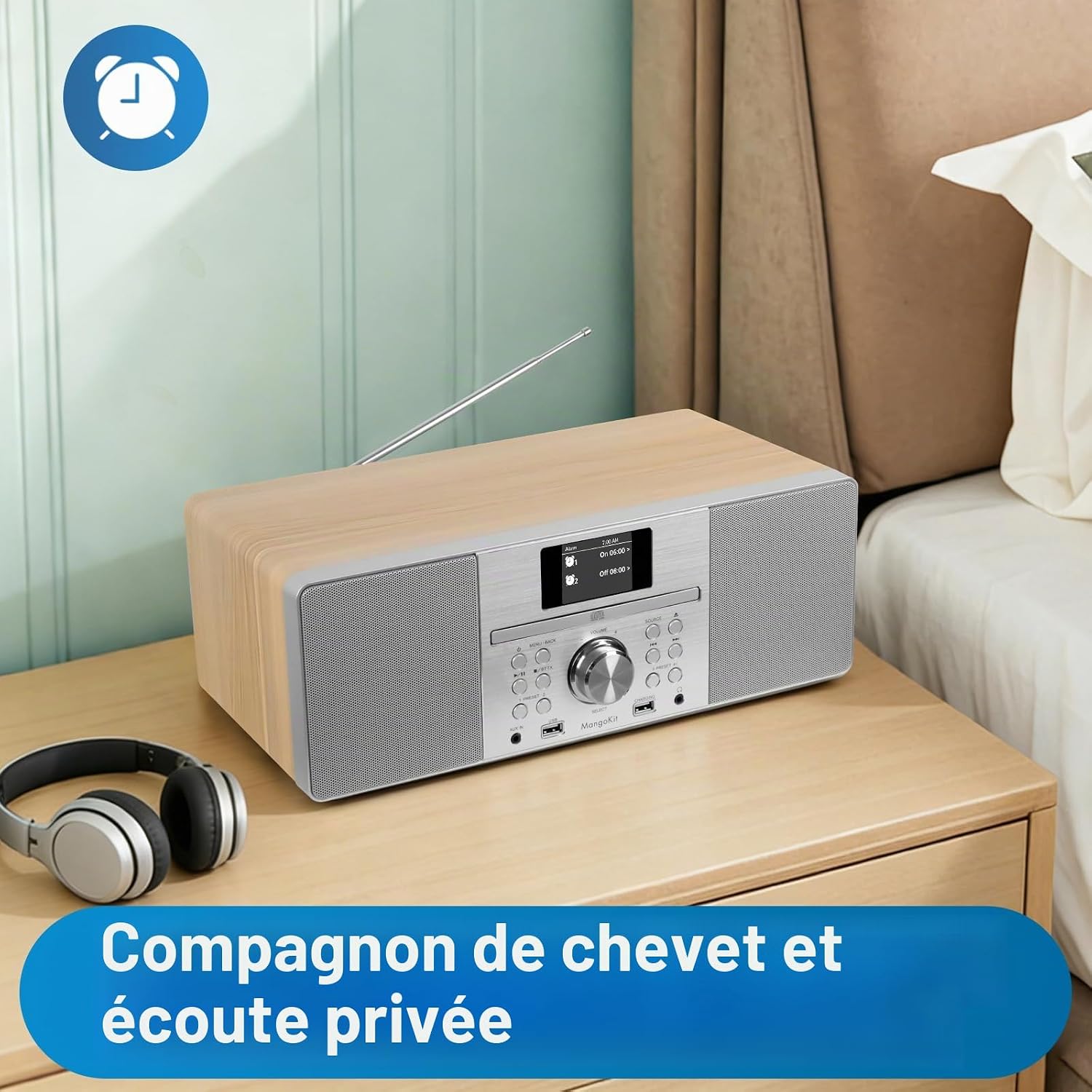
The MANGOKIT MS1 positioned on a bedside table, suitable for use as an alarm clock and for private listening with headphones.
- Ịtọ mkpu: Access the 'Alarm' menu in the system settings. You can set up to two alarms with customizable sources (DAB, FM, Buzzer) and schedules (daily, weekdays, weekends).
- Oge ụra: Activate the 'Sleep Timer' function to automatically turn off the unit after a set period (e.g., 15, 30, 60 minutes).
6.9 Equalization Modes
The unit features equalization modes to adapt the sound profile. Navigate to the 'Equalizer' settings in the menu to select options like Flat, Rock, Pop, Jazz, Classic, or adjust custom bass/treble levels.
7. Nlekọta
- Nhicha: Use a soft, dry, lint-free cloth to clean the unit's exterior. Do not use abrasive cleaners, waxes, or solvents.
- Nlekọta Ndị Na-akpọ CD: Handle CDs by their edges to avoid fingerprints and scratches. Use a CD cleaning kit if necessary.
- Nchekwa: Ọ bụrụ na ị na-echekwa ngwaọrụ ahụ ruo ogologo oge, wepụ ya na ebe ọkụ eletrik ma debe ya n'ebe dị jụụ ma kpọọ nkụ.
8. Nchọpụta nsogbu
| Nsogbu | Ihe nwere ike ime | Ngwọta |
|---|---|---|
| Enweghị ike | Ejikọghị eriri ọkụ eletrik; Ọkpọ ọkụ eletrik nwere nsogbu | Gbaa mbọ hụ na ejikọrọ eriri ọkụ na nchekwa. Gbalịa nweta ike dị iche. |
| Enweghị ụda | Volume too low; Mute activated; Incorrect source selected | Increase volume. Check if mute is active. Select the correct audio source. |
| Nnabata redio adịghị mma | A naghị agbatị eriri antenna; Mgbaàmà adịghị ike | Gbatịa ma gbanwee antenna telescopic ahụ nke ọma. Gbalịa ịgbanwe ọnọdụ ya. |
| CD anaghị egwu | CD inserted incorrectly; CD scratched/dirty; Incorrect source | Re-insert CD correctly. Clean or replace CD. Select CD source. |
| Bluetooth anaghị ejikọta | Bluetooth not enabled on device; Device too far; Incorrect mode | Ensure Bluetooth is enabled on your external device. Move device closer. Select Bluetooth mode on MS1. |
| Njikwa anya anaghị arụ ọrụ | Batrị agwụla; Ihe mgbochi; Ebe dị anya na-anaghị aga ebe dị anya | Replace batteries. Remove any obstructions between remote and unit. Ensure remote is within range. |
9. Nkọwapụta
| Ụdị | MangoKit |
| Nọmba nlereanya | MS1 |
| Teknụzụ Njikọta | Bluetooth (5.3), USB |
| Ike mmepụta ọdịyo | 80 W (Stereo Hi-Fi System) |
| Ụdị ọdịyo akwadoro | CD-DA, MP3 |
| Ụdị mgbasa ozi | CD ọdịyo |
| Ụdị Tuner | DAB/DAB+, FM Digital Radio |
| Ntọala | 60 ọdụ ọdụ |
| Ngosipụta | Ihuenyo agba 2.4 inch |
| Jack ekweisi | 3.5 mm |
| Ntinye aka AUX | 3.5mm ọkpụrụkpụ |
| Akụkụ (L x W x H) | 38L x 13.9W x 21.2H cm |
| Ibu Ibu | 4 kilogram |
| Ngwa dakọtara | MP3 Player, Smartphone, Tablet |
10. Akwụkwọ ikike na nkwado
- Akwụkwọ ikike: Ngwaahịa a na-abịa na akwụkwọ ikike otu afọ site na ụbọchị azụrụ ya.
- Nnweta akụkụ mapụtara: Spare parts are available for 7 years.
- Nkwado ndị ahịa: For technical assistance, troubleshooting, or warranty claims, please contact MangoKit customer support through your retailer or the official MangoKit websaịtị.