
1. Okwu mmalite
Daalụ maka ịzụrụasing the Arafuna NDR111B Portable DAB/DAB+/FM Radio. This manual provides essential information for setting up, operating, and maintaining your device. Please read it carefully before use and keep it for future reference.
Ozi nchekwa
- Ewepụla ngwaọrụ ahụ na mmiri ozuzo, mmiri mmiri ma ọ bụ oke okpomọkụ.
- Avoid disassembling the device; refer servicing to qualified personnel.
- Wepụ n'ebe ndọta siri ike.
- Jiri naanị eriri chaja Type-C enyere.
2. Ngwaahịa gafereview
The Arafuna NDR111B is a versatile portable radio offering DAB/DAB+, FM, and Bluetooth connectivity. It features a clear LCD display, 40 preset stations, dual alarms, and a sleep timer, all powered by a built-in rechargeable battery.
Kedu ihe dị na Igbe ahụ
- Arafuna NDR111B Portable Radio
- Ụdị-C USB eriri USB
- Akwụkwọ ntuziaka onye ọrụ
Njikwa na akụrụngwa
Familiarize yourself with the radio's layout:
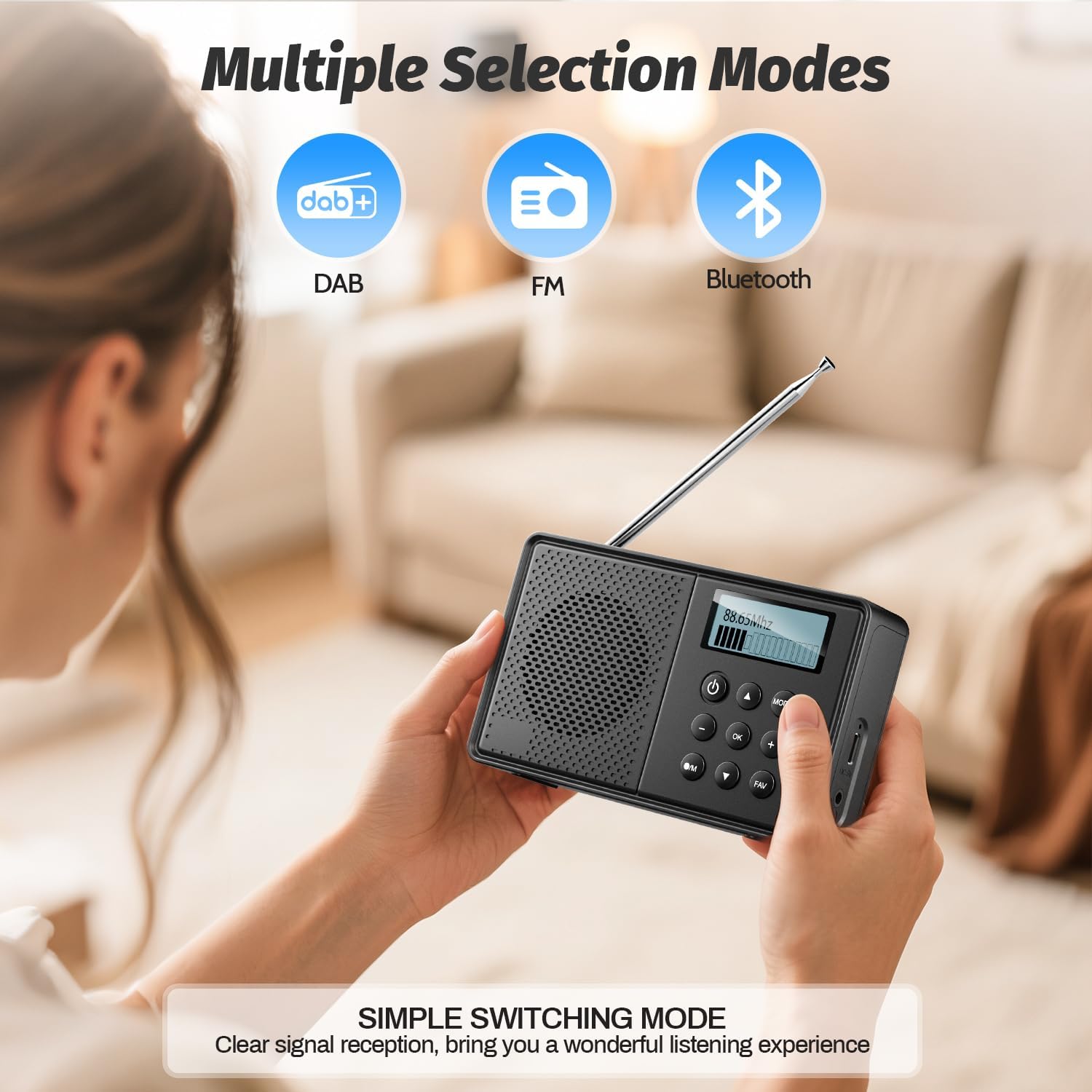
Foto: N'ihu view of the Arafuna NDR111B Portable Radio, showing the speaker grille, LCD display, and control buttons.

Foto: Akụkụ view of the Arafuna NDR111B Portable Radio, highlighting the Type-C charging port, headphone jack, and volume knob.
- Ngosipụta LCD: Shows time, station information, mode, and battery status.
- Bọtịnụ ike: Gbanyụọ/gbanyụọ redio.
- Bọtịnụ ụkpụrụ: Switches between DAB, FM, and Bluetooth modes.
- Mpịakọta Mpịakọta: Na-edozi olu ọdịyo.
- Tuning/Navigation Buttons: Used for tuning stations, navigating menus, and setting alarms.
- Bọtịnụ akwadoro (1-5): Quick access to saved stations.
- Bọtịnụ FAV: Saves and recalls favorite stations.
- Antenna: Mee ka redio dịkwuo mma.
- Ụdị-C ọdụ ụgbọ mmiri: Maka ịchaji batrị dị n'ime.
- Jack ekweisi 3.5mm: Maka ige ntị nkeonwe.
3. Nhazi
Nchaji mbụ
Before first use, fully charge the radio. Connect the provided Type-C USB cable to the radio's charging port and the other end to a USB power adapter (not included) or a computer USB port. The battery indicator on the LCD display will show charging status.

Image: The Arafuna NDR111B radio connected to a Type-C charging cable, illustrating its high battery capacity and charging method.
Mgbatị antenna
For optimal radio reception, extend the telescopic antenna fully. Adjust its position for the best signal quality.
4. Ntuziaka ọrụ
Gbanyụọ/ Gbanyụọ
- Pịa Ike bọtịnụ ka ịgbanwuo ma ọ bụ gbanyụọ redio.
Selecting Radio Modes (DAB/DAB+/FM)
- Pịa MODE button repeatedly to cycle through DAB, FM, and Bluetooth modes.
Image: The Arafuna NDR111B radio displaying icons for DAB, FM, and Bluetooth modes, indicating multiple selection options.
DAB/DAB+ Radio arụ ọrụ
- In DAB mode, the radio will automatically scan for available stations upon first use.
- Use the navigation buttons to browse through the list of available DAB stations.
- Pịa OK ịhọrọ ọdụ ọdụ.
FM Radio arụ ọrụ
- In FM mode, you can perform an auto-scan or manual tuning.
- To auto-scan, press and hold the Nyochaa button (if available) or follow on-screen prompts.
- For manual tuning, use the navigation buttons to adjust the frequency.

Image: The Arafuna NDR111B radio illustrating its auto-scan feature and the ability to store 40 preset stations (20 DAB, 20 FM).
Ịchekwa na Icheta Presets
The radio allows you to store up to 40 stations (20 DAB / 20 FM).
To Save a Station:
- Tinyegharịa n'ọdụ ụgbọ mmiri ịchọrọ.
- Pịa ma jide FAV bọtịnụ maka 2 sekọnd.
- Use the navigation buttons to select a preset number (1-20 for DAB, 1-20 for FM).
- Pịa OK iji gosi.

Image: A visual guide showing three steps to store favorite stations using the FAV and OK buttons on the Arafuna NDR111B radio.
To Recall a Station:
- Pịa FAV bọtịnụ nkenke.
- Use the navigation buttons to select the desired preset number.
- Pịa OK iji gosi.

Image: A visual guide showing three steps to recall favorite stations using the FAV and OK buttons on the Arafuna NDR111B radio.
Njikọ Bluetooth
- Jiri ya gbanwee gaa na ọnọdụ Bluetooth. MODE button. The display will show "Bluetooth".
- On your smartphone, tablet, or other Bluetooth device, enable Bluetooth and search for "NDR111B".
- Select "NDR111B" to pair. Once connected, you can stream audio to the radio.
- Mara: Bluetooth headphones are not supported for output.

Image: The Arafuna NDR111B radio demonstrating Bluetooth connectivity with various devices like smartphones, PCs, and tablets. A note indicates that Bluetooth headphones are not supported.
Ntọala mkpu abụọ
You can set two independent alarms for different schedules (e.g., weekdays and weekends).
- Access the alarm settings via the menu.
- Set the desired alarm time, source (buzzer or radio station), and frequency (daily, weekdays, weekends).
- Pịa OK iji chekwaa.
- Mara: Alarms function only when the radio is connected to a power supply.
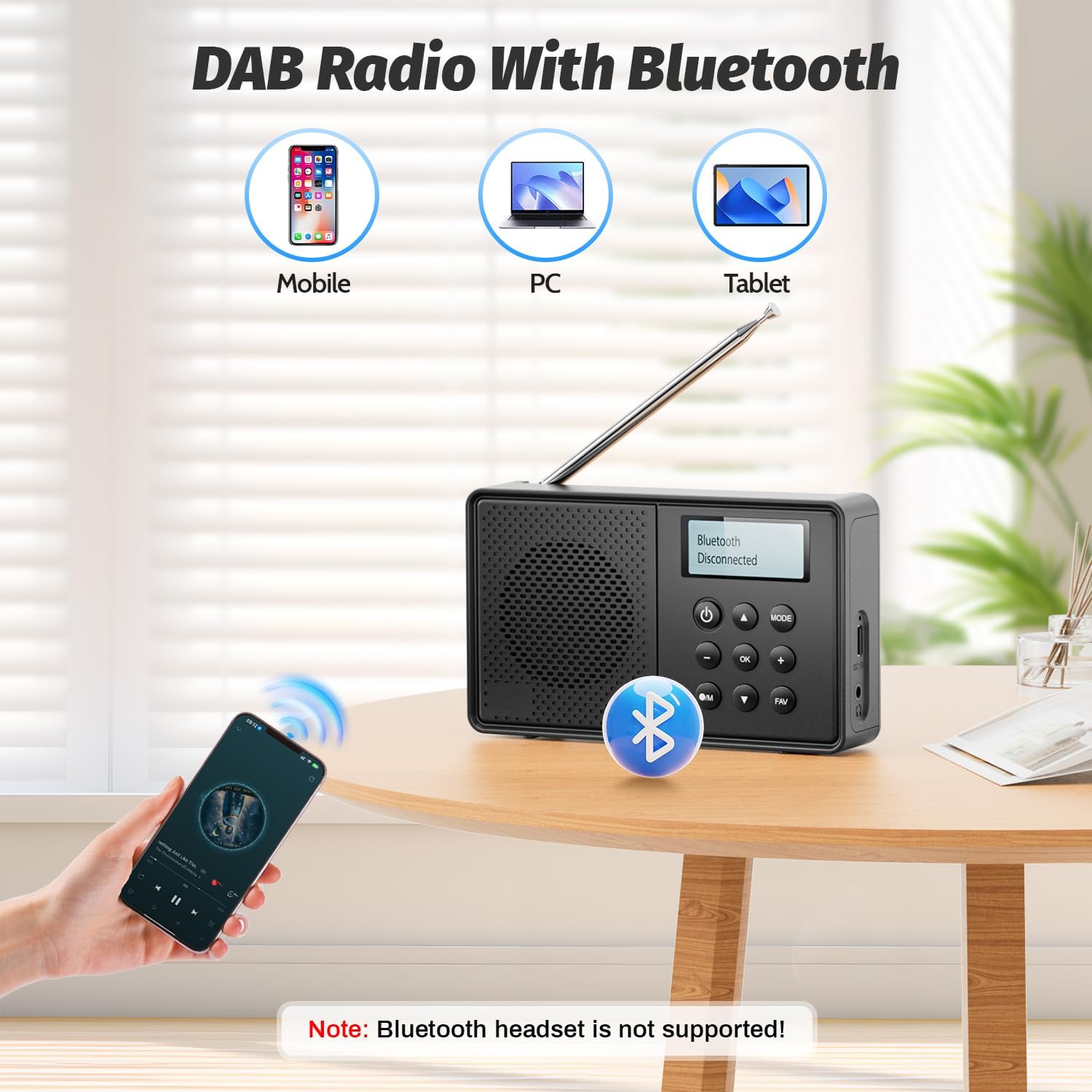
Image: The Arafuna NDR111B radio on a table next to a sleeping person, with an overlay showing the dual alarm and sleep timer settings. A note clarifies that alarms work only when connected to power.
Ọrụ ngụ oge ihi ụra
The sleep timer allows the radio to turn off automatically after a set period (15-90 minutes).
- Access the sleep timer settings via the menu.
- Select the desired duration (e.g., 15, 30, 60, 90 minutes).
- Redio ga-agbanyụ na-akpaghị aka ka oge ahọpụtara.
Eji ekweisi
- Plug 3.5mm wired headphones into the headphone jack for private listening.
5. Ịchaji
The Arafuna NDR111B features a built-in lithium battery that provides up to 5 hours of playback and can be fully recharged in approximately 2.5 hours via the Type-C port.
- Connect the Type-C cable to the radio and a power source.
- Akara ngosi batrị dị na ngosipụta ga-egosi ọkwa nchaji.
- Disconnect the cable once fully charged to preserve battery life.
6. Nlekọta
- Jiri akwa dị nro hichaa redio. Ejila ihe nchacha abrasive ma ọ bụ ihe mgbaze.
- Keep the device away from dust and direct sunlight.
- If not used for a long period, charge the battery periodically to maintain its health.
7. Nchọpụta nsogbu
| Nsogbu | Ihe nwere ike ime | Ngwọta |
|---|---|---|
| Enweghị ike | Batrị agwụla | Jiri eriri Type-C chajịa redio ahụ. |
| Nnabata redio adịghị mma | Antenna not extended or poor signal area | Extend the telescopic antenna fully and adjust its position. Try moving to a different location. |
| Bluetooth anaghị ejikọ | Ngwaọrụ adịghị na ọnọdụ njikọta ma ọ bụ na-enweghị oke | Ensure the radio is in Bluetooth mode. Check that your device's Bluetooth is on and within 10 meters. |
| Oti mkpu anaghị ada ụda | Radio not connected to power or alarm not set correctly | Connect the radio to a power source. Verify alarm settings (time, source, frequency). |
8. Nkọwapụta
| Njirimara | Nkọwa |
|---|---|
| Ụdị | Arafuna |
| Nlereanya | NDR111B |
| Akụkụ ngwaahịa | 12 x 2 x 6 cm |
| Ibu Ibu | 230 g |
| Nkà na ụzụ Tuner | DAB/DAB+/FM |
| Ndị otu redio akwadoro | DAB, DAB+, FM |
| Frequency (DAB/DAB+) | 174-240 MHz |
| Frequency (FM) | 87.5-108 MHz |
| Teknụzụ Njikọta | Bluetooth |
| Ngosipụta | LCD |
| Ike mmepụta okwu | 3 Watt |
| Isi Iyi Ike | Akwadoro batrị (1 batrị lithium ion gụnyere) |
| Ike batrị | 2200 mAh (approx. 5 hours playback) |
| Oge Nchaji | Ihe ruru. awa 2.5 (site na ụdị-C) |
| Atụmatụ ndị ọzọ | DAB Plus Radio, Dual Alarm, Sleep Timer, 40 Presets |
9. Akwụkwọ ikike na nkwado
Arafuna products are designed for reliability and performance. For warranty information, technical support, or customer service inquiries, please refer to the contact details provided on the product packaging or the official Arafuna websaịtị. Debe nnata nzụta gị ka ihe akaebe nke ịzụrụ.
10. Videos ngwaahịa
Ịkpọghe igbe na ihe karịrịview
Video: An unboxing video of a similar product, demonstrating the initial setup and components. This video provides a visual guide to what to expect when opening your Arafuna NDR111B radio.
Ngosipụta ngwaahịa
Video: A practical product illustration, showcasing the features and functionality of the radio in use. This video helps visualize how to operate the various modes and settings.
Radio Features Overview
Video: A demonstration of a portable FM radio, highlighting its features and ease of use. While not the exact model, it provides a general understanding of portable radio operation.
Obere redio nwere Bluetooth
Video: A video showcasing a portable radio with Bluetooth functionality, similar to the Arafuna NDR111B. It illustrates how to use the radio for both traditional broadcasts and Bluetooth audio streaming.