
Okwu mmalite
Thank you for choosing the Parsonver 5ATM Waterproof Smart Watch. This manual provides essential information for setting up, operating, and maintaining your device. Please read it carefully to ensure proper use and to maximize the watch's features.

Image: The Parsonver 5ATM Waterproof Smart Watch, showcasing ya sleek imewe.
Ntuziaka nhazi
1. Ịchaji ngwaọrụ
Before first use, fully charge your Parsonver Smart Watch. Connect the magnetic charging cable to the charging contacts on the back of the watch and plug the USB end into a standard USB power adapter (not included).
- Ụgwọ zuru ezu na-ewekarị ihe dịka awa 2.
- The watch display will show the charging status.
2. Nbudata ngwa na ijikọ
To unlock all features, download the official Parsonver app on your smartphone.
- Scan the QR code provided in the watch's packaging or search for "Parsonver" in your smartphone's app store (iOS App Store or Google Play Store).
- Wụnye wee mepee ngwa ahụ.
- Gbaa mbọ hụ na agbanyere Bluetooth na ekwentị gị.
- In the app, follow the on-screen instructions to add your device. Select your Parsonver Smart Watch from the list of available devices.
- Kwenye arịrịọ maka njikọta na ma elekere gị na ama ama gị.
Note: If you have a 2-pack, repeat the pairing process for the second watch with the same or a different smartphone as desired.
3. Ntọala mbụ
After successful pairing, you can customize basic settings through the app, such as time format, unit preferences, and personal profile ozi.
Ntuziaka ọrụ
Nsoro ụzọ
- Ihuenyo mmetụ aka: Mịgharịa elu, ala, aka ekpe, ma ọ bụ aka nri iji lelee menu na ọkwa. Pịa iji họrọ ihe.
- Side Button(s): Typically, a short press returns to the previous screen or watch face. A long press may access power options or a quick menu. Refer to the watch's on-screen prompts for specific button functions.
Smart Calls & Notifications
Stay connected by receiving call, text, and app notifications directly on your wrist.
- Oku mbata: The watch will display caller ID. You can reject calls directly from the watch. Answering calls is not supported directly on the watch.
- Ozi: View SMS, emails, and alerts from apps like WhatsApp, LinkedIn, Instagram, na Twitter.
- Melite: Enable desired notifications through the Parsonver app on your smartphone.
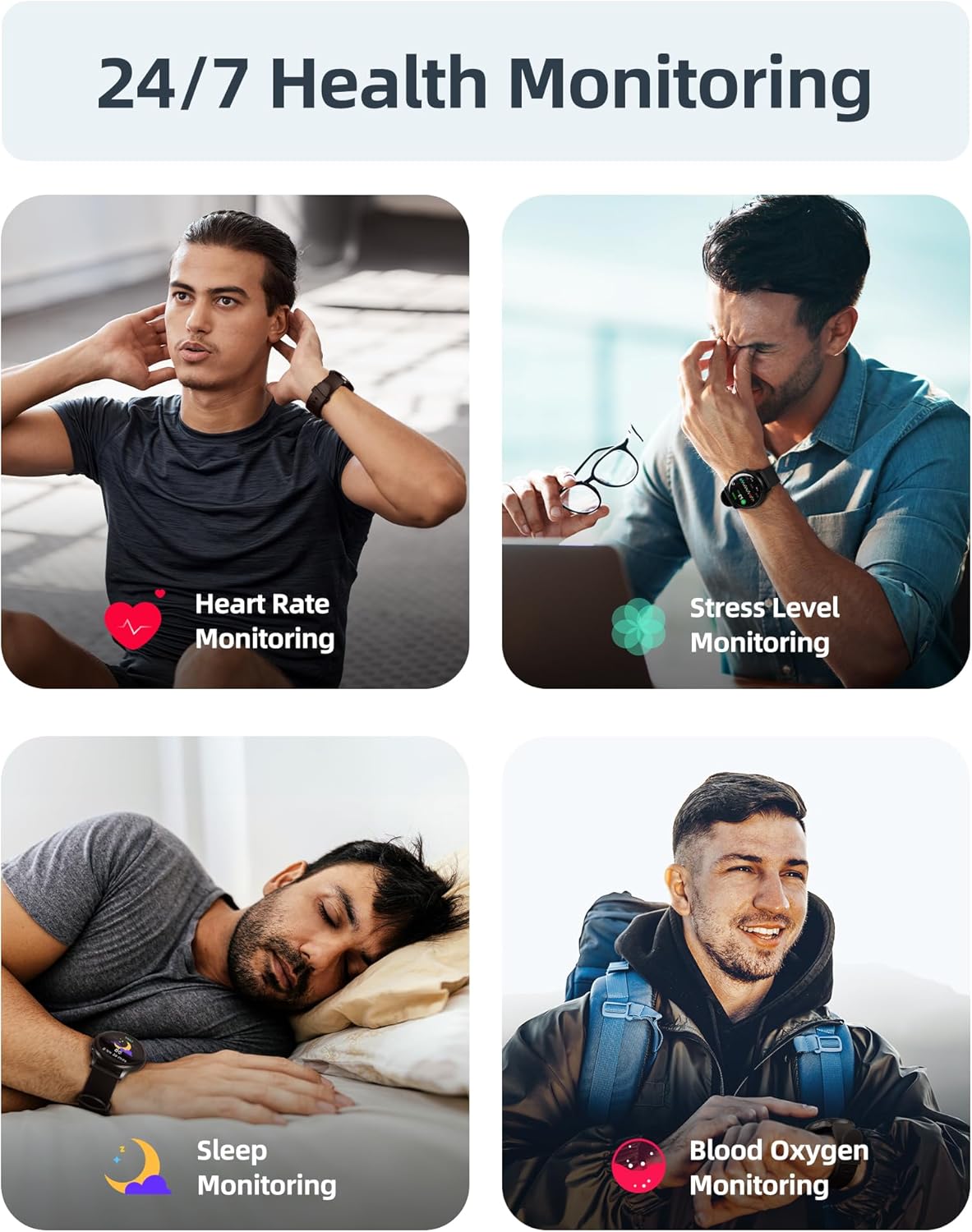
Image: A user interacting with the smartwatch to manage incoming calls and view ngwa ngosi.
24/7 Health Monitoring
The watch continuously monitors various health metrics to help you stay informed about your well-being.
- Nlekota obi obi: Real-time heart rate tracking throughout the day.
- Nha Oxygen Ọbara (SpO2): On-demand or continuous blood oxygen level monitoring.
- Nnyocha Ụra: Egwu ụra stages (deep, light, REM) and provides insights into sleep quality.
- Nlekota Ọkwa Nrụgide: Helps identify periods of high stress.
- Sedentary Alerts: Reminds you to move after periods of inactivity.
- Nyocha okirikiri nsọ nsọ: Specialized tracking for female users.

Image: Visual representation of the smartwatch's health monitoring capabilities, including heart rate, stress, sleep, and blood oxygen tracking.
110+ Sports Modes & Fitness Tracking
Track your workouts with a wide range of sports modes, both indoors and outdoors.
- Ndepụta mmemme: Monitors steps, calories burned, distance, and active time.
- Ụdị akwadoro: Includes walking, running, cycling, swimming, yoga, gym workouts, and many more.
- Mmekọrịta data: All workout data is synced to the Parsonver app for detailed analysis and progress tracking.

Image: A person cycling while wearing the smartwatch, with an overlay showing different sports modes like treadmill, outdoor running, and yoga.
5ATM Waterproof & Swim Tracking
The Parsonver Smart Watch is rated 5ATM waterproof, suitable for swimming and daily water exposure up to 50 meters.
- Swimming Metrics: Automatically detects swim strokes (Butterfly, Backstroke, Breaststroke, Freestyle) and provides data on stroke count, stroke rate, and SWOLF score.
- Ojiji: Ideal for pool swimming and open water activities. Not suitable for diving or high-pressure water activities.
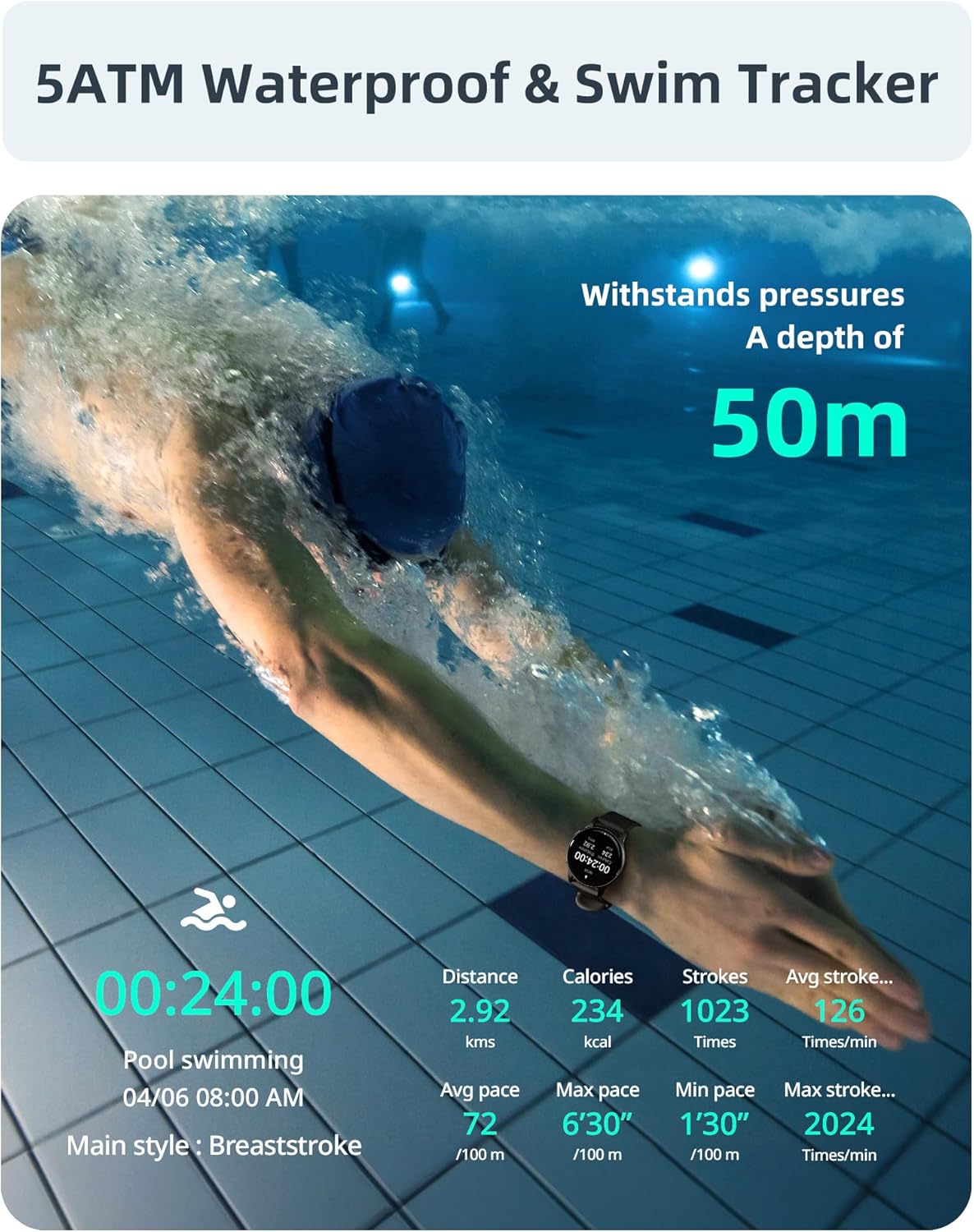
Image: A swimmer in a pool, with the smartwatch displaying swim tracking data such as distance, calories, strokes, and average pace.
Ihu nche nwere ike ịhazi ya
Personalize your watch with over 200 customizable watch faces available through the Parsonver app.
- Nhọrọ: Choose from a wide variety of built-in and dynamic watch faces.
- Nhazi onwe: Upload your own photos to create unique watch faces.

Image: The smartwatch screen showing various customizable watch face options, including a photo of a family.
Nlekọta na nlekọta
- Nhicha: Na-ehicha elekere gị na eriri gị mgbe niile site na iji ihe dị nro, damp akwa . Zere kemịkalụ siri ike ma ọ bụ ihe na-emebi emebi.
- Mkpughe mmiri: While 5ATM waterproof, it is recommended to rinse the watch with fresh water after exposure to saltwater or chlorinated water to prevent corrosion. Dry thoroughly.
- Nlekọta eriri: The watch features an anti-allergic, soft, and comfortable strap. Ensure it is not too tight or too loose for optimal comfort and sensor accuracy.
- Nlekọta batrị: Avoid extreme temperatures. Do not fully discharge the battery for extended periods. Charge regularly to prolong battery life.
- Nchekwa: Chekwaa elekere n'ebe dị jụụ, kpọrọ nkụ mgbe anaghị eji ya.

Image: Close-up of the smartwatch, emphasizing its lightweight design (37g) and the anti-allergic, soft, and comfortable strap material.
Nchọpụta nsogbu
- Lelee anaghị agbanye: Gbaa mbọ hụ na chajịrị elekere ahụ nke ọma. Jikọọ ya na chaja opekata mpe nkeji iri atọ.
- Enweghị ike ijikọ na ekwentị mkpanaaka:
- Gbaa mbọ hụ na agbanyere Bluetooth na ekwentị gị na elekere.
- Hụ na elekere ahụ dị n'ime oke Bluetooth nke ekwentị gị.
- Malitegharịa ekwentị gị ma elekere.
- Try unpairing and re-pairing through the Parsonver app.
- Data ahụike ezighi ezi:
- Gbaa mbọ hụ na etinyere elekere nke ọma na nkwojiaka gị, mana ọ bụghị nke siri ike.
- Hichaa ihe mmetụta dị n'azụ elekere.
- Zere oke mmegharị n'oge nha.
- Amamọkwa anaghị apụta:
- Check notification settings in the Parsonver app.
- Ensure app notifications are enabled in your phone's system settings.
- Verify that the watch is connected via Bluetooth.
- Tọgharia Factory: If issues persist, you may perform a factory reset via the watch's settings menu. This will erase all data on the watch and restore it to its original state.
Nkọwapụta
| Ụdị | Parsonver |
| Nlereanya | Parsonver 5ATM Waterproof Smart Watch |
| Mmiri Nguzogide | 5ATM (ruo mita 50) |
| Ngosipụta | 1.8-inch HD ihuenyo mmetụ |
| Atụmatụ pụrụ iche | Heart Rate Monitor, Blood Oxygen Monitor, Sleep Tracker, Stress Monitor, 110+ Sports Modes, Smart Notifications |
| Ụdị | Gburugburu |
| Ibu | 37g (approximate, watch body only) |
| ASIN | B0DH2P2SJP |
Akwụkwọ ikike na nkwado
For warranty information, please refer to the documentation included with your product or visit the official Parsonver website. If you encounter any issues or require technical assistance, please contact Parsonver customer support through their official channels.
Ị nwere ike ịchọta nkọwa kọntaktị nkwado na nke onye nrụpụta. website or within the Parsonver application.