
Okwu mmalite
This manual provides essential instructions for the setup, operation, and maintenance of your SLuB ZW60 Smartwatch. Please read this guide thoroughly before using your device to ensure proper function and longevity. The SLuB ZW60 features a 1.43-inch touchscreen, Bluetooth 5.3 connectivity, music player capabilities, various sports modes, IP67 dust and water resistance, and comprehensive health monitoring functions.
Ihe ndetu dị mkpa: The health management functions of this smartwatch are for reference only and cannot be used for medical purposes. This product is not a medical device.
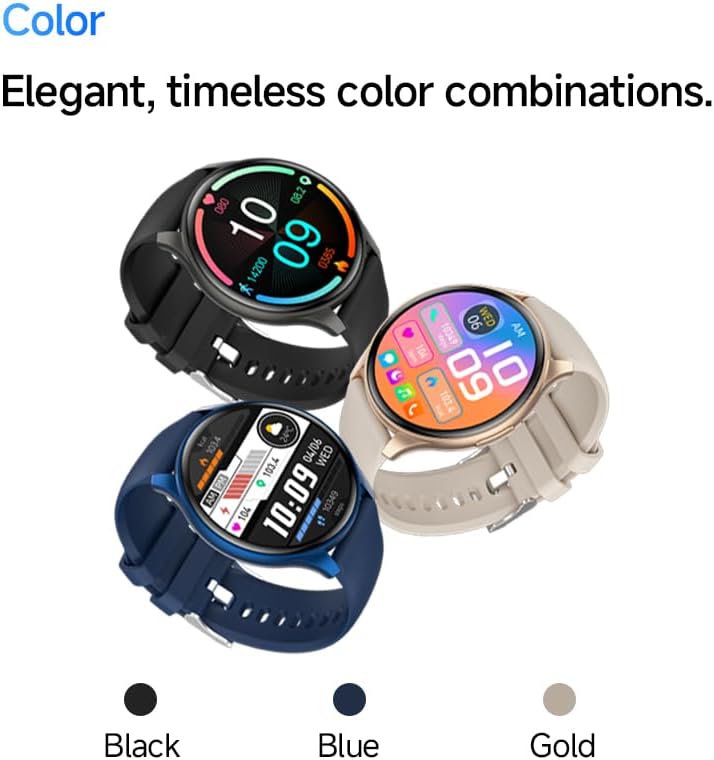
Image: The SLuB ZW60 Smartwatch in various color options (Black, Blue, Gold), highlighting its round display and overall design.
Kedu ihe dị na Igbe ahụ
Upon opening the package, verify that all the following items are present:
- SLuB ZW60 Smartwatch
- Igwe Oji Magnetik
- Akwụkwọ ntuziaka (akwụkwọ a)

Image: Contents of the SLuB ZW60 Smartwatch package, showing the smartwatch, its magnetic charging cable, and the printed user manual.
Melite
1. Ịchaji smartwatch
Before initial use, fully charge your SLuB ZW60 Smartwatch. Connect the magnetic charging cable to the charging contacts on the back of the watch and plug the USB end into a standard USB power adapter (not included) or a computer's USB port. The watch display will indicate charging status. A full charge typically takes approximately 2 hours.
2. App Installation: H Band
To unlock the full functionality of your smartwatch, download and install the dedicated "H Band" application on your smartphone. Chọọ maka "H Band" in your device's app store (Google Play Store for Android or Apple App Store for iOS).

Image: The smartwatch screen showing a grid of colorful application icons, illustrating the "H Band" app integration and multi-menu screen options.
3. Njikọ Bluetooth
- Hụ na elekere smart gị na-achaji ma na-agba ọkụ.
- Kwado Bluetooth na ekwentị gị.
- Open the "H Band" app.
- Follow the in-app instructions to search for and connect to your SLuB ZW60 Smartwatch. The app will guide you through the pairing process.
- Kwenye arịrịọ maka njikọta na ma ekwentị gị yana smartwatch ma ọ bụrụ na kpaliri ya.
Once paired, the smartwatch will synchronize data with the app and enable features like call notifications and message alerts.
Ntuziaka ọrụ
Nsoro ụzọ
- Ihuenyo mmetụ aka: Swipe left, right, up, or down to navigate through menus and screens. Tap to select an item.
- Bọtịnụ akụkụ: Typically used to wake the screen, return to the home screen, or access the app menu. Refer to the on-screen prompts for specific functions.
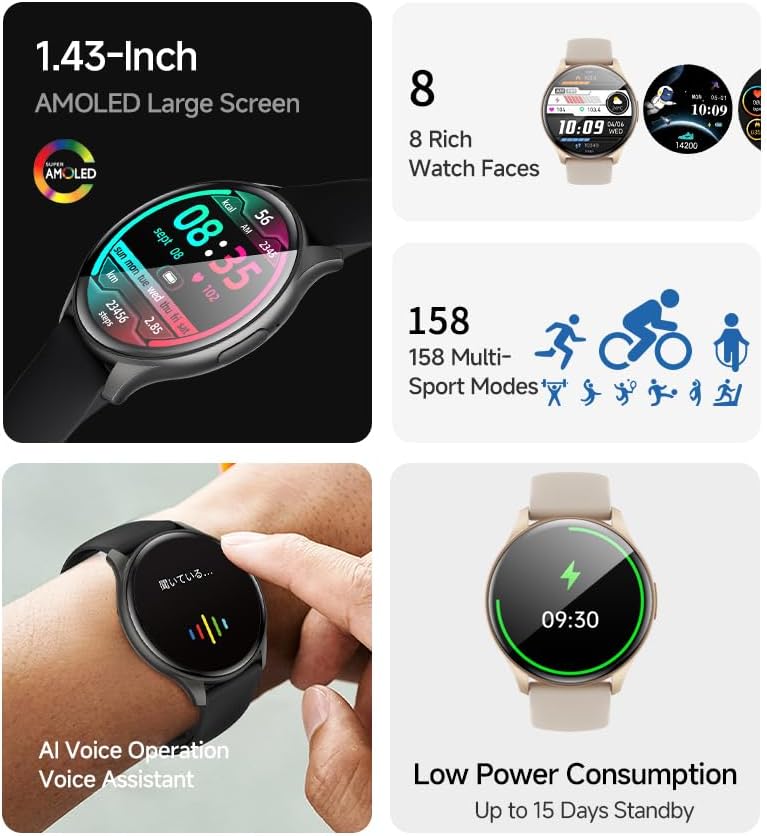
Image: The smartwatch showcasing its 1.43-inch AMOLED display with a customizable watch face, and visual cues for its 158 multi-sport modes, AI voice operation, and low power consumption.
Ọrụ Na-akpọ
With the smartwatch connected to your smartphone via Bluetooth, you can make and receive calls directly from your wrist. The built-in speaker and microphone allow for hands-free communication.
- Ịkpọ oku: Access the dial pad or contacts list on your smartwatch to initiate a call.
- Ịnata oku: When a call comes in, the smartwatch will display the caller ID. Tap the green icon to answer or the red icon to reject.
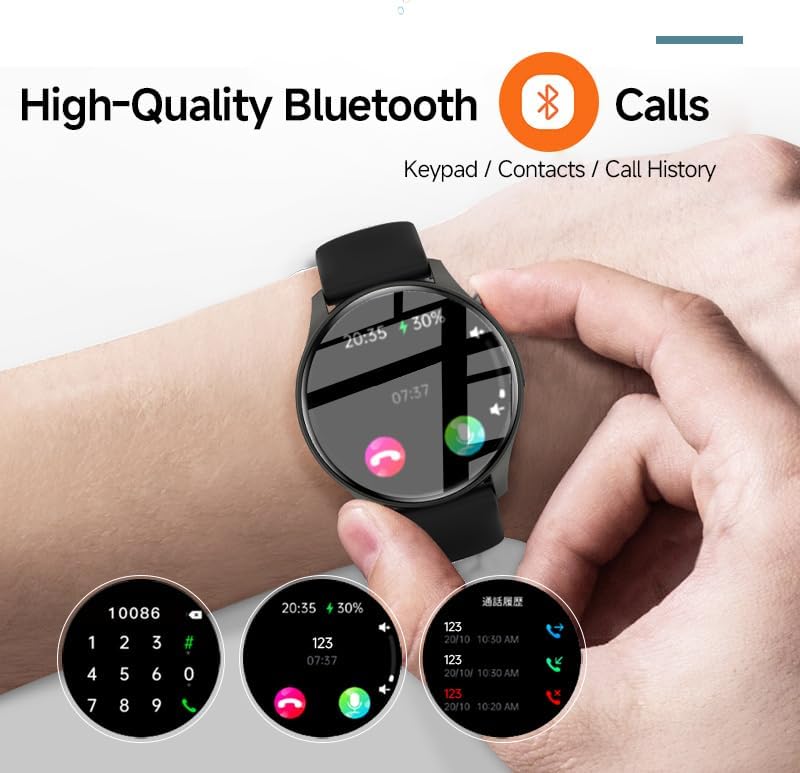
Image: The smartwatch screen showing the Bluetooth calling feature, including a numeric keypad for dialing, recent call history, and contact access.
Ọkwa ozi
Once paired with your smartphone, the smartwatch can display notifications from various apps, including emails, social media, and messaging services. This allows you to stay informed without needing to check your phone constantly.
- Ensure app notifications are enabled in your smartphone's settings and within the "H Band" app.
- Sụgharịa ala na ihu nche ka view ọkwa ndị na-adịbeghị anya.

Image: The smartwatch showing a message notification, indicating its ability to sync alerts from popular communication applications like WeChat, LINE, and others.
Health Management Functions
The SLuB ZW60 Smartwatch is equipped with multiple sensors to monitor various health metrics. Access these features through the watch menu or the "H Band" app.
- Nlekota obi obi: Continuously or periodically measures your heart rate.
- Nleba anya ụra: Tracks your sleep patterns, including deep sleep, light sleep, and wake times.
- Calorie Consumption: Estimates calories burned based on activity levels.
- Data mgbatị ahụ: Records steps, distance, and other activity metrics.
Disclaimer: The data provided by these functions is for general wellness and fitness purposes only and should not be used for medical diagnosis or treatment.

Image: The smartwatch illustrating its 24-hour health management capabilities, including heart rate, body temperature, and sleep quality monitoring.
Ụdị egwuregwu
The smartwatch supports over 150 sports modes, allowing you to accurately track your workouts. Common modes include running, cycling, badminton, basketball, and football.
- Select your desired sport from the watch's sports menu.
- The watch will record duration, calories burned, and other relevant metrics for your activity.
- Review detailed statistics in the "H Band" app after your workout.
Njikwa ọkpụkpọ egwu
Control music playback on your connected smartphone directly from your smartwatch. You can play, pause, skip tracks, and adjust volume.
AI onye enyemaka olu
Utilize the integrated AI Voice Assistant for quick commands and information retrieval. Activate the assistant via the watch interface and speak your commands.
Ihu nche nwere ike ịhazi ya
Choose from a variety of pre-installed watch faces or customize your own through the "H Band" app to match your style and display preferred information.
Nlekọta
Na-ehicha smartwatch gị
Regular cleaning helps maintain the appearance and functionality of your device.
- Jiri akwa dị nro hichaa ihuenyo na ahụ.
- Maka unyi isi ike, ntakịrị dampen akwa na mmiri. Zere iji kemịkalụ siri ike ma ọ bụ ihe na-emebi emebi.
- Gbaa mbọ hụ na kọntaktsị chajị dị ọcha na akpọnwụwo tupu chajịa.
Mgbochi mmiri (IP67)
The SLuB ZW60 Smartwatch is rated IP67, meaning it is dust-tight and can withstand immersion in water up to 1 meter (3.3 feet) for up to 30 minutes. This makes it suitable for daily use, such as washing hands or light rain exposure.
- Emela use the watch for swimming, diving, or showering with hot water.
- Zere exposing the watch to high-pressure water or steam.
- If the watch gets wet, dry it thoroughly before charging or operating.
Ndụmọdụ Ndụ batrị
- Belata nchapụta ihuenyo.
- Gbanyụọ ọkwa na-enweghị isi.
- Limit continuous heart rate monitoring if not required.
- Ensure the "H Band" app is running efficiently in the background on your phone.
Nchọpụta nsogbu
| Nsogbu | Ngwọta enwere ike |
|---|---|
| Elekere anaghị agbanye. | Gbaa mbọ hụ na chajịrị elekere ahụ nke ọma. Jikọọ ya na chaja opekata mpe nkeji iri atọ. |
| Enweghị ike ijikọ na smartphone. |
|
| Anabataghị ọkwa. |
|
| Data ahụike na-ezighi ezi. |
|
| Ihuenyo anaghị anabata. | Try restarting the watch by pressing and holding the side button until it powers off, then power it back on. |
Nkọwapụta
| Njirimara | Nkọwa |
|---|---|
| Aha Nlereanya | ZW60 |
| Ụdị | SLuB |
| Nha ihuenyo | 1.43 sentimita asatọ |
| Ụdị ngosi | AMOLED |
| Njikọta | Bluetooth 5.3 |
| Mmiri Nguzogide | IP67 (Uzuzu na mmiri na-eguzogide) |
| Akụkụ ngwaahịa | 1.77 x 0.43 x 1.97 sentimita asatọ |
| Ibu Ibu | 3.23 ounce (gram 91.5) |
| Ndụ batrị | Up to 15 Days Standby |
| Ngwa dakọtara | H Band |
| Onye nrụpụta | SLuB |
Akwụkwọ ikike na nkwado
For warranty information and technical support, please refer to the documentation included with your purchase or contact SLuB customer service. Contact details can typically be found on the manufacturer's official website or within the "H Band" application.
Akụrụngwa dị n'ịntanetị: For the latest updates, FAQs, and additional support, visit the official SLuB websaịtị.