
1. Okwu mmalite na gafereview
The EPOS IMPACT 460T is a Microsoft Teams Certified stereo USB headset designed for hybrid workers. Featuring dual-mic noise filtering, it ensures premium voice pickup in open office environments. Enjoy rich, clear sound through professional-grade speakers and stay comfortable all day with soft dual ear pads and a padded headband. The headset includes a dedicated Teams button, lift-to-mute functionality, and an LED mic mute indicator. It is compatible with EPOS Connect & Manager software for easy management and updates.
2. Kedu ihe dị na Igbe ahụ
- EPOS Impact 460T Headset
- USB-C ka USB-A nkwụnye
- Protective Carry Pouch
- Akwụkwọ ntuziaka (akwụkwọ a)
- Ntuziaka nchekwa
- Mpempe akwụkwọ nnabata
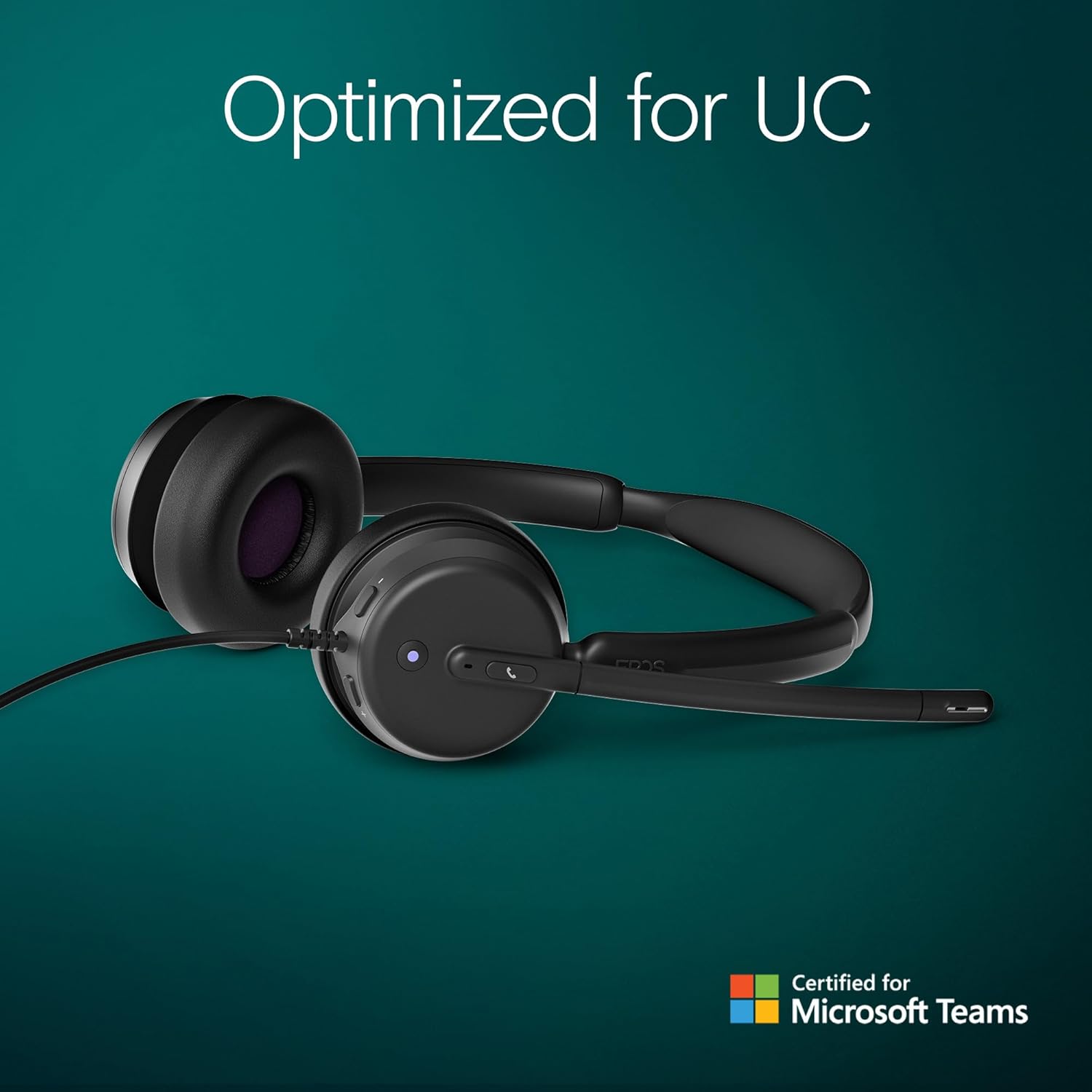
Figure 2.1: Included components with the EPOS Impact 460T headset.
3. Nhazi
- Jikọọ ekweisi: Plug the USB-C connector of the headset directly into a compatible USB-C port on your computer, laptop, tablet, or smartphone.
- Use USB-A Adapter (if needed): If your device only has USB-A ports, attach the provided USB-C to USB-A adapter to the headset's USB-C connector, then plug the adapter into your device's USB-A port.
- Nkwụnye na-egwu: The headset is designed for plug-and-play functionality. Your operating system should automatically detect and install the necessary drivers.
- Hazie dabara: Adjust the headband and microphone boom for a comfortable and secure fit. The ear cups are on-ear design with soft padding.
Vidiyo nke 3.1: Mwepuview of the EPOS Impact 460T Headset, demonstrating its features and connectivity options.
4. Ntuziaka ọrụ
4.1. Njikwa oku
- Bọtịnụ Ndị otu raara onwe ha nye: For Microsoft Teams users, a dedicated button allows for quick joining of calls and managing Teams functions.
- Zaa/Kwụsị Oku: Use the inline control unit or the dedicated call button on the headset to answer or end calls.
- Njikwa olu: Adjust the listening volume using the inline control unit.
- Mechie igwe okwu:
- Lift-to-Mute: Simply lift the microphone boom arm upwards to mute your microphone.
- Ihe ngosi LED: An LED light on the microphone indicates its mute status, providing a visual cue.
4.2. Ogo ọdịyo
The headset features dual-mic noise filtering technology to ensure clear voice pickup, minimizing background noise in open office environments. Professional-grade speakers deliver rich, clear sound for both calls and multimedia.

Figure 4.1: Close-up of the headset's earcup showing control buttons and microphone.
5. Atụmatụ
- Ndị otu Microsoft enwetara asambodo: Optimized for Microsoft Teams Open Office, ensuring seamless integration and enhanced call quality.
- Dual Noise-Canceling Mics: Advanced noise-filtering technology transmits your voice clearly, suppressing unwanted background noise.
- Nkasi obi ụbọchị niile: Designed with dual noise-dampening ear pads, memory foam, and an ergonomic padded headband for extended wear.
- Hybrid-Ready Mobility: Fold-flat portability and durable materials make it suitable for both remote and in-office use. Includes a carry pouch for easy storage.
- ActiveGard Protection: Protects users from acoustic shock and sudden sound surges.
- Oke ndakọrịta: Works with all major Unified Communications (UC) platforms, including Zoom.
- EPOS Software Support: Compatible with EPOS Connect & Manager for easy device management and firmware updates.
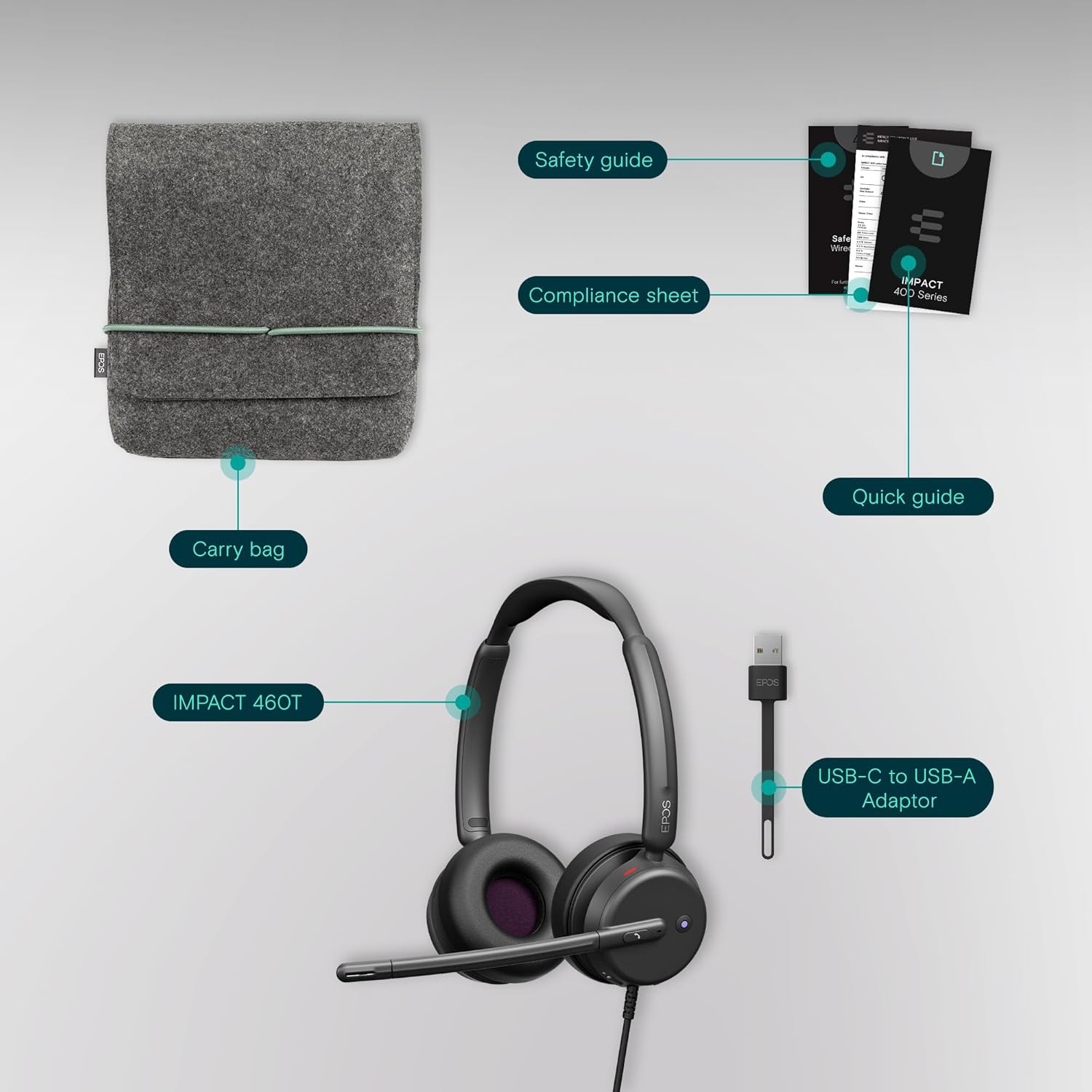
Figure 5.1: Advanced noise-filtering technology in action during a call.
6. Nlekọta
- Nhicha: Jiri ákwà dị nro ma kpọọ nkụ hichaa ekweisi ahụ. Zere iji kemịkalụ siri ike ma ọ bụ ihe ndị na-emebi ihe.
- Mpempe ntị: Periodically check ear pads for wear and tear. Replacement ear pads may be available from EPOS support.
- Nchekwa: When not in use, store the headset in the provided protective carry pouch to prevent damage and keep it clean.
- Nlekọta USB: Zere ịgbagọ dị nkọ ma ọ bụ ịdọpụ eriri ahụ gabiga ókè iji gbochie mmebi dị n'ime.
7. Nchọpụta nsogbu
7.1. Enweghị ụda ma ọ bụ ụda adịghị mma
- Lelee njikọ: Ensure the USB-C (or USB-A with adapter) connector is fully inserted into your device.
- Ọkwa olu: Verify that the volume on the headset's inline control unit and your device's system volume are turned up.
- Ngwa ngwa: Confirm that the EPOS Impact 460T is selected as the default audio input and output device in your operating system's sound settings and your communication application (e.g., Microsoft Teams, Zoom).
- Restart Application/Device: Close and reopen your communication application, or restart your computer/device.
7.2. Igwe okwu anaghị arụ ọrụ
- Check Mute Status: Ensure the microphone boom is lowered and the LED mute indicator is off (not red). Check the mute button on the inline control unit.
- Default Microphone: Verify that the EPOS Impact 460T is selected as the default microphone in your operating system's sound settings and your communication application.
- Application Permissions: Ensure your communication application has permission to access the microphone.
8. Nkọwapụta
| Njirimara | Nkọwa |
|---|---|
| Aha Nlereanya | 460T |
| Teknụzụ Njikọta | Wired (USB-C, includes USB-A adapter) |
| Ntinye ntị | Na Ntị |
| Njikwa mkpọtụ | Dual Noise-Canceling Mics, Passive Noise Control |
| Igwe okwu | Lift-to-mute boom arm, LED mute indicator |
| Ụdị njikwa | Volume Control, Call Button (inline remote) |
| Ngwa dakọtara | Desktops, Laptops, Tablets, Smartphones |
| Eji akwadoro | Calls, Home Office, Business, Remote Work |
| Ibu | 13 ounces |
| Akụkụ | 7.87 x 8.07 x 2.56 sentimita asatọ |
| Ihe onwunwe | Plastic (with memory foam ear pads) |
9. Akwụkwọ ikike na nkwado
The EPOS Impact 460T headset typically comes with a manufacturer's warranty. Please refer to the included warranty information in your product packaging for specific terms and duration. For technical support, driver updates, and device management, visit the official EPOS website or utilize the EPOS Connect & Manager software.
Additional protection plans may be available for purchase, offering extended coverage beyond the standard manufacturer's warranty. Check with your retailer for details.