
1. Okwu mmalite
This manual provides essential instructions for the proper installation, maintenance, and troubleshooting of your DREAME K10 & K10 Pro replacement filter. This filter is designed to maintain the optimal performance and filtration efficiency of your DREAME K10 or K10 Pro vacuum cleaner.
2. Ihe ngwugwu
- 1 x DREAME K10 & K10 Pro Replacement Filter
3. Ndakọrịta
This replacement filter is specifically designed for use with the following DREAME vacuum cleaner models:
- DREAME K10
- DREAME K10 Pro
Ensure your vacuum cleaner model matches one of the listed compatible devices before installation.
4. Nwụnye
Follow these steps to properly install the replacement filter in your DREAME K10 or K10 Pro vacuum cleaner:
- Gbanyụọ: Ensure your DREAME vacuum cleaner is turned off and unplugged from the power source before beginning any maintenance or installation.
- Chọta ngalaba nzacha: Refer to your vacuum cleaner's original user manual to locate the filter compartment. This is typically found near the dustbin.
- Wepu ihe nzacha ochie: Open the filter compartment and carefully remove the old, used filter. Dispose of the old filter responsibly.
- Fanye ihe nzacha ọhụrụ: Take the new DREAME K10 & K10 Pro replacement filter and insert it into the compartment. Ensure it is seated correctly and securely. The filter should fit snugly without excessive force.
- Mechie Ụlọ: Close the filter compartment cover until it clicks into place, ensuring it is fully sealed.
- Ọrụ mmaliteghachi: You may now plug in and power on your vacuum cleaner.
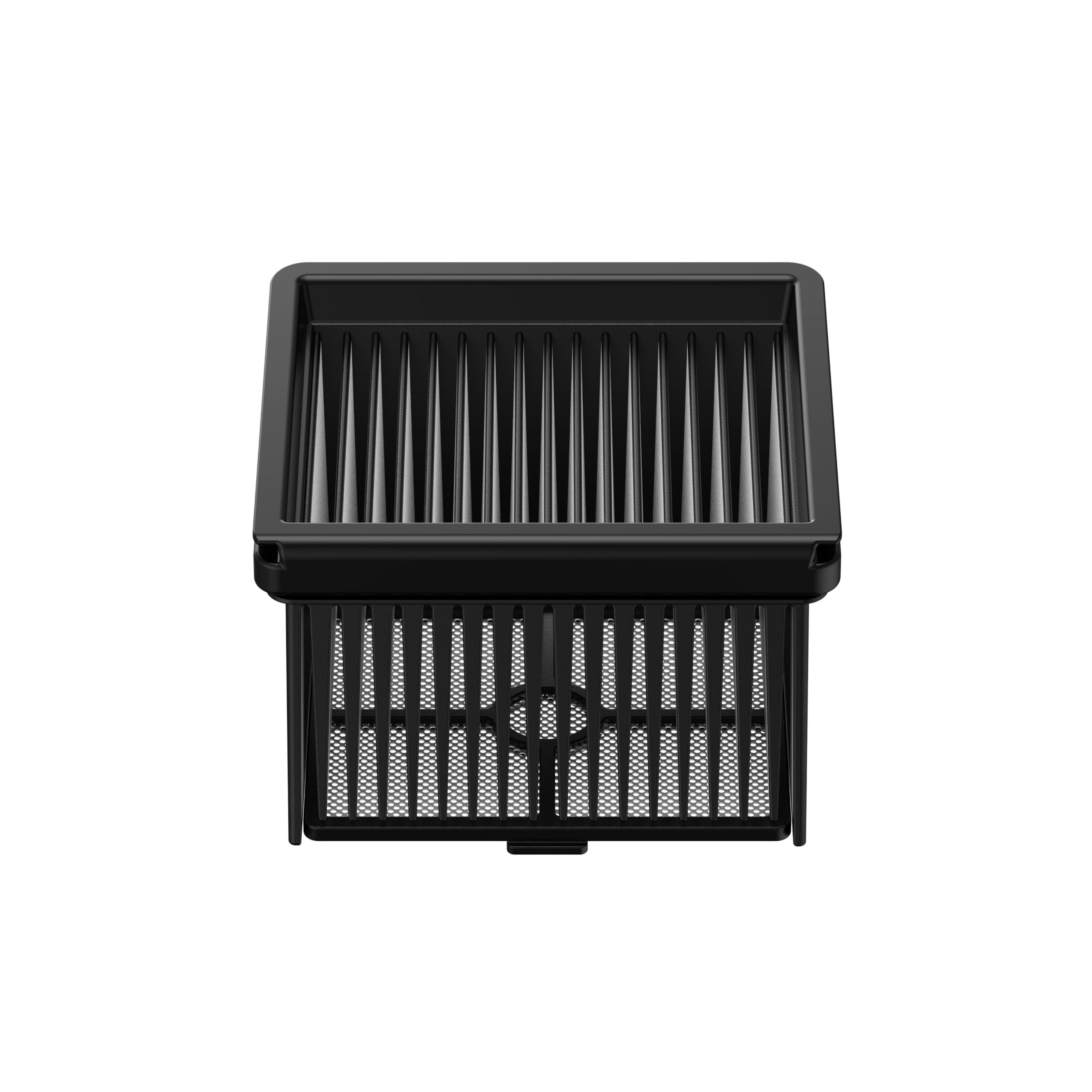
Image: The DREAME K10 & K10 Pro replacement filter, showing its design and structure. This image illustrates the filter component that needs to be installed.
5. Nlekọta
Regular maintenance of your filter is crucial for optimal vacuum performance and longevity.
- Nhicha: It is recommended to clean the filter regularly, typically after every few uses or when you notice a decrease in suction power. Gently tap the filter against a trash can to dislodge accumulated dust and debris. For a more thorough cleaning, you may rinse the filter under cool, running water. Ensure the filter is kpamkpam akọrọ before reinserting it into the vacuum cleaner. Drying can take up to 24 hours.
- Ndochi: Filters have a limited lifespan. For best performance, replace the filter every 3 to 6 months, depending on usage frequency and household dust levels.
6. Nchọpụta nsogbu
If you encounter issues with your vacuum cleaner after filter installation, consider the following:
- Ebelata ike imi:
- Check if the filter is clean. A clogged filter is a common cause of reduced suction.
- Ensure the filter is correctly installed and seated firmly in its compartment.
- Mkpọtụ na-adịghị ahụkebe:
- Verify that the filter is properly installed and not loose.
- Inspect the filter for any damage or tears that might cause air leaks.
If problems persist, refer to your DREAME K10 or K10 Pro vacuum cleaner's main user manual or contact DREAME customer support.
7. Nkọwapụta
| Ụdị | Ụrọ |
| Aha Nlereanya | K10 & K10 Pro Filter |
| Ihe onwunwe | Hepa filter |
| Ọnụọgụ nke Iberibe | 1 |
| Ngwa dakọtara | DREAME K10, DREAME K10 Pro |
8. Akwụkwọ ikike na nkwado
The warranty information for this specific replacement filter is currently unknown based on available product data. For any warranty-related inquiries, technical support, or further assistance, please contact DREAME customer service directly. You can typically find their contact information on the official DREAME websaịtị ma ọ bụ site na akwụkwọ izizi ngwaahịa gị.