
1. Okwu mmalite
Thank you for choosing the Auronic AU3273 Compact Series Dehumidifier. This appliance is designed to effectively remove excess moisture from your indoor environment, helping to prevent mold, mildew, and musty odors. With a dehumidification capacity of 25 liters per day, it is ideal for spaces up to 50 m².
This manual provides important information regarding the safe operation, installation, maintenance, and troubleshooting of your dehumidifier. Please read it thoroughly before use and retain it for future reference.

Image 1.1: Auronic AU3273 Dehumidifier with visual representation of air circulation.
2. Ntuziaka nchekwa
To ensure safe operation and prevent damage to the appliance or injury to yourself, please observe the following safety precautions:
- Always place the dehumidifier on a stable, level surface.
- Do not block the air inlet or outlet. Maintain at least 20 cm clearance around the unit.
- Gbaa mbọ hụ na ọkọnọ ike dabara na voltage akọwapụtara na akara ọkwa.
- Ejila eriri ma ọ bụ plọg mebiri emebi rụọ ọrụ ahụ.
- Wepụ ihe mkpuchi ahụ tupu ị sachaa, ịkwaga, ma ọ bụ rụzie ihe ọ bụla.
- Do not use the dehumidifier in areas where flammable gases or liquids are stored.
- Debe ụmụaka na anụ ụlọ pụọ na ngwa ngwa mgbe a na-arụ ọrụ.
- If the unit has been tilted more than 45 degrees during transport, allow it to stand upright for at least 24 hours before plugging it in and operating. This allows the refrigerant to settle.
- Etinyekwala ihe n'ime ikuku ikuku.
- Ngwa a bụ naanị maka ime ụlọ.
3. Ihe ngwugwu
Carefully unpack your Auronic AU3273 Dehumidifier and check that all items are present and in good condition. The package should contain:
- Auronic AU3273 Dehumidifier Unit
- Drain Hose for continuous drainage
- Akwụkwọ ntuziaka (akwụkwọ a)

Image 3.1: Contents of the Auronic AU3273 Dehumidifier package, showing the unit, drain hose, and manual.
4. Ngwaahịa gafereview
4.1. Isi ihe
- Ogwe njikwa: Located on the top of the unit for setting functions.
- Ikuku ụgbọ mmiri: Ebe a na-adọta ikuku mmiri n'ime ihe ahụ.
- Ọpụpụ ikuku: Ebe a na-achụpụ ikuku kpọrọ nkụ.
- tank mmiri: Collects condensed water. Capacity: 4 liters.
- Ọpụpụ mmiri na-aga n'ihu: For connecting the drain hose.
- Wheel: Maka mfe ịkwaga.
4.2. Ọrụ Panel Control
The control panel provides access to all operational settings. Refer to the image below for button identification:

Foto 4.1: Zuru ezu view of the control panel with button descriptions.
- Ọsọ: Na-edozi ọsọ fan.
- SLEEP/RESET: Activates sleep mode or resets certain functions.
- Mkpọchi: Engages child lock to prevent accidental changes.
- Àkụ elu/ala: Adjust humidity settings or timer values.
- Oge: Sets the operating time.
- Edị: Switches between different operating modes (e.g., Laundry Dry).
- STAND-BY (Power Button): Gbanyụọ ma ọ bụ gbanyụọ unit ahụ.
5. Nhazi
5.1. Ntinye mbụ
Place the dehumidifier in the desired location, ensuring it is on a firm, level surface. Allow at least 20 cm of space around all sides for proper airflow. The unit is equipped with wheels for easy movement.
5.2. Njikọ ike
Plug the power cord into a grounded electrical outlet. If the unit was tilted during transport, wait 24 hours before plugging it in.
5.3. Mmiri na-aga n'ihu (Nhọrọ)
For continuous operation without needing to empty the water tank, connect the included drain hose:
- Locate the continuous drain outlet on the back or side of the unit.
- Securely attach one end of the drain hose to this outlet.
- Direct the other end of the hose to a suitable drain point (e.g., floor drain, sink), ensuring it is lower than the unit's drain outlet for gravity flow.
- Ensure the hose is not kinked or blocked.
6. Ntuziaka ọrụ
6.1. Gbanyụọ / gbanyụọ
Pịa KWỤRỤ N'ỤSỌ bọtịnụ ka ịgbanwuo ma ọ bụ gbanyụọ dehumidifier.
6.2. Ịtọ iru mmiri achọrọ
When the unit is on, the display will show the current room humidity. Use the Up na Ala arrow buttons to set your desired humidity level. The unit will operate until the set humidity is reached, then cycle on and off to maintain it.
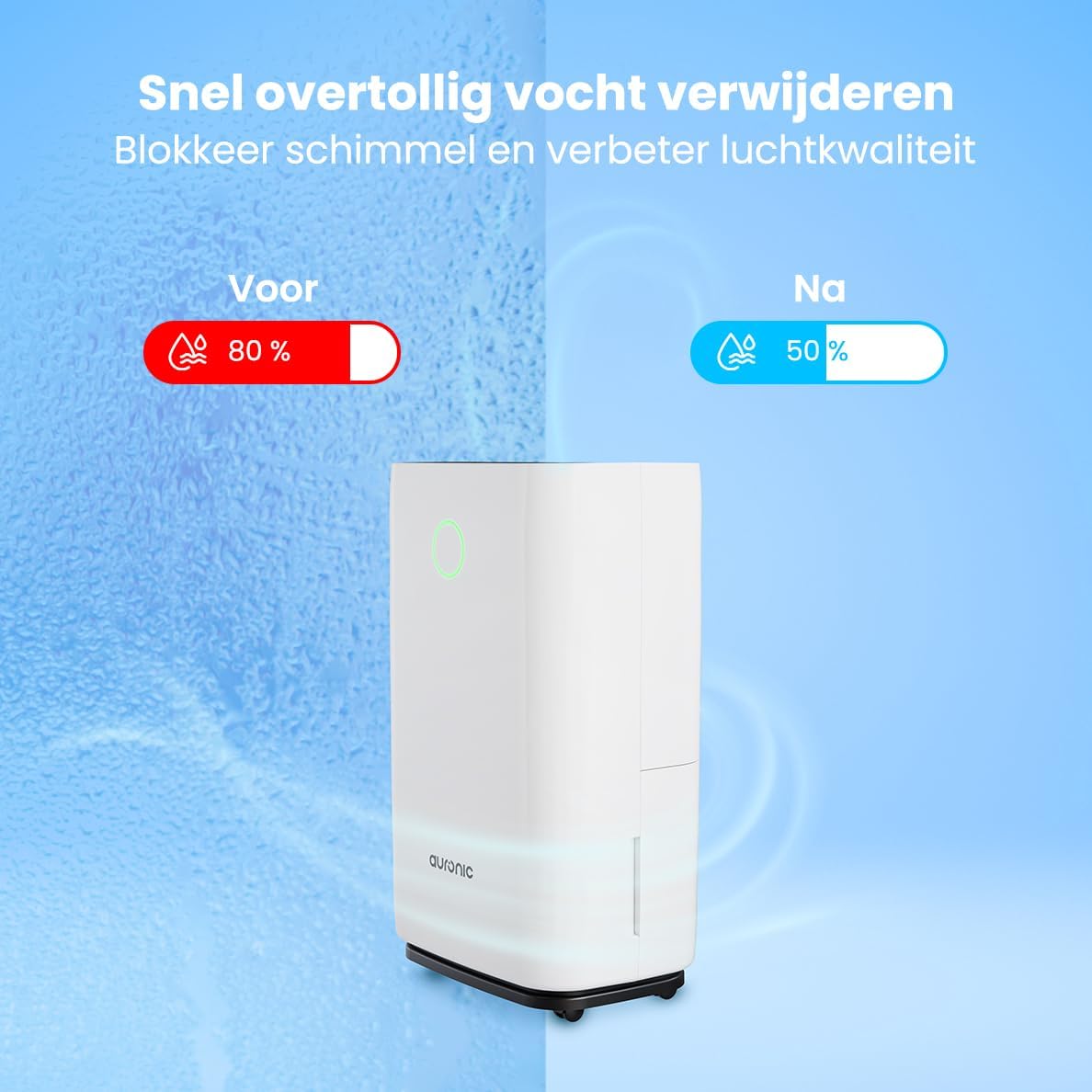
Image 6.1: Visual representation of humidity reduction from 80% to 50% using the dehumidifier.
6.3. Ụdị arụ ọrụ
- Ụdị akpaaka: The unit automatically adjusts its operation based on the ambient humidity.
- Laundry Dry Function: Pịa MODE button to select the Laundry Dry function. This mode increases fan speed and continuous operation to accelerate the drying process of clothes. Place the dehumidifier in your laundry room for optimal results.
- Modera Modera: Pịa Ụra/Tọgharịa button to activate sleep mode. In this mode, the display lights dim, and the fan operates at a lower speed for quieter operation, suitable for nighttime use.

Image 6.2: The dehumidifier operating quietly, suitable for use in a bedroom.
6.4. Ọrụ ngụ oge
Pịa TIMER button to set an auto-on or auto-off time. Use the Up na Ala arrows to adjust the desired hours (1-24 hours). The unit will turn on or off after the set time has elapsed.
6.5. Mkpọchi nwa
Pịa ma jide Mkpọchi button for a few seconds to activate or deactivate the child lock. When activated, the control panel buttons will be unresponsive to prevent accidental changes.
7. Nlekọta
Ndozi mgbe niile na-eme ka arụ ọrụ kacha mma na-agbatịkwu ogologo ndụ nke dehumidifier gị.
7.1. Na-ekpochapụ tank mmiri ahụ
When the water tank is full, the unit will automatically stop operating, and an indicator light will illuminate. Carefully remove the water tank from the unit, empty the collected water, and then reinsert the tank securely. Ensure the tank is properly seated to resume operation.
7.2. Na-ehicha ihe nzacha ikuku
The air filter should be cleaned every two weeks or more frequently depending on usage and air quality. A dirty filter can reduce efficiency.
- Kpupu ihe dehumidifier na ntinye ọkụ.
- Chọta ma wepụ ihe nzacha ikuku (na-emekarị n'azụ ma ọ bụ n'akụkụ).
- Jiri ihe nhicha ikuku hichaa ihe nzacha ahụ ma ọ bụ jiri mmiri ọkụ na ncha saa ya nke ọma.
- Rinse thoroughly and allow the filter to air dry completely before reinstalling.
- Reinsert the dry filter and plug the unit back in.
7.3. Nchacha izugbe
Jiri nwayọ hichaa mpụta nke otu ahụ, damp cloth. Do not use harsh chemicals, abrasive cleaners, or solvents, as these can damage the surface.
8. Nchọpụta nsogbu
Ọ bụrụ na ị hụ nsogbu na dehumidifier gị, lee nsogbu na ngwọta ndị a na-ahụkarị:
- Otu anaghị agbanwuo:
- Lelee ma ọ bụrụ na etinyere eriri ọkụ na ebe nchekwa na-arụ ọrụ.
- Ensure the water tank is properly inserted and not full.
- Check if the child lock is activated.
- No water collected or low dehumidification:
- Verify that the set humidity level is lower than the current room humidity.
- Check if the air filter is clean and not blocked.
- Ensure room temperature is above 5°C (41°F), as dehumidifiers are less effective in cold conditions.
- Close doors and windows in the room to prevent humid air from entering.
- Allow a few minutes for the unit to accurately measure humidity upon startup, as initial readings may be inaccurate.
- Nkeji na-eme mkpọtụ:
- Hụ na ihe eji arụ ọrụ ahụ dị n'elu ebe kwụsiri ike ma dị larịị.
- Check for any obstructions in the air inlet or outlet.
- Clean the air filter if it is dirty.
- Defrost function activates frequently:
- This is normal in cooler environments (e.g., below 20°C). The unit temporarily stops dehumidifying to melt any ice buildup on the coils.
If the problem persists after trying these solutions, please contact Auronic customer support.
9. Nkọwapụta
| Njirimara | Nkọwapụta |
|---|---|
| Ụdị | Auronic |
| Nọmba nlereanya | AU3273 |
| Akụkụ ngwaahịa | 57 x 34 x 23 cm (H x W x D) |
| Ibu | 13.6 n'arọ |
| Agba | Ọcha |
| Ihe onwunwe | Plastic and ABS Plastic |
| Wattage | 395 watt |
| Ọkwa mkpọtụ | 45 decibel |
| Atụmatụ pụrụ iche | Mkpuchi akpaaka |
| Ngwa gụnyere | Manual, Drain Hose |
| Ike (Iwepu ikuku) | 25 lita kwa ụbọchị |
| Olu tank | 4 lita |
| Mkpuchi Mpaghara Ala | Ihe ruru 50 m² |
| Ọnụọgụ nke Ọsọ ọsọ | 1 |
10. Akwụkwọ ikike na nkwado
For warranty information and customer support, please refer to the warranty card included with your purchase or visit the official Auronic website. If you experience any issues not covered in the troubleshooting section, please contact Auronic customer service for assistance.
Onye nrụpụta: Auronic