
Okwu mmalite
This manual provides essential information for the proper setup, operation, and maintenance of your ONN 24-inch FHD Gaming Monitor, model 100027813. Please read this manual thoroughly before using the product to ensure optimal performance and safety. This monitor is designed to deliver a high-quality gaming experience with its 1080p resolution, 165Hz refresh rate, 1ms response time, and FreeSync technology.
Ozi nchekwa
Always observe the following safety precautions to prevent damage to the monitor and ensure user safety:
- Etinyela ihe nlele ahụ n'ime mmiri ozuzo ma ọ bụ mmiri iji zere ọkụ ma ọ bụ ihe egwu mberede.
- Emeghela ihe nlele ahụ casing. Enweghị akụkụ ọrụ ọ bụla dị n'ime ya. Nye ndị ọrụ ruru eru ọrụ niile.
- Debe ihe nlele ahụ n'elu ebe kwụsiri ike ma dị larịị iji gbochie ya ịda.
- Hụ na ikuku dị mma gburugburu ihe nlele ahụ. Ekpuchila oghere ikuku.
- Jiri naanị ihe nkwụnye ọkụ wetara n'ihe nleba anya.
- Kwụpụ ihe nlele ahụ na ebe ọkụ eletrik dị n'oge oké ifufe ma ọ bụ mgbe ejiri ya ruo ogologo oge.
Ihe ngwugwu
Chọpụta na ihe niile dị na ngwugwu:
- ONN 24-inch FHD Gaming Monitor
- Nyochaa Stand (Base and Olu)
- Ihe nkwụnye ọkụ
- DisplayPort Cable (6 ft)
- HDMI Cable (6 ft)
- Akwụkwọ ntuziaka (akwụkwọ a)

Image: Retail box of the ONN 24-inch Gaming Monitor, highlighting key features like 165Hz, 1ms response time, DisplayPort, HDMI, and Adaptive-Sync.
Melite
1. Ịchịkọta nkwụsi ike
- Jiri nlezianya wepụ ihe nleba anya ma guzobe ihe ndị dị na nkwakọ ngwaahịa ahụ.
- Attach the stand neck to the stand base. Secure it with the provided screw, if applicable.
- Align the assembled stand with the mounting slot on the back of the monitor. Gently push until it clicks into place or secure with screws as per the design.
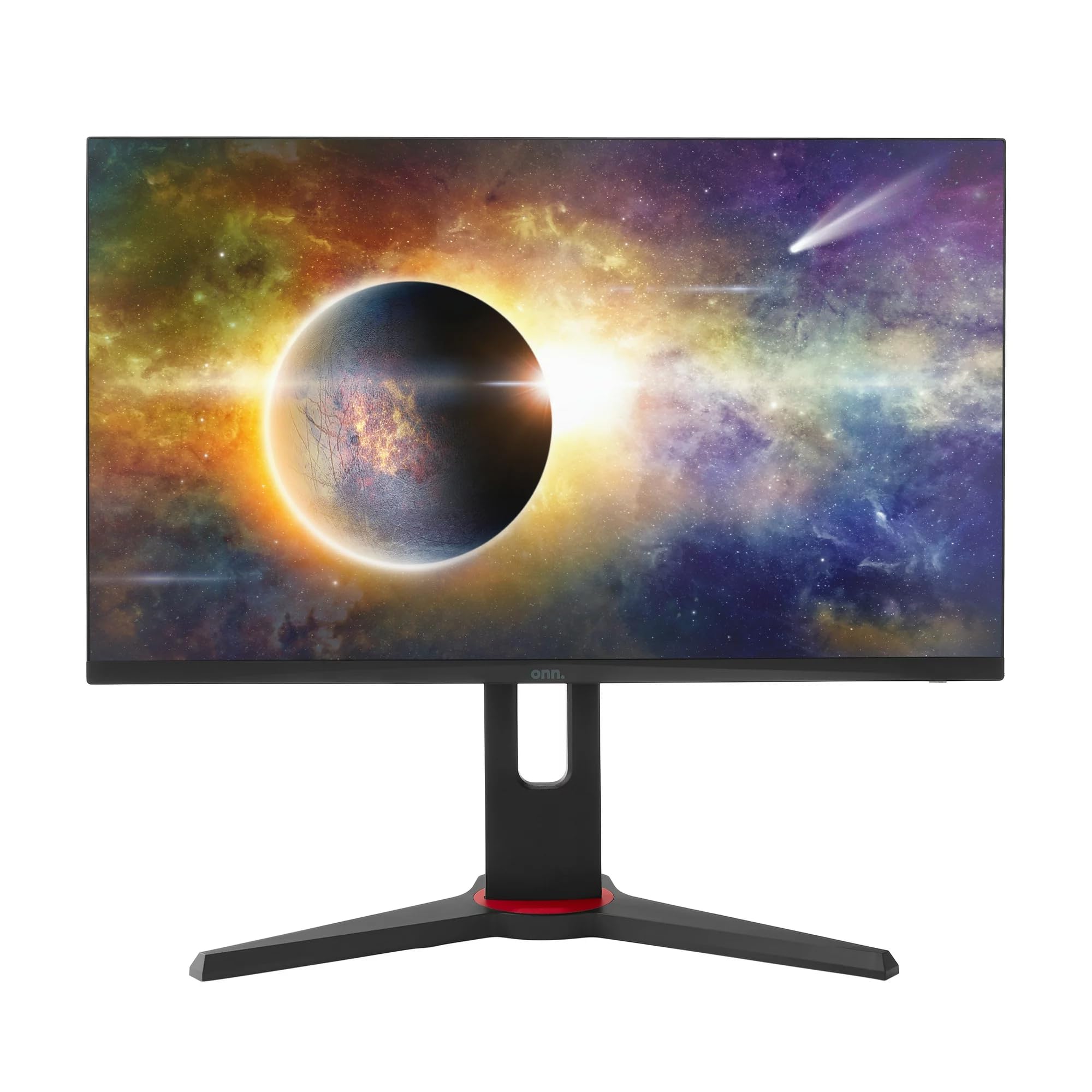
Foto: N'ihu view of the ONN 24-inch Gaming Monitor, fully assembled with its stand.

Foto: N'azụ view of the ONN 24-inch Gaming Monitor, illustrating the stand attachment and cable management area.
2. Njikọ eriri
Locate the input ports on the back of your monitor:
- Ike: Jikọọ ihe nkwụnye ọkụ eletrik ahụ na ntinye ike nke ihe nlele ahụ wee jikọọ na ebe a na-etinye ọkụ eletrik.
- Ntinye vidiyo: Connect one end of the provided DisplayPort or HDMI cable to the corresponding port on your computer's graphics card and the other end to the monitor. The monitor supports 2 HDMI inputs and 1 DisplayPort input.
- Mbupụ ọdịyo (Nhọrọ): If your monitor has a 3.5mm audio jack, you can connect external speakers or headphones.

Foto: nso nso view of the monitor's rear ports, including HDMI 1, HDMI 2, DisplayPort (DP), and power input.
3. Gbanwee ike mbụ
- Gbaa mbọ hụ na ejikọrọ eriri niile na nchekwa.
- Press the power button on the monitor (usually located on the back or bottom right).
- The monitor should display the ONN logo and then search for an input signal.
- If no image appears, ensure your computer is powered on and the correct input source is selected on the monitor (see Operating section).
Na-arụ ọrụ
1. Gbanyụọ / gbanyụọ
Press the power button to turn the monitor on or off. The power indicator light will show the monitor's status (e.g., blue for on, amber for standby).
2. Ngosipụta n'ihuenyo (OSD) Ntugharị menu
Your monitor features an OSD menu for adjusting various settings. Typically, buttons on the back or bottom of the monitor control the OSD:
- Bọtịnụ menu: Mepee menu OSD.
- Bọtịnụ igodo nsoroụzọ (elu/ala/ekpe/aka nri): A na-eji ya eme ihe iji lelee nhọrọ menu.
- Bọtịnụ Họrọ/Tinye: Na-akwado nhọrọ ma ọ bụ tinye obere menu.
- Wepụ bọtịnụ: Na-apụ na menu dị ugbu a ma ọ bụ OSD.
3. Ịgbanwe Ntọala
Key settings you can adjust via the OSD menu include:
- Icha ọkụ/ọdịiche: Gbanwee ìhè na ọdịiche dị n'etiti ebe ìhè na ebe gbara ọchịchịrị.
- Ntọala agba: Gbanwee okpomọkụ agba, gamma, na ọkwa RGB nke ọ bụla.
- Isi mmalite ntinye: Manually select between HDMI 1, HDMI 2, or DisplayPort inputs.
- Ọnụego ume ọhụrụ: Ensure your graphics card and monitor are set to 165Hz for the smoothest experience. This is usually configured in your operating system's display settings.
- Oge nzaghachi: Adjust the monitor's response time setting (e.g., 1ms) for reduced motion blur in fast-paced games.
- Teknụzụ FreeSync: Enable FreeSync in the OSD menu and in your AMD graphics card settings to synchronize the monitor's refresh rate with your GPU's frame rate, eliminating screen tearing and stuttering.
- Ụdị foto: Select from preset modes optimized for different content (e.g., Standard, Game, Movie, Text).

Image: The ONN 24-inch Gaming Monitor displayed in a typical desk setup, connected to a laptop with gaming peripherals.
Nlekọta
Nhicha Nyochaa
- Kwụpụ ihe nleba anya mgbe niile tupu ihicha ya.
- Jiri akwa dị nro na nke enweghị mmiri ọkụ dampejiri mmiri mee ya ma ọ bụ ihe dị nro, ihe nhicha ihuenyo anaghị emebi emebi.
- Afesakwala ihe nhicha ozugbo na ihuenyo. Buru ụzọ tinye ya na akwa ahụ.
- Zere iji kemịkalụ siri ike, mpe mpe akwa, ma ọ bụ ihe mgbaze.
Nchekwa
Ọ bụrụ na ị na-echekwa ihe nlele ahụ ruo ogologo oge, wepụ eriri niile, tinye ya na ngwugwu mbụ ya (ọ bụrụ na ọ dị), ma debe ya n'ebe dị jụụ ma kpọọ nkụ, ebe anwụ na-anaghị apụta kpọmkwem na oke okpomọkụ.
Nchọpụta nsogbu
Ọ bụrụ na ịnwee nsogbu na ihe nleba anya gị, rụtụ aka na nsogbu na azịza ndị a na-ahụkarị:
| Nsogbu | Ngwọta enwere ike |
|---|---|
| Enweghị onyonyo na ihuenyo |
|
| Image is flickering or distorted |
|
| Enweghị ụda (ọ bụrụ na ị na-eji ọkà okwu nlekota/anaghị ewepụta ụda) |
|
| Monitor not reaching 165Hz |
|
Nkọwapụta
Detailed technical specifications for the ONN 24-inch FHD Gaming Monitor (Model 100027813):
| Njirimara | Nkọwapụta |
|---|---|
| Nọmba nlereanya | 100027813 |
| Nha ihuenyo | 24 sentimita asatọ |
| Mkpebi | FHD 1080p (1920x1080) |
| Ọnụego ume ọhụrụ | 165 Hz |
| Oge nzaghachi | 1 nkeji |
| Ngosipụta teknụzụ | IPS |
| Mmekọrịta na-agbanwe agbanwe | FreeSync |
| Akụkụ akụkụ | 16:9 |
| Ọnụọgụ ọdịiche | 2000:1 |
| Ihu Ihuenyo | Matte, Anti-glare with low blue light setting |
| Njikọta | 2 x HDMI, 1 x DisplayPort |
| Akụkụ ngwaahịa (D x W x H) | 61.3 x 11.3 x 37.3 cm |
| Ibu Ibu | 6.1 n'arọ |
| Agba | Nwa |
| Ụdị nkwụnye | Ugwu oche |
| Ojiji akọwapụtara | Entertainment, Gaming |
Akwụkwọ ikike
This ONN 24-inch FHD Gaming Monitor is a renewed product. Warranty terms and conditions for renewed products may vary. Please refer to the specific warranty information provided by the seller or retailer at the time of purchase. It is recommended to retain your proof of purchase for any warranty claims.
Nkwado
For technical assistance, troubleshooting beyond this manual, or warranty inquiries, please contact the retailer or the Amazon Renewed support channel where the product was purchased. Have your model number (100027813) and proof of purchase ready when contacting support.