
VEAT00L VEAT00L
VEAT00L Wireless Bluetooth Earbuds User Manual
Model: VEAT00L
Okwu mmalite
Thank you for choosing the VEAT00L Wireless Bluetooth Earbuds. These earbuds are designed to provide a superior audio experience with advanced features such as Bluetooth 5.4 connectivity, extended battery life, noise-canceling microphone, and IP7 waterproof rating. This manual will guide you through the setup, operation, and maintenance of your new earbuds to ensure optimal performance and longevity.
Ozi nchekwa
Biko gụọ ndụmọdụ na ndụmọdụ nchekwa niile nke ọma tupu i jiri ngwaahịa a iji gbochie mmerụ ahụ ma ọ bụ mmebi.
- Do not expose the earbuds or charging case to extreme temperatures, direct sunlight, or fire.
- Zere ịda, ịkụ, ma ọ bụ ịgbasa ngwaọrụ ahụ.
- Keep away from water and liquids, even with the IP7 rating, prolonged submersion is not recommended.
- Do not use abrasive cleaners or chemicals to clean the earbuds.
- Gee ntị n'ogo olu na-agafeghị oke iji gbochie mmebi ntị.
- Debe ebe ụmụaka na-apụghị iru.
Ihe ngwugwu
Gbaa mbọ hụ na ihe niile dị na ngwugwu gị:
- VEAT00L Wireless Bluetooth Earbuds (Left and Right)
- Nchaji case
- Eartips (nha dị iche iche)
- Igwe nchaji USB
- Akwụkwọ ntuziaka onye ọrụ
Ngwaahịa gafereview
Familiarize yourself with the components of your VEAT00L earbuds and charging case.

Image: VEAT00L Wireless Bluetooth Earbuds inside their charging case, illustrating the charging process with digital battery indicators on the case.
- Akpa ntị: Left and Right earbuds with earhook design for secure fit.
- Multi-function Button/Touch Area: For controlling music, calls, and voice assistant.
- Igwe okwu: Built-in for calls and voice commands.
- Kọntaktị na-akwụ ụgwọ: Located on the earbuds and inside the case.
- Nchaji akpa: Stores and charges the earbuds, with a digital display for battery status.
- Ọdụ ụgbọ mmiri USB-C: On the back or bottom of the charging case.
Melite
1. Ịchaji ihe ntị na akpa
Tupu i jiri ya nke mbụ, chajie ma ekweisi na ihe mkpuchi chaja ahụ nke ọma.
- Place the earbuds into the charging case, ensuring they are correctly seated. The earbuds will automatically begin charging.
- Connect the USB charging cable to the charging port on the case and the other end to a USB power adapter (not included) or a computer's USB port.
- The digital display on the charging case will show the battery level. Allow approximately 1-2 hours for a full charge.
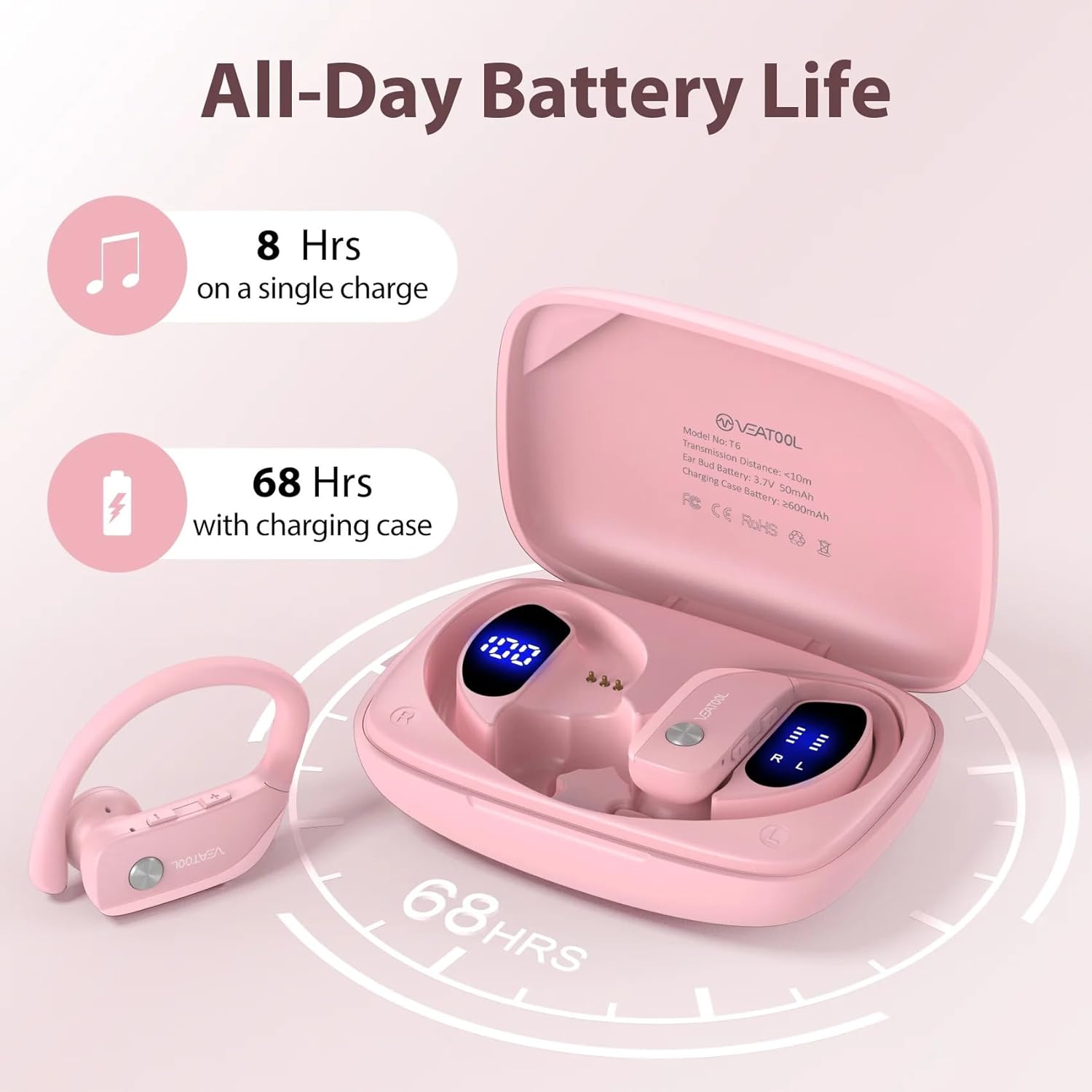
Image: Diagram showing the VEAT00L earbuds and charging case, highlighting the extended battery life of 8 hours on a single charge and 68 hours with the charging case, totaling 72 hours.
Ndụ batrị: The earbuds provide approximately 8 hours of playback on a single charge. The charging case provides multiple additional charges, extending the total playtime to up to 72 hours.
2. Ijikọ na ngwaọrụ gị
Ekwe ntị ndị a ga-abanye na ọnọdụ njikọta ozugbo mgbe ewepụrụ ha na akpa chaja.
- Open the charging case and remove both earbuds. They will automatically power on and connect to each other.
- Na ekwentị gị ma ọ bụ ngwaọrụ Bluetooth nyere gị aka, gaa na ntọala Bluetooth.
- Chọọ maka new devices and select "VEAT00L" from the list.
- Ozugbo ejikọtara ya, ị ga-anụ olu nkwenye, ekweisi ndị ahụ ga-adịkwa njikere maka ojiji.
- Ọ bụrụ na njikọ ahụ ada ada, tinyeghachi ntị ntị n'ime akpa ahụ, mechie mkpuchi ahụ, chere sekọnd ole na ole, wee megharịa usoro ndị ahụ.
Ntuziaka ọrụ
The VEAT00L earbuds feature intuitive touch controls for various functions.

Image: Close-up of a VEAT00L earbud showing various touch control icons and their corresponding functions, such as Answer, Hang Up, ON/OFF, Play/Pause, Previous/Next, Voice Assistant, Reject, and Volume +/-.
| Ọrụ | Omume |
|---|---|
| Gbanyụọ | Take earbuds out of charging case. |
| Gbanyụọ ike | Place earbuds back into charging case. |
| Kpọọ/kwụsịtụ egwu | Otu mgbata na ntị ntị. |
| Track na-esote | Pịa bọtịnụ ntị aka nri ugboro abụọ. |
| Egwu gara aga | Kpatụ ntị ugboro abụọ n'akụkụ aka ekpe. |
| Elu elu | Pịa ugboro atọ na ntị aka nri. |
| Mpịakọta ọnụ | Pịa aka ekpe ugboro atọ. |
| Zaa/Kwụsị Oku | Naanị otu ọpịpị na ntị ntị n'oge oku mbata. |
| Jụ oku | Pịa ma jide otu ntị ntị maka sekọnd 2 n'oge oku mbata. |
| Mee ka onye enyemaka olu rụọ ọrụ | Pịa ma jide otu ntị ntị maka sekọnd 3. |
Nlekọta
Proper care will extend the life of your VEAT00L earbuds.
- Nhicha: Use a soft, dry, lint-free cloth to clean the earbuds and charging case. Do not use harsh chemicals or abrasive materials. For earwax buildup, gently clean the earbud mesh with a small, soft brush.
- Nchekwa: When not in use, store the earbuds in their charging case to protect them and keep them charged. Store in a cool, dry place away from direct sunlight.
- Nlekọta batrị: Iji chekwaa ndụ batrị, chajie ekweisi na ihe mkpuchi ahụ mgbe niile, ọbụlagodi na anaghị eji ya ugboro ugboro. Zere ka batrị ahụ gbapụta kpamkpam ruo ogologo oge.
Nchọpụta nsogbu
Ọ bụrụ na ị hụ nsogbu na ntị ntị gị, gbalịa ngwọta ndị a:
| Nsogbu | Ngwọta |
|---|---|
| Igwe ntị anaghị ejikọta ya na ngwaọrụ. |
|
| Naanị otu earbud na-arụ ọrụ. |
|
| Enweghị ụda ma ọ bụ obere olu. |
|
| Nchaji anaghị akwụ ụgwọ. |
|
Nkọwapụta
| Njirimara | Nkọwa |
|---|---|
| Aha Nlereanya | VEAT00L |
| Teknụzụ Njikọta | Ikuku (Bluetooth) |
| Ụdị Bluetooth | 5.4 |
| Ndụ batrị (Earbuds) | Ruo awa 8 (ụgwọ otu) |
| ngụkọta oge egwuregwu (ya na ikpe) | Ruo awa iri abụọ |
| Ọkwa Nguzogide mmiri | Ihe mgbochi mmiri IP7 |
| Ụdị ntị | Ntị |
| Ụdị njikwa | Media Control (Touch) |
| Ngwa gụnyere | Ọla ntị |
| Agba | Pink |
Akwụkwọ ikike na nkwado
For warranty information and technical support, please refer to the contact details provided with your purchase or visit the official VEAT00L websaịtị. Debe ihe akaebe nke ịzụrụ maka akwụkwọ ikike.
If you have any questions or require assistance, do not hesitate to contact our customer support team.
Ask a question about this manual
Ask about setup, troubleshooting, compatibility, parts, safety, or missing instructions. Manuals+ will review the question and use this page’s manual context to help answer it.