
1. Okwu mmalite
This manual provides detailed instructions for the safe installation, operation, and maintenance of your NOPAARD Smart 52 Inch Wood Flush Mount Ceiling Fan. This fan features smart control capabilities via remote, app, and voice assistants, a quiet DC motor, and an integrated dimmable LED light. Please read all instructions carefully before beginning installation and retain this manual for future reference.
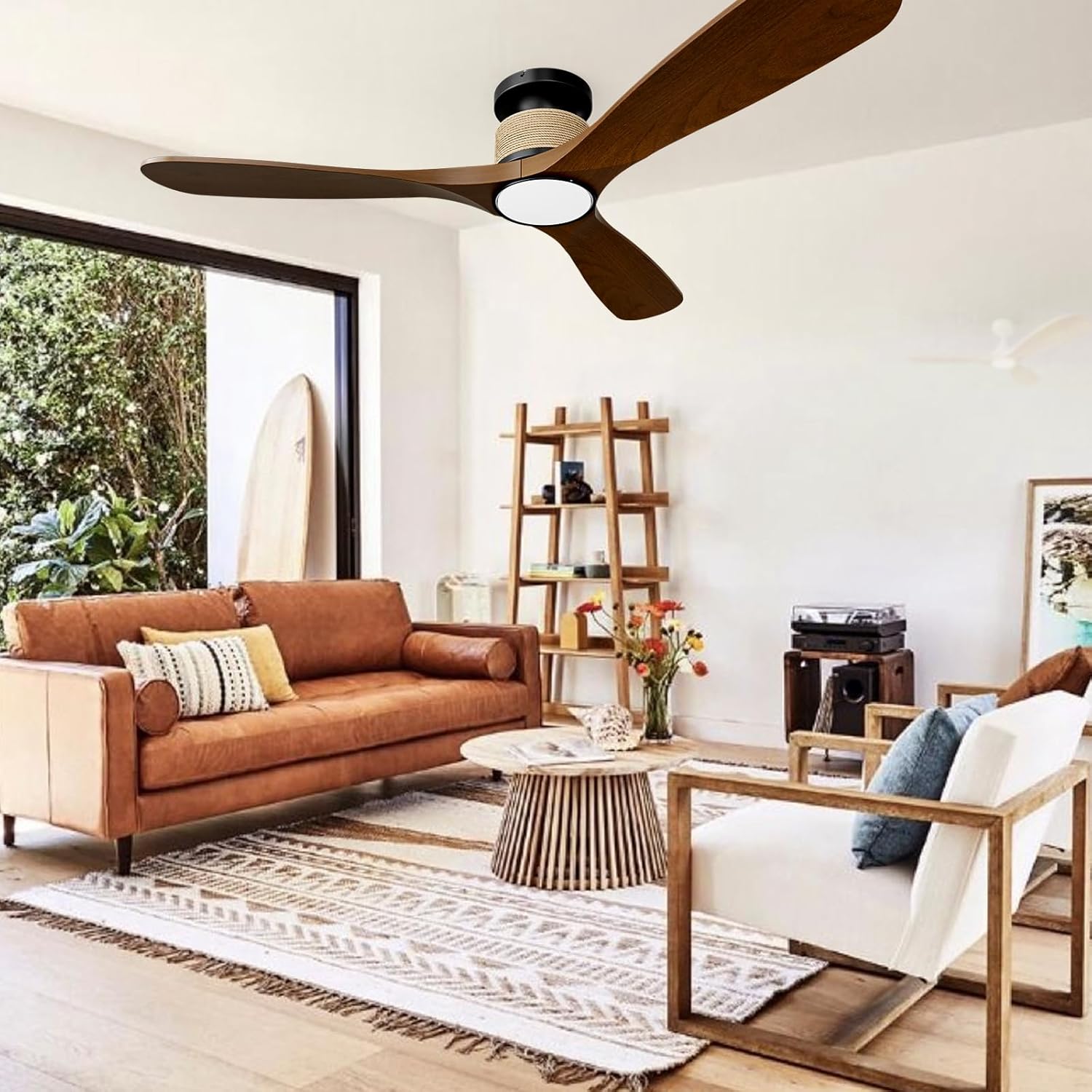
Image 1.1: NOPAARD Smart 52 Inch Wood Flush Mount Ceiling Fan in a living room setting.
2. Ozi nchekwa
Ịdọ aka ná ntị: To reduce the risk of fire, electric shock, or personal injury, always follow these safety guidelines:
- Ensure the electrical supply is disconnected at the main fuse box or circuit breaker before installation or servicing.
- All electrical wiring must be performed by a qualified electrician and comply with all local and national electrical codes.
- The mounting structure must be capable of supporting the weight of the fan (approximately 8.36 lbs) plus the dynamic load during operation.
- Do not install the fan on vaulted or sloped ceilings. This fan is designed for flush mounting only.
- Keep hands, clothing, and other objects clear of the fan blades during operation.
- This fan is suitable for wet-rated indoor/outdoor use, such as covered patios or porches. Do not expose the fan directly to water.
- Jiri naanị akụkụ nnọchi nke onye nrụpụta akọwapụtara.
3. Ihe ngwugwu
Chọpụta na akụrụngwa niile dị tupu ịmalite nrụnye:
- Ebe obibi ndị fan
- Akara agba (3)
- Ikanam Light Kit
- Arịọnụ mgbodo
- Njikwa anya
- Ngwugwu ngwaike (skru, waya akụ, wdg)
- Akwụkwọ ntuziaka
4. Ntọala na nwụnye
Soro usoro ndị a maka nrụnye kwesịrị ekwesị. A na-atụ aro ntinye ọkachamara.
4.1 Nyochaa nwụnye tupu etinye ya
- Gbanyụọ ọkụ na ihe nbibi sekit.
- Ensure the ceiling junction box is securely mounted and rated for fan support.
- Confirm the ceiling height is suitable for a flush mount fan (minimum 8.9 inches clearance from ceiling to bottom of fan).

Image 4.1: Fan dimensions and installation suitability.
4.2 Ịtinye bracket
- Attach the mounting bracket to the ceiling junction box using the provided screws. Ensure it is firmly secured.
- The design allows for the mounting bracket to be installed first, then the fan body can be easily attached, eliminating the need to hold the heavy fan overhead during wiring.
4.3 Wiring the Fan
- Connect the fan's electrical wires to the household wiring according to the wiring diagram in the full manual (typically black to black, white to white, ground to ground). Use wire nuts to secure connections.
- Jiri nlezianya tụba wires niile n'ime igbe njikọ.
4.4 Attaching the Fan Body and Blades
- Secure the fan motor housing to the mounting bracket.
- Attach the fan blades to the motor housing using the provided screws. Ensure all screws are tightened securely.
4.5 Installing the Light Kit
- Connect the light kit wires to the fan motor housing wires.
- Secure the light kit to the bottom of the fan housing.
5. Ntuziaka ọrụ
Your NOPAARD Smart Ceiling Fan offers multiple control options for convenience.
5.1 Usoro nchịkwa

Foto 5.1: Ofeview of control methods.
- Njikwa anya: Use the included remote to adjust fan speed, light settings, and activate the timer.
- Tuya App Control: Download the Tuya Smart app to your smartphone. Follow the in-app instructions to pair your fan for remote control from anywhere.
- Njikwa olu: Integrate with Amazon Alexa or Google Assistant devices. Once paired via the Tuya app, you can use voice commands such as "Alexa, turn on the fan in the bedroom."
- Njikwa mgbidi: Note that the fan and lights can only be turned on/off together via a standard wall switch and cannot be operated separately or adjusted. For full functionality, use the remote, app, or voice control.
5.2 Ndozi ọsọ Fan
The fan features 6 variable speeds to suit your comfort needs.
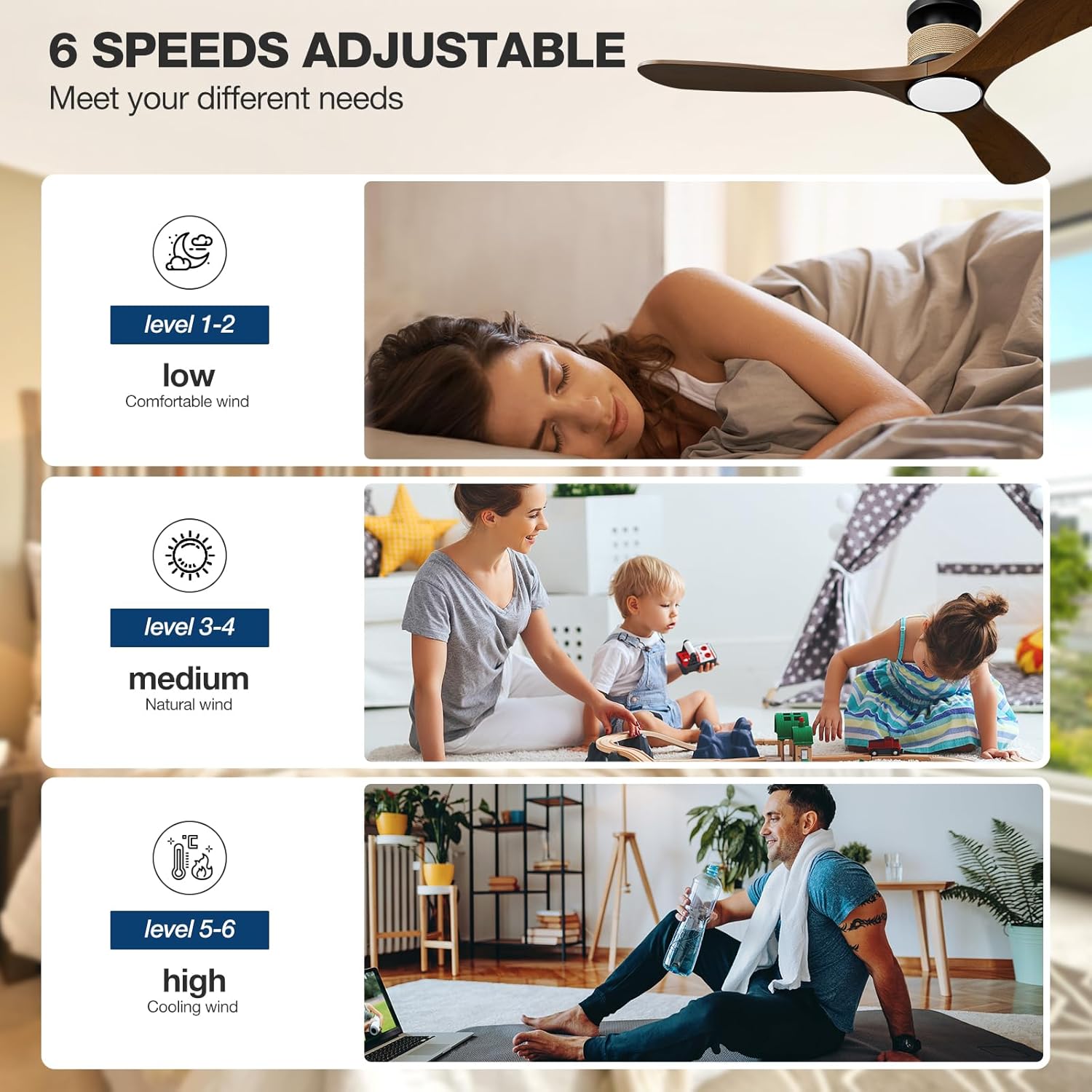
Image 5.2: Fan speed levels.
- Ọkwa 1-2: Low speed for gentle air circulation, ideal for sleeping.
- Ọkwa 3-4: Medium speed for natural airflow, suitable for daily activities.
- Ọkwa 5-6: High speed for maximum cooling, effective in larger spaces or warmer conditions.
5.3 Ntọala ọkụ
The integrated LED light offers adjustable color temperature and brightness.

Image 5.3: Dimmable LED light with adjustable color temperatures.
- Okpomọkụ agba: Cycle through 3000K (warm yellow), 4000K (bright daylight), and 6000K (cool white) to match your preference.
- Igha: Adjust brightness from 0% to 100% (0-2000 lumens) using the remote or app.
5.4 Reversible Fan Blades (Winter/Summer Mode)
The fan features a reversible DC motor to optimize air circulation year-round.

Image 5.4: Reversible fan blade function.
- Ụdị okpomọkụ: Blades rotate counter-clockwise, pushing cool air down to create a refreshing breeze.
- Ụdị oyi: Blades rotate clockwise, drawing cool air up and circulating warm air trapped near the ceiling throughout the room.
5.5 Ọrụ ngụ oge
Set the fan to automatically turn off after a specified period using the timer function (1, 2, 4, or 8 hours).
6. Nlekọta
Nlekọta anya mgbe niile na-eme ka arụmọrụ kacha mma na ogologo ndụ nke onye na-akwado uko ụlọ gị.
- Nhicha: Jiri nwayọ hichaa agụba fan na ụlọ moto, damp akwa . Ejila ihe nchacha abrasive ma ọ bụ ihe mgbaze. Gbaa mbọ hụ na agbanyụrụ ọkụ tupu ihicha.
- Ntụle agụba: If the fan wobbles, check that all blade screws are tight and that the blades are not bent or damaged.
- Njikọ eletrik: Annually inspect all electrical connections for tightness.
7. Nchọpụta nsogbu
Rụtụ aka na ngalaba a maka okwu nkịtị na azịza ha.
| Nsogbu | Ihe nwere ike ime | Ngwọta |
|---|---|---|
| Onye ofufe anaghị ebido | No power supply; Loose wiring; Remote battery low. | Check circuit breaker; Verify all wire connections; Replace remote battery. |
| Ìhè anaghị arụ ọrụ | eriri akpachapụ anya; Nsogbu ọkwọ ụgbọala LED. | Check light kit wiring; Contact support if LED driver is suspected. |
| Remote anaghị aza | Battery depleted; Remote not paired. | Replace remote battery; Refer to pairing instructions in the full manual. |
| App/Voice control not working | Wi-Fi connectivity issue; Incorrect app pairing. | Ensure stable 2.4GHz Wi-Fi connection; Re-pair the fan with the Tuya app; Check Alexa/Google Assistant integration. |
| Fans na-ama jijiji | Loose blades; Unbalanced blades; Loose mounting. | Tighten all blade screws; Check for bent blades; Ensure mounting bracket is secure. |
| Onye ofufe na-eme mkpọtụ | Loose screws; Internal component issue. | Check all screws for tightness; If noise persists, contact support. (Note: DC motor is designed for quiet operation, typically less than 35dB at low speeds). |
8. Nkọwapụta
| Njirimara | Nkọwa |
|---|---|
| Aha Nlereanya | 52-YJ818 |
| Akụkụ ngwaahịa | 52"D x 52"W x 8.9"H |
| Ibu Ibu | 8.36 pound |
| Ọnụọgụ agụba | 3 |
| Ụdị moto | moto DC na-enweghị ahịhịa |
| Ịrụ ọrụ ike | 75% more energy-efficient than AC fans |
| Ike ikuku | 7451 Cubic Feet kwa nkeji (CFM) |
| Ọkwa mkpọtụ | 35 Decibels (at low speeds) |
| Wattage | 57 watt |
| Voltage | 110 volts |
| Ọnụọgụ nke ọkwa ike | 6 |
| Ụdị ọkụ | 3CCT Dimmable LED Light |
| Okpomọkụ agba | 3000K (Warm Yellow), 4000K (Bright Daylight), 6000K (Cool White) |
| Mmepụta Lumen | 0-2000 lumen |
| Ụzọ njikwa | Remote, Tuya App, Alexa, Google Assistant (Voice) |
| Atụmatụ pụrụ iche | Reversible Blades, Timer (1/2/4/8H), Memory Function |
| Ụdị nwụnye | Flush Mount (not for vaulted ceilings) |
| Ojiji ime ime/n'èzí | Indoor, Covered Outdoor (Wet-rated) |
| Asambodo | ETL edepụtara |
9. Akwụkwọ ikike na nkwado
NOPAARD provides the following warranty for your ceiling fan:
- Ntụkwasị obi ịdị mma: Ọnwa iri na abụọ site na ụbọchị ịzụrụ.
- DC Motor Warranty: Afọ 10 site na ụbọchị ịzụrụ.
If you encounter any issues with product installation, operation, or quality, please contact NOPAARD customer support. Our professional team is available to assist you.
For support, please visit the NOPAARD official websaịtị ma ọ bụ lee ozi kọntaktị enyere na akwụkwọ ịzụrụ ihe gị.