
1. Okwu mmalite
Thank you for choosing the ZOMBIES CAT Wireless Bluetooth 5.3 Headphones, Model QSWSB202-DE. This manual provides essential information for setting up, operating, and maintaining your new headphones. Please read it carefully before use to ensure optimal performance and longevity of your device.
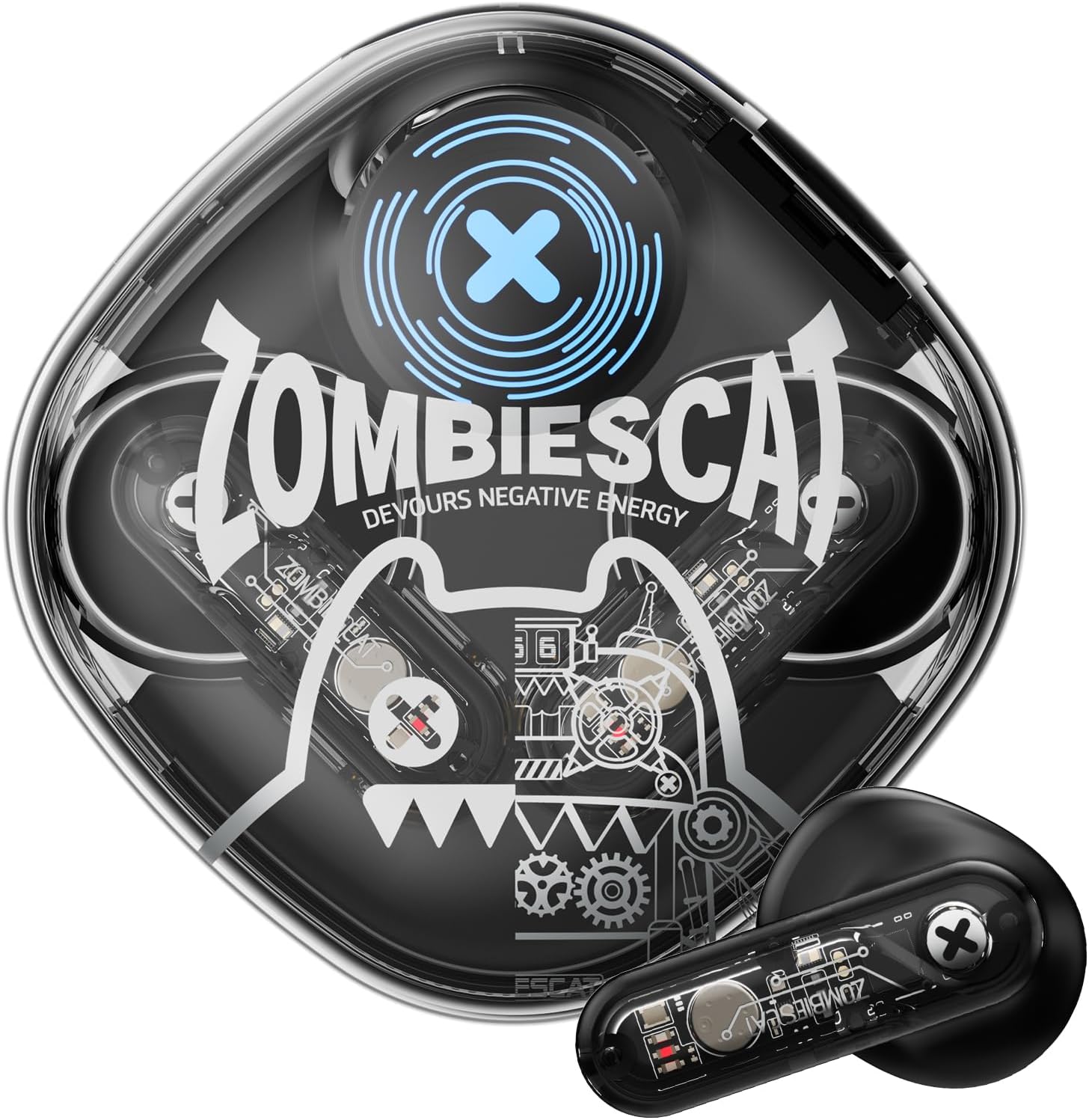
Image 1.1: ZOMBIES CAT Wireless Bluetooth 5.3 Headphones and Charging Case.
2. Ihe ngwugwu
Biko lelee ngwungwu maka ihe ndị a:
- ZOMBIES CAT Wireless Bluetooth 5.3 Headphones (Left and Right earbuds)
- Nchaji case
- Igwe nchaji USB
- Akwụkwọ ntuziaka onye ọrụ (Akwụkwọ a)
- Ndụmọdụ ntị (nha dị iche iche)

Image 2.1: Product packaging and included items.
3. Ozi nchekwa
- Ewepụla ekweisi ma ọ bụ akpa chaja na oke okpomọkụ, iru mmiri ma ọ bụ mmiri mmiri.
- Zere ịdaba ma ọ bụ tinye ike karịrị akarị na ngwaọrụ.
- Debe ebe ụmụaka na anụ ụlọ na-apụghị iru.
- Anwala ịkwasa ma ọ bụ rụkwaa ngwaọrụ n'onwe gị. Kpọtụrụ nkwado ndị ahịa maka enyemaka.
- Jiri naanị eriri nchaji enyere ma ọ bụ ihe dabara adabara.
- Listen at moderate volumes to prevent hearing damage.
4. Nhazi
4.1 Nchaji izizi
- Open the charging case and remove both earbuds.
- Ihe dị mkpa: Before first use, carefully check the charging contacts on the earbuds. Some units may have small protective stickers on these contacts. Remove any stickers to ensure proper charging.
- Tinye ihe ntị ntị n'ime akpa nchaji.
- Connect the USB charging cable to the charging port on the case and plug the other end into a USB power source (e.g., computer, wall adapter).
- Allow the case and earbuds to fully charge. Charging typically takes approximately 1.5 hours. The LED indicator on the case will show charging status.
4.2 Njikọ Bluetooth
To pair your ZOMBIES CAT headphones with a device:
- Gbaa mbọ hụ na ebubo na ekwe ntị.
- Open the charging case. The earbuds will automatically enter pairing mode, indicated by flashing LED lights on the earbuds.
- Na ngwaọrụ gị (smartphone, mbadamba, laptọọpụ), gbanye Bluetooth.
- Chọọ maka available Bluetooth devices. You should see "ZOMBIES CAT QSWSB202-DE" or a similar name in the list.
- Select the headphones to connect. Once connected, the earbud LEDs will stop flashing or change to a steady light, and you may hear an audible confirmation.
- If pairing fails, turn off Bluetooth on your device, place the earbuds back in the case, close the case, wait a few seconds, then repeat the steps.

Image 4.1: Bluetooth 5.3 connectivity for stable pairing.
5. Ntuziaka ọrụ
5.1 Gbanyụọ ma ọ bụ gbanyụọ
- Ike Na: Mepee igbe nchaji, na ntị ntị ga-agbanye ọkụ ozugbo.
- Gbanyụọ: Tinye ihe ntị ntị n'ime akpa nchaji wee mechie mkpuchi. Ha ga-akwụsị na-akpaghị aka wee gbanyụọ.
5.2 Njikwa mmetụ
The ZOMBIES CAT headphones feature intuitive touch controls on each earbud. Specific gestures may vary slightly, but common functions include:
- Gwuo/kwụsịtụ: Otu mgbata na ntị ntị.
- Track na-esote: Pịa bọtịnụ ntị aka nri ugboro abụọ.
- Gara aga Track: Kpatụ ntị ugboro abụọ n'akụkụ aka ekpe.
- Olu elu: Pịa ugboro atọ na ntị ntị aka nri.
- Olu ala: Pịa ugboro atọ na ekwe ntị aka ekpe.
- Azịza/Kwụsị Oku: Naanị otu ọpịpị na ntị ntị n'oge oku mbata.
- Jụ oku: Pịa ma jide otu ntị ntị maka sekọnd 2 n'oge oku mbata.
- Mee ka onye enyemaka olu rụọ ọrụ: Pịa ma jide otu ntị ntị maka sekọnd 3.
5.3 Audio Quality and Features
These headphones are equipped with a 13mm dynamic driver for rich, detailed Hi-Fi stereo sound. The semi-in-ear design allows for natural sound reproduction while maintaining awareness of your surroundings.

Image 5.1: Hi-Fi sound quality components.
5.4 LED Light Effects
The headphones feature integrated LED light effects. These lights activate during certain operations, such as pairing mode, and can provide a visual indication of status.
6. Nlekọta
6.1 Nhicha
- Jiri akwa dị nro, kpọrọ nkụ, hichaa akpa ntị na ihe nchaji.
- Ejila ihe mkpocha abrasive, mmanya, ma ọ bụ ihe mgbaze kemịkal.
- Ensure charging contacts are clean and free of debris for optimal charging.
6.2 Nchekwa
- Chekwaa ekweisi n'ime akpa chaja ha mgbe ọ naghị eji ya iji chekwaa ya ma debe ya chajị.
- Chekwaa n'ebe dị jụụ, kpọrọ nkụ na-adịghị na ìhè anyanwụ kpọmkwem na oke okpomọkụ.
6.3 Nlekọta batrị
Ka iwelie ndụ batrị:
- Charge the headphones regularly, even if not used frequently.
- Zere ka batrị ahụ gbapụta kpamkpam ruo ogologo oge.
- Ewepụla batrị ahụ na okpomọkụ dị elu.
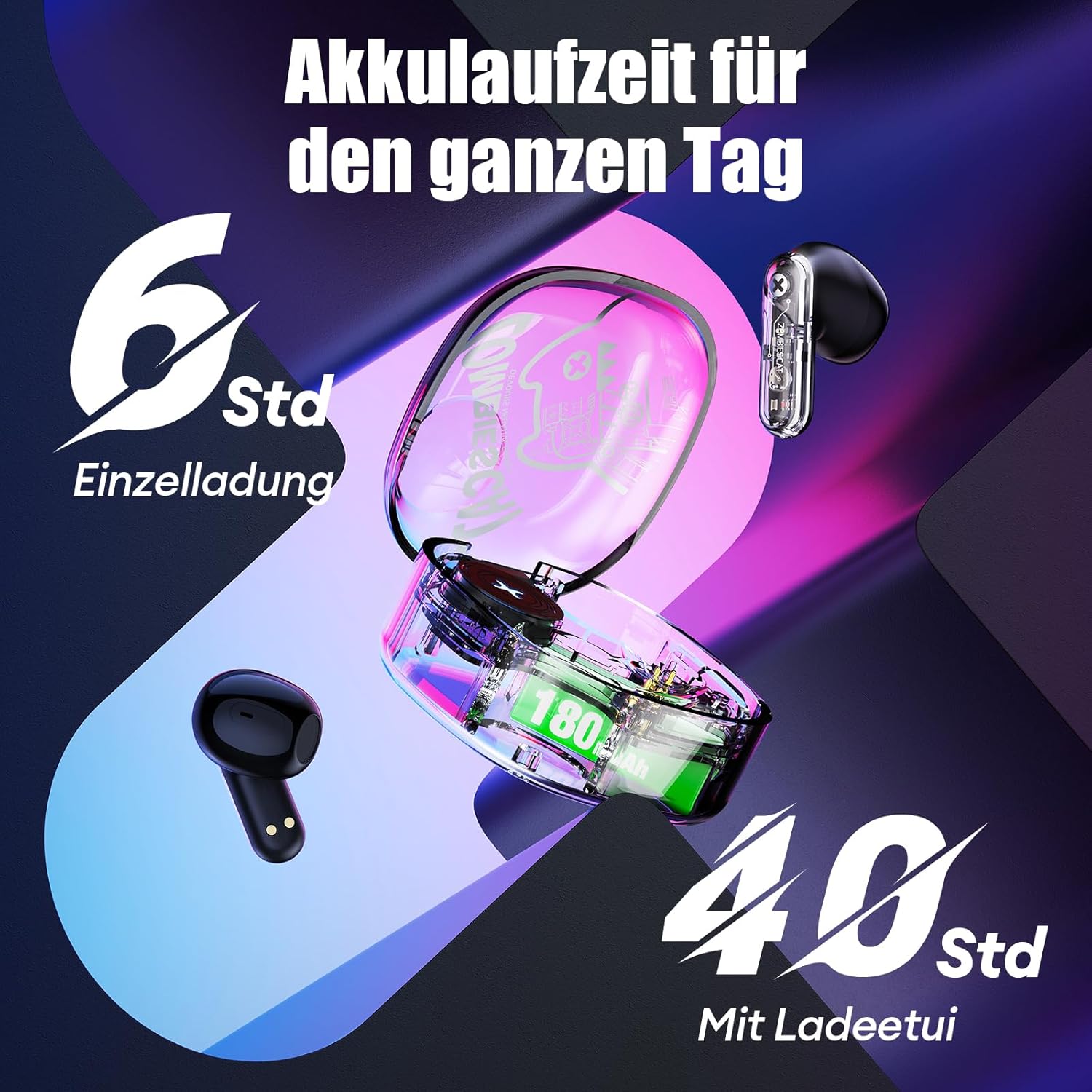
Foto 6.1: Ndụ batrị agwụlaview.
7. Nchọpụta nsogbu
If you encounter issues with your headphones, please refer to the following common solutions:
- Headphones not charging or turning on:
Ensure the protective stickers on the earbud charging contacts have been removed. Place earbuds correctly in the charging case. Connect the charging case to a power source and ensure it is charging. - Unable to pair with device:
Ensure Bluetooth is enabled on your device. Make sure the earbuds are in pairing mode (LEDs flashing). Turn off Bluetooth on your device, restart it, and try pairing again. Ensure the headphones are not already connected to another device. - Enweghị ụda ma ọ bụ ụda na-adịghị agbanwe agbanwe:
Check the volume level on both your device and the headphones. Ensure the headphones are properly connected to your device. Try re-pairing the headphones. Move closer to your device to avoid interference. - Njikwa mmetụ anaghị aza:
Gbaa mbọ hụ na mkpịsị aka gị dị ọcha ma kpọọ nkụ. Gbalịa ịmalitegharị ekweisi site na itinye ya na akpa ahụ wee bupụ ya ọzọ. - Ogo oku na-adịghị mma:
Ensure the microphone is not obstructed. Move to an area with less background noise. Check your device's network signal.
8. Nkọwapụta
| Njirimara | Nkọwapụta |
|---|---|
| Nlereanya | QSWSB202-DE |
| Ụdị Bluetooth | 5.3 |
| Ike batrị earbud | 30 mAh |
| Ịchaji Ike batrị Case | 180 mAh |
| Average Battery Life (Earbuds) | 5.5-6 awa |
| ngụkọta oge egwuregwu (ya na ikpe) | Ruo awa 40 |
| Oge Nchaji | Ihe ruru. Awa 1.5 |
| Oke ugboro ugboro | 20 Hz - 20,000 Hz |
| Mgbochi | 32 Ohm |
| Ụdị njikwa | Njikwa aka |
| Mmiri Nguzogide | Mmiri na-eguzogide |
| Njikwa mkpọtụ | Nkagbu mkpọtụ na-eme mgbanwe |
| Ihe onwunwe | Plastic, metal |
| Ibu ngwaahịa | 42 grams |
| Akụkụ ngwaahịa | 5 x 2.5 x 5 cm |
| Ngwa dakọtara | Mobile phones, laptops, smartwatches, tablets |
9. Akwụkwọ ikike na nkwado
Your ZOMBIES CAT Wireless Bluetooth 5.3 Headphones are covered by a standard manufacturer's warranty. Please refer to the retailer's return policy for details regarding returns and replacements.
For technical support or warranty claims, please contact the retailer or ZOMBIES CAT customer service through their official channels. Keep your purchase receipt as proof of purchase.