
Ngwaahịa gafereview
The ZunDian 6000A Portable Jump Starter with Air Compressor (Model Q19) is a versatile automotive emergency device designed to provide reliable jump-starting for various vehicles, inflate tires, and serve as a portable power bank and emergency light source. Its compact design and multiple functionalities make it an essential tool for drivers.

Image: ZunDian 6000A Portable Jump Starter with Air Compressor. This image displays the main unit with jumper cables and air hose, highlighting its multi-functionality.
Akpachara anya maka nchekwa
Always read and understand all safety instructions before using this product. Failure to follow these instructions may result in electric shock, fire, and/or serious injury.
- Ensure the jump starter is fully charged before first use.
- Do not short-circuit the jumper clamps.
- Ewepụla ngwaahịa a na oke okpomọkụ ma ọ bụ iru mmiri.
- Debe ebe ụmụaka na-apụghị iru.
- Wear eye protection when jump-starting a vehicle.
- Refer to the vehicle's owner's manual for specific jump-starting procedures.

Image: ZunDian Jump Starter displaying 10 safety protections. This highlights features like spark-proof and reverse-polarity protection for safe operation.
Kedu ihe dị na Igbe ahụ
Your ZunDian 6000A Portable Jump Starter package includes the following items:
- Q19 Jump Starter Unit
- Batrị ọgụgụ isi Clamps with Starter
- -Dị-C Nchaji USB
- Akwụkwọ ntuziaka enyi na enyi
- Akpa nchekwa
- 3 Attachment Nozzles (for sports balls, inflatables, etc.)
Video: Official ZunDian video demonstrating the contents of the Jump Starter with Air Compressor package.
Melite
Nchaji mbụ
Before first use, fully charge the ZunDian Jump Starter. Connect the provided Type-C charging cable to the unit's input port and a suitable USB power adapter (not included). The display will indicate the charging progress. It is recommended to charge the jump starter every 2-3 months to maintain battery health.
Na-ejikọ eriri Jumper
- Open the protective cover on the jump starter's output port.
- Insert the intelligent battery clamps into the jump starter's output port. Ensure a secure connection. The indicator light on the clamps will flash green and red, indicating standby mode.
Preparing for Air Inflation
- Locate the air inflation port on the top of the unit.
- Screw the air inflation hose securely into the port.
- Select the appropriate nozzle attachment for your item (tire, ball, inflatable) and attach it to the end of the air hose.

Image: ZunDian Jump Starter with Air Compressor and accessories. This image displays the main unit with all included accessories laid out, including jumper cables, air hose, charging cable, and various nozzles.
Ntuziaka ọrụ
Malie-ịmalite ụgbọ ala
- Ensure the jump starter is adequately charged (above 50% is recommended).
- Connect the intelligent battery clamps to the jump starter unit. The indicator light will flash green and red.
- Attach the red (positive) clamp gaa na njedebe dị mma (+) nke batrị ụgbọala ahụ.
- Attach the black (negative) clamp gaa na njedebe nke batrị ụgbọala ahụ na-adịghị mma (-).
- Once connected correctly, the indicator light on the clamps will turn solid green, and an alert will sound, indicating it's ready to jump.
- Bido injin ụgbọ ala gị.
- Once the engine starts, immediately remove the clamps from the vehicle battery, then disconnect them from the jump starter unit.

Image: Visual guide showing four steps to jump-start a car: plug in smart jumper cable, connect clamps to battery, wait for green light, and start engine.
Iji ikuku Compressor
- Attach the air inflation hose to the unit and the appropriate nozzle to the item to be inflated.
- Press the power button to turn on the unit. The display will show the current PSI.
- Press the 'M' (Mode) button to cycle through preset modes (car, motorcycle, bicycle, basketball) or select manual mode.
- Use the '+' and '-' buttons to adjust the target PSI.
- Press the inflation button (usually the power button again) to start inflation. The compressor will automatically stop once the preset pressure is reached.
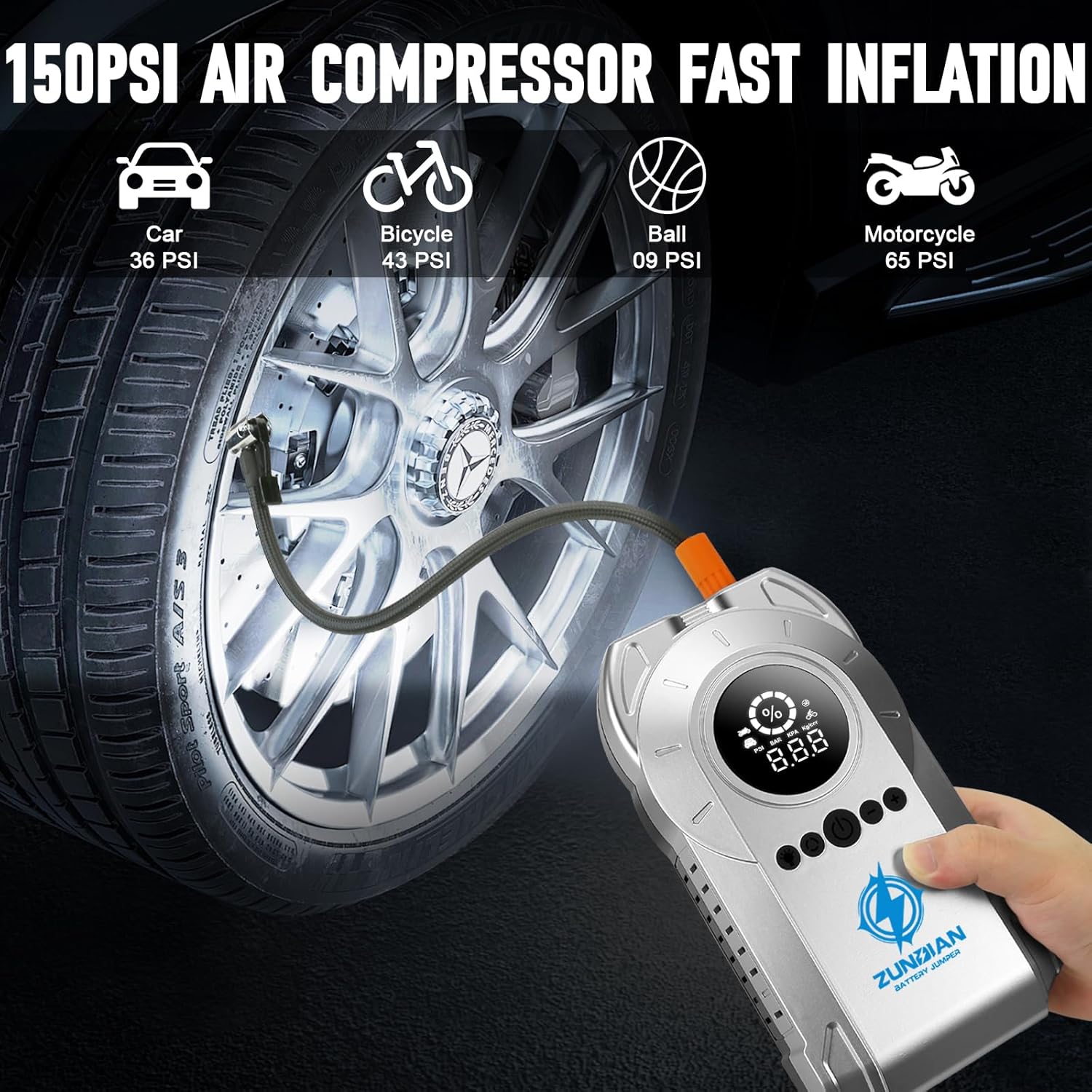
Image: The ZunDian unit inflating a car tire, showing the digital display with PSI readings and preset modes for various items.
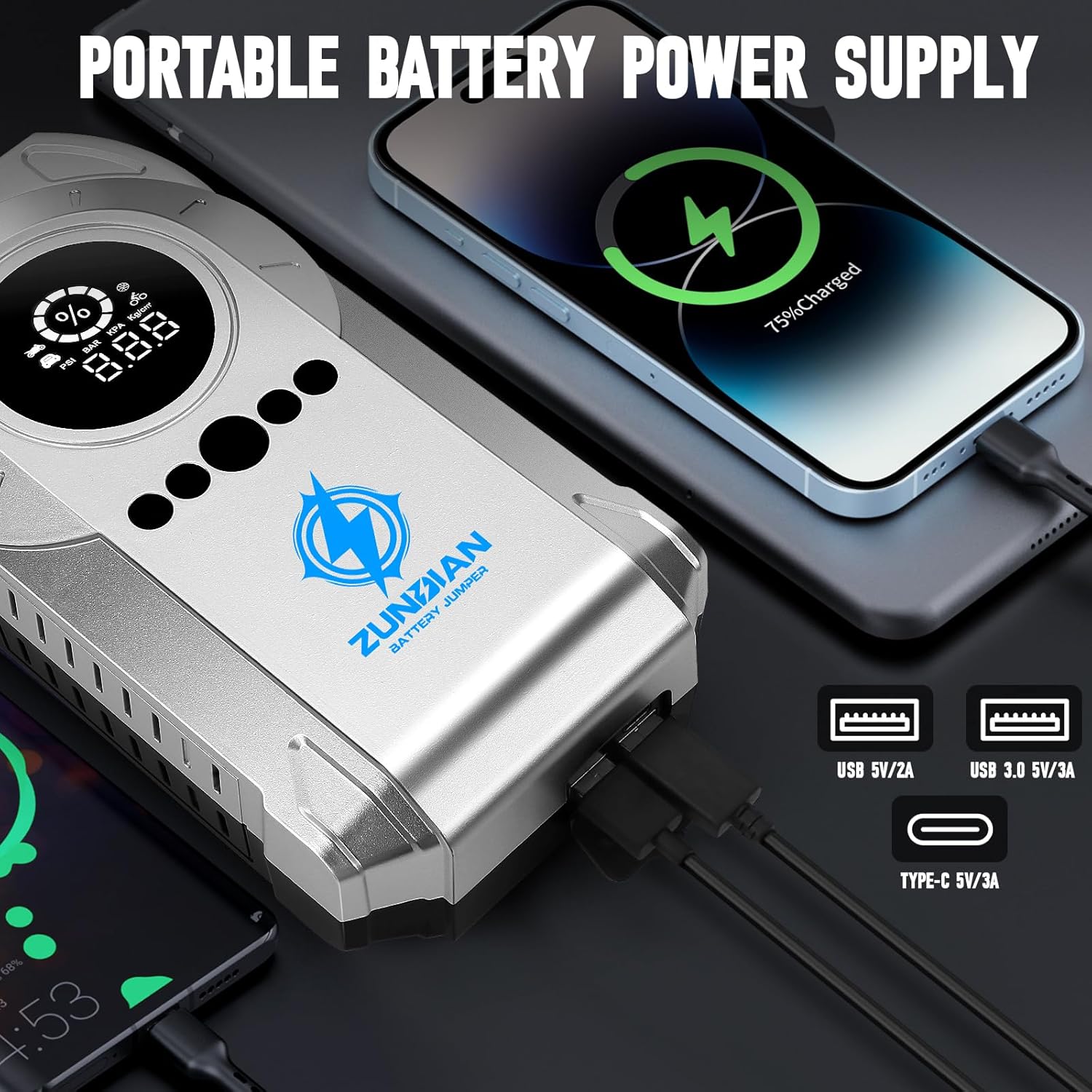
Image: Demonstrates the multi-purpose use of the air compressor for vehicles, bicycles, balls, swimming rings, and hovercrafts, with different nozzle attachments.

Image: Visual guide showing four steps to use the air compressor: connect tube to tire valve, press R key to select mode, press inflation button, and it automatically stops.
Iji ọkụ LED
The built-in 400 lumens LED flashlight has multiple modes for various situations:
- Ụdị ọkụ: Press the light button once for a steady light.
- Ụdị ọkụ: Press the light button a second time for a flashing light.
- Strobe/SOS Mode: Press the light button a third time for a strobe or SOS signal.

Image: A person using the ZunDian unit's emergency LED light to illuminate a car engine at night, showing the different light modes (lighting, SOS, strobe).
Iji dị ka Power Bank
The Q19 unit features two output ports (5V/2.4A, 9V/2A, 12V/1.5A) to charge your electronic devices:
- Open the protective cover on the side of the unit to access the USB output ports.
- Connect your device's charging cable to the appropriate USB port.
- Ngwaọrụ ahụ ga-amalite ịchaji ngwaọrụ gị.

Image: The ZunDian unit charging a smartphone and a tablet via its USB output ports, demonstrating its power bank functionality.
Nlekọta
- Ịchaji mgbe niile: To maintain optimal battery health and longevity, it is recommended to fully charge the jump starter every 2-3 months, even if not in use.
- Nchekwa: Store the unit in its provided storage case in a cool, dry place away from direct sunlight and extreme temperatures.
- Nhicha: Jiri ákwà dị nro ma kpọọ nkụ hichaa ihe ahụ. Ejila kemịkalụ siri ike ma ọ bụ ihe ndị na-emebi ihe.
Nchọpụta nsogbu
Nkeji anaghị agbanwuo
- Ensure the unit is sufficiently charged. Connect it to a power source using the Type-C cable.
- Press and hold the power button for a few seconds to ensure it's not just a quick press.
Vehicle Does Not Jump Start
- Check the jump starter's battery level; it should be above 50%.
- Ensure the intelligent clamps are securely connected to both the jump starter and the vehicle battery terminals.
- Verify that the indicator light on the clamps is solid green before attempting to start the vehicle. If it's red or flashing, check connections or refer to the manual for error codes.
- Clean any corrosion from the vehicle battery terminals for better conductivity.
Air Compressor Not Working / Not Inflating
- Ensure the air inflation hose is securely screwed into the unit.
- Check that the correct nozzle attachment is properly secured to the item being inflated.
- Verify the unit's battery level. If the internal battery is too low, the compressor may not operate. In such cases, it can be powered via the cigarette lighter adapter (if included and compatible, though this model's feature bullets don't explicitly state this for compressor operation).
- Confirm that the desired PSI is set and the inflation button has been pressed.
Nkọwapụta
| Ụdị | ZunDian |
| Nlereanya | Q19 |
| Mpụta kacha elu ugbu a | 6000 Amps |
| Voltage | 12 volts |
| Oke ikuku ikuku | 150 PSI |
| Ike batrị | 20000 ndeamp Oge awa |
| Ndakọrịta nke igwe | Up to 10L Gas and 8.0L Diesel engines |
| Ọkụ ọkụ LED | 400 Lumen |
| Ọdụ ụgbọ mmiri USB | 2 (5V/2.4A, 9V/2A, 12V/1.5A) |
| Ibu Ibu | 3.58 pound |
| Akụkụ | 10.16 x 7.36 x 3.7 sentimita asatọ |
Akwụkwọ ikike & Nkwado
The ZunDian Q19 Jump Starter comes with 24-month technical support. For any technical assistance or warranty claims, please contact ZunDian customer service through their official channels or the retailer where the product was purchased.
For additional support and product information, visit the official ZunDian Store.