
1. Okwu mmalite
This manual provides essential information for the installation, operation, and maintenance of your XPG CORE Reactor II VE 850W Power Supply Unit (PSU). Please read this manual thoroughly before installation and retain it for future reference. The XPG CORE Reactor II VE is an 80 Plus Gold certified power supply designed for stable and efficient power delivery to your computer system.
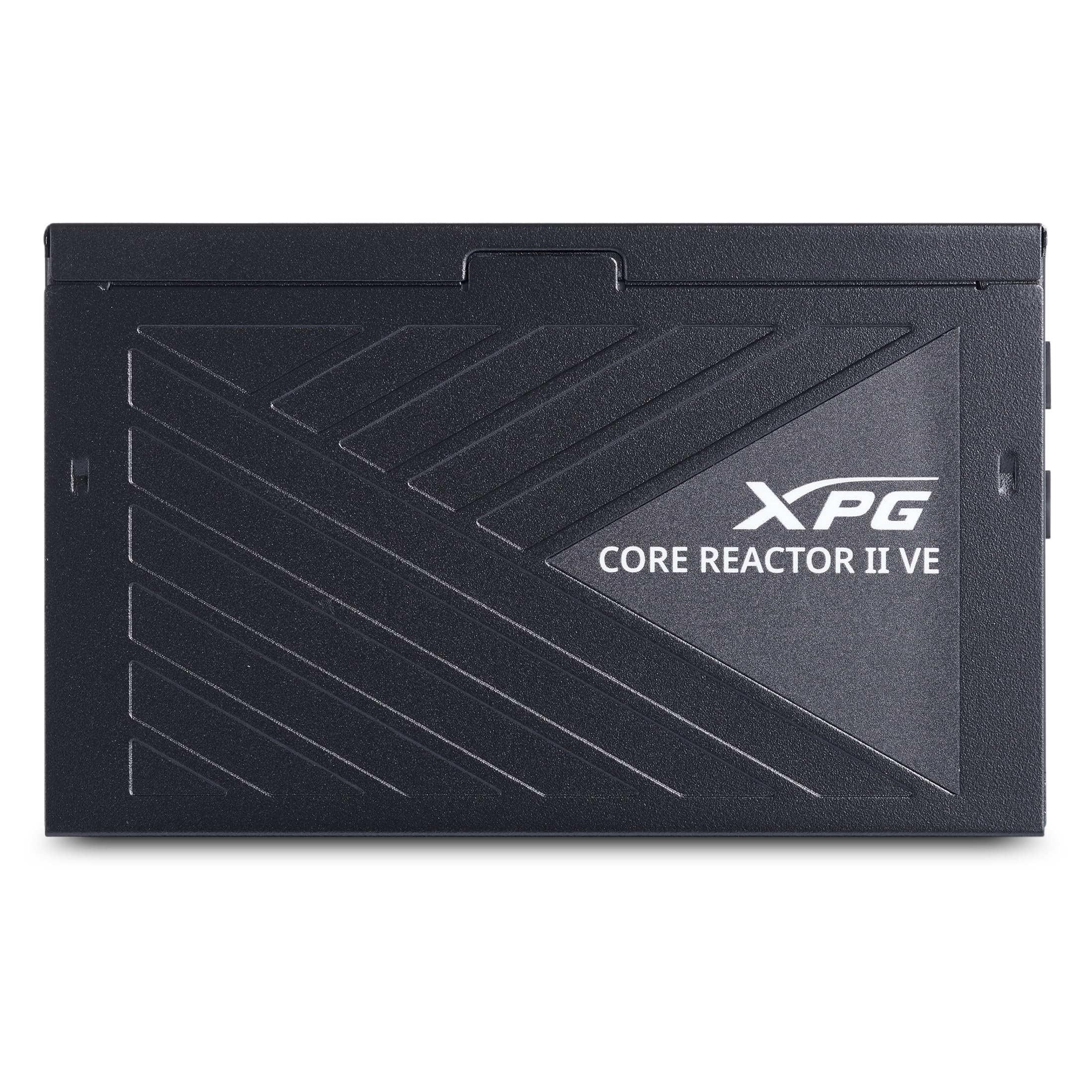
Image 1.1: XPG CORE Reactor II VE 850W Power Supply Unit, showcasing ya kọmpat imewe.
2. Atụmatụ igodo
- Asambodo Ọlaedo 80 Plus: Ensures high power efficiency, reducing energy waste and operating costs.
- 12V-2x6 Connector: Provides direct and efficient power delivery to critical components, enhancing system stability and performance.
- DC-DC Circuit Design: Maximizes efficiency and reliability by converting power directly to the required output voltage, reducing heat and prolonging hardware lifespan.
- Low Ripple Noise Design: Features ripple levels below 60mV at +12V and below 40mV at +5V and +3.3V, ensuring stable power delivery and minimizing electrical interference.
- >15ms Hold Up Time: Exceeds Intel's standards for uninterrupted power delivery, ensuring reliable operation under challenging conditions.
- 8 Industrial Protections: Comprehensive protection suite including Over-Voltage Protection (OVP), Under-Voltage Protection (UVP), Over-Current Protection (OCP), Short-Circuit Protection (SCP), Over-Power Protection (OPP), Over-Temperature Protection (OTP), Surge & Inrush Protection (SIP), and No Load Operation (NLO).
- Compact 140mm Length: Maximizes space efficiency for easy integration into various PC setups and chassis.
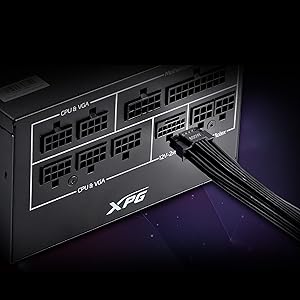
Image 2.1: Close-up of the 12V-2x6 connector for modern GPUs.
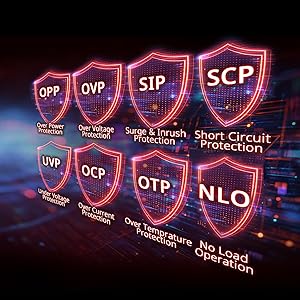
Image 2.2: Visual representation of the 8 industrial-grade protections.
3. Ntọala na nwụnye
Before installing the XPG CORE Reactor II VE PSU, ensure your computer system is powered off and disconnected from the main power outlet. Refer to your PC case and motherboard manuals for specific installation instructions.
3.1 Nwepu
Carefully remove the PSU and all included cables from the packaging. Verify that all components listed in the product documentation are present.

Image 3.1: XPG CORE Reactor II VE PSU with its modular cables.
3.2 Mounting the PSU
- Position the PSU in the designated PSU bay of your PC case.
- Hazie oghere ịghasa na PSU na ndị nọ na ikpe ahụ.
- Chekwaa PSU site na iji kposara enyere.
3.3 Njikọ eriri
The XPG CORE Reactor II VE is a fully modular PSU, allowing you to connect only the cables you need. This helps improve airflow and cable management within your PC case.

Image 3.2: Modular cable connection ports on the XPG CORE Reactor II VE PSU.
- Jikọọ eriri ATX 24-pin na motherboard gị.
- Connect the 8-pin (4+4) EPS/CPU cable(s) to your motherboard.
- Connect the 6+2 pin PCIe cables to your graphics card(s). The 12V-2x6 connector is specifically designed for modern high-power GPUs.
- Connect SATA power cables to your storage drives (HDDs/SSDs) and other SATA-powered devices.
- Connect Molex cables to any peripherals requiring them.
- Gbaa mbọ hụ na njikọ niile echekwara ma nọrọkwa nke ọma.
4. Ntuziaka ọrụ
Once the PSU is installed and all components are connected, you can power on your system.
- Ensure the power switch on the back of the PSU is in the "OFF" (0) position.
- Connect the AC power cord to the PSU and then to a wall outlet or surge protector.
- Flip the power switch on the PSU to the "ON" (I) position.
- Pịa bọtịnụ ike dị na akpa kọmputa gị iji malite sistemụ ahụ.
The XPG CORE Reactor II VE is designed for continuous, stable operation. Its FDB 120mm fan provides efficient cooling while maintaining low noise levels.
5. Nlekọta
Mmezi kwesịrị ekwesị na-eme ka PSU gị dị ogologo ndụ na arụmọrụ kachasị mma.
- Mwepụ uzuzu: Periodically clean the PSU fan and ventilation grilles to prevent dust buildup, which can impede airflow and lead to overheating. Use compressed air for this purpose, ensuring the system is powered off and unplugged.
- Njikwa USB: Gbaa mbọ hụ na a chụpụrụ eriri nke ọma ma ghara igbochi ikuku ikuku n'ime ikpe PC.
- Ọnọdụ gburugburu: Operate the PSU in a well-ventilated area, away from direct sunlight, excessive heat, and moisture.
6. Nchọpụta nsogbu
If you encounter issues with your XPG CORE Reactor II VE PSU, refer to the following common troubleshooting steps:
- Enweghị ike:
- Lelee ma ọ bụrụ na ejikọrọ eriri ọkụ AC na PSU na oghere mgbidi.
- Ensure the PSU's power switch is in the "ON" (I) position.
- Verify that the 24-pin ATX and 8-pin EPS/CPU cables are correctly seated in the motherboard.
- Jiri ngwaọrụ ọzọ nwalee oghere mgbidi ahụ iji gosi na o nwere ike.
- Akwụsịghị / Mkpọka Sistemu:
- Ensure all power connectors to components (motherboard, CPU, GPU, drives) are firmly connected.
- Lelee ma waya ọ bụla na-adịghị arụ ọrụ ma ọ bụ sekit dị mkpụmkpụ dị n'ime akpa ahụ.
- Ọ bụrụ na ọ ga-ekwe omume, jiri ngwa dị iche iche nwalee PSU ma ọ bụ na sistemụ ọzọ iji kewapụ okwu ahụ.
- Oke mkpọtụ:
- Check if the PSU fan is obstructed by dust or cables.
- Ensure the PSU is securely mounted to prevent vibrations.
- If the noise persists and is unusual, contact customer support.
If troubleshooting steps do not resolve the issue, contact XPG customer support for further assistance.
7. Nkọwapụta
| Njirimara | Nkọwa |
|---|---|
| Aha Nlereanya | COREREACTORIIVE850G-BKCUS |
| Ụdị | XPG |
| Mpụta Wattage | 850 Watt |
| Ụdị Ihe | ATX |
| Usoro jụrụ oyi | Ikuku |
| Akụkụ ihe (L x W x H) | 5.51 x 5.9 x 3.38 sentimita asatọ |
| Ibu Ibu | 5 pound |
| Nhazi ike inye ike | Modul zuru ezu |
| Ọnụ ọgụgụ Fans | 1 |
| Oke Ntinye Voltage | 240 volts (AC) |
| Ntinye kacha nta Voltage | 216 volts (AC) |
| UPC | 842243032468 |
8. Akwụkwọ ikike na nkwado
The XPG CORE Reactor II VE 850W PSU comes with a Akwụkwọ ikike nke Onye nrụpụta afọ 7. For warranty claims or technical support, please visit the official XPG websaịtị ma ọ bụ kpọtụrụ ngalaba ọrụ ndị ahịa ha.
Maka akụrụngwa ndị ọzọ na ozi ngwaahịa, ị nwere ike ịga na XPG Store on Amazon.
9. Videos ngwaahịa
Below are relevant product videos for the XPG CORE Reactor II VE Power Supply Unit. These videos provide additional visual information regarding the product's features and installation.
XPG Core Reactor Power Supply Review
Vidiyo 9.1: A zuru ezu review of the XPG Core Reactor Power Supply, covering its features, design, and performance. This video is provided by Consumer Tech Review.
Core Reactor Review
Vidiyo nke 9.2: Mwepuview of the Core Reactor PSU, highlighting its integration into a PC build and general performance. This video is provided by Brayden Abear.