
1. Okwu mmalite
Thank you for choosing the MECHEN H1-Pro Bluetooth MP3 Player with WiFi. This device is designed to provide a versatile and enjoyable audio and video experience. Featuring a 4-inch touchscreen and running on Android 9.0, it supports various applications and connectivity options. This manual provides essential information for setting up, operating, and maintaining your device.
2. Ihe ngwugwu
Nyochaa na etinyere ihe niile edepụtara n'okpuru na ngwugwu gị. Ọ bụrụ na ihe ọ bụla na-efu ma ọ bụ mebie, biko kpọtụrụ nkwado ndị ahịa.
- MECHEN H1-Pro MP3 Player
- eriri USB
- Igwe ekweisi
- Ihe nkiri nchekwa
- Okwu nchekwa
- Akwụkwọ ntuziaka onye ọrụ

Image: The MECHEN H1-Pro MP3 Player displayed with its accessories, including a USB cable, headphones, protective film, and a clear protective case.
3. Ngwaọrụ gafereview
Familiarize yourself with the physical components and controls of your MECHEN H1-Pro MP3 Player.
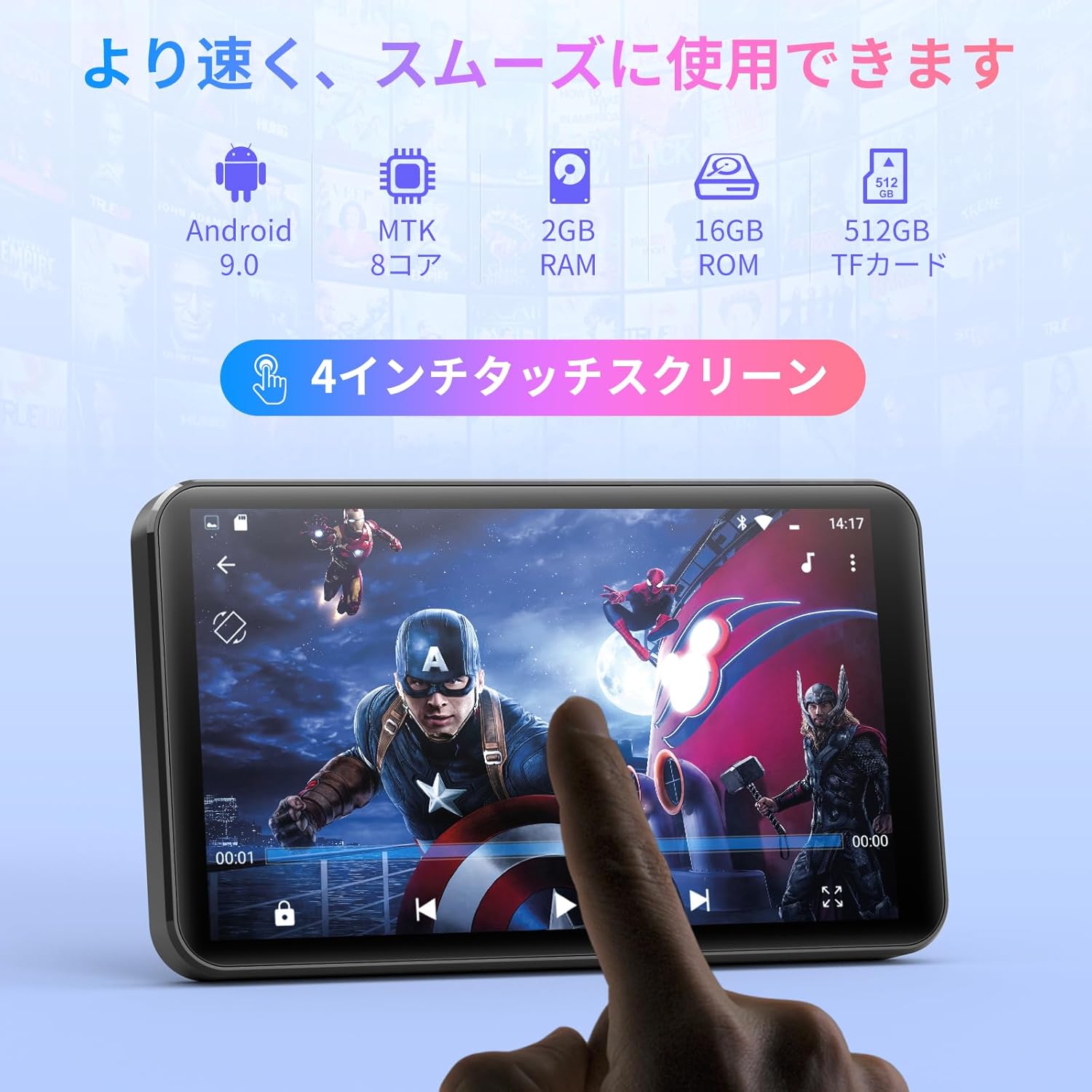
Foto: N'ihu view of the MECHEN H1-Pro MP3 Player, showcasing its 4-inch touchscreen display.

Foto: Akụkụ view of the MECHEN H1-Pro MP3 Player, highlighting the power button and volume controls.
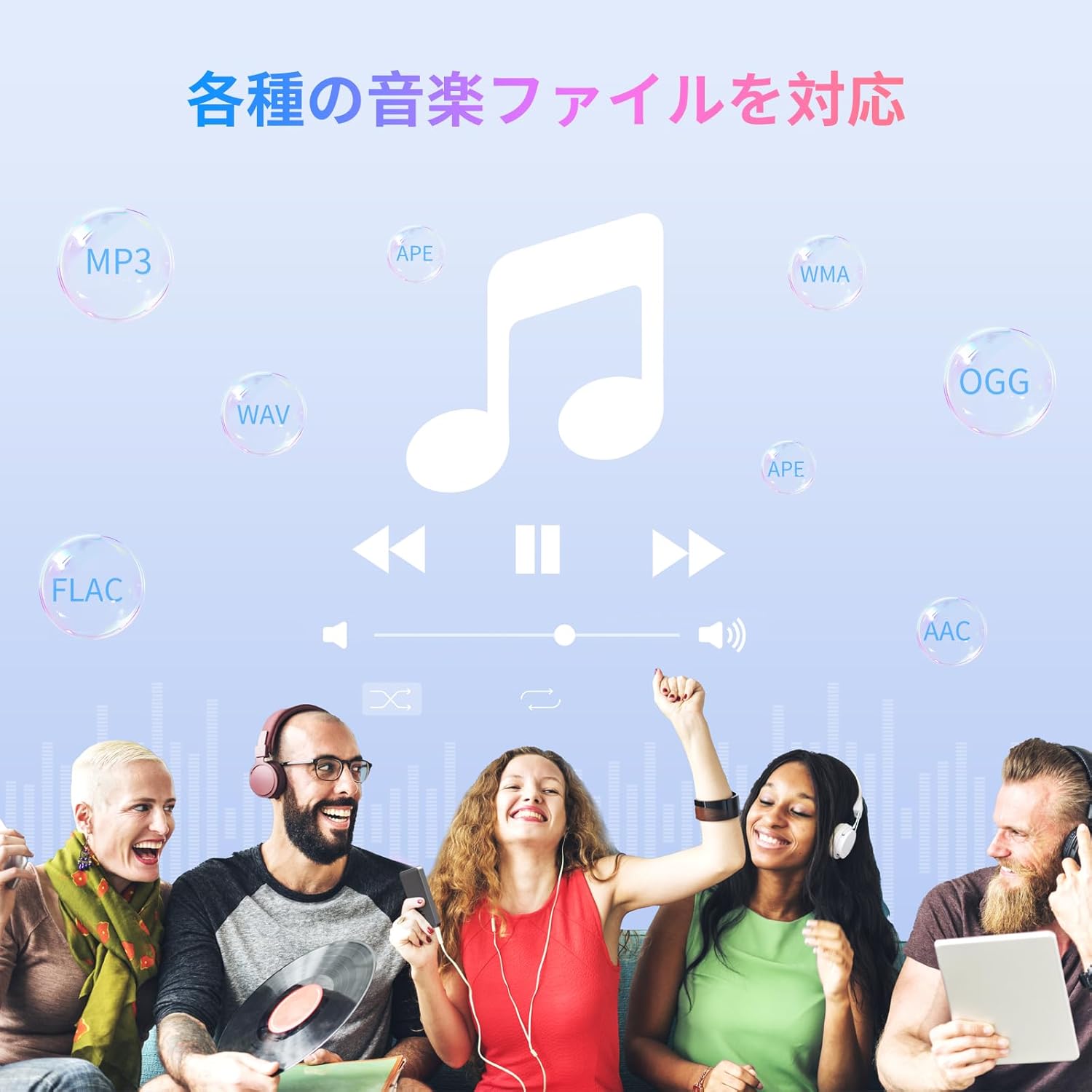
Foto: N'elu na ala views of the MECHEN H1-Pro MP3 Player, illustrating the USB-C charging port, headphone jack, and Micro SD card slot.
4. Nhazi
4.1 Nchaji izizi
Before first use, fully charge the device. Connect the provided USB cable to the player's USB-C port and the other end to a USB power adapter (not included) or a computer's USB port. The charging indicator will show the charging status.
4.2 Gbanyụọ ma ọ bụ gbanyụọ
- Iji gbanye: Press and hold the Power button on the side of the device until the screen lights up.
- Iji gbanyụọ: Press and hold the Power button until a power-off menu appears on the screen. Select 'Power Off' to shut down the device.
4.3 Jikọọ na Wi-Fi
To access online features and download apps, connect your device to a Wi-Fi network.
- Gaa na Ntọala > Netwọk & Ịntanetị > Wi-Fi.
- Gbanwee Wi-Fi On.
- Họrọ netwọk Wi-Fi nke ịchọrọ na listi ahụ.
- Tinye paswọọdụ ma ọ bụrụ kpaliri wee pịa Jikọọ.

Image: The MECHEN H1-Pro MP3 Player screen showing Wi-Fi settings and available networks.
4.4 Ịtinye kaadị Micro SD
The device supports Micro SD cards for expanded storage. Locate the Micro SD card slot on the side of the device. Gently insert the card with the gold contacts facing down until it clicks into place.
5. Ntuziaka ọrụ
5.1 Basic Navigation (Touchscreen)
The MECHEN H1-Pro features a responsive 4-inch touchscreen. Use standard touch gestures:
- Kpatụ: Ka ịhọrọ otu ihe ma ọ bụ mepee ngwa.
- Mịpụta: To scroll through lists or switch between screens.
- Tuo: To zoom in or out (in supported applications).
5.2 Nghaghachi egwu
The device supports various audio formats including MP3, WAV, WMA, APE, OGG, and FLAC for high-fidelity music playback.
- Mepee Egwu ngwa.
- Browse your music library by artist, album, song, or playlist.
- Tap on a song to begin playback.
- Jiri njikwa ihuenyo maka igwu egwu/kwụsịtụ, ịwụfu egwu, na ịgbanwe olu.

Image: The MECHEN H1-Pro MP3 Player screen showing a music playback interface with album art and controls.
5.3 Nkpọghachi vidiyo
Enjoy 720P/1080P full-format HD video playback without conversion. Supported formats include RM, RMVB, FLV, MP4, DAT, MKV, MPG, MOV, TS, etc.
- Mepee Ihe ọkpụkpọ vidiyo ngwa.
- Họrọ vidiyo file from your storage.
- Tap to play. Use on-screen controls for playback options.

Image: The MECHEN H1-Pro MP3 Player screen showing a video playing in full-screen mode.
5.4 Njikọ Bluetooth
Connect to Bluetooth headphones, speakers, or other compatible devices.
- Gaa na Ntọala > Ngwa ejikọrọ > Bluetooth.
- Gbanwee Bluetooth On.
- Ensure your Bluetooth accessory is in pairing mode.
- Họrọ ngwa mgbakwunye ahụ site na ndepụta ngwaọrụ dịnụ iji jikọọ.

Image: The MECHEN H1-Pro MP3 Player shown alongside a pair of wireless headphones, indicating Bluetooth connectivity.
5.5 Wi-Fi Connectivity & App Downloads
With Android 9.0 and Wi-Fi, you can download and install various applications from the Google Play Store.
- Ensure the device is connected to Wi-Fi (see Section 4.3).
- Mepee Ụlọ ahịa Play ngwa.
- Jiri akaụntụ Google gị banye.
- Chọọ maka and download desired applications (e.g., Spotify, Amazon Music, Audible).

Image: The MECHEN H1-Pro MP3 Player screen showing a variety of installed applications, including music streaming services and web nchọgharị.
Igwe redio FM 5.6
Listen to your favorite FM radio stations.
- Connect wired headphones to the 3.5mm audio jack; they act as the antenna.
- Mepee Redio FM ngwa.
- Use the on-screen controls to scan for stations or tune manually.
5.7 File Nlekọta
Jiri arụnyere n'ime ya file njikwa hazie gị files on internal storage and the Micro SD card.
- Mepee File Onye njikwa ngwa.
- Navigate through folders to view, copy, move, or delete files.
6. Nlekọta
6.1 Nhicha
Wipe the device with a soft, dry, lint-free cloth. Do not use liquid cleaners or abrasive materials.
6.2 Nchekwa
Store the device in a cool, dry place away from direct sunlight and extreme temperatures. If storing for an extended period, ensure the battery is partially charged (around 50%) to prolong its lifespan.
6.3 Nlekọta batrị
To maximize battery life, avoid fully discharging the battery frequently. Use the original charging cable for optimal performance.
7. Nchọpụta nsogbu
| Nsogbu | Ngwọta enwere ike |
|---|---|
| Ngwaọrụ anaghị agbanwu ọkụ. | Ensure the battery is charged. Connect to a charger for at least 30 minutes. If unresponsive, perform a hard reset by holding the power button for 10-15 seconds. |
| Enweghị ike ijikọ na Wi-Fi. | Check if Wi-Fi is enabled. Verify the Wi-Fi password. Restart your router and the MP3 player. |
| Ngwa Bluetooth anaghị ejikọta. | Ensure Bluetooth is enabled on both devices and the accessory is in pairing mode. Move devices closer together. |
| Ngwa na-adị nwayọ ma ọ bụ na-ada ada. | Close unnecessary background apps. Clear app cache (Settings > Apps > [App Name] > Storage > Clear Cache). Restart the device. Too many apps can lead to slowdowns. |
| Enweghị ụda sitere na ekweisi. | Check headphone connection. Ensure volume is not muted or too low. Test with different headphones. |
8. Nkọwapụta
| Njirimara | Nkọwa |
|---|---|
| Ụdị | MECHEN |
| Aha Nlereanya | H1-Pro (EU-H11) |
| Sistemụ nrụọrụ | Android 9.0 |
| Nhazi | MTK 8-core |
| RAM | 2 GB |
| Nchekwa nke ime | 16 GB |
| Nchekwa enwere ike ịgbasa | Micro SD (ihe ruru 512GB) |
| Nha ihuenyo | 4 sentimita asatọ |
| Screen Technology | LCD |
| Njikọta | Bluetooth, USB, Wi-Fi |
| Atụmatụ pụrụ iche | FM Radio, Equalizer, Video Playback |
| Ụdị ọdịyo akwadoro | MP3, WAV, WMA, APE, OGG, FLAC |
| Ụdị vidiyo akwadoro | RM, RMVB, FLV, MP4, DAT, MKV, MPG, MOV, TS, etc. |
| Ike batrị | 2000 mAh |
| Ndụ batrị (Egwu) | Ruo awa iri abụọ |
| Ndụ Batrị (Vidiyo) | Ruo awa iri abụọ |
| Akụkụ (D x W x H) | 10.5 x 6.2 x 1.2 cm (4.14 x 2.44 x 0.46 inch) |
| Ibu Ibu | 97.5 grams (3.45 oz) |

Image: The MECHEN H1-Pro MP3 Player shown with its physical dimensions and weight specifications.
9. Akwụkwọ ikike na nkwado
For warranty information and technical support, please refer to the warranty card included in your package or visit the official MECHEN websaịtị. Debe nnata nzụta gị dị ka ihe akaebe nke ịzụrụ maka nkwupụta ikike.