
1. Okwu mmalite
Daalụ maka ịzụrụasing the Zenwire D300S Mini Projector. This manual provides essential information for the safe and efficient operation of your device. Please read it thoroughly before use and retain it for future reference.
Akpachara anya maka nchekwa
- Elela anya ozugbo na oghere projector mgbe lamp dị na.
- Gbaa mbọ hụ na ikuku ikuku dị mma iji gbochie ikpo oke ọkụ. Akwụsịla oghere ikuku.
- Jiri naanị ihe nkwụnye ọkụ enyere.
- Debe ihe ngosi ahụ ka ọ ghara ịnọ na mmiri ma ọ bụ ihe ndị ọzọ dị n'ime ya.
- Zere idobe ihe nrụpụta n'elu ebe anaghị akwụsi ike.
- Agbalịla ịkwatu ma ọ bụ rụzie ihe onyonyo ahụ n'onwe gị. Kpọtụrụ ndị ọrụ ruru eru.
2. Ihe ngwugwu
Biko lelee na ihe niile dị na ngwugwu gị:
- Zenwire D300S Mini Projector
- Njikwa anya
- Ihe nkwụnye ọkụ
- Igwe AV
- Akwụkwọ ntuziaka (akwụkwọ a)
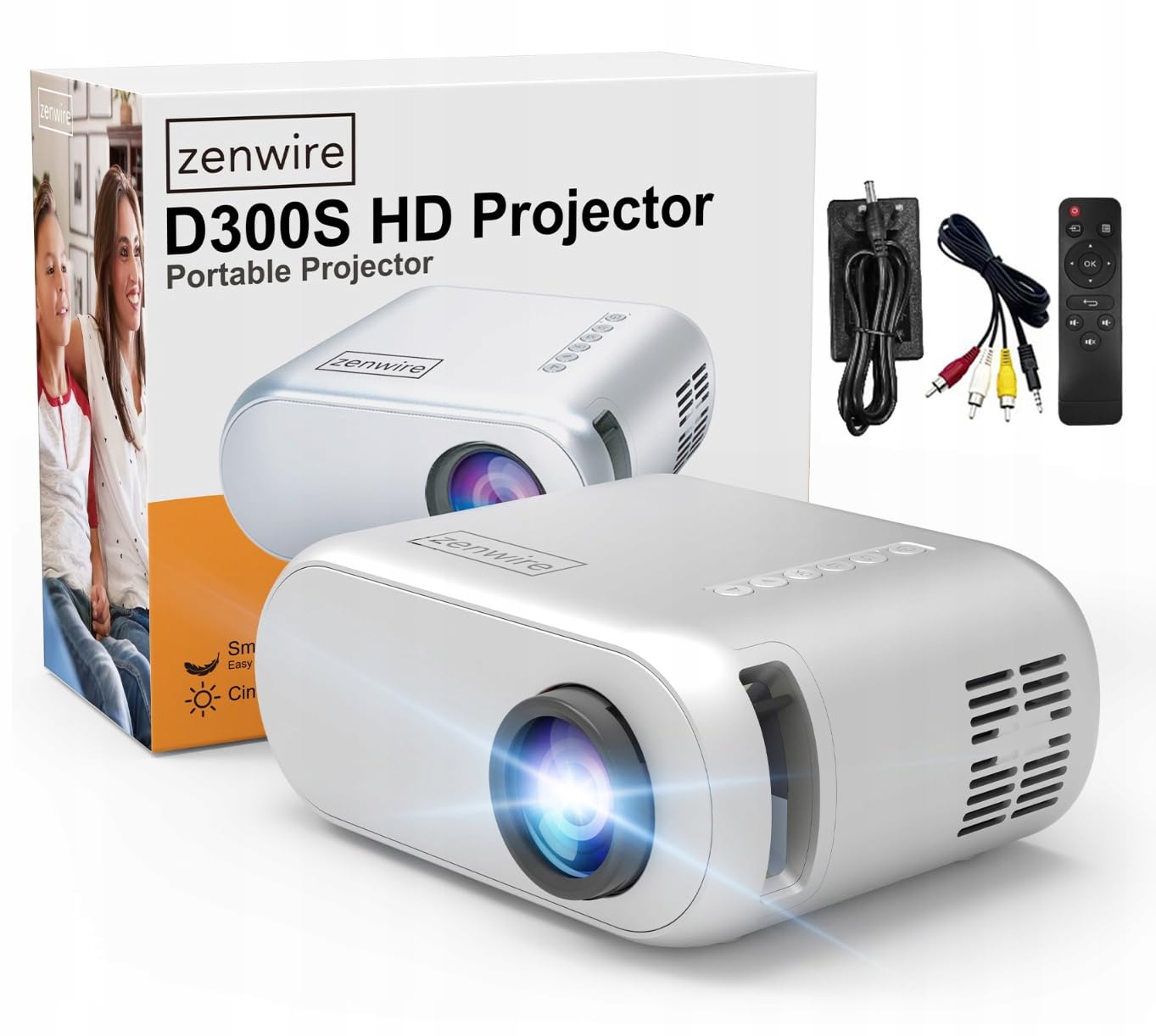
Image 2.1: Zenwire D300S Mini Projector and included accessories.
3. Ngwaahịa gafereview
Projector Front and Top View
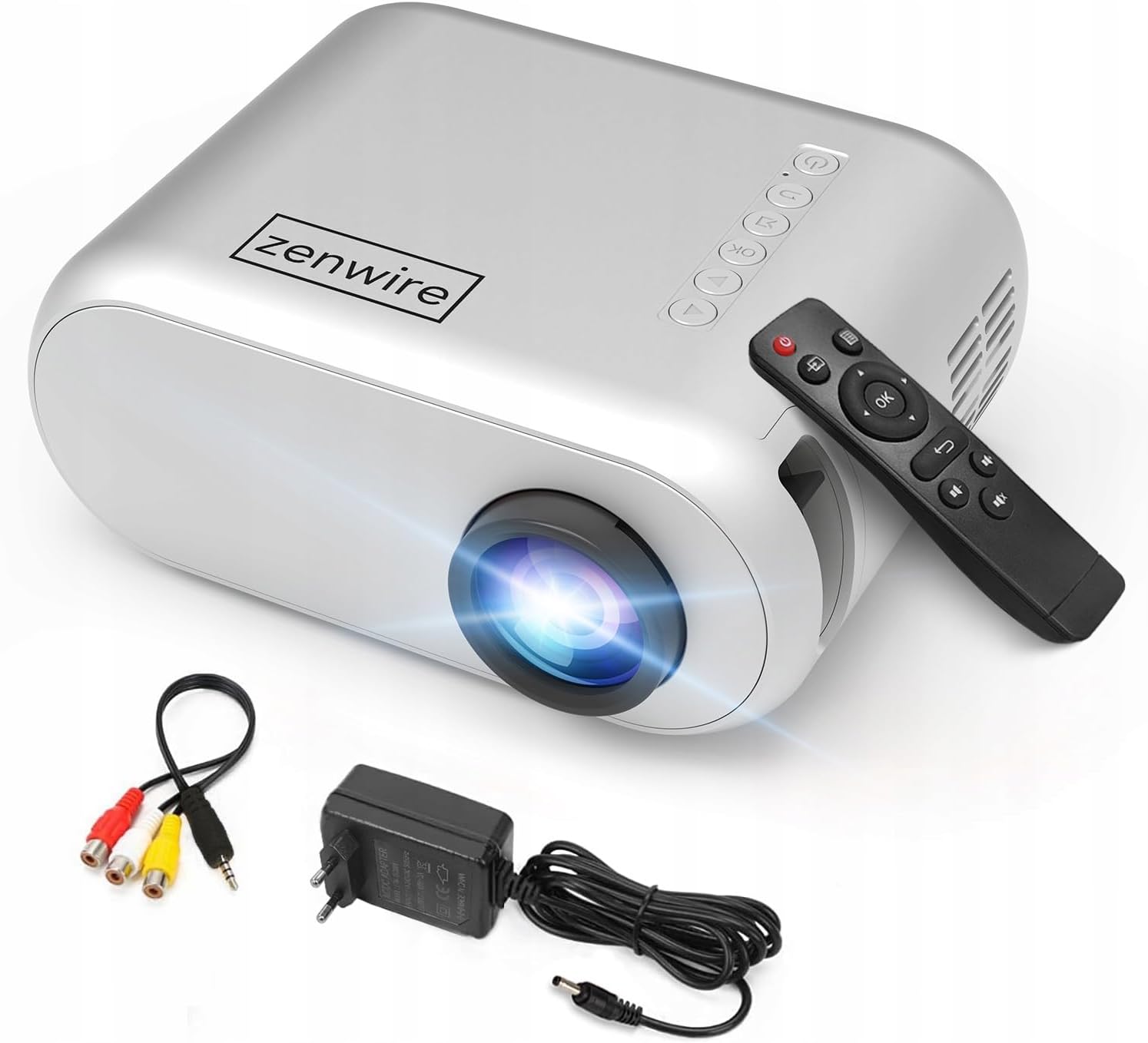
Image 3.1: Front and top view of the projector, showing the lens and top control panel.
Rear Panel and Connectivity
The rear panel of the projector features various ports for connecting external devices:

Foto 3.2: N'azụ view of the projector, highlighting the input/output ports.
- Ntinye AV: For connecting devices using the included AV cable.
- Ntinye HDMI: For connecting devices such as laptops, gaming consoles, or streaming sticks.
- Ọdụ ụgbọ mmiri USB: For connecting USB flash drives to play media files ozugbo.
- Mpụta AUX: Maka ijikọ ndị na-ekwu okwu mpụga ma ọ bụ ekweisi.
- Ntinye ike DC: Maka ijikọ nkwụnye ọkụ.
Ogwe njikwa kacha elu
The top of the projector features a control panel for basic operations:
- Bọtịnụ ike: Gbanyụọ ma ọ bụ gbanyụọ projector.
- Bọtịnụ igodo nsoroụzọ (elu/ala/ekpe/aka nri): A na-eji ịnyagharịa menus.
- OK bọtịnụ: Na-akwado nhọrọ.
- Bọtịnụ azụ: Na-alaghachi na menu ma ọ bụ ihuenyo gara aga.
- Isi mmalite: Selects input source (HDMI, AV, USB).
4. Nhazi
4.1 Ntinye
Place the projector on a stable, flat surface. Ensure there is adequate space around the projector for ventilation. The projection distance affects the screen size. Refer to the image below for recommended distances and corresponding screen sizes.

Image 4.1: Recommended projection distances and screen sizes.
- For a 30-inch screen, place the projector approximately 0.9 meters away.
- For a 50-inch screen, place the projector approximately 1.5 meters away.
- For an 80-inch screen, place the projector approximately 2.4 meters away.
- For a 100-inch screen, place the projector approximately 3.0 meters away.
4.2 Njikọ ike
Connect the power adapter to the DC Power Input port on the projector, then plug the adapter into a power outlet.
4.3 Ngwa jikọọ
The Zenwire D300S supports various input sources:
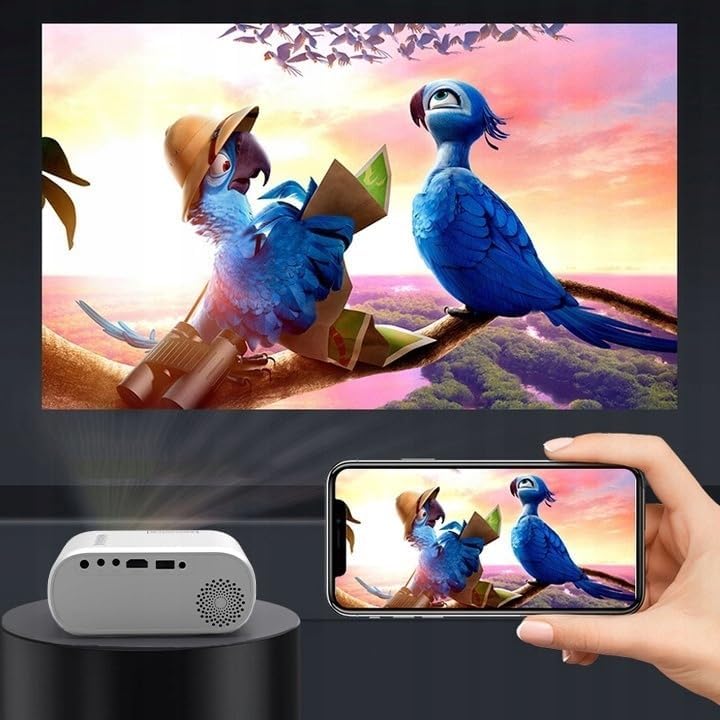
Foto 4.2: Ọpụamples of devices that can be connected to the projector.
- HDMI: Connect your laptop, gaming console, or streaming device using an HDMI cable.
- USB: Fanye draịva USB n'ọdụ ụgbọ mmiri USB iji kpọọ mgbasa ozi files ozugbo.
- Nke: Use the included AV cable to connect older devices like DVD players.
- Audio Out (AUX): Connect external speakers or headphones to the AUX port for enhanced audio.
4.4 Ndozi anya
Turn on the projector. Adjust the focus ring located near the lens until the projected image is clear and sharp.
5. Ntuziaka ọrụ
5.1 Gbanyụọ ma ọ bụ gbanyụọ
Press the Power button on the projector or the remote control to turn the device on or off.
5.2 Nhọrọ Isi mmalite
After powering on, use the 'Source' button on the projector or remote control to select the desired input source (HDMI, AV, USB).
5.3 Nsorouzọ NchNhr
Use the navigation buttons (Up/Down/Left/Right) on the projector or remote to browse through menus. Press 'OK' to confirm a selection and 'Back' to return.
5.4 Njikwa olu
Gbanwee olu site na iji bọtịnụ olu dị na njikwa anya.
5.5 Connecting to a Phone/Laptop
To project content from a phone or laptop:
- Maka Laptọọpụ: Connect via HDMI cable. Select HDMI as the input source on the projector.
- Maka ekwentị: Depending on your phone model, you may need an adapter (e.g., USB-C to HDMI, Lightning to HDMI) to connect via HDMI. Alternatively, some phones support wireless display technologies that can be used with a compatible streaming stick connected to the projector's HDMI port.

Image 5.1: Projecting content from a smartphone to the Zenwire D300S Mini Projector.
6. Nlekọta
6.1 Ihicha oghere
Use a soft, lint-free cloth specifically designed for optical lenses to gently wipe the projector lens. Do not use abrasive cleaners or excessive force.
6.2 Ịhicha Ahụ Ihe Nlereanya
Jiri ákwà dị nro ma kpọọ nkụ hichaa mpụta ihe ngosi ahụ. Maka akara siri ike, jiri obere d hichaa ya.amp enwere ike iji akwa mee ihe, na-esote akwa akọrọ.
6.3 Mgba ikuku
Regularly check that the ventilation openings are free from dust and obstructions to ensure proper airflow and prevent overheating.
7. Nchọpụta nsogbu
If you encounter issues with your projector, please refer to the following common problems and solutions:
| Nsogbu | Ihe nwere ike ime | Ngwọta |
|---|---|---|
| Ọnweghị onyonyo atụpụtara | Power not connected, incorrect input source, device not sending signal. | Check power connection, select correct input source, ensure connected device is on and outputting video. |
| Onyonyo na-agba agba | Focus not adjusted, projector too close/far. | Adjust the focus ring, reposition the projector according to recommended distances. |
| Enweghị ụda | Volume too low, external speakers not connected, audio format not supported. | Increase volume, connect external speakers via AUX, check audio settings on source device. |
| Njikwa anya anaghị arụ ọrụ | Batteries dead, obstruction between remote and projector. | Dochie batrị ahụ, hụ na ahịrị ahụ doro anya na onye na-anabata IR nke ihe ngosi ahụ. |
8. Nkọwapụta
- Ụdị: Zenwire D300S
- Mkpebi obodo: 1280 x 720p HD
- Icha ọkụ: Lumen 3000 (100 ANSI Lumens)
- Njikọta: HDMI, USB, AUX, AV
- Akụkụ akụkụ: 16:9 / 4:3
- Ogologo amụma: 0.9m - 3.0m (approx. 30-100 inches)
9. Akwụkwọ ikike na nkwado
The Zenwire D300S Mini Projector comes with a standard manufacturer's warranty. Please refer to the warranty card included in your package for specific terms and conditions. For technical support or service inquiries, please contact your retailer or the Zenwire customer service department.