
1. Okwu mmalite
This manual provides detailed instructions for the proper use and maintenance of your Sandberg Pocket Radio FM+AM Recharge, Model 421-02. Please read this manual thoroughly before operating the device to ensure optimal performance and longevity.
2. Ngwaahịa gafereview
The Sandberg Pocket Radio is a compact, portable device designed for receiving FM and AM radio broadcasts. It features a built-in rechargeable battery and a digital display for easy tuning.
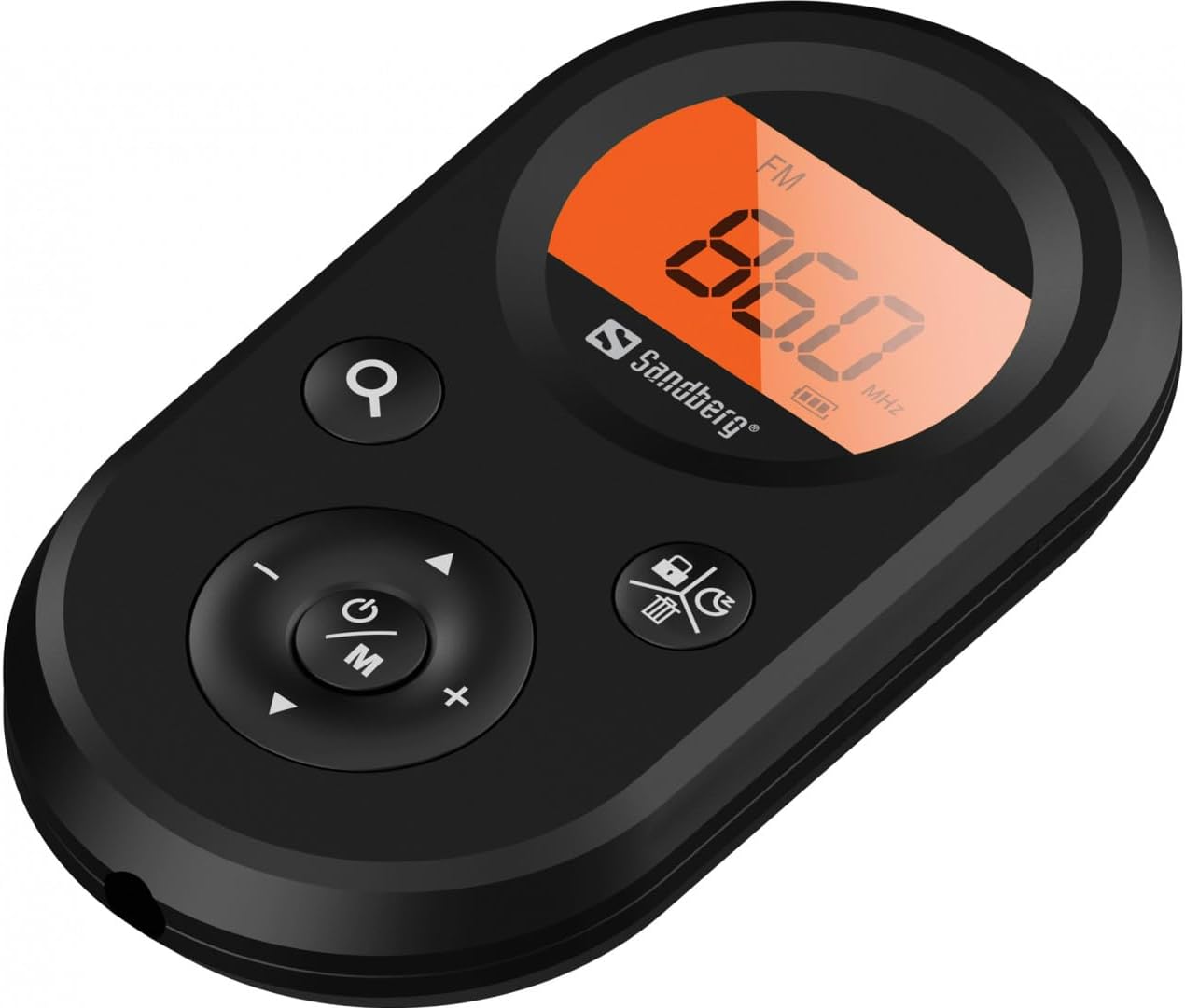
Foto 1: N'ihu view of the Sandberg Pocket Radio, displaying the frequency and controls.
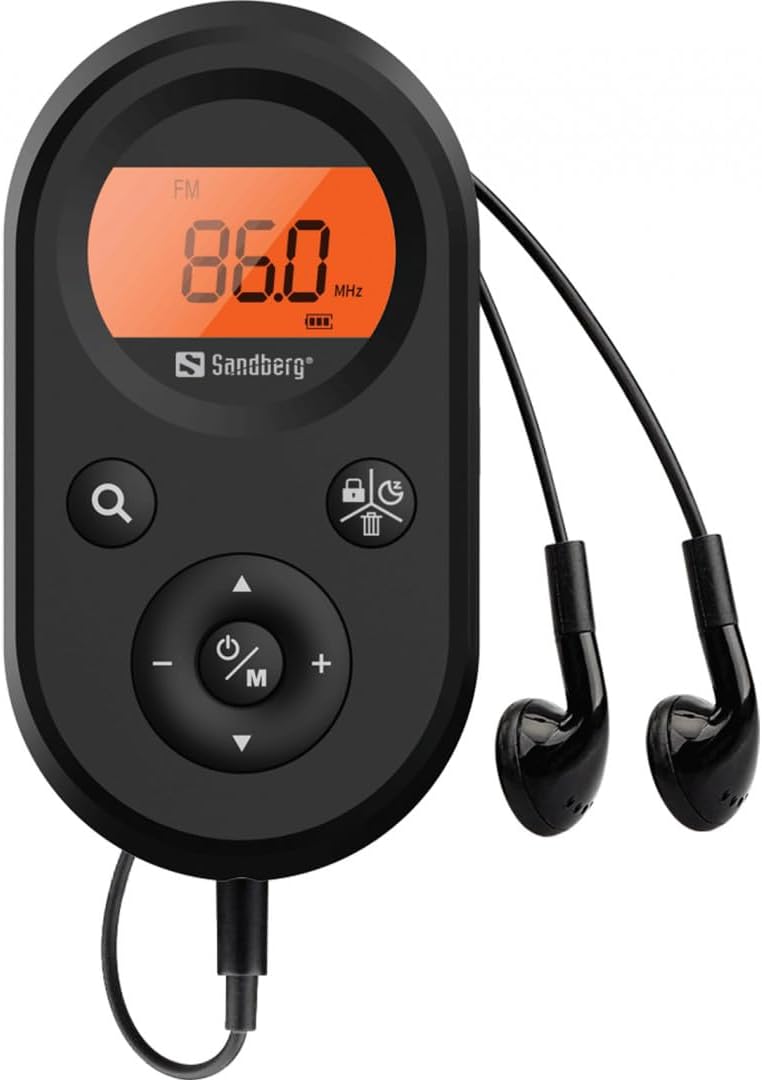
Figure 2: The radio connected to the included earphones, which also function as the FM antenna.
Ọdịnaya ngwugwu:
- 1 x Sandberg Pocket Radio FM+AM Recharge (Model 421-02)
- 1 x Igwe ntị
- 1 x Charging cable (USB-A to USB-C, 50 cm)
3. Nhazi
3.1 Ịchaji batrị
- Connect the small end of the included USB-C charging cable to the charging port on the radio.
- Connect the standard USB-A end of the cable to a USB power adapter (not included) or a computer's USB port.
- The radio's display will indicate charging status. A full charge typically takes a few hours.
- Disconnect the charging cable once the battery is fully charged.
3.2 Ijikọ ekwe ntị
The included earphones are essential for operation as they serve as the antenna for FM reception. Without them, FM reception will be severely limited or non-existent.
- Insert the 3.5mm jack of the earphones into the earphone port on the radio.
- Gbaa mbọ hụ na njikọ ahụ echekwabara.
4. Ntuziaka ọrụ
4.1 Gbanyụọ ma ọ bụ gbanyụọ
- Iji gbanye redio, pịa ma jide ya Power/Mode (ⓘ/M) button for approximately 2-3 seconds. The display will light up.
- To power off the radio, press and hold the Power/Mode (ⓘ/M) button again for approximately 2-3 seconds. The display will turn off.
4.2 Mode Selection (FM/AM)
- While the radio is powered on, short press the Power/Mode (ⓘ/M) button to switch between FM and AM radio bands. The current band will be indicated on the display.
4.3 Ebe ntughari
- Nyocha akpaka: To automatically scan for and store available stations, press and hold the Search (⌕) button. The radio will scan through the frequency range and save stations with strong signals.
- Akwụkwọ ntuziaka: To manually tune to a specific frequency, short press the Elu (▲) or Ala (▼) buttons to adjust the frequency incrementally.
4.4 Njikwa olu
- Iji bulie olu elu, pịa Elu elu (+) bọtịnụ.
- Ka ibelata olu, pịa Olu ala (-) bọtịnụ.
4.5 Ozi ngosi
The digital display shows the current radio band (FM or AM), the tuned frequency, and the battery level indicator.
5. Nlekọta
5.1 Nhicha
- Jiri ákwà dị nro ma kpọọ nkụ hichaa mpụta redio ahụ.
- Do not use abrasive cleaners, solvents, or strong chemicals, as these can damage the surface.
- Zere ịbanye mmiri n'ime oghere ọ bụla.
5.2 Nlekọta batrị
- Ka ịgbatị ndụ batrị ogologo, zere ịchaji batrị ugboro ugboro.
- Chekwaa redio ahụ n'ebe dị jụụ na nkụ mgbe ọ naghị eji ya ogologo oge.
- Recharge the battery periodically if stored for a long time to prevent deep discharge.
6. Nchọpụta nsogbu
- Enweghị ike: Ensure the battery is charged. Connect the radio to a power source using the USB-C cable.
- Enweghị ụda: Check that the earphones are securely plugged in. Adjust the volume using the Elu elu (+) bọtịnụ.
- Nnabata FM adịghị mma: Ensure the earphones are fully plugged in, as they function as the FM antenna. Try repositioning the radio or the earphone cable for better signal.
- Cannot Save Favorite Stations: This model does not support saving favorite radio stations. Stations are found via automatic scan or manual tuning each time.
- Ngosipụta anaghị arụ ọrụ: If the display is blank or flickering, try recharging the battery. If the issue persists, contact customer support.
7. Nkọwapụta
| Njirimara | Nkọwapụta |
|---|---|
| Nọmba nlereanya | 421-02 |
| AM Frequency Nso | 522-1710 KHz (9KHz) / 520-170KHz (10KHz) |
| Oke ugboro FM | 76-108 MHz |
| Mmetụta AM | <20mV/m |
| FM Signal to Noise Ratio | > 40db |
| Ike Nwepu kacha | 6.5mW |
| Ike batrị | 5000 mAh, 3.7V (1.85 Wh) |
| Teknụzụ Njikọta | Auxiliary (for earphones/antenna) |
| Isi Iyi Ike | Akwanyere batrị |
| Ibu Ibu | 60 grams (2.12 ounces) |
8. Akwụkwọ ikike na nkwado
Sandberg products are manufactured to high quality standards. For information regarding warranty terms and conditions, or for technical support, please refer to the official Sandberg websaịtị ma ọ bụ kpọtụrụ ndị ahịa ha ozugbo. Debe nnata nzụta gị ka ihe akaebe nke ịzụrụ.