
Okwu mmalite
The Noise Buds Connect 2 are true wireless earbuds designed to provide a high-quality audio experience with advanced features. This manual provides detailed instructions for setting up, operating, maintaining, and troubleshooting your earbuds to ensure optimal performance.
Kedu ihe dị na Igbe ahụ
Upon unboxing your Noise Buds Connect 2, you will find the following items:
- 1N Bluetooth Headphone (Earbuds)
- Okwu nchaji 1N
- 1N Charging Cable
- Akwụkwọ ntuziaka onye ọrụ 1N
- 1N Warranty Registration Card
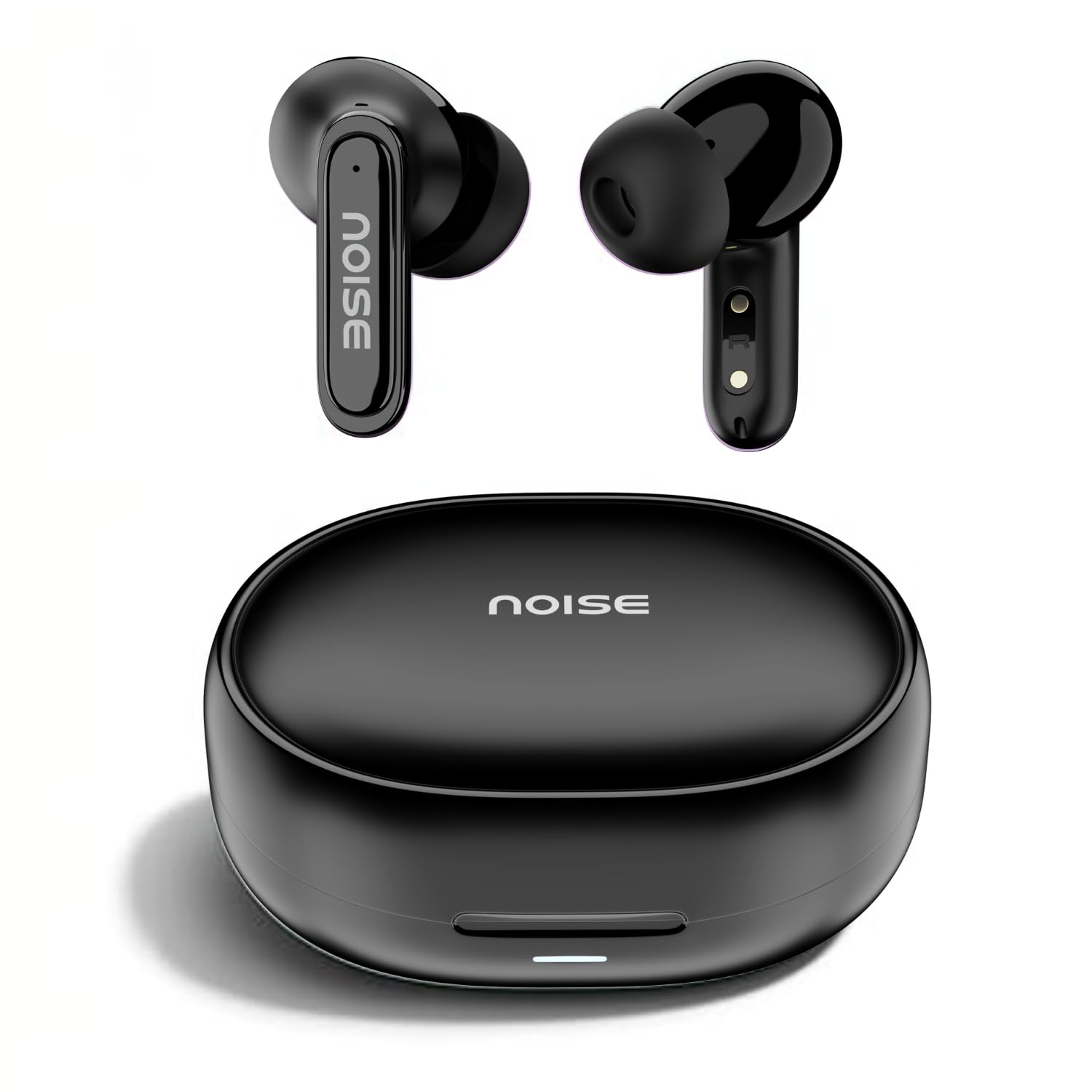
Image: Noise Buds Connect 2 earbuds and their charging case.
Melite
1. Ịchaji ekwe ntị gị
Before first use, fully charge the earbuds and the charging case. Connect the provided charging cable to the charging case and a power source. The indicator light on the case will show the charging status.
- Nkezi ndụ batrị: Ruo awa 50 (ya na akpa chaja)
- Oge Nchaji Batrị: Ihe dị ka awa 1.5 maka ụgwọ zuru ezu.
- Instacharge: 10 minutes of charge provides up to 120 minutes of playtime.

Image: Noise Buds Connect 2 earbuds placed inside their charging case.
2. Mmakọ mbụ
- Mepee igbe nchaji. Igwe ntị ga-abanye na ọnọdụ njikọta na-akpaghị aka.
- Na ngwaọrụ gị (smartphone, mbadamba, laptọọpụ), gbanye Bluetooth.
- Chọọ maka 'Noise Buds Connect 2' in the list of available Bluetooth devices.
- Select 'Noise Buds Connect 2' to connect. A voice prompt will confirm successful pairing.

Image: Earbuds connected to a device via Bluetooth 5.3, showing music playback.
3. Njikọ Ngwaọrụ Abụọ
The Noise Buds Connect 2 support dual device pairing, allowing you to connect to two devices simultaneously and switch between them seamlessly.
- Jikọta ekweisi na ngwaọrụ mbụ gị dịka akọwara n'elu.
- Kwụpụ ekweisi na ntọala Bluetooth nke ngwaọrụ mbụ ahụ.
- Jikọọ ntị ntị na ngwaọrụ nke abụọ gị.
- Reconnect the earbuds to the first device from its Bluetooth settings. The earbuds are now paired with both devices.

Image: Noise Buds Connect 2 earbuds shown with a smartphone and a laptop, illustrating dual device pairing.
Ntuziaka ọrụ
Njikwa mmetụ
The earbuds feature touch controls for easy management of music and calls. Specific gestures for play/pause, track skipping, volume adjustment, and call handling are typically detailed in the quick start guide included with your product. Refer to that guide for precise touch commands.
Nchọpụta n'ime-ntị
The earbuds are equipped with in-ear detection. Music playback will automatically pause when you remove an earbud from your ear and resume when you place it back in.

Image: A person wearing Noise Buds Connect 2, demonstrating the in-ear detection feature.
Atụmatụ
- Quad Mic with Environmental Noise Cancellation (ENC): Ensures clear voice calls by filtering out ambient noise.
- IPX5 Mgbochi mmiri: Protects your earbuds from sweat and light splashes, making them suitable for workouts and outdoor activities.
- Low Latency (up to 40ms): Provides a synchronized audio-visual experience, ideal for gaming and video playback.
- Bluetooth v5.3: Offers stable and efficient wireless connectivity with a range of up to 10 meters.
Image: Noise Buds Connect 2 earbuds highlighting the Quad Mic with ENC feature for enhanced call clarity.

Image: Noise Buds Connect 2 showcasing its IPX5 water resistance feature.
Nlekọta
Nhicha
- Jiri nwayọ hichaa ntị ntị na chaja na akwa dị nro, kpọrọ nkụ, enweghị akwa.
- Ejila kemịkalụ siri ike, ihe mgbaze, ma ọ bụ ncha siri ike.
- Na-ehicha kọntaktị nchaji na ma ntị ntị na akpa ahụ mgbe niile iji hụ na chaja kwesịrị ekwesị.
Nchekwa
- Chekwaa ntị ntị n'akpa chaja ha mgbe anaghị eji ya iji chebe ha ma debe ya ebubo.
- Avoid exposing the earbuds to extreme temperatures, humidity, or direct sunlight.
Nchọpụta nsogbu
- Igwe ntị anaghị ejikọta: Ensure both earbuds are in the charging case, then open the lid to initiate pairing mode. Check your device's Bluetooth settings and try re-pairing.
- Otu earbud anaghị arụ ọrụ: Place both earbuds back in the case, close the lid, wait a few seconds, then open it again. This often resets the connection.
- Nsogbu ịchaji: Clean the charging contacts on both the earbuds and the case. Ensure the charging cable is securely connected and the power source is active.
- Olu dị ala ma ọ bụ ogo ụda adịghị mma: Check the volume on both your device and the earbuds. Ensure the earbuds are properly seated in your ears. Clean any debris from the earbud nozzles.
- Nchọpụta n'ime ntị anaghị arụ ọrụ: Ensure the sensors are clean and unobstructed.
Nkọwapụta
| Njirimara | Nkọwapụta |
|---|---|
| Ụdị | Mkpọtụ |
| Aha Nlereanya | Buds Connect 2 |
| Nọmba nlereanya | AUD-HDPHN-BUDSCONNECT-2-BLK |
| Agba | Unyi Oji |
| Ntinye ntị | Na Ntị |
| Ụdị Ihe | Ezi ikuku |
| Njikwa mkpọtụ | Nkagbu mkpọtụ gburugburu (ENC) |
| Nkezi Ndụ batrị | Awa 50 |
| Oge nchaji batrị | Awa 1.5 |
| Oke ugboro ugboro | 20 Hz - 20 kHz |
| Ụdị ọkwọ ụgbọ ala ọdịyo | Ọkwọ ụgbọala dị ike |
| Njirimara ngwaahịa | Fast Charging, Lightweight, Microphone Included, Rechargeable Battery, Sweatproof |
| Ihe mkpuchi | Polycarbonate (PC) |
| Ọkwa Nguzogide mmiri | IPX5 mmiri na-eguzogide |
| Ụdị Bluetooth | 5.3 |
| Oke Bluetooth | 10 mita |
| Ụdị njikwa | Njikwa Mgbasa ozi |
| Usoro njikwa | Metụ aka |
Akwụkwọ ikike na nkwado
The Noise Buds Connect 2 come with a 1-year assured warranty from the date of purchase, provided by the manufacturer. For warranty claims, technical support, or further information, please refer to the warranty registration card included in your package or visit the official Noise brand store.
Ụlọ Ahịa Akara Gọọmentị: Noise Store on Amazon.in
Ihe karịrị vidiyo ngwaahịaview
Lelee vidio a ka ị hụ obere nkọwaview of the Noise Buds Connect 2 features and contents.
Vidiyo: obere oge tupuview highlighting key features of the Noise Buds Connect 2 earbuds.